iTAC Advance Issue 2, Mar 2018.pdf - 第25页
25 Issue 2 , Mar 18 Note: The equipment groups are AND linked . The equipment and equipment device classes within an equipment group are OR linked. For equipment setup, this means that from every group at least one valid…
24
Issue 2, Mar 18
Equipment assignment
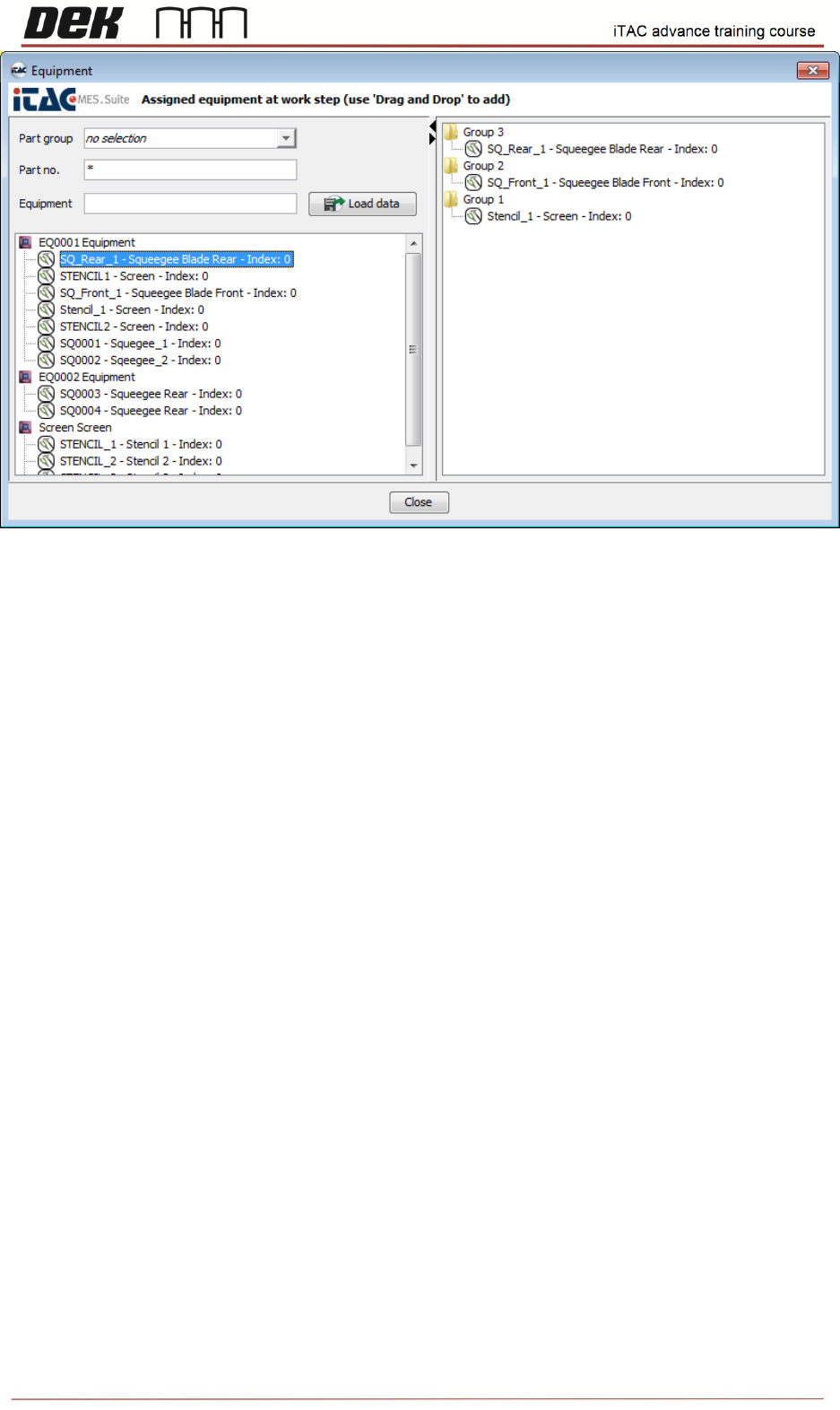
Equipment is each specific consumable which is necessary for manufacturing of selected
product on particular station (on printer it is e.g. screen, squeegee, tooling, etc.)
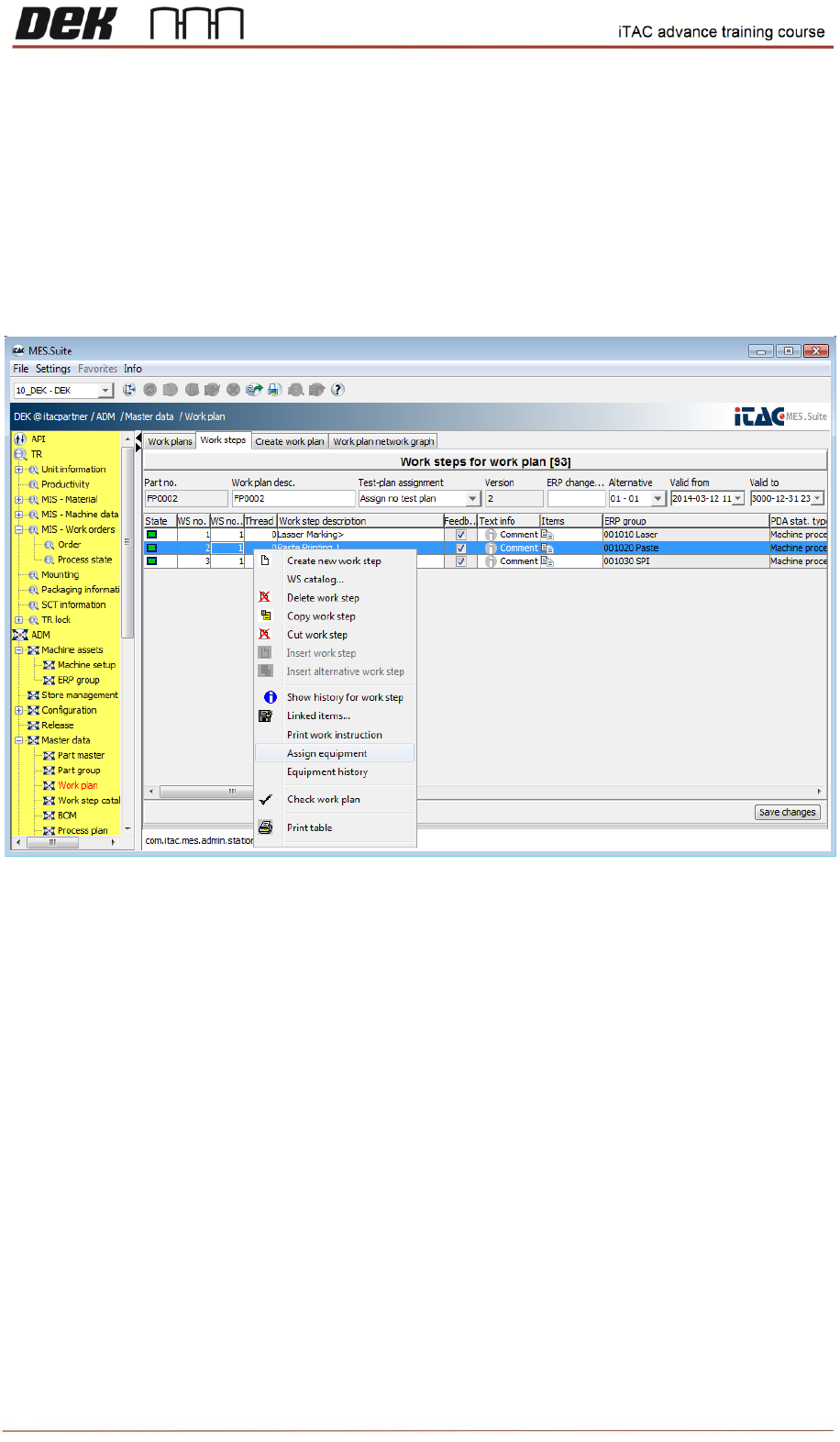
❑ To assign equipment to the work plan select required work plan, right click and then select
edit.
❑ Select required work step, right click and select assign equipment.
❑ Select the part number, and then use drag and drop to add equipment.
25
Issue 2, Mar 18
Note: The equipment groups are AND linked. The equipment and equipment device classes
within an equipment group are OR linked. For equipment setup, this means that from every
group at least one valid equipment must be rigged to the station of this work step!
NOTES:
26
Issue 2, Mar 18
Work order creation
Work order defines production order according to current demand. Work order consists
required quantity, Product part number + BOM version and exact work plan version.
Work order is to be activated on the line in order to start production.
Objective HO 6: Create new Work Order
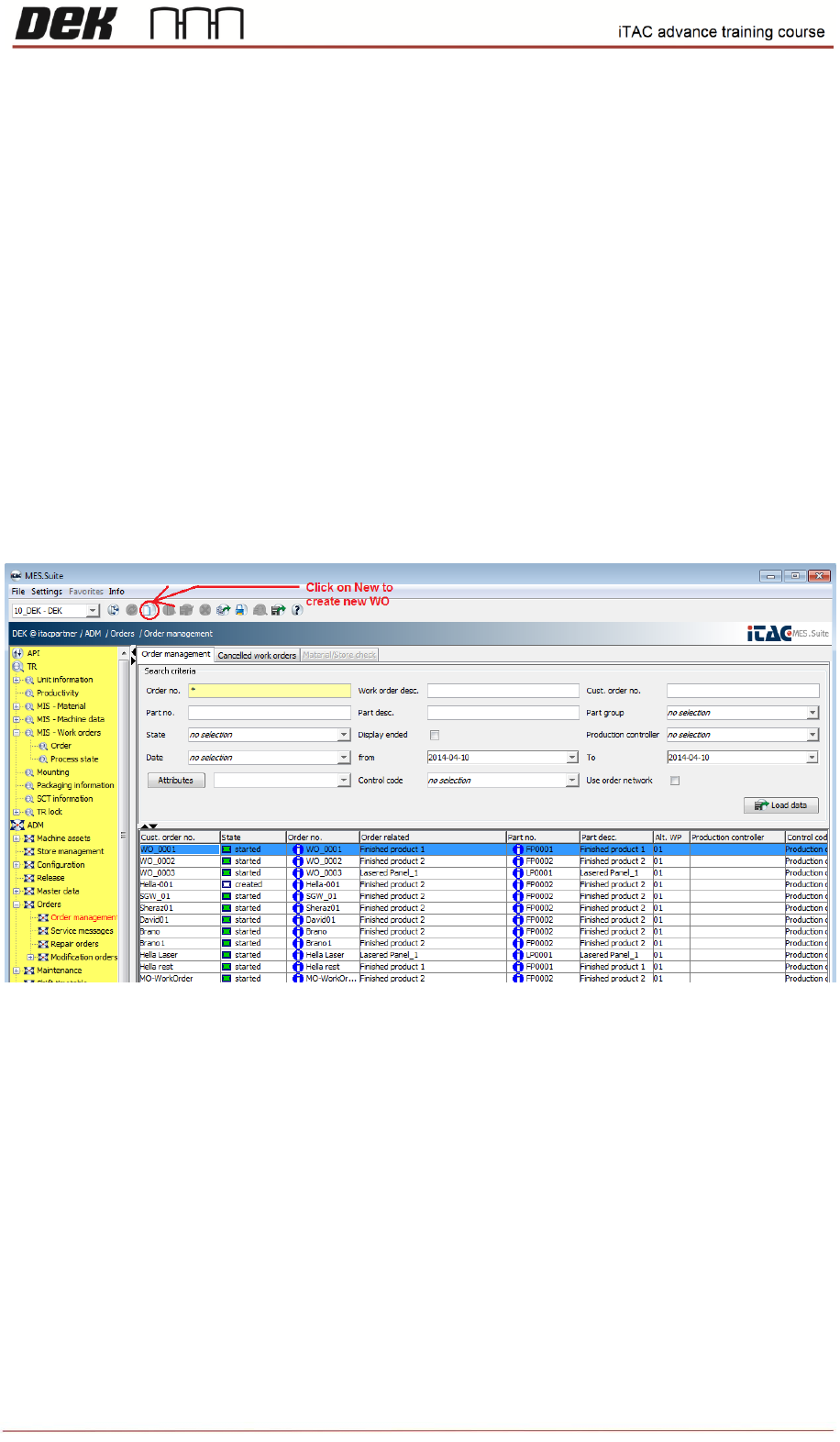
❑ Go to ADM\Orders\Order Management
Note: To list all available products type asterisk ("*"), then click on load data.
❑ Click on new in toolbar to create new work order.
❑ Select Production order in Work plan type field. In part selection window type/select desired
BOM or type asterisk to list all.