iTAC Advance Issue 2, Mar 2018.pdf - 第54页
54 Issue 2 , Mar 18 More details for the particular serial number can be found in unit history . Unit history shows state of each work step done, associated serial numbers and measurement data (traceability). ❑ Go to TR\…
53
Issue 2, Mar 18
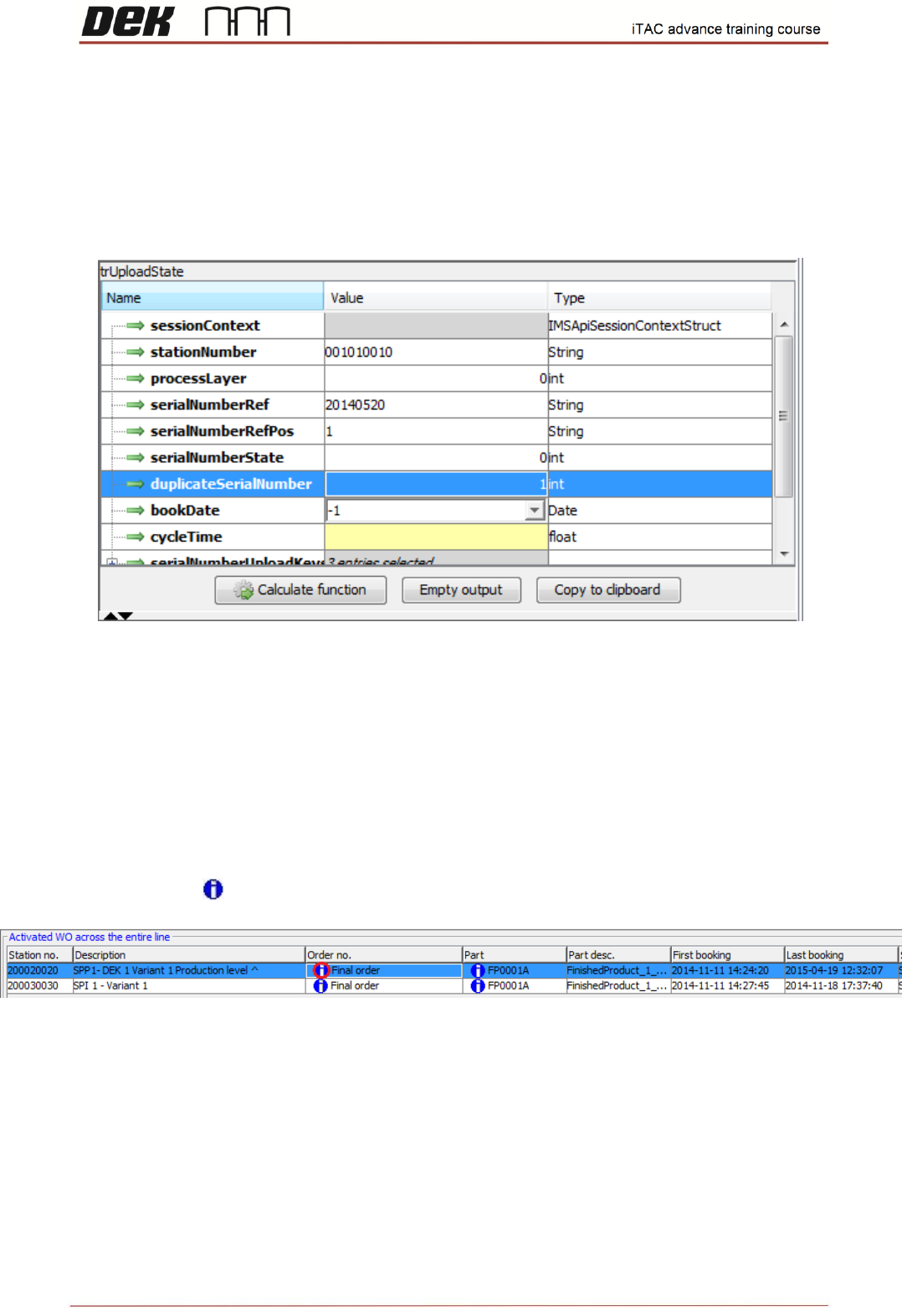
Function – Upload state
❑ Select “trUpload state”
Function used for updating status of PCBs (single panel or multiple panel)
SerialNumberState parameter: Process state of the serial number [0; 1; 2]:
0 = pass
1 = fail
2 = scrap
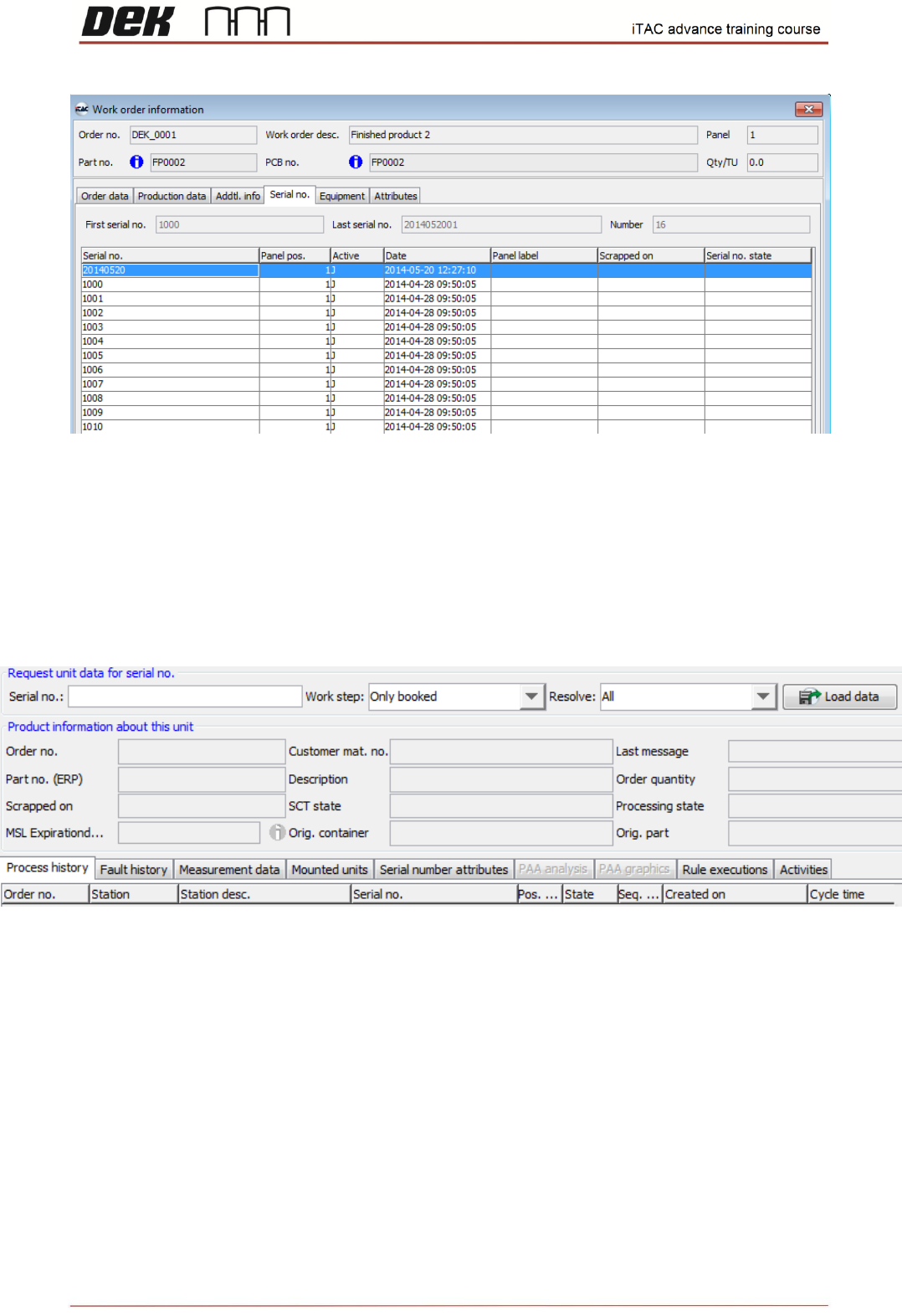
The assigned serial number can be checked in WO.
❑ Go to TR\MIS – Work orders\Order
❑ Double click on icon to display further information about the work order
❑ Select the Serial no. tab on the Work order information form
❑ All serial numbers for that work order are displayed in list
54
Issue 2, Mar 18
More details for the particular serial number can be found in unit history. Unit history shows state of
each work step done, associated serial numbers and measurement data (traceability).
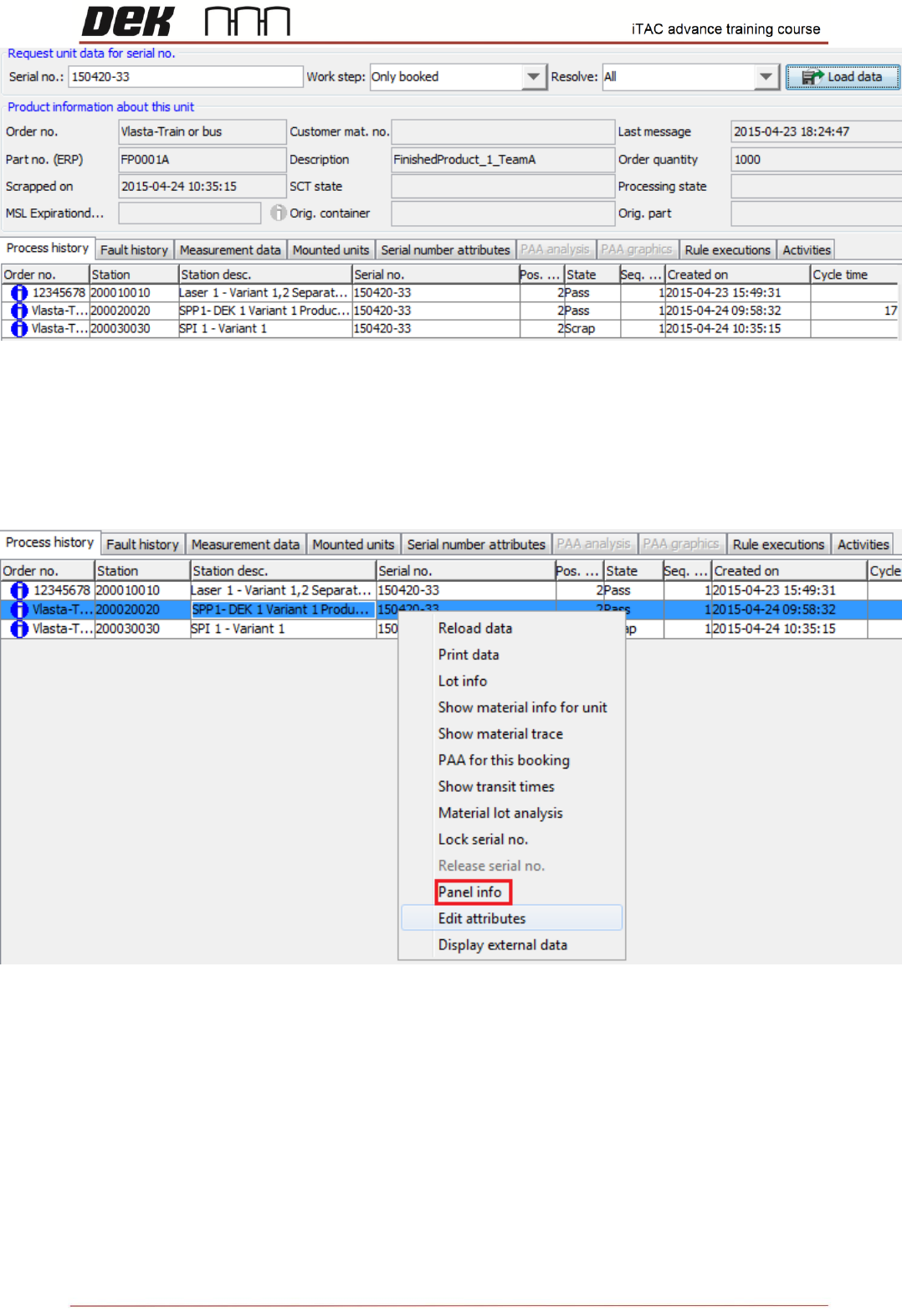
❑ Go to TR\Unit Information\Unit history
❑ Type the serial number into serial number field and click on load data
55
Issue 2, Mar 18
Process history tab shows the each work step done and its state.
If serial no. is part of multiple panel, the other serial numbers can be checked for each work step.
❑ Select particular work step
❑ Right click and select panel info
The panel info shows the state of all associated serial numbers for this work step