iTAC Advance Issue 2, Mar 2018.pdf - 第18页
18 Issue 2 , Mar 18 ❑ The changes in BOM can be saved in following window . ❑ The information about changes may be added in follow ing window. ❑ Finally new version can be created. ❑ To make new version valid right click…
17
Issue 2, Mar 18
Objective HO 4: Create new version of BOM.
BOM editing – new version release
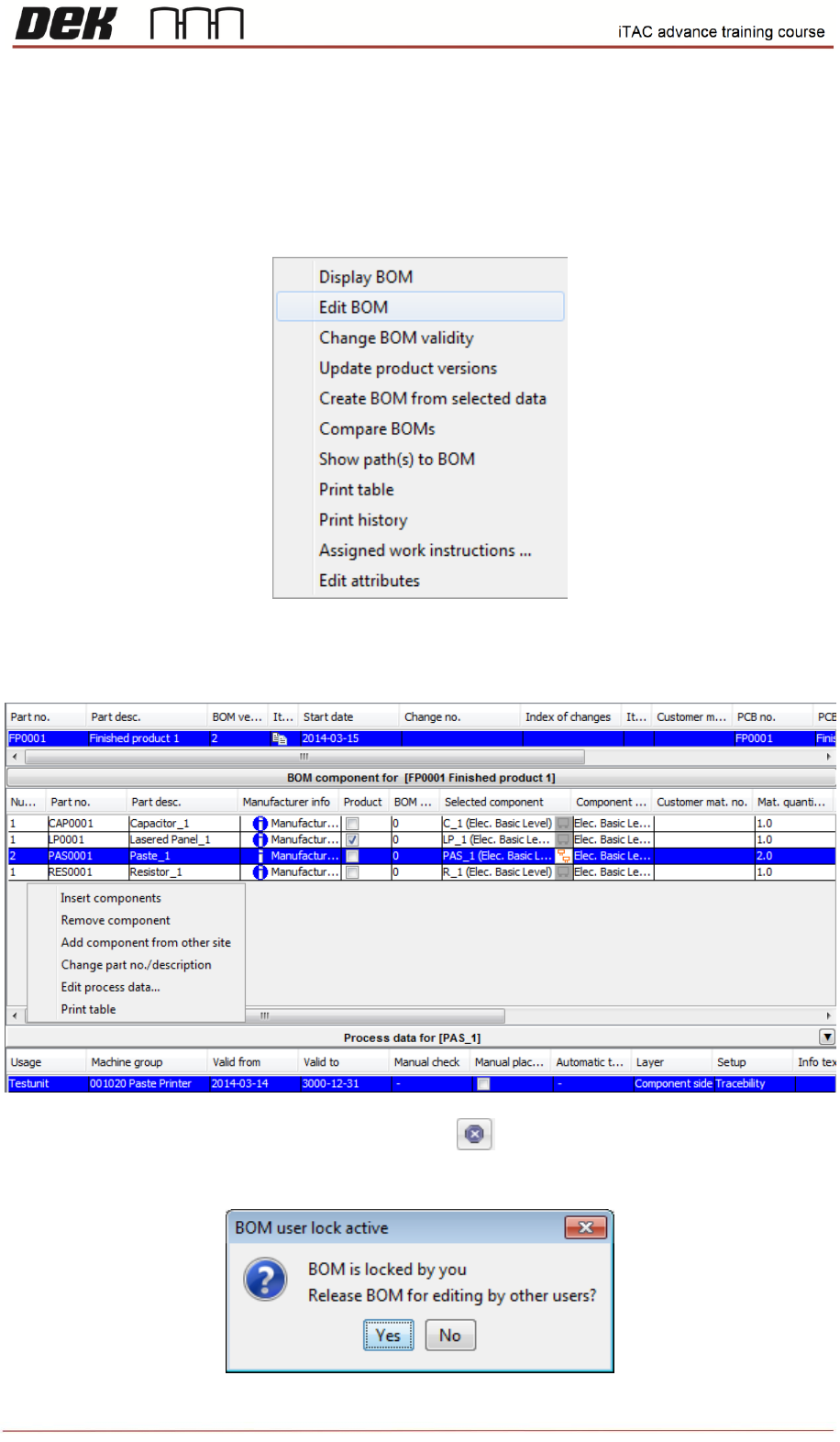
❑ Right click then select edit BOM.
❑ The BOM can be edited by right click, in selection windows can be selected insert/remove
component, edit process data, etc.
❑ Once required changes are done click on close in toolbar.
❑ Then will be prompted whether release BOM for editing by other users or not.
18
Issue 2, Mar 18
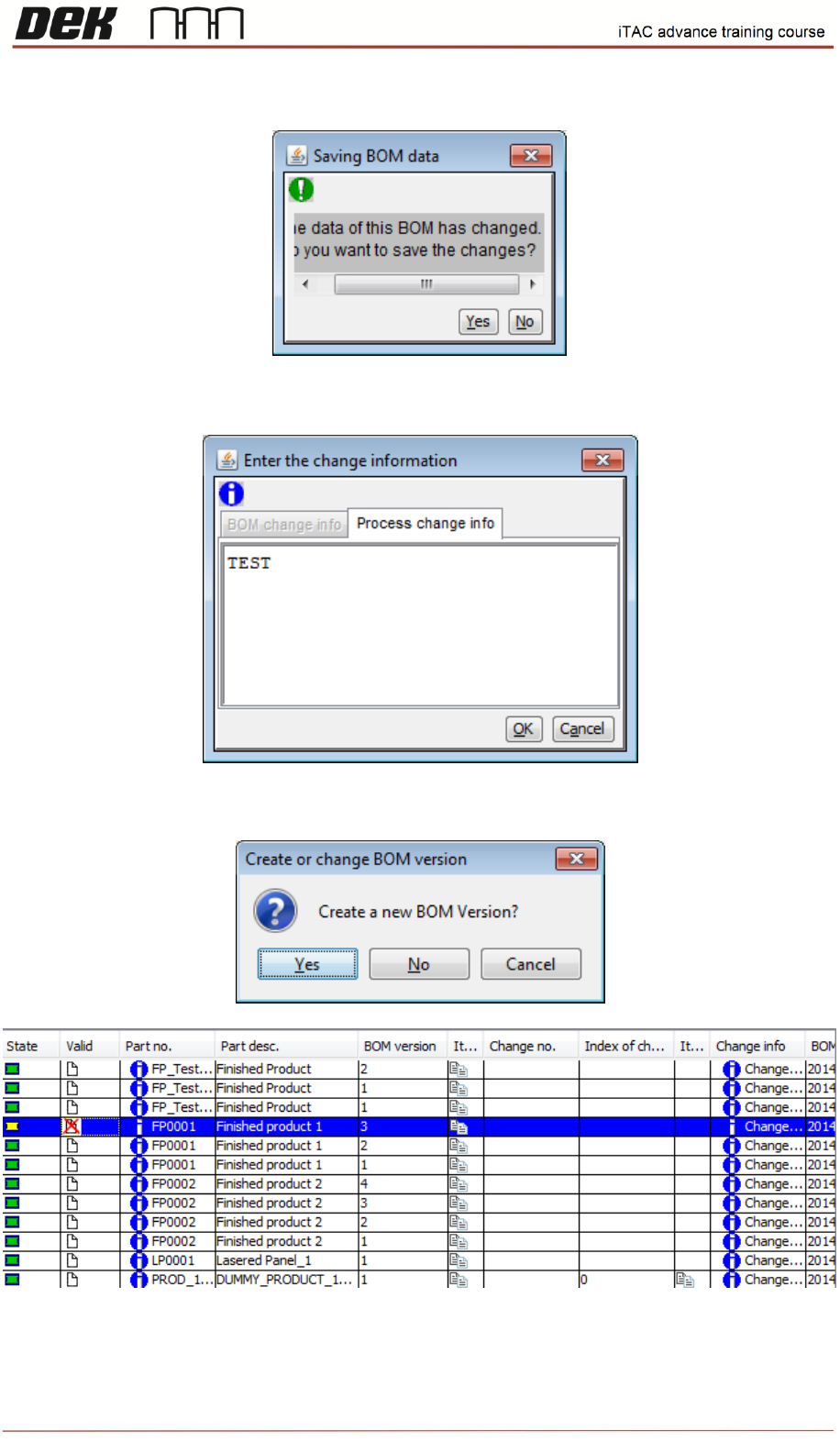
❑ The changes in BOM can be saved in following window.
❑ The information about changes may be added in following window.
❑ Finally new version can be created.
❑ To make new version valid right click and select version released.
19
Issue 2, Mar 18
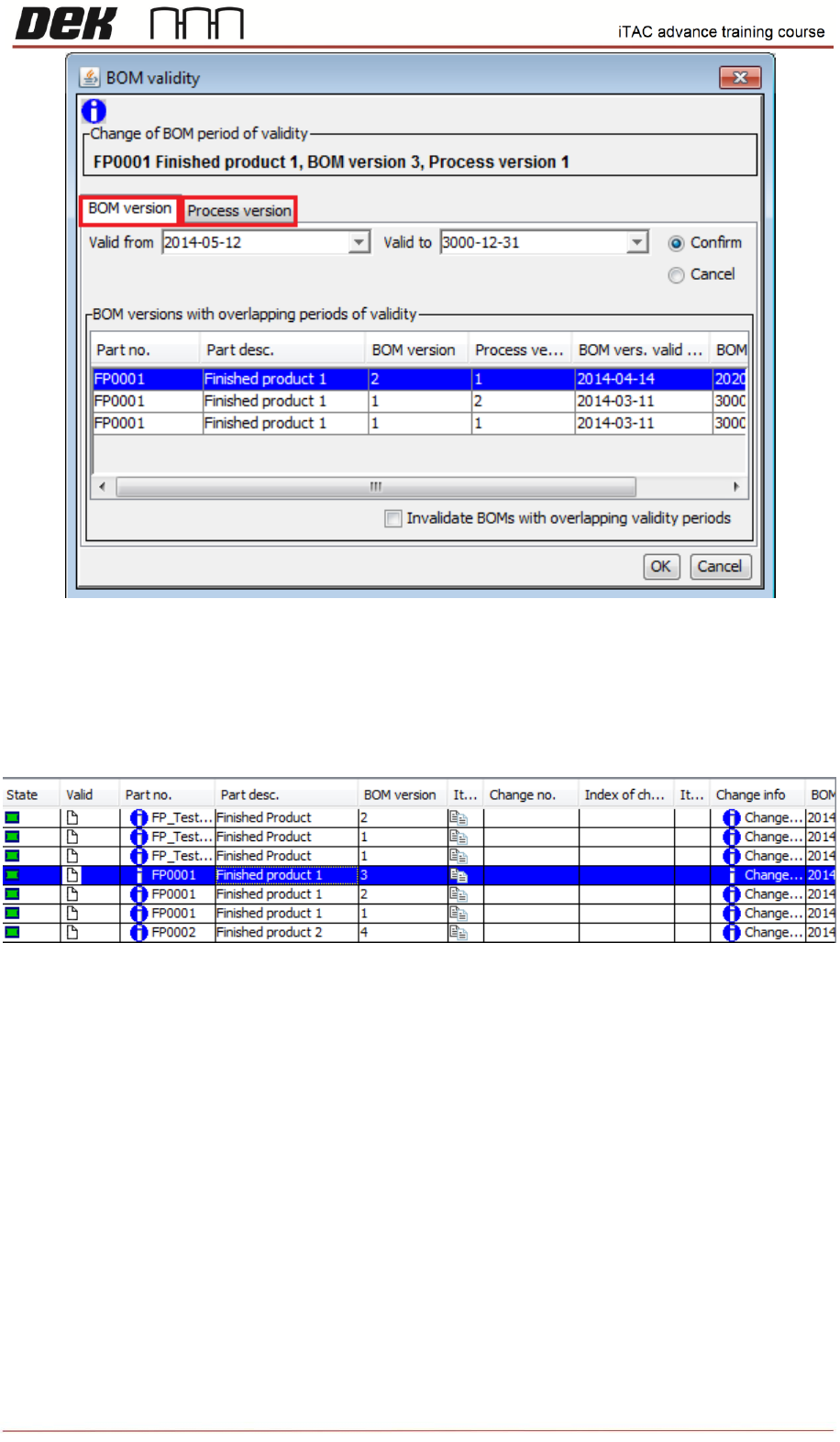
❑ Select appropriate dates for Valid from/to fields. Repeat same in proces version tab. Confirm
by OK.
New version should be valid on main page.
NOTES: