iTAC Advance Issue 2, Mar 2018.pdf - 第8页
8 Issue 2 , Mar 18 Windows elements The iTAC workplace consists of various components for displaying information and operating iTAC.MES.Suite. Objective SS 2 : List items 1-6 of window elements. Remember the iTAC7 User G…
7
Issue 2, Mar 18
Description of operation
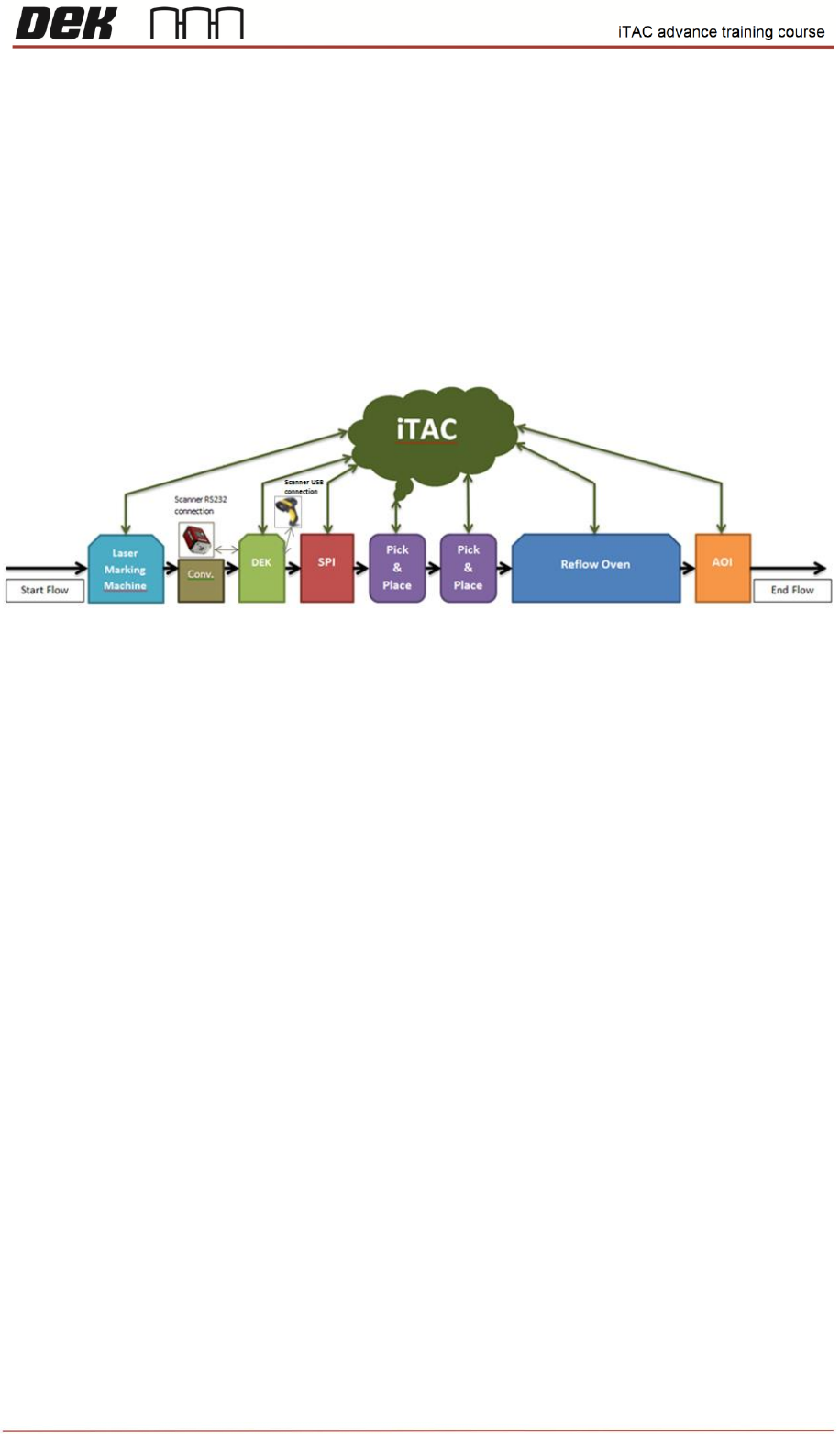
iTAC is Manufacturing Execution System (MES) software running on a master
server located remotely from the manufacturing line. Machines in the production line (including the
DEK printer) are connected to the iTAC server.
Using barcodes, the server verify the product board entering the printer and selected consumables
that are used in the print process. Once board is printed the state and required traceability data (such
as verified items, actual pressure, set pressure) is uploaded into server assigned to the barcode of
currently produced panel.
NOTES:
8
Issue 2, Mar 18
Windows elements
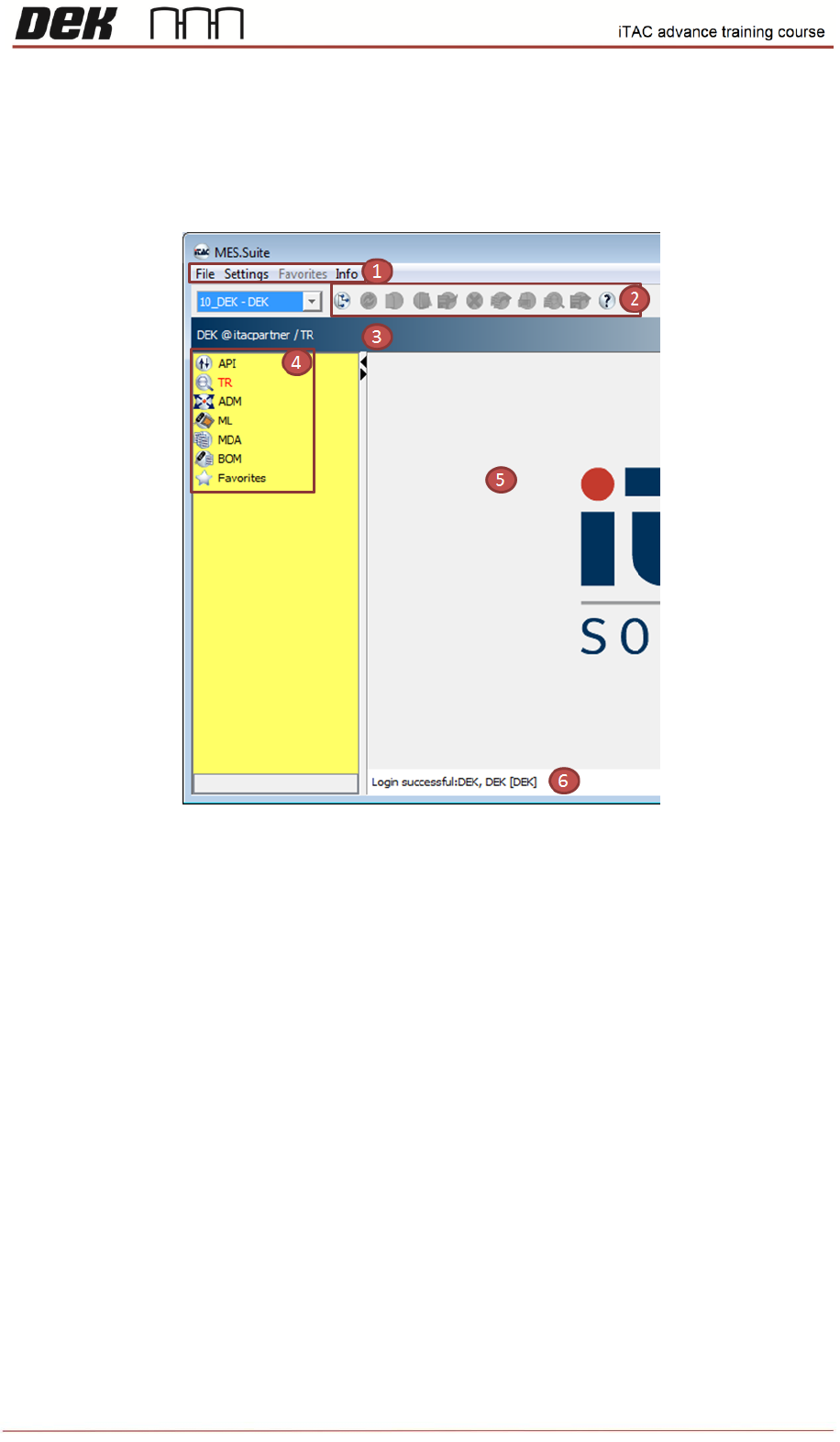
The iTAC workplace consists of various components for displaying information and operating
iTAC.MES.Suite.
Objective SS 2: List items 1-6 of window elements.
Remember the iTAC7 User Guide is the recognized source of information.
1. ……………………………………………………………………………………….
2. ……………………………………………………………………………………….
3. ……………………………………………………………………………………….
4. ……………………………………………………………………………………….
5. ……………………………………………………………………………………….
6. ……………………………………………………………………………………….
NOTES:
9
Issue 2, Mar 18
Connection To the iTAC Workplace
1. Create folder “jre” in C:\Program Files\Java\
2. Copy Workplace.jnlp to C:\Program Files\Java\jre\
3. Start > Run > cmd
4. cd\
5. cd C:\Program Files\Java\jre
6. Type "Workplace.jnlp"
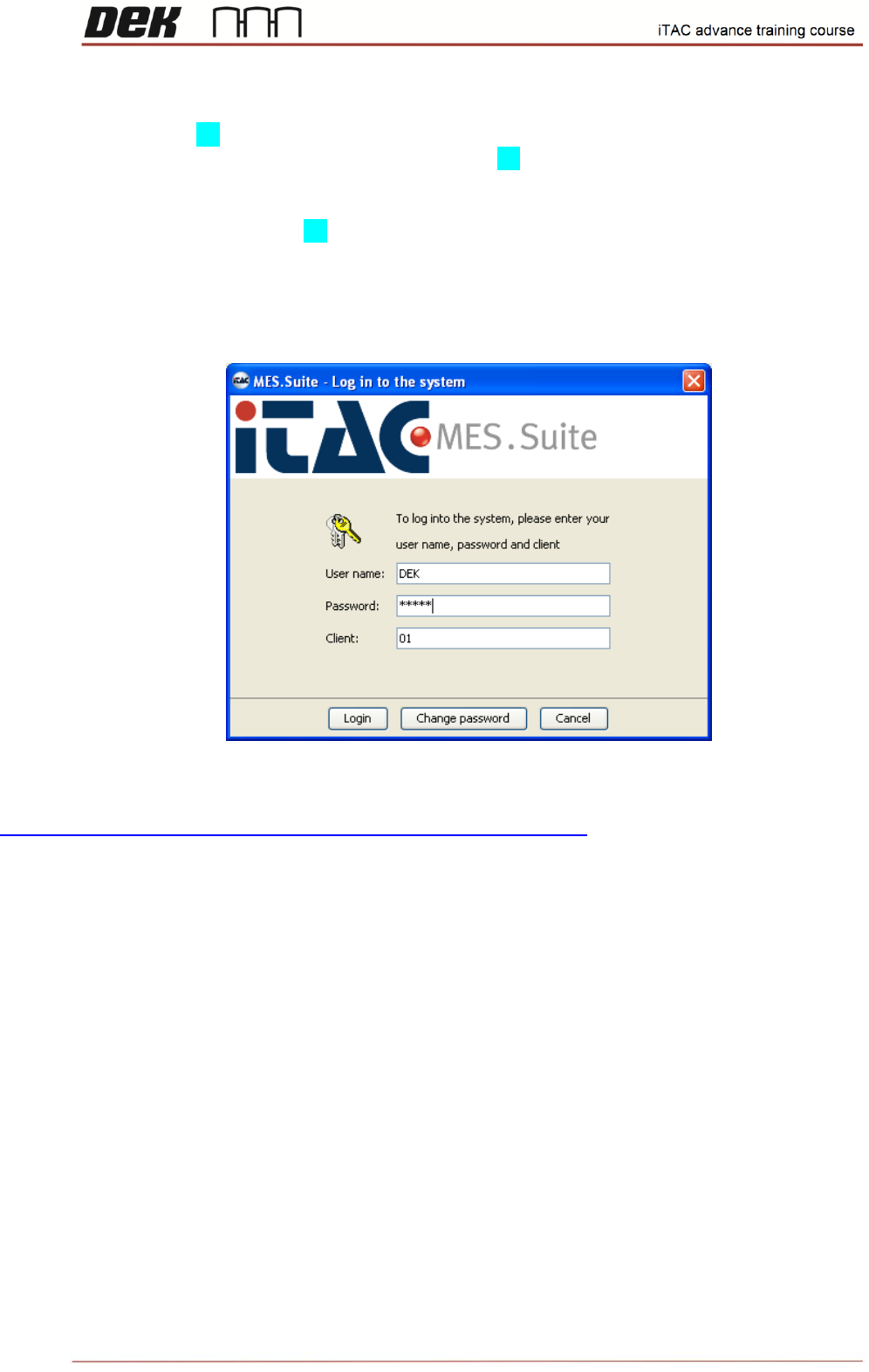
Follow onscreen instruction, the login page should be displayed in the end.
Use following link for future logins:
https://partner.itac.de:8181/mes/webstart/clients/Workplace.jnlp
DEK test application contains limited functions & rights specific for DEK machine.
Login:
Username: "DEK"
Password: "DEKUK"
NOTES: