iTAC Advance Issue 2, Mar 2018.pdf - 第31页
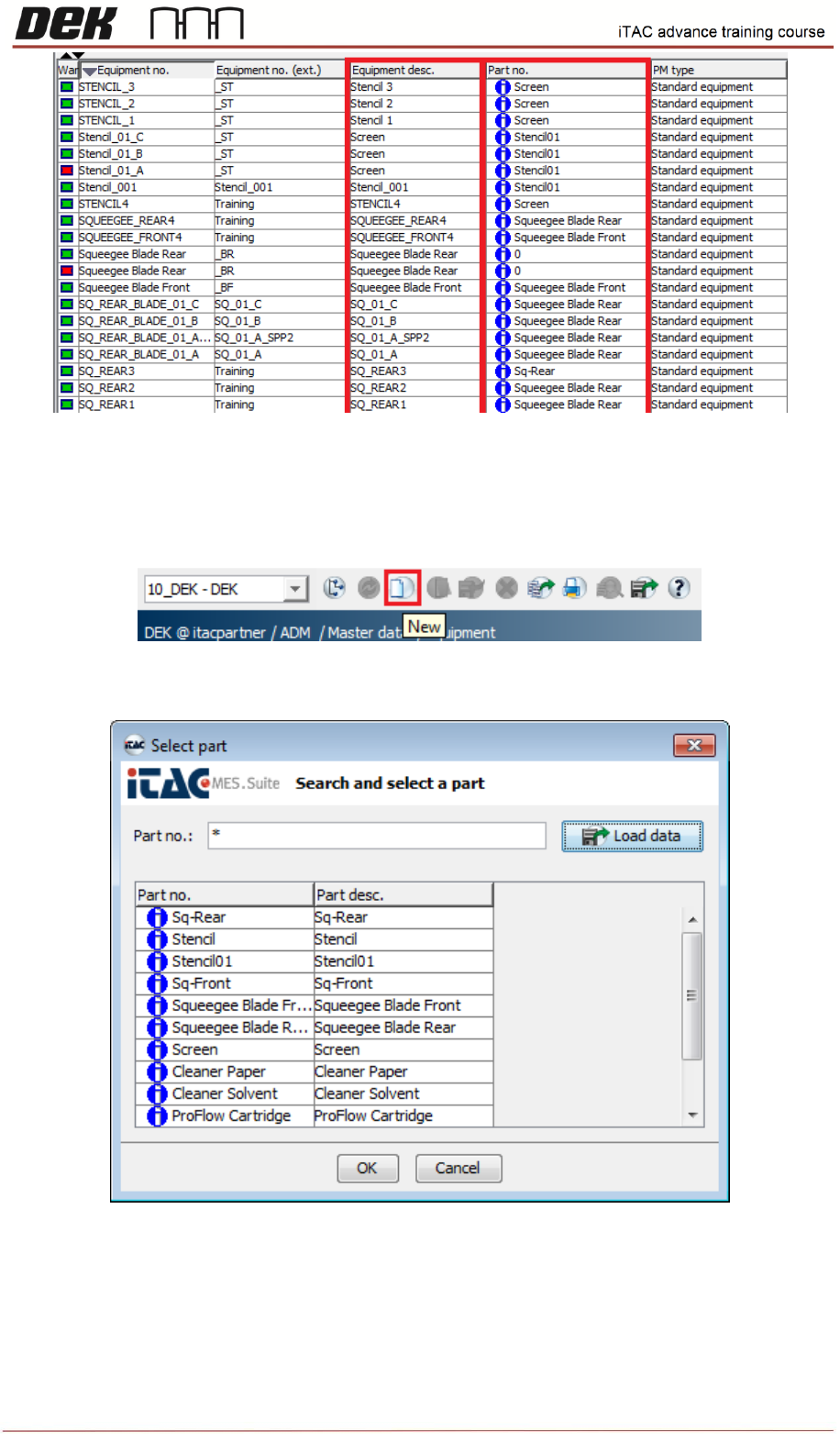
31 Issue 2 , Mar 18 Equipment Description – Depends on strategy it can be either any name or it is used for specific name of equipment type. This name has to match the value for each used type of equipment in “ E: \Confi…
30
Issue 2, Mar 18
New Equipment creation
❑ Click on new in taskbar.
❑ Select appropriate equipment’s part number, click on OK.
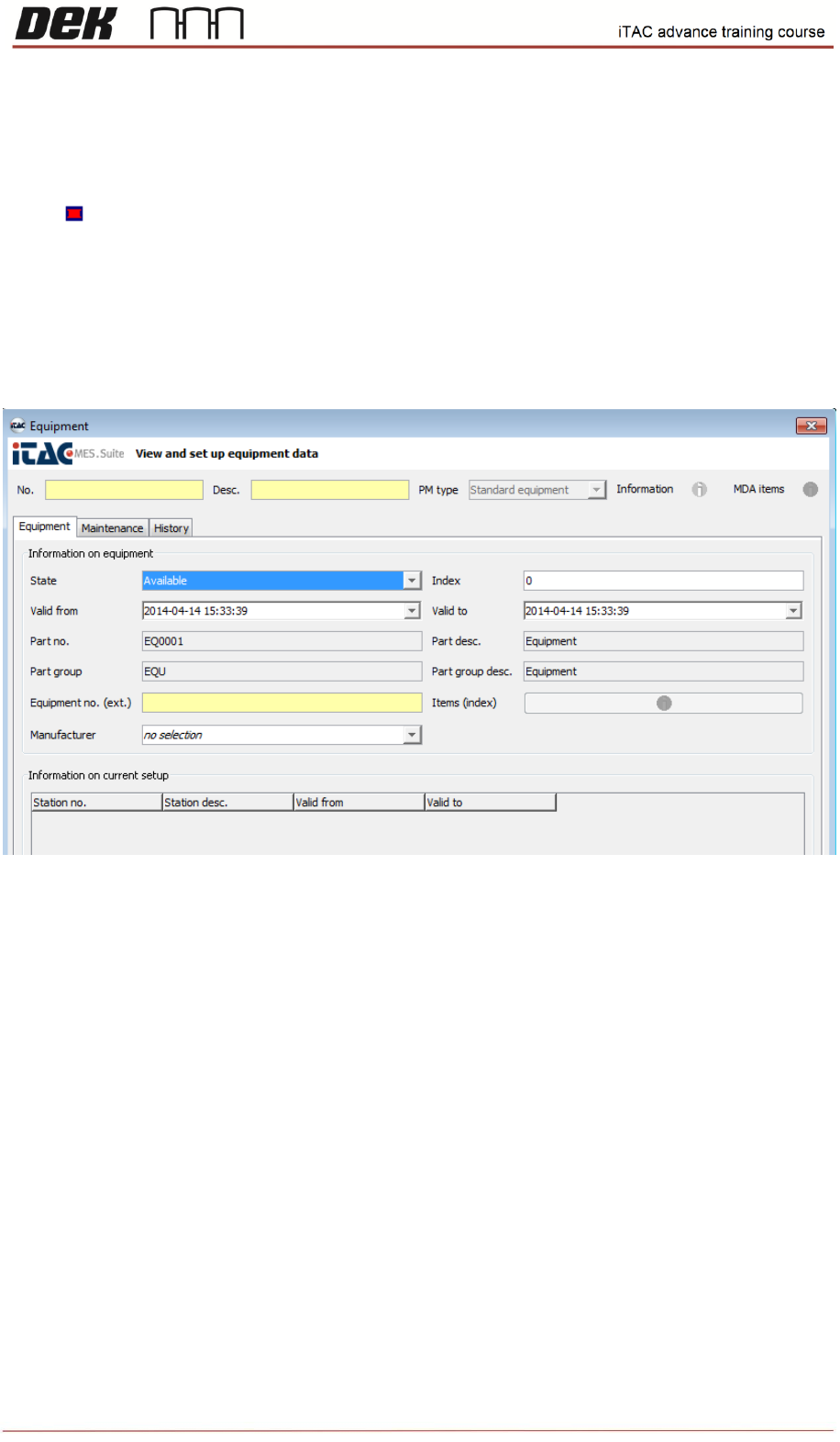
In Equipment window fill in all fields in yellow (mandatory)
Equipment No. - contains the content of barcode, it has to be unique
31
Issue 2, Mar 18
Equipment Description – Depends on strategy it can be either any name or it is used for specific
name of equipment type. This name has to match the value for each used type of equipment in
“E:\Config\PluginData\iTAC7\ItacVerificationItems.xml” as described above.
Equipment No. (ext) – Anything
The Fields “Valid from/to” have to be defined correctly, otherwise equipment will not be usable – red
warning state .
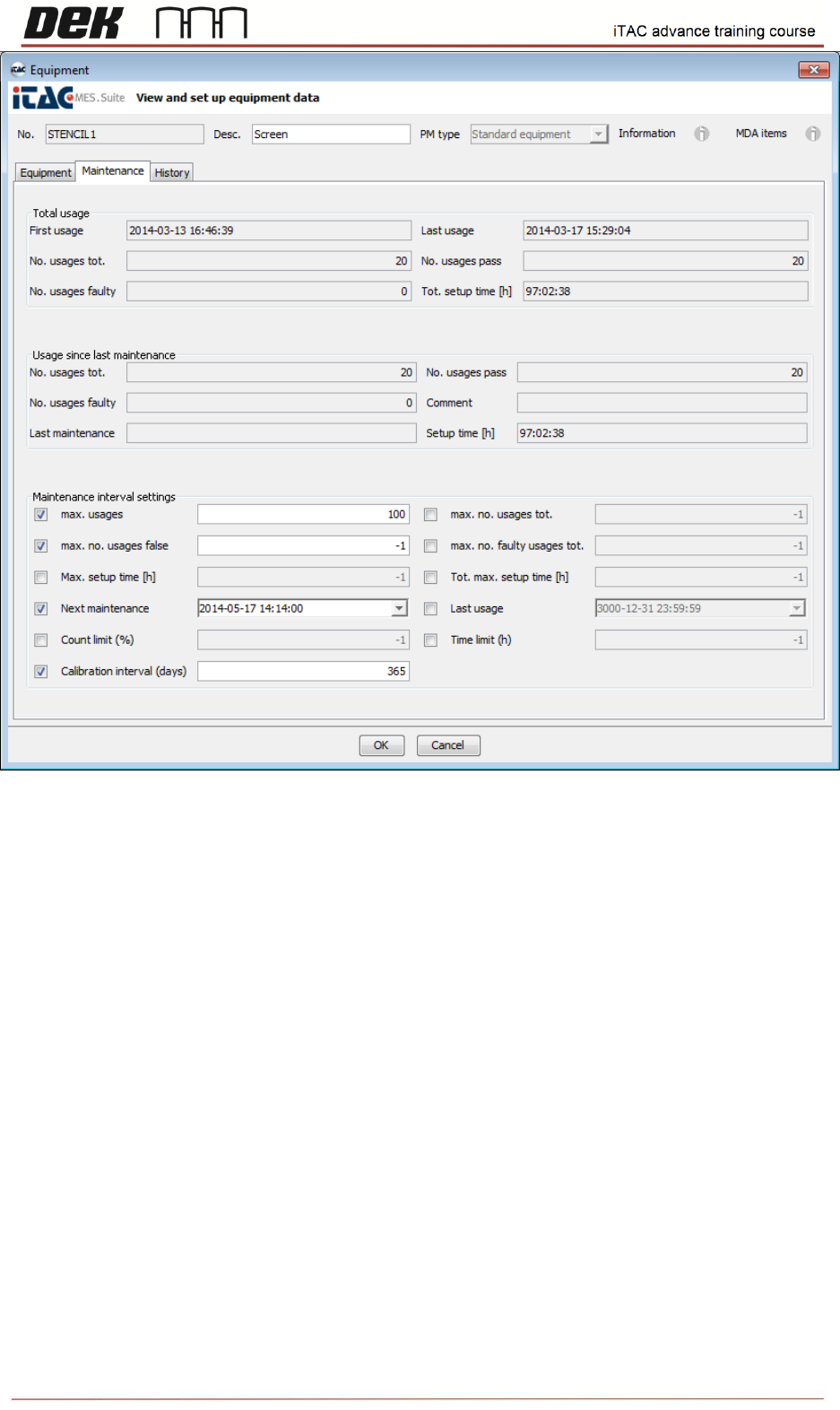
Extra parameters may be selected, in maintenance tab, where can be defined e.g. max. usages,
maintenance, etc…
Note: Each item of equipment must have either a unique Equipment Description or unique
Part Description.
32
Issue 2, Mar 18
NOTES: