iTAC Advance Issue 2, Mar 2018.pdf - 第21页
21 Issue 2 , Mar 18 Work Plan (WP) Contains all work steps necessary for manufacturing of specific product. Existing equipment can be assigned into required work step (e.g. paste printer) of s elected Work plan version. …
20
Issue 2, Mar 18
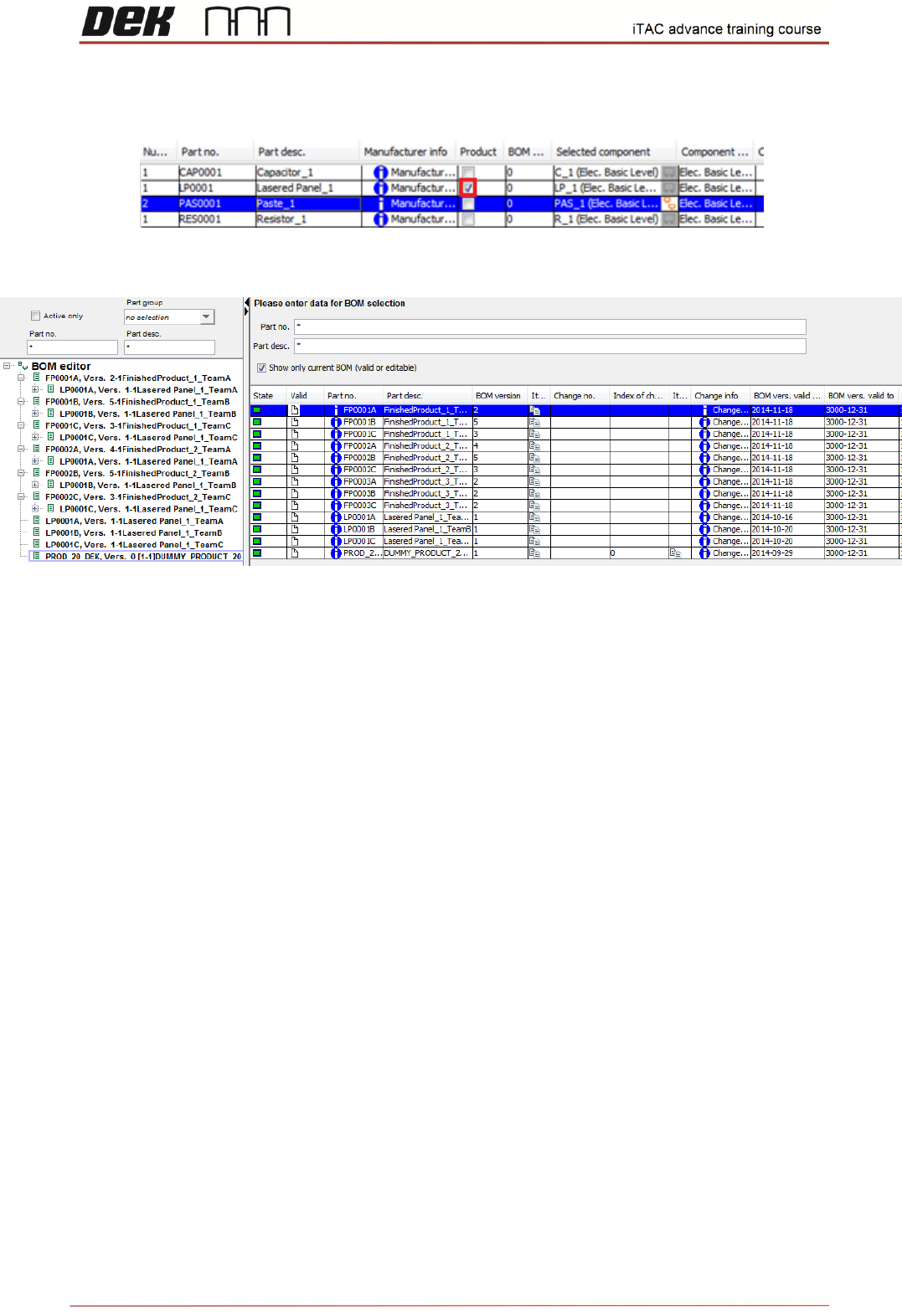
Multilevel BOM
BOM can contain semi-finished product (marked as product).
Multilevel BOMs are displayed on the left window of BOM module.
Note: If new version of Multilevel BOM is released, then it has to be updated in BOM editor
(left window)
NOTES:
21
Issue 2, Mar 18
Work Plan (WP)
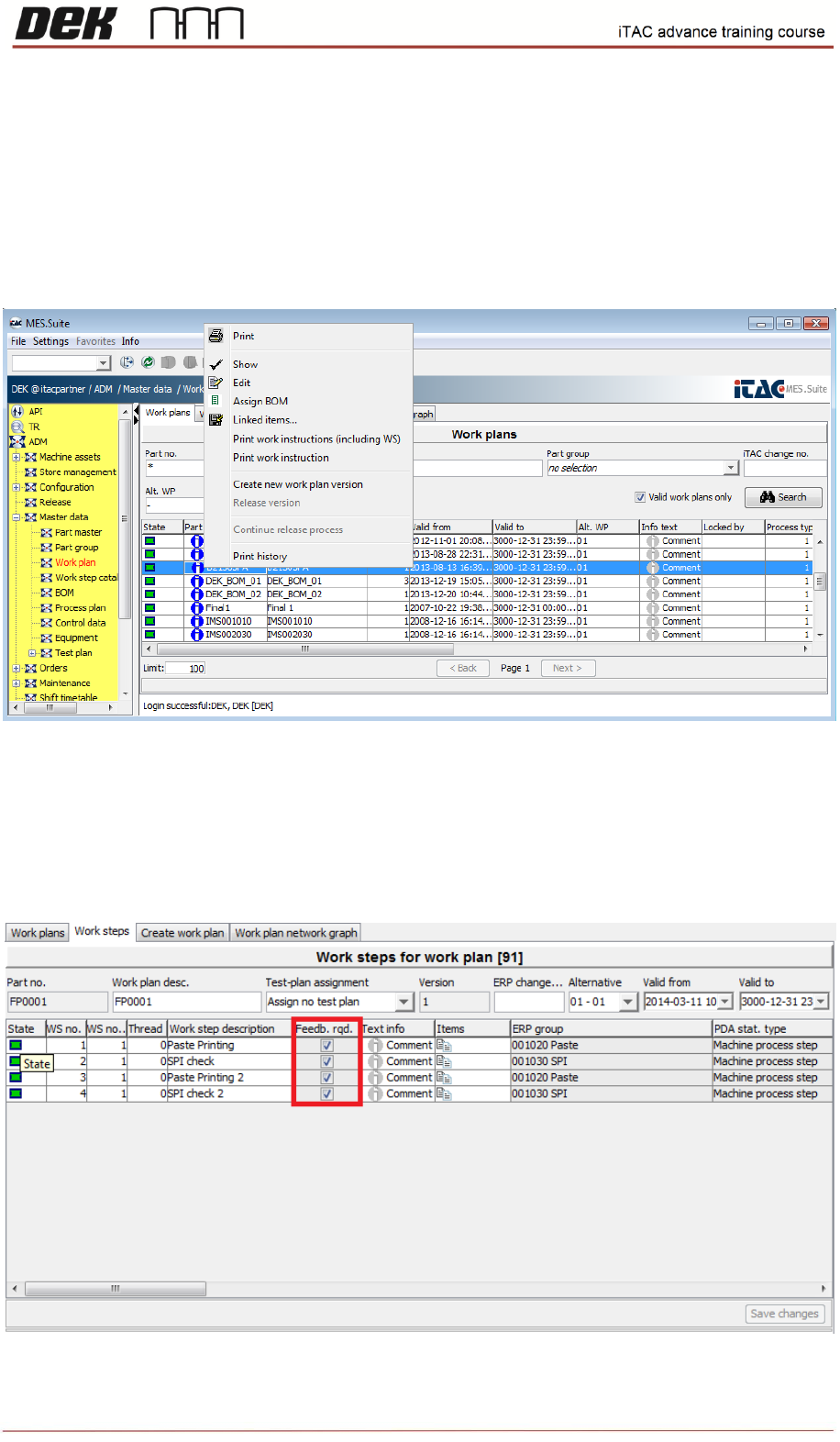
Contains all work steps necessary for manufacturing of specific product. Existing equipment
can be assigned into required work step (e.g. paste printer) of selected Work plan version.
❑ Go to ADM\Master Data\Work plan Data\Work Plan
To open specific WP select specific WP then click on work steps tab or right click, then select show.
Only valid WP is displayed by default, to see all WP remove tick from “Valid work plans only” and
then search again.
For those steps where iTAC in use, make sure feedback required is ticked.
22
Issue 2, Mar 18
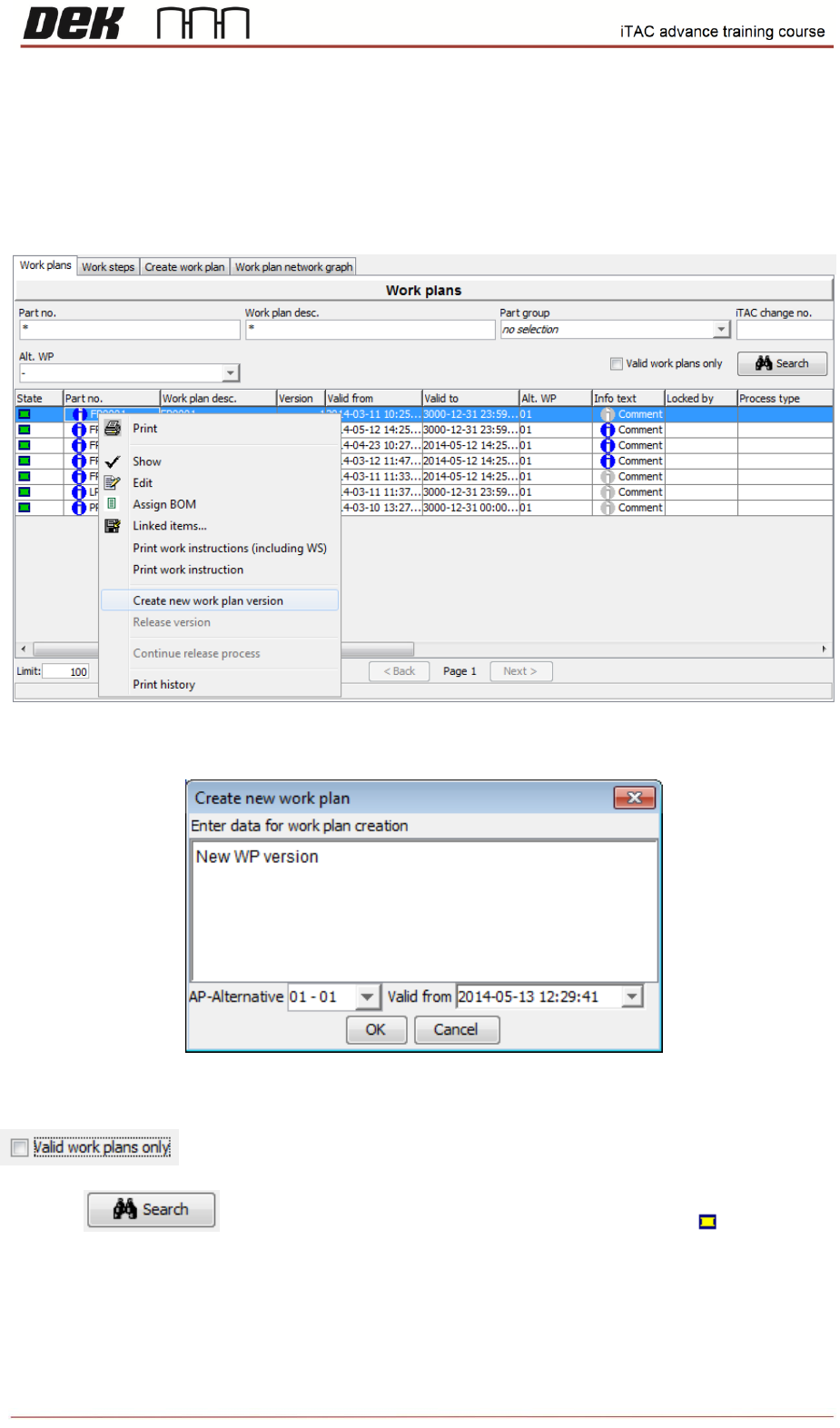
Objective HO 5: Create new version of WP and assign equipment to printer
New Work Plan Version
❑ Right click on required WP and then select Create new work plan version
❑ Add comment in following window and confirm by OK.
❑ New version is created. In order to see new version un-tick valid work plan only.
❑ Click on , new version should be displayed in yellow state