iTAC Advance Issue 2, Mar 2018.pdf - 第9页
9 Issue 2 , Mar 18 Connection To the iTA C Workpla ce 1. Create folder “ jre ” in C: \Program Files\Java\ 2. Copy W orkplace.jnlp to C:\Program Files\Java\jre\ 3. Start > Run > cmd 4. cd\ 5. cd C:\P rogram Files\Ja…
8
Issue 2, Mar 18
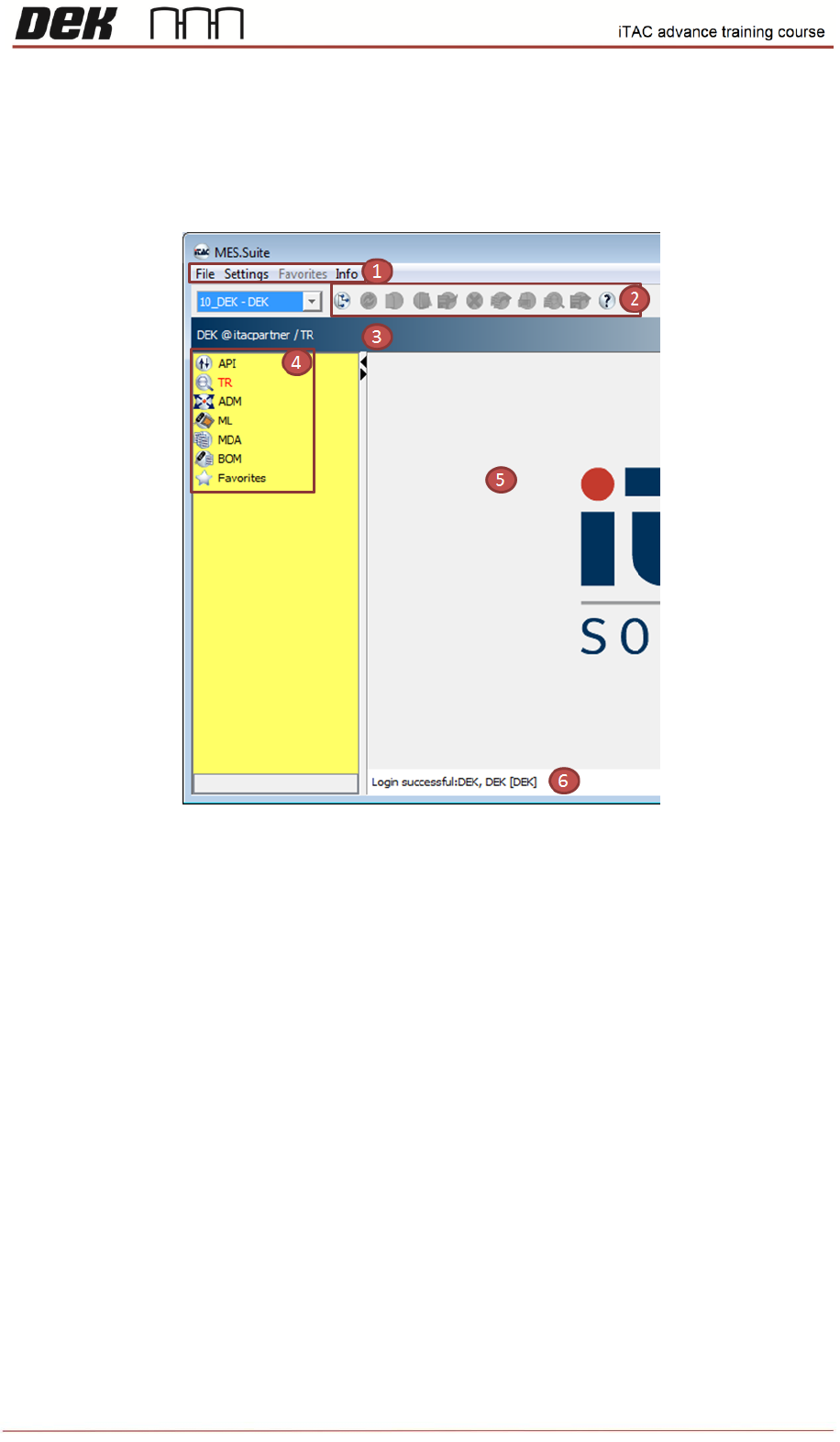
Windows elements
The iTAC workplace consists of various components for displaying information and operating
iTAC.MES.Suite.
Objective SS 2: List items 1-6 of window elements.
Remember the iTAC7 User Guide is the recognized source of information.
1. ……………………………………………………………………………………….
2. ……………………………………………………………………………………….
3. ……………………………………………………………………………………….
4. ……………………………………………………………………………………….
5. ……………………………………………………………………………………….
6. ……………………………………………………………………………………….
NOTES:
9
Issue 2, Mar 18
Connection To the iTAC Workplace
1. Create folder “jre” in C:\Program Files\Java\
2. Copy Workplace.jnlp to C:\Program Files\Java\jre\
3. Start > Run > cmd
4. cd\
5. cd C:\Program Files\Java\jre
6. Type "Workplace.jnlp"
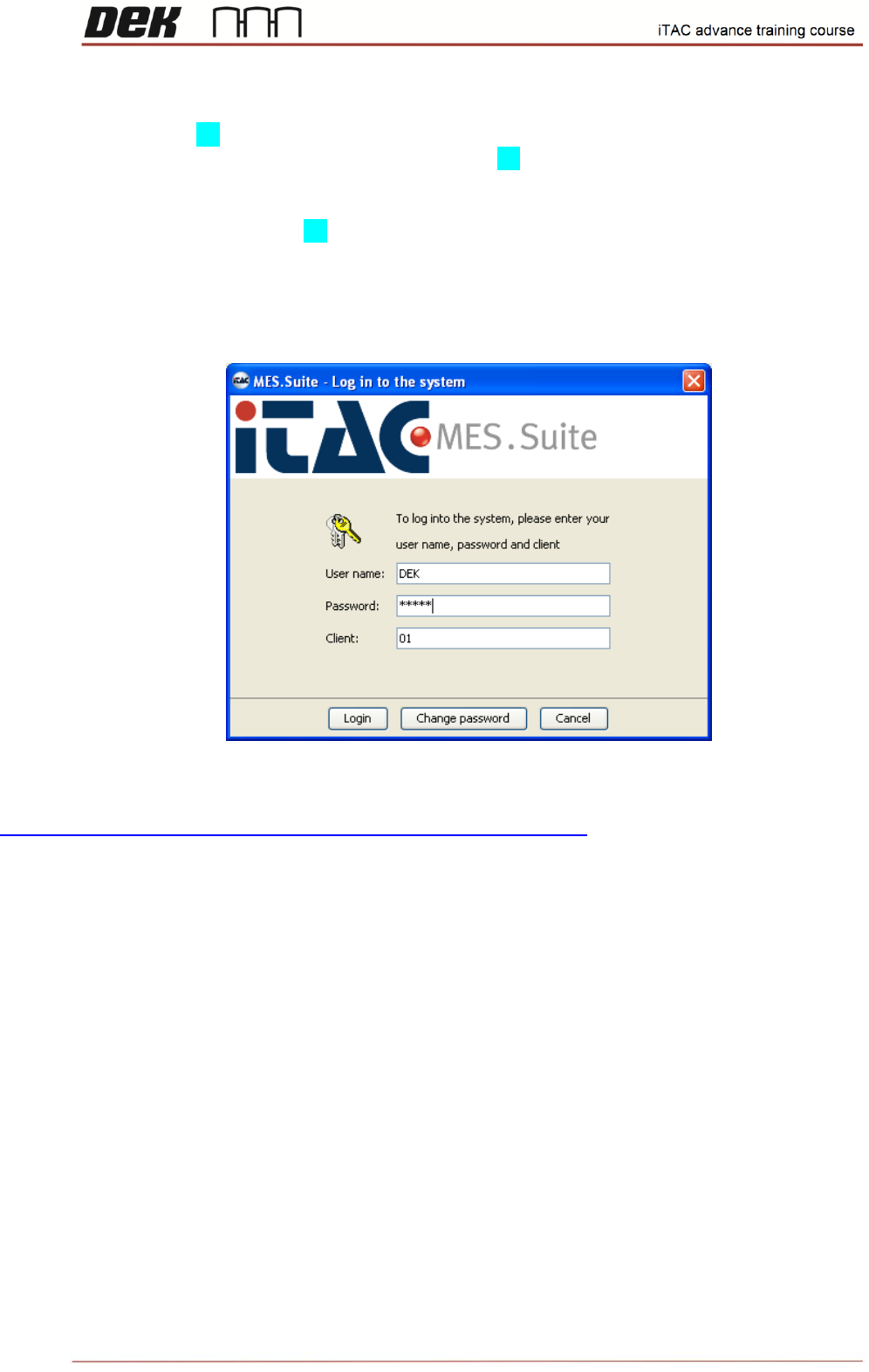
Follow onscreen instruction, the login page should be displayed in the end.
Use following link for future logins:
https://partner.itac.de:8181/mes/webstart/clients/Workplace.jnlp
DEK test application contains limited functions & rights specific for DEK machine.
Login:
Username: "DEK"
Password: "DEKUK"
NOTES:

10
Issue 2, Mar 18
Objective SS 3: Log into ITAC Workplace and find in user manual what the acronyms stand for
in tree view
Remember the iTAC7 User Guide is the recognized source of information.
API Module: ………………………………………………………………………………………….
TR Module: …………………………………………………………………………………………….
ADM Module: ………………………………………………………………………………………….
ML Module: ………………………………………………………………………………………….
MDA Module: …………………………………………………………………………………………….
BOM Module: ……………………………………………………………………………………………
NOTES: