iTAC Advance Issue 2, Mar 2018.pdf - 第63页
63 Issue 2 , Mar 18 Variant 2 Setting for both sides (layers) iTAC Barcode Verification (Interlocking) - ENABLED Assign Barcode - ENABLED Activate Barcode (Merge) – ENABLED Note: Could be used for panels pre-lasered off-…
62
Issue 2, Mar 18
iTAC variants
New API flow was developed to suit all variants, it means now panel can be processed either as
Process Interlocking, Assign or Assign & Merge. (Refer to DEK paste printer specification)
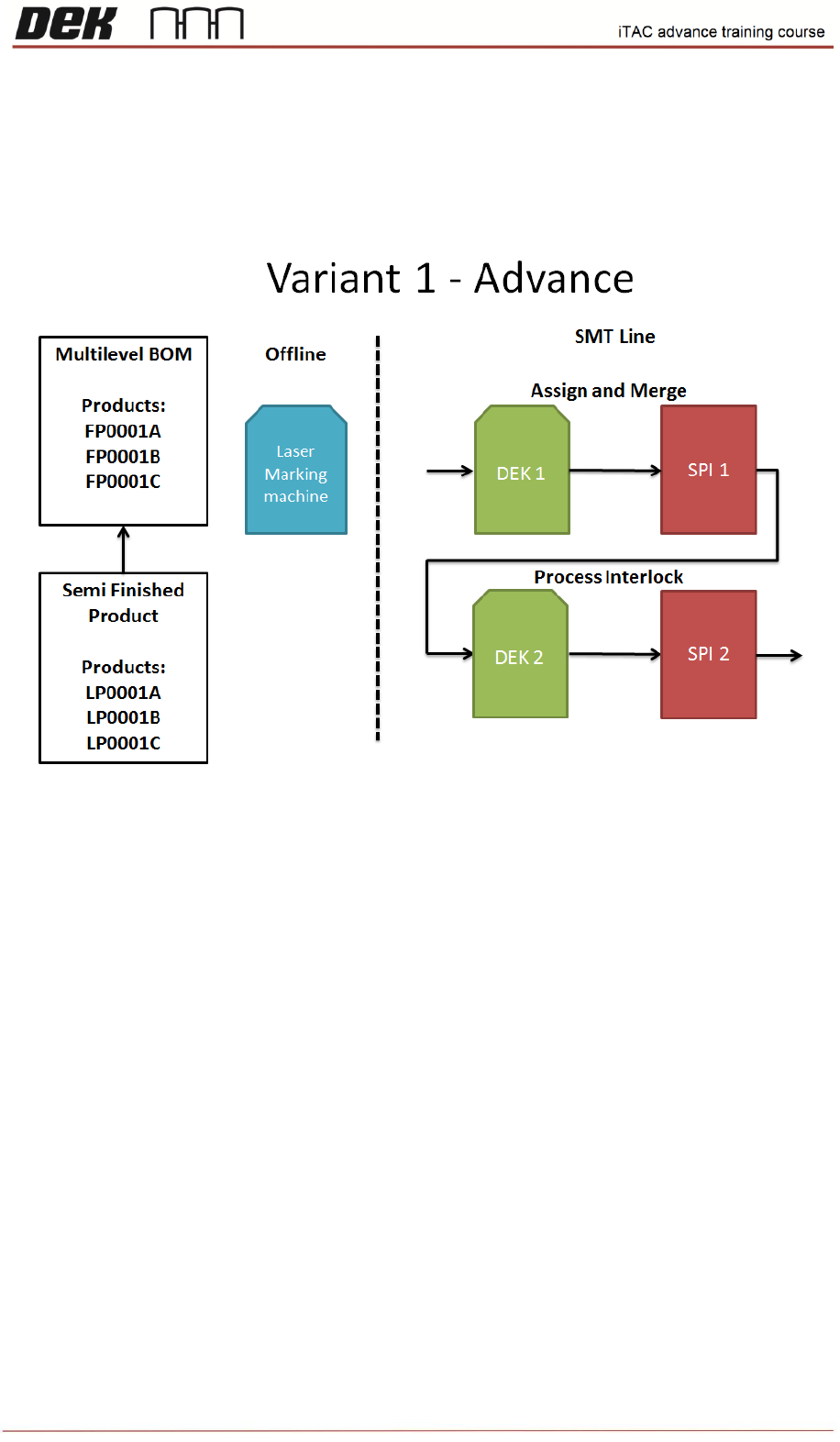
Variant 1
Used at BHTC customer. It can be used at any customer using double sided lines.
DEK 1 - iTAC Barcode Verification (Interlocking) - ENABLED
Assign Barcode - ENABLED
Activate Barcode (Merge) – ENABLED
DEK 2 - DEK 1 - iTAC Barcode Verification (Interlocking) - ENABLED
Assign Barcode - DISABLED
Activate Barcode (Merge) – DISABLED
Note: Single Work Order is combining 2 lines, 1
st
for component side and 2
nd
for bottom side
NOTES:
63
Issue 2, Mar 18
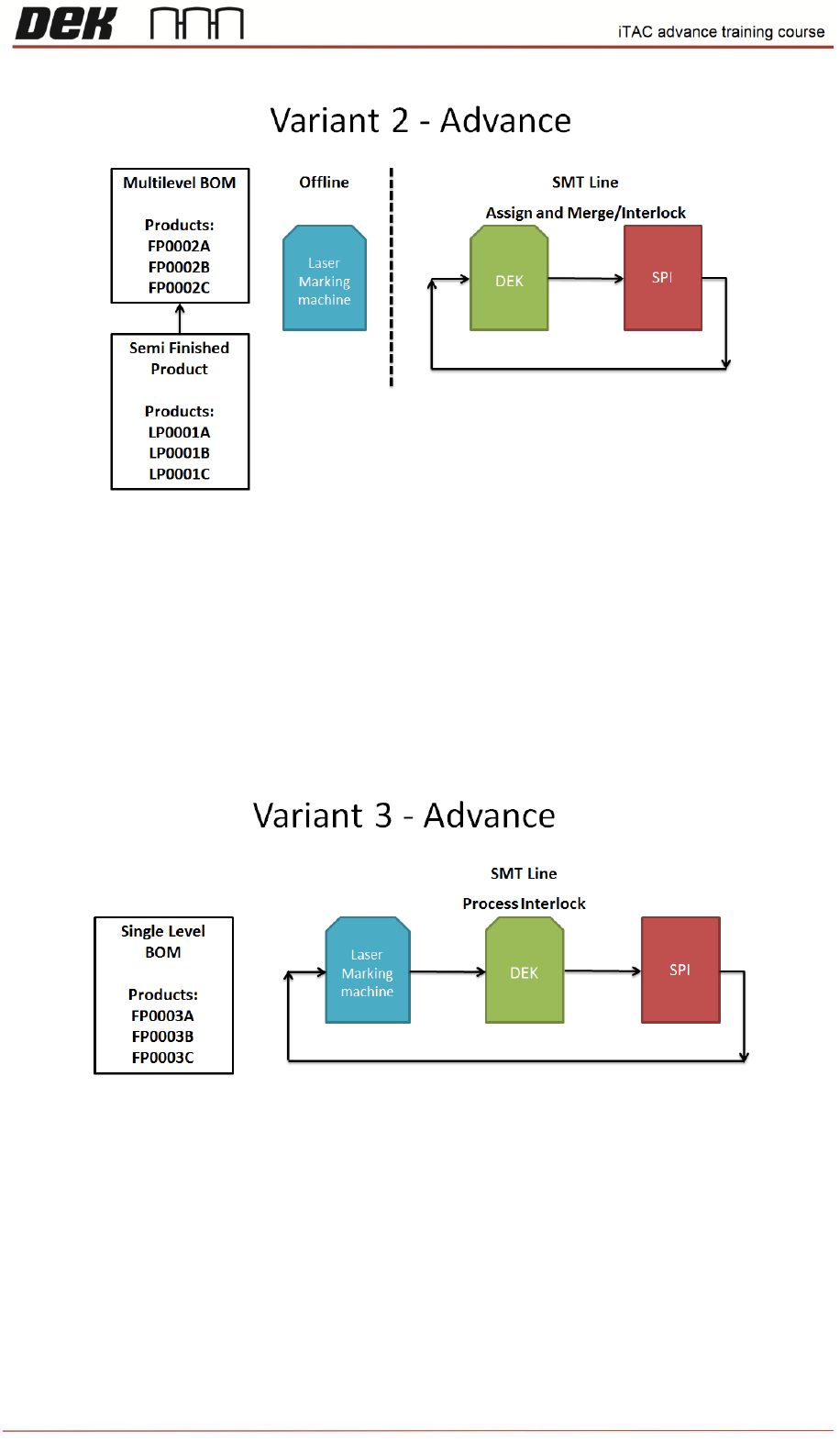
Variant 2
Setting for both sides (layers)
iTAC Barcode Verification (Interlocking) - ENABLED
Assign Barcode - ENABLED
Activate Barcode (Merge) – ENABLED
Note: Could be used for panels pre-lasered off-site. This means that the barcodes are new to
iTAC, printer performs assign for the first time on the panel.
Variant 3
Setting for both sides (layers)
iTAC Barcode Verification (Interlocking) - ENABLED
Assign Barcode - DISABLED
Activate Barcode (Merge) – DISABLED
NOTES:
64
Issue 2, Mar 18
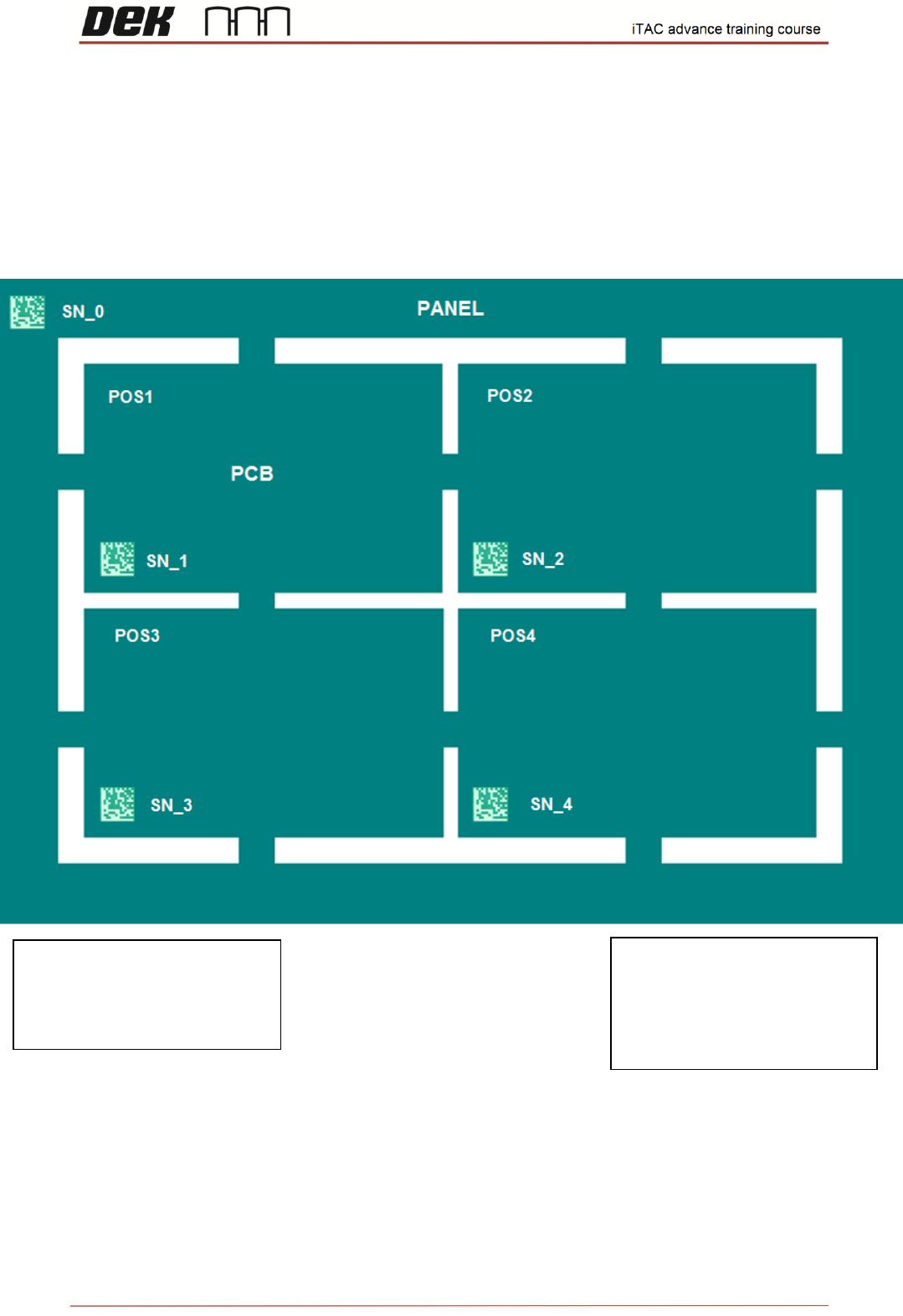
Multiple panel
All the barcodes are linked together.
Any of the PCB barcode can be (reference or other) read by scanner and iTAC will recognise all
others.
SN_0 – panel barcode, usually lasered on both sides (layers), that means only 1 scanner necessary.
NOTES:
REF SN = SN_1 …. POS1
Other = SN_2 …. POS2
SN_3 …. POS3
SN_4 …. POS4
REF SN = SN_0 …. POS0
Other = SN_1 …. POS1
SN_2 …. POS2
SN_3 …. POS3
SN_4 …. POS4