iTAC Advance Issue 2, Mar 2018.pdf - 第39页
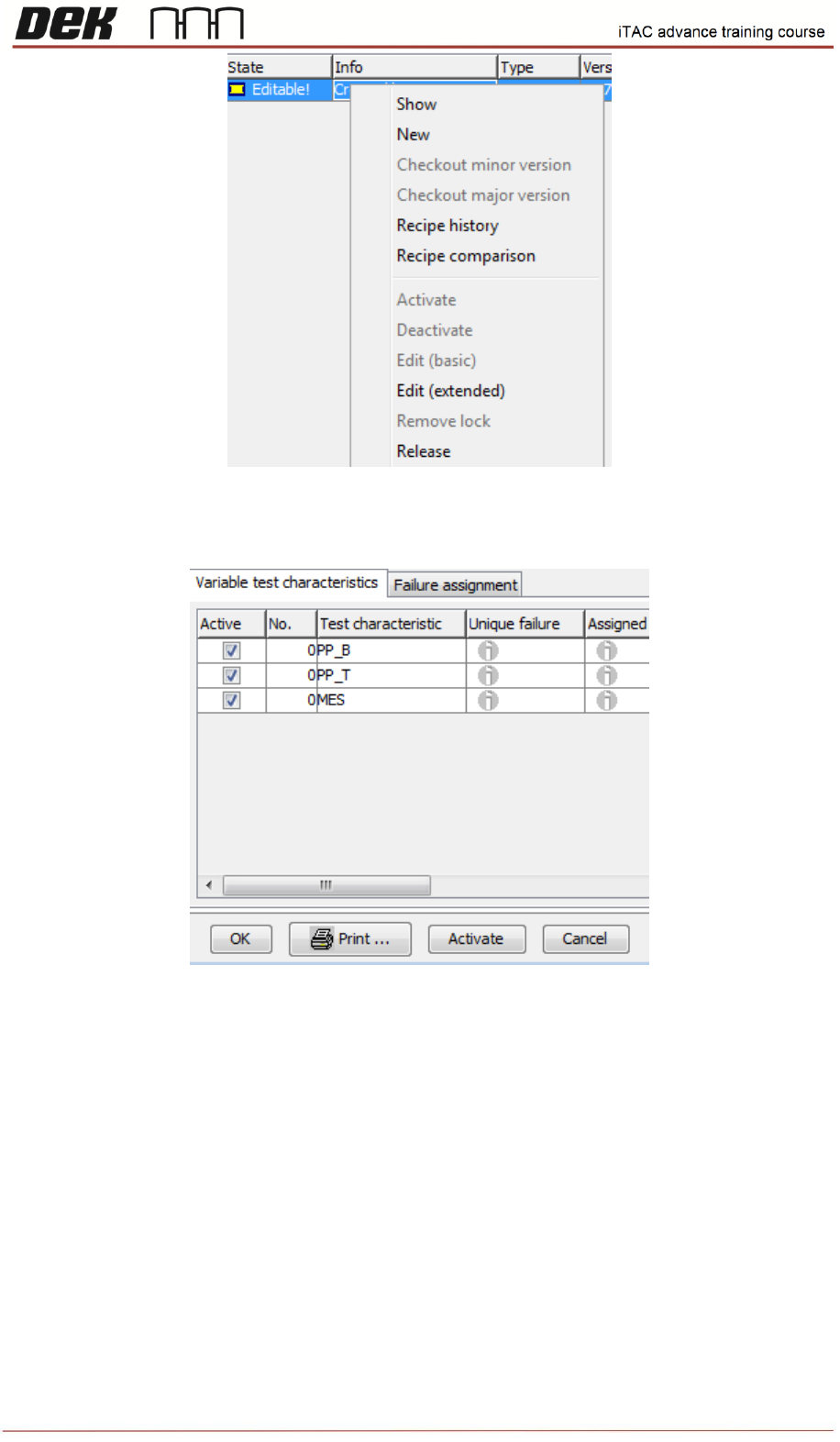
39 Issue 2 , Mar 18 Finally the recipe has to be activated - right click and select a ctivate.Then confirm by activate button in recipe editor. Once recipe is activated a tick will be visible in activate field.
38
Issue 2, Mar 18
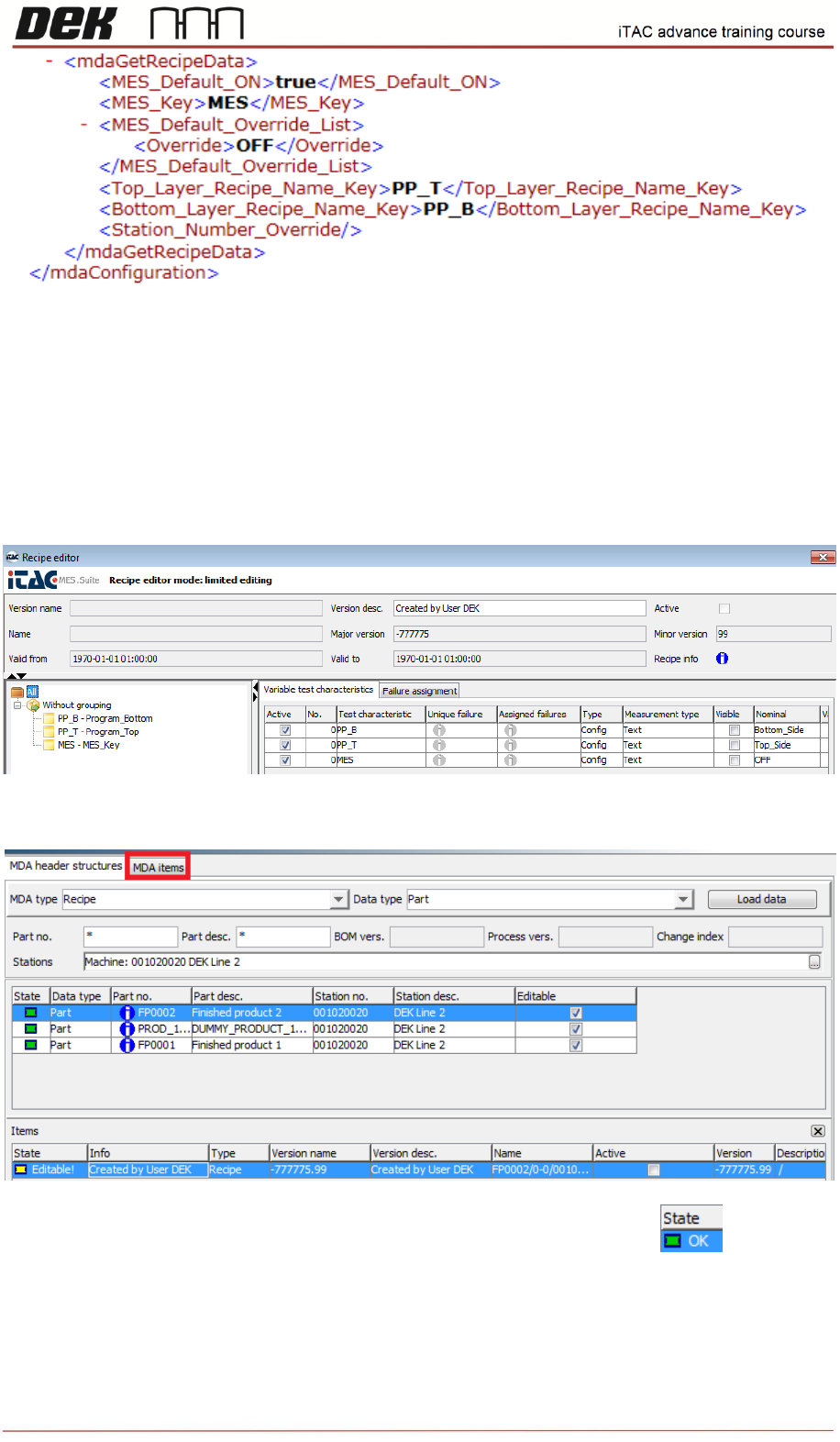
Comment: Written description of parameter ( e.g. Program_Top/Bot, MES Switch)
Type: Could be used any type, usually is used Config
Measurement type: Text
Nominal: Name of the program on the printer or MES Key parameter (default = ON for enabling OFF
for disabling). Mes Key may differ and can be changed in “iTACmdaConfiguration” int the same way
as shown above.
Once all 3 parameters are created confirm by OK.
Created recipe will appear in “items” window. Click on MDA items tab.
Select recipe, right click and select release. The state will change to green.
39
Issue 2, Mar 18
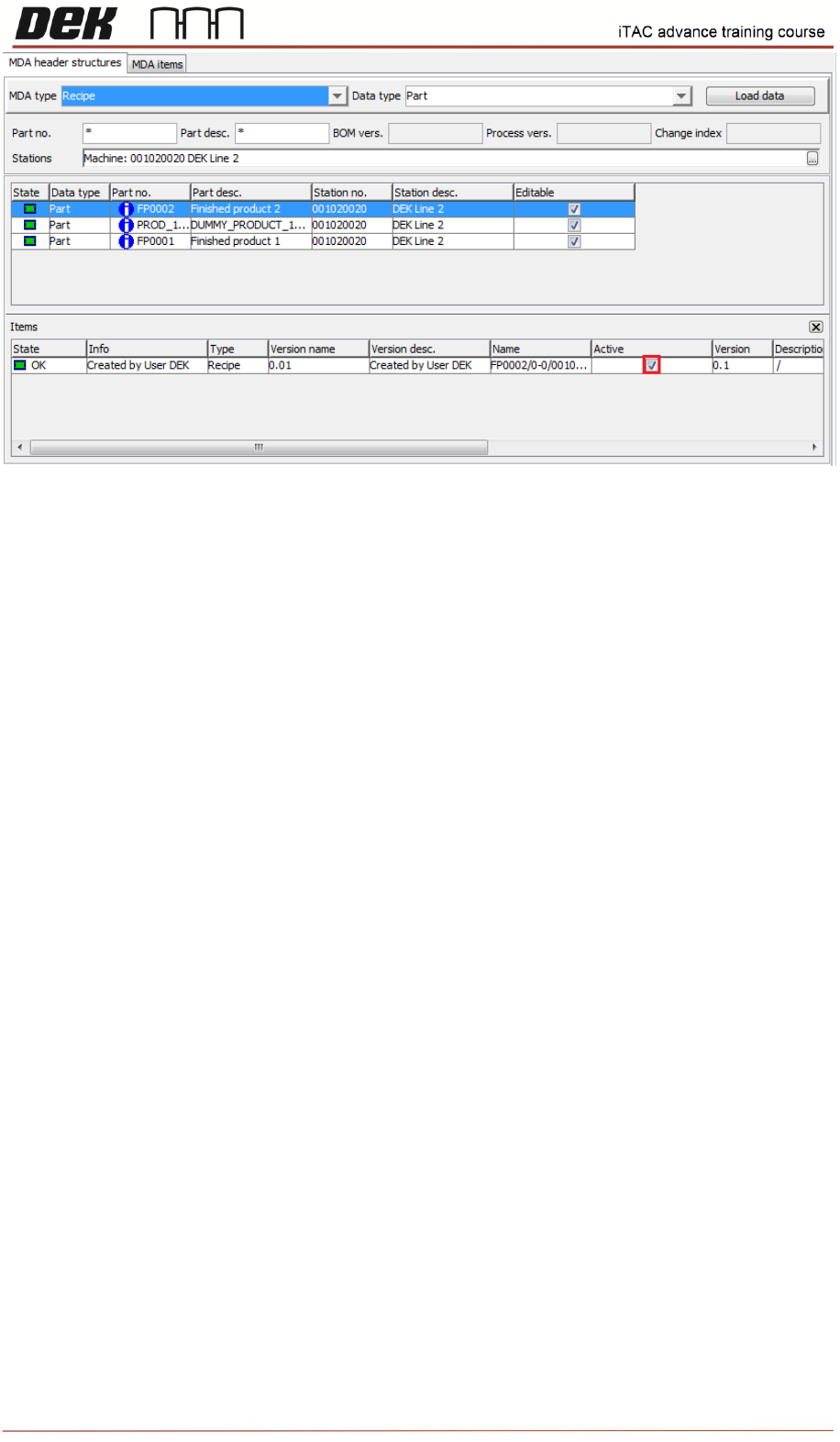
Finally the recipe has to be activated - right click and select activate.Then confirm by activate button
in recipe editor.
Once recipe is activated a tick will be visible in activate field.
40
Issue 2, Mar 18
Note: Each product can contain more recipes but only one can be active.
NOTES: