iTAC Advance Issue 2, Mar 2018.pdf - 第55页
55 Issue 2 , Mar 18 Process history tab shows the each work step done and its state. If serial no. is part of multiple panel, the other serial numbers can be checked for each work step. ❑ Select particular work step ❑ Ri…
54
Issue 2, Mar 18
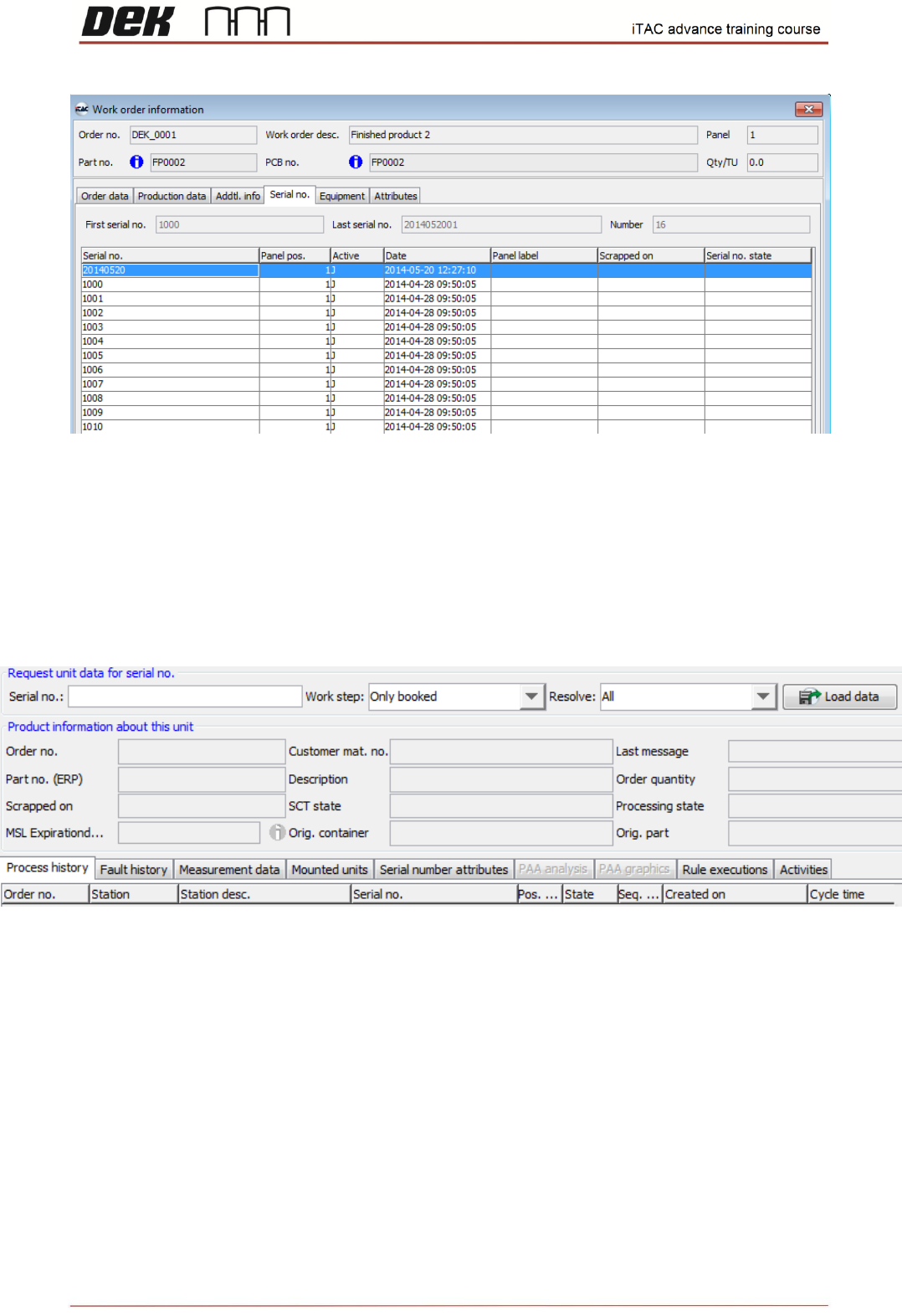
More details for the particular serial number can be found in unit history. Unit history shows state of
each work step done, associated serial numbers and measurement data (traceability).
❑ Go to TR\Unit Information\Unit history
❑ Type the serial number into serial number field and click on load data
55
Issue 2, Mar 18
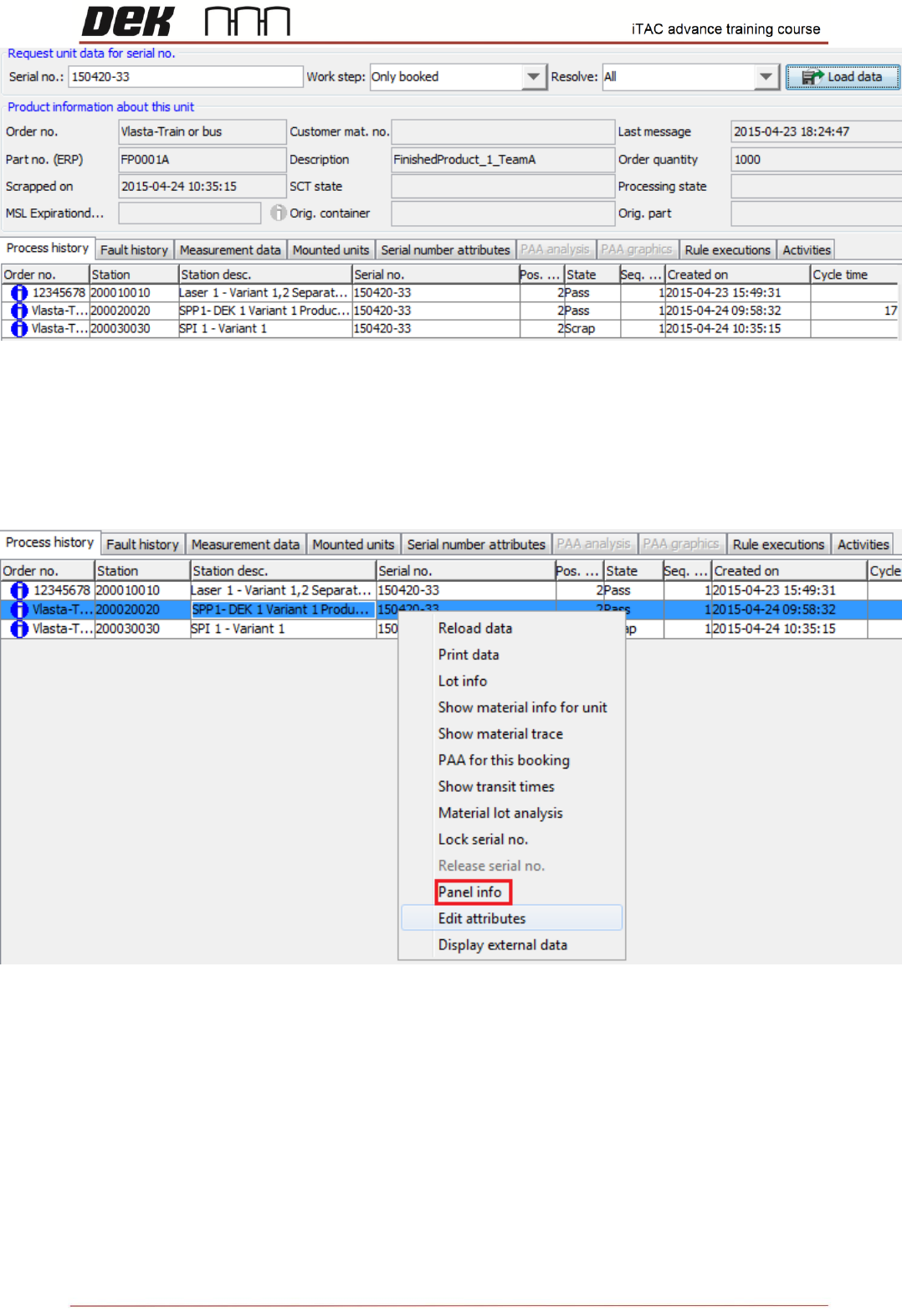
Process history tab shows the each work step done and its state.
If serial no. is part of multiple panel, the other serial numbers can be checked for each work step.
❑ Select particular work step
❑ Right click and select panel info
The panel info shows the state of all associated serial numbers for this work step
56
Issue 2, Mar 18
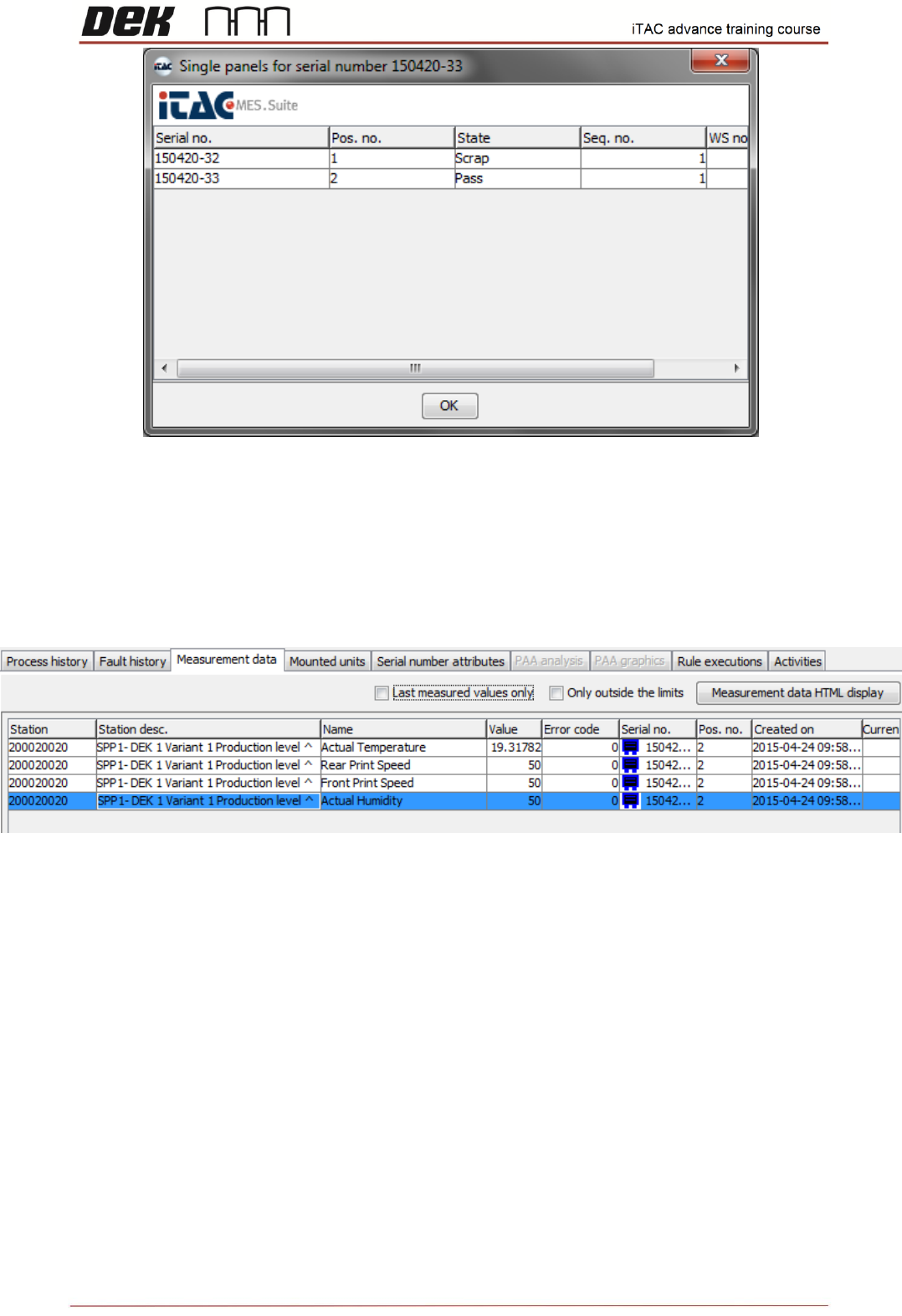
Measurement data shows the traceability data uploaded to iTAC server.
Note: Shown data are based on traceability setting in Setup product\Option\Traceability and
selected items in in E:\Config\PluginData\iTAC7\iTAC7TraceabilityData.xml
❑ Click on Measurement data tab
NOTES: