iTAC Advance Issue 2, Mar 2018.pdf - 第44页
44 Issue 2 , Mar 18 New version of recipe is created. ❑ To activate new recipe right click and select release, then right click and select activate. New version is activated. Note: New version of recipe is particularly u…
43
Issue 2, Mar 18
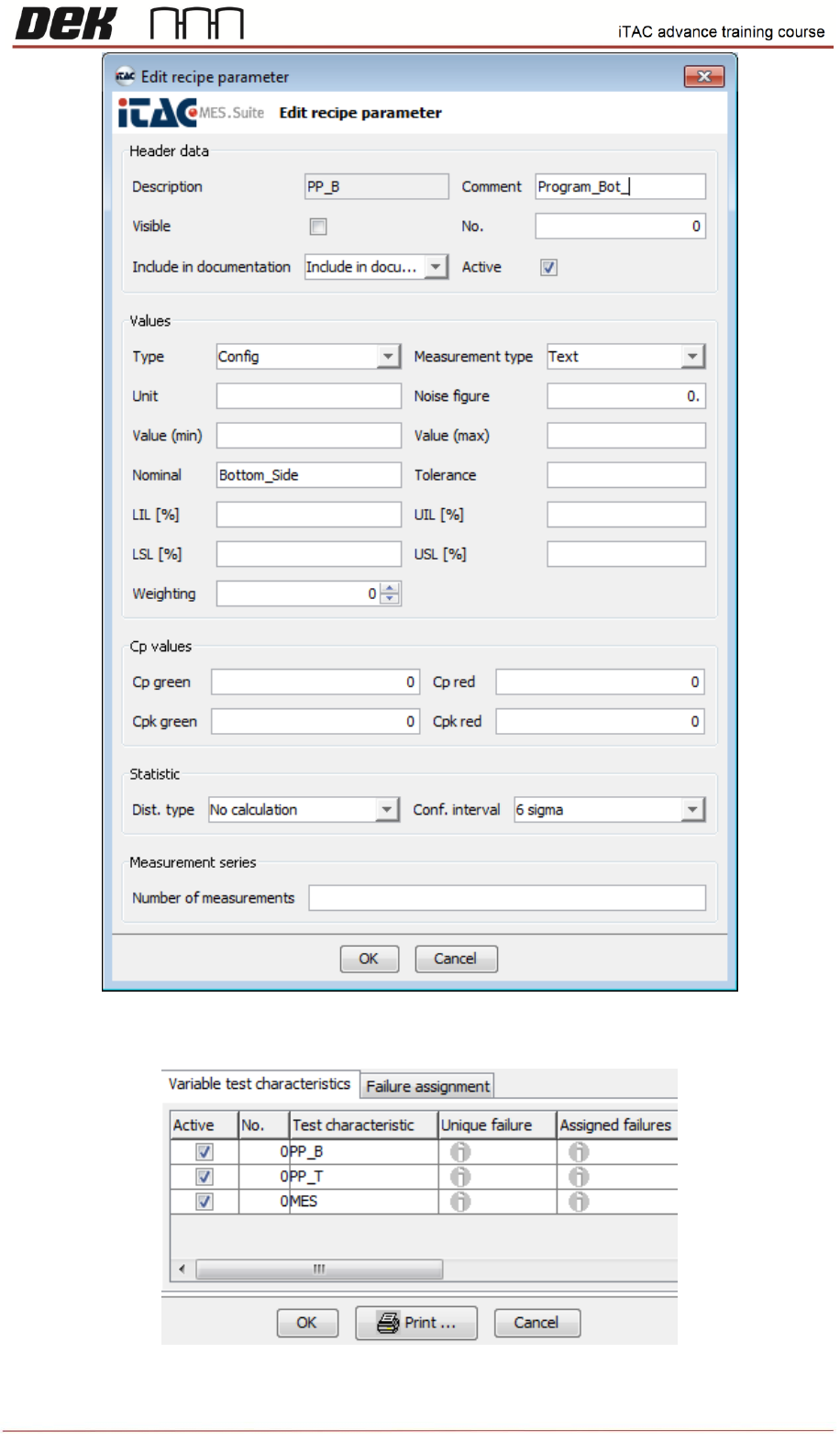
❑ Once required changes are done confirm by OK.
44
Issue 2, Mar 18
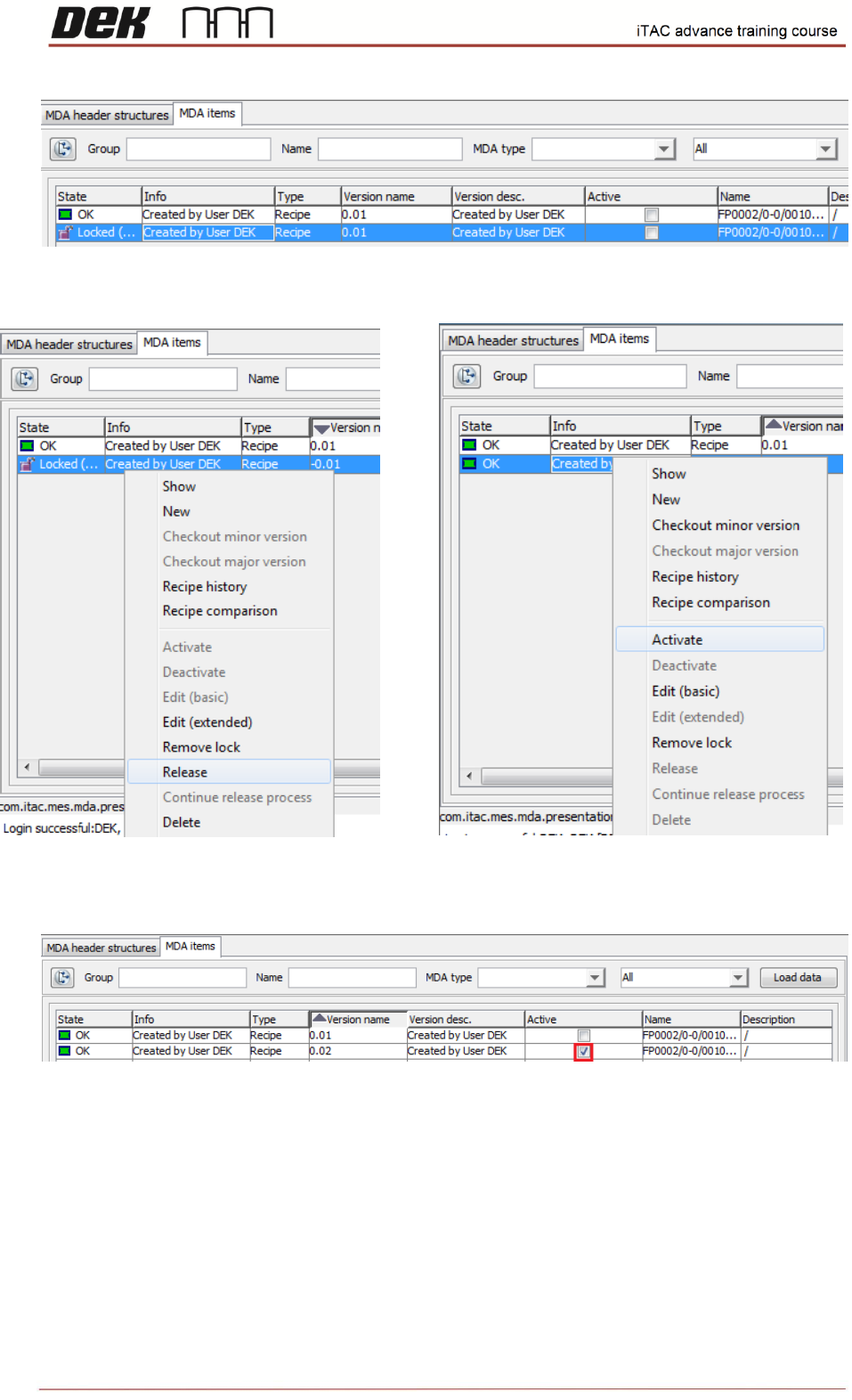
New version of recipe is created.
❑ To activate new recipe right click and select release, then right click and select activate.
New version is activated.
Note: New version of recipe is particularly useful if is needed to change Nominal field due to
different program name on printer or if is required to disable MES.
NOTES:
45
Issue 2, Mar 18
Activation/Deactivation Work Orders
Objective HO 9: Activate selected WO on the line
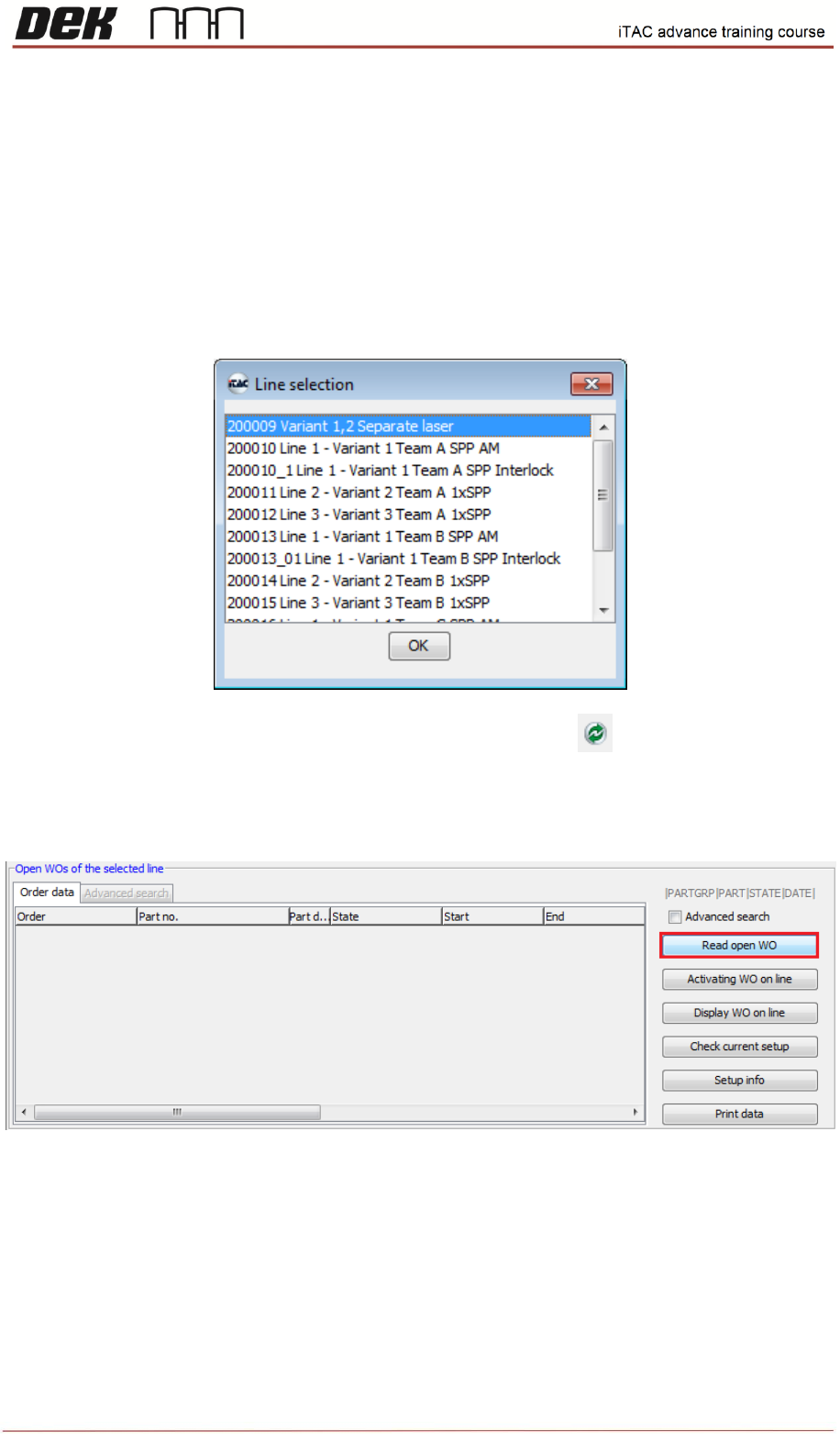
❑ Go to TR\MIS – Work Orders\Order
Select appropriate line and confirm by OK.
Note: If you wish to select another line click on refresh button on toolbar.
❑ Select “Read open WO” in lower window (Open WOs of the selected line) to list all open WO.
❑ Select required WO in lower window, then click on “Activation WO on line”