iTAC Advance Issue 2, Mar 2018.pdf - 第45页
45 Issue 2 , Mar 18 A cti vation/Deactivation Work Orders Objective HO 9 : Activate selected WO on the line ❑ Go to TR\MIS – Work Orders\Order Select appropriate line and confirm by OK. Note: If you wish to select anothe…
44
Issue 2, Mar 18
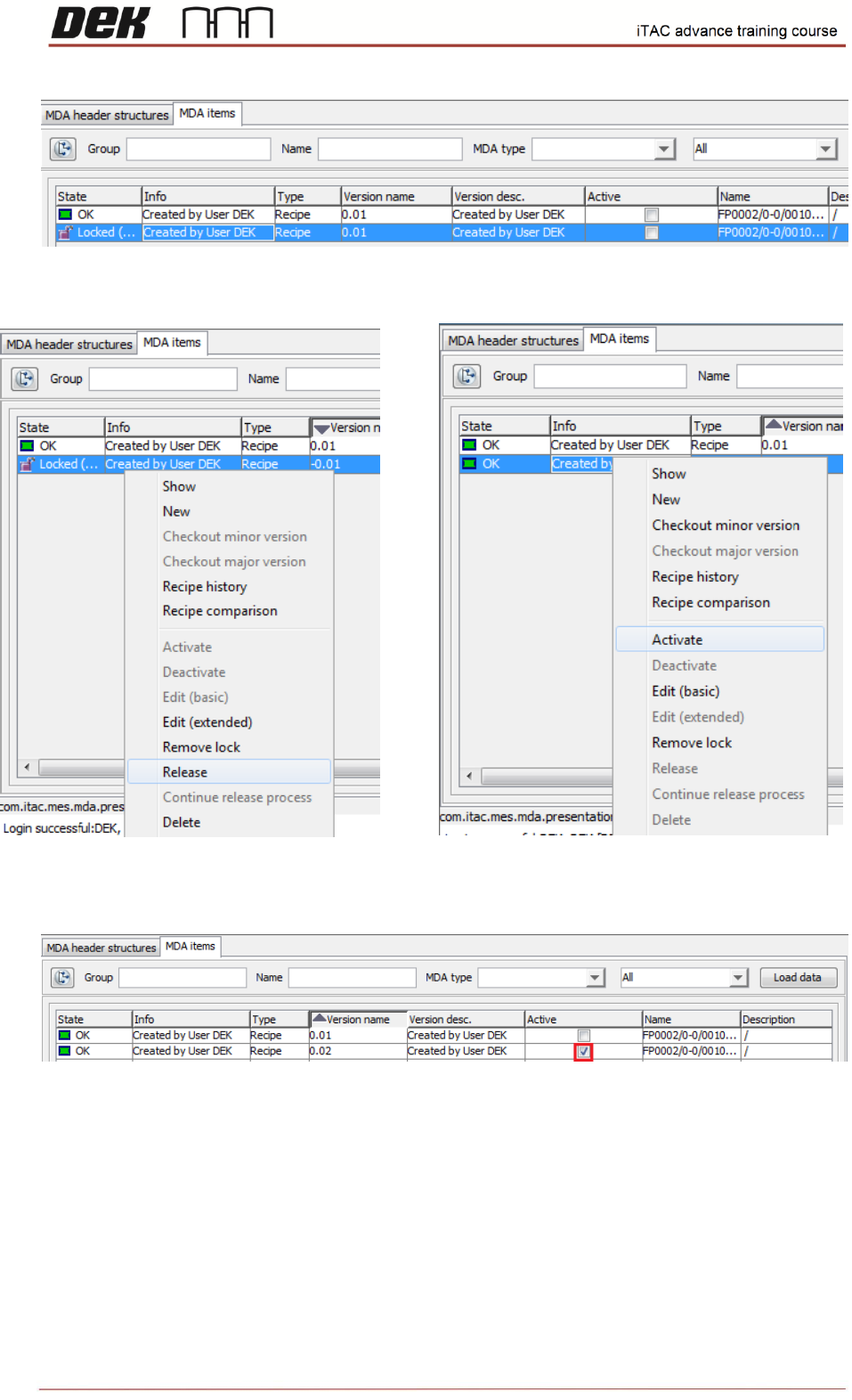
New version of recipe is created.
❑ To activate new recipe right click and select release, then right click and select activate.
New version is activated.
Note: New version of recipe is particularly useful if is needed to change Nominal field due to
different program name on printer or if is required to disable MES.
NOTES:
45
Issue 2, Mar 18
Activation/Deactivation Work Orders
Objective HO 9: Activate selected WO on the line
❑ Go to TR\MIS – Work Orders\Order
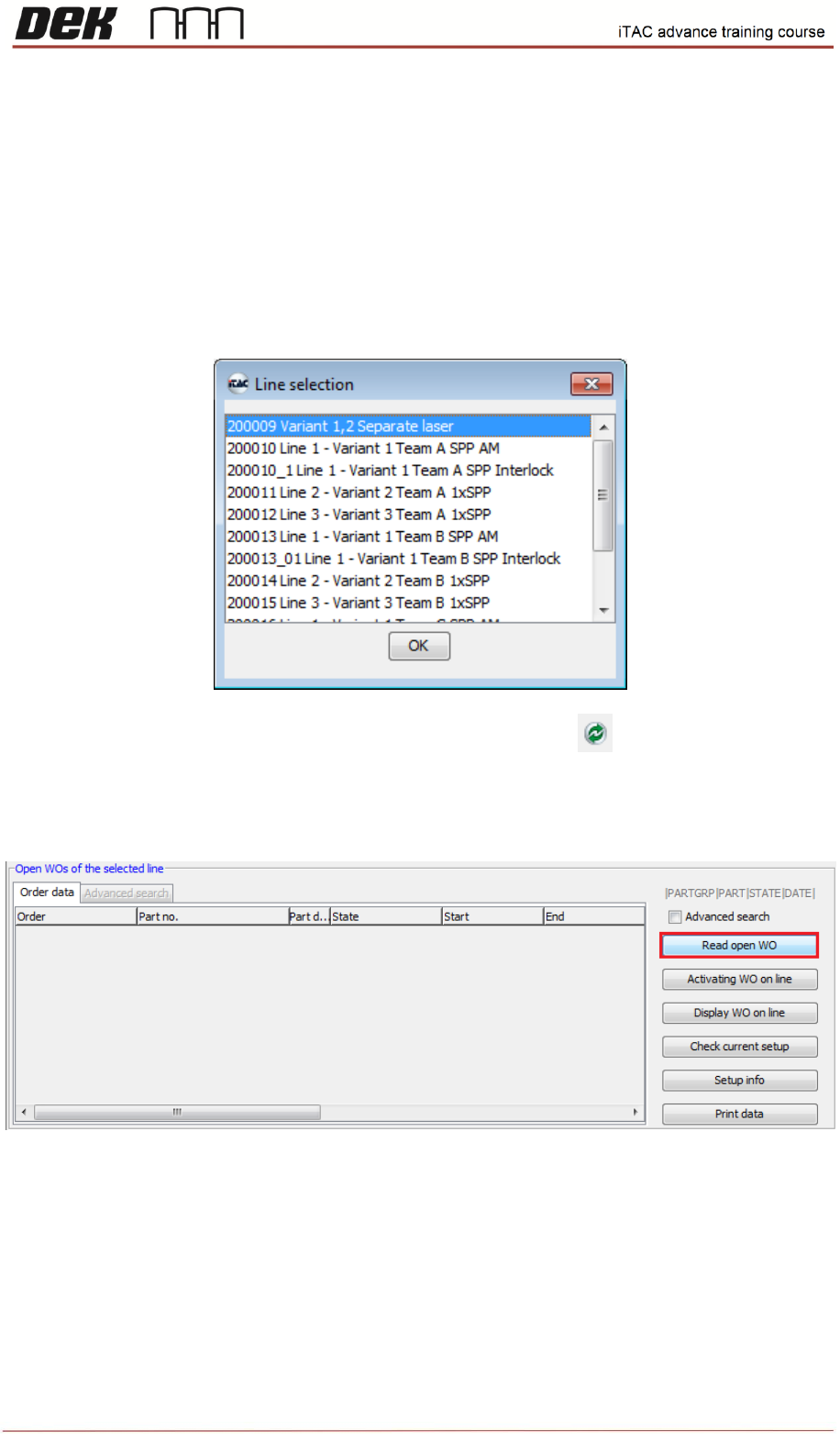
Select appropriate line and confirm by OK.
Note: If you wish to select another line click on refresh button on toolbar.
❑ Select “Read open WO” in lower window (Open WOs of the selected line) to list all open WO.
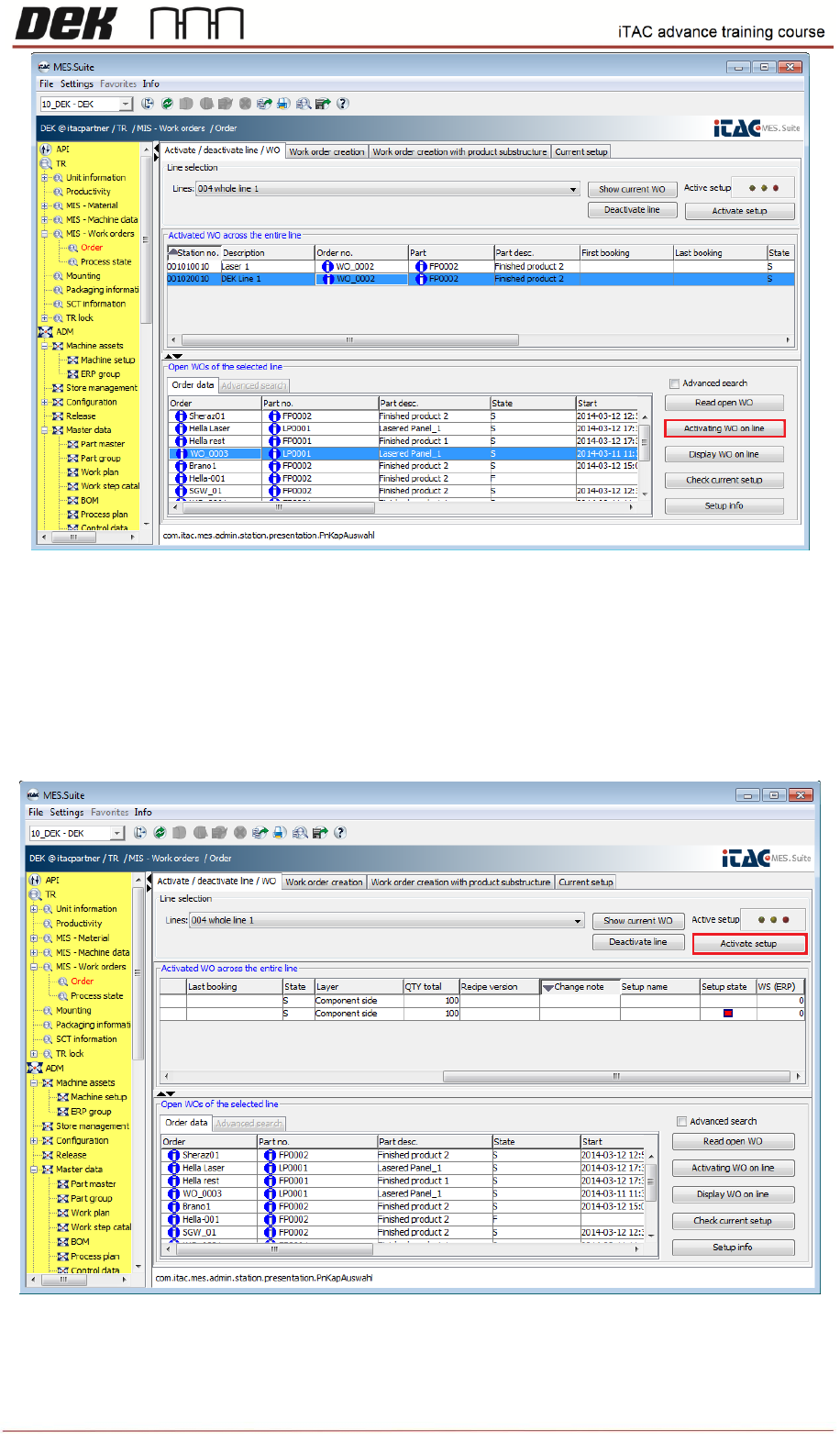
❑ Select required WO in lower window, then click on “Activation WO on line”
46
Issue 2, Mar 18
Selected WO will appear on upper window (Activated WO across the entire line).
❑ Click on activate setup to activate work order. Active setup state has three states:
red - no setup
yellow - partial setup of the line
green - line set up completely