iTAC Advance Issue 2, Mar 2018.pdf - 第62页
62 Issue 2 , Mar 18 iTAC variants New API flow was developed to suit all v ariants, it means now panel can be processed either as Process Interlocking, Assign or Assign & Merge. (Refer to DEK paste printer specificat…
61
Issue 2, Mar 18
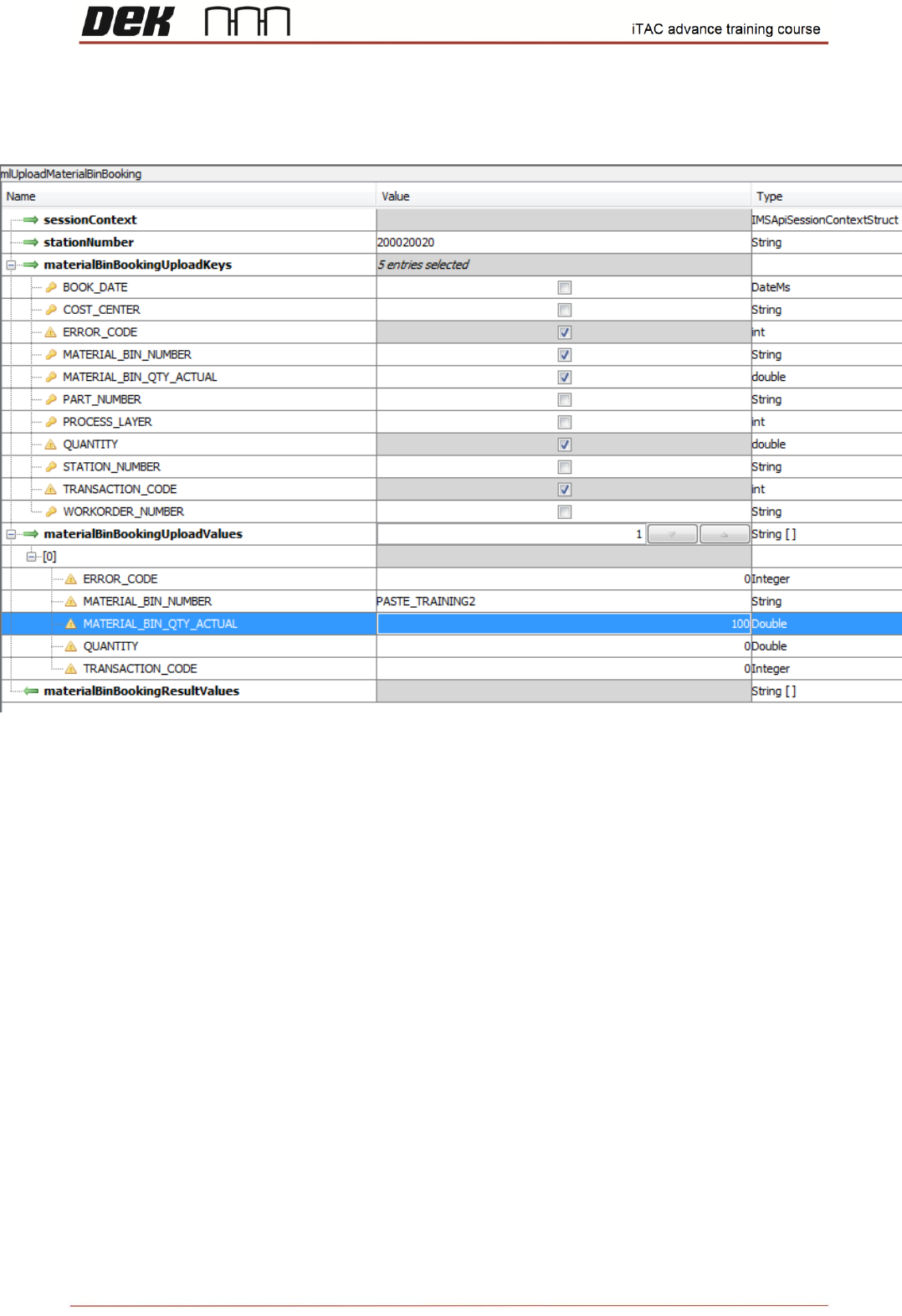
Objective HO 17: Use “mlUploadMaterialBinBooking” API function and modify the quantity.
NOTES:
62
Issue 2, Mar 18
iTAC variants
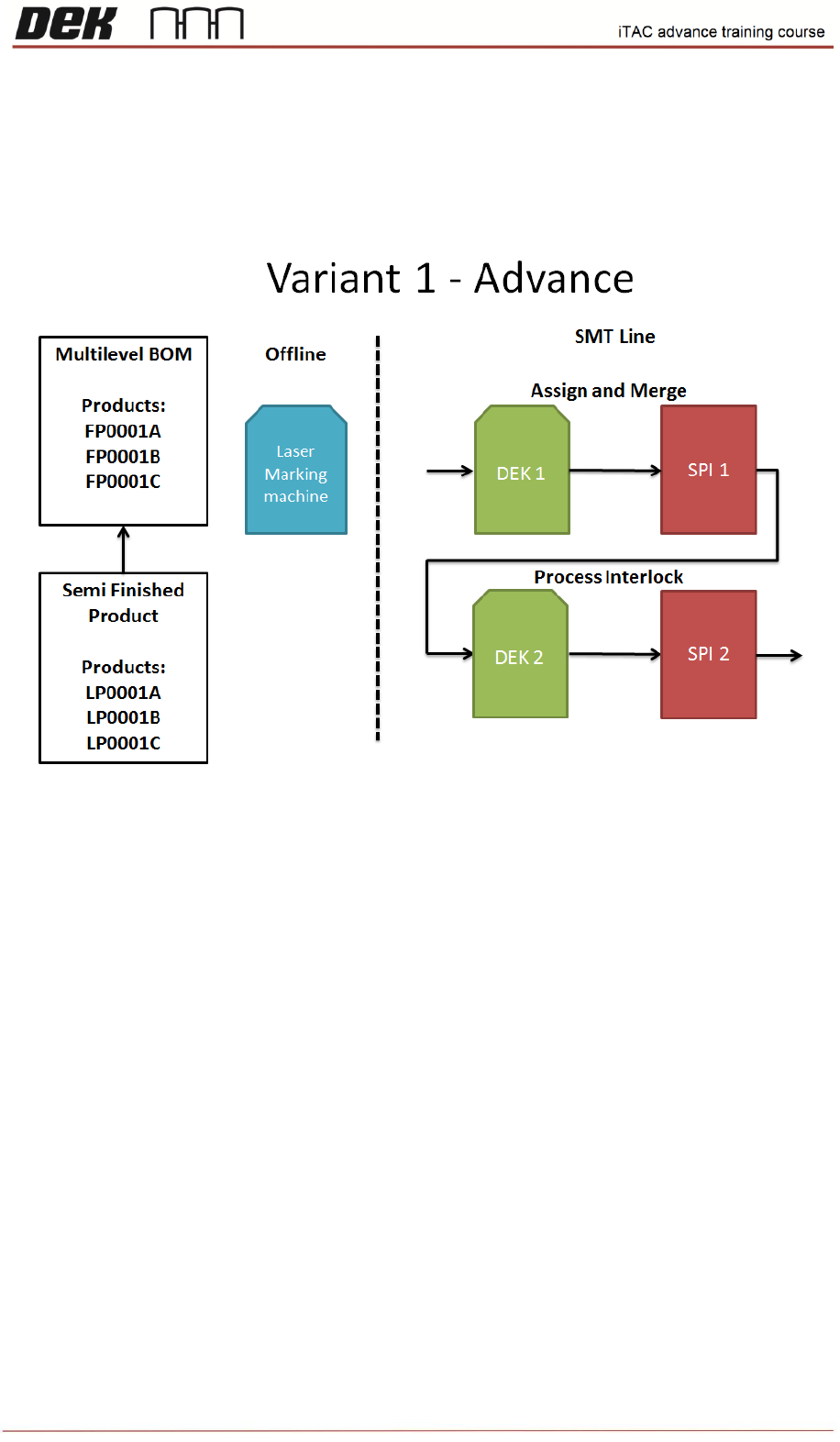
New API flow was developed to suit all variants, it means now panel can be processed either as
Process Interlocking, Assign or Assign & Merge. (Refer to DEK paste printer specification)
Variant 1
Used at BHTC customer. It can be used at any customer using double sided lines.
DEK 1 - iTAC Barcode Verification (Interlocking) - ENABLED
Assign Barcode - ENABLED
Activate Barcode (Merge) – ENABLED
DEK 2 - DEK 1 - iTAC Barcode Verification (Interlocking) - ENABLED
Assign Barcode - DISABLED
Activate Barcode (Merge) – DISABLED
Note: Single Work Order is combining 2 lines, 1
st
for component side and 2
nd
for bottom side
NOTES:
63
Issue 2, Mar 18
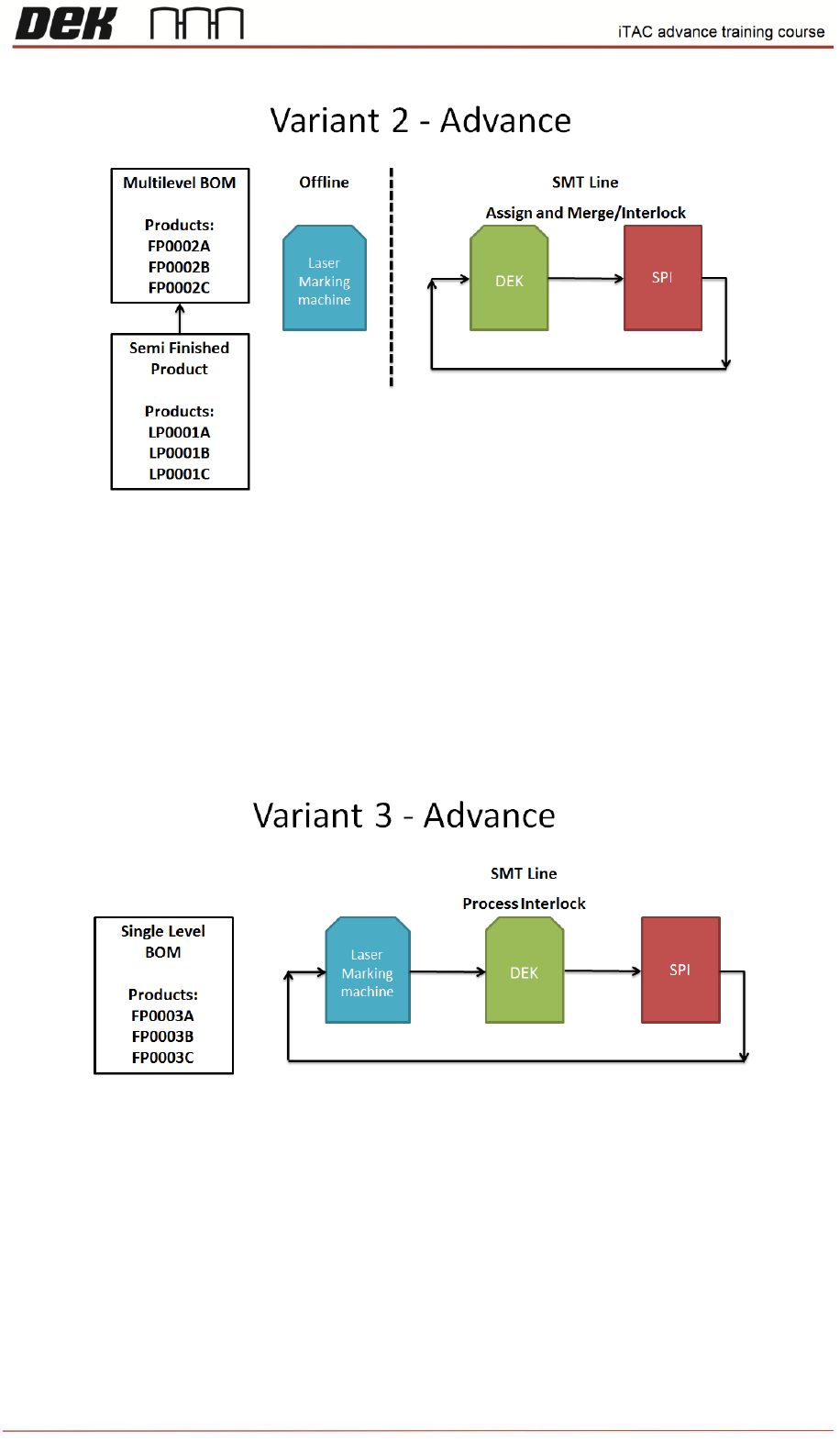
Variant 2
Setting for both sides (layers)
iTAC Barcode Verification (Interlocking) - ENABLED
Assign Barcode - ENABLED
Activate Barcode (Merge) – ENABLED
Note: Could be used for panels pre-lasered off-site. This means that the barcodes are new to
iTAC, printer performs assign for the first time on the panel.
Variant 3
Setting for both sides (layers)
iTAC Barcode Verification (Interlocking) - ENABLED
Assign Barcode - DISABLED
Activate Barcode (Merge) – DISABLED
NOTES: