iTAC Advance Issue 2, Mar 2018.pdf - 第60页
60 Issue 2 , Mar 18 In MSL administration tab can be checked whether paste is rigged or not Due to limited access we have to use the API functions to add/maintain container. New paste container can be added by using “mlC…
59
Issue 2, Mar 18
Material
Material is each physical part included in BOM. This means final product contains this part
which is used during manufacturing process (on the printer it is only print material)
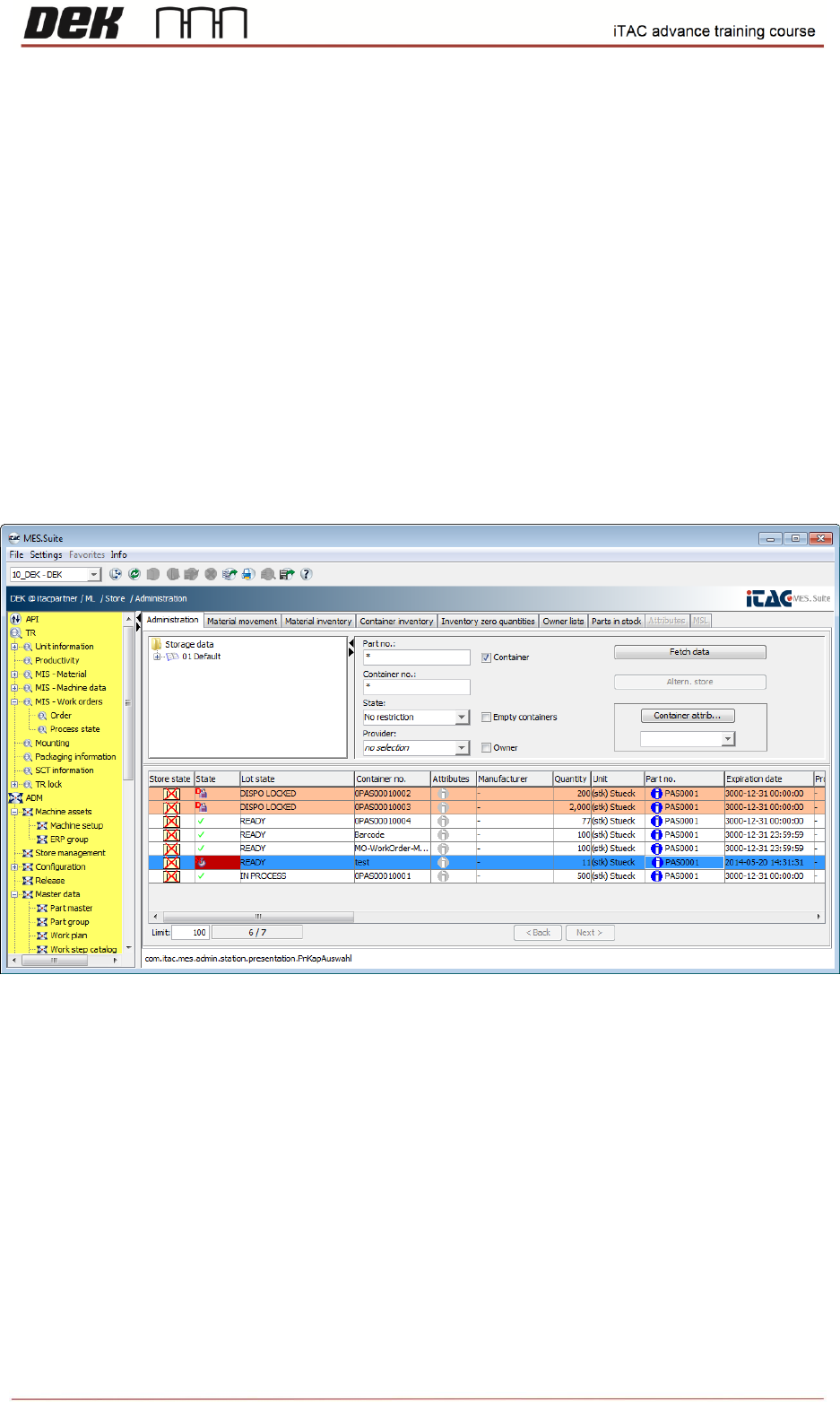
❑ Go to ML\Store\Administration.
In order to see all available containers, type asterisk ("*") into Part no. field, then click on fetch data.
Note: Container number usually consist part number + unique number (serial number/lot
number, etc.). Unique part is essential for later identification, e.g. will be found issue in
particular paste cartridge – Can be traced on which boards was used this paste cartridge.
In administration tab can be checked state/quantity/expiration date of all containers.
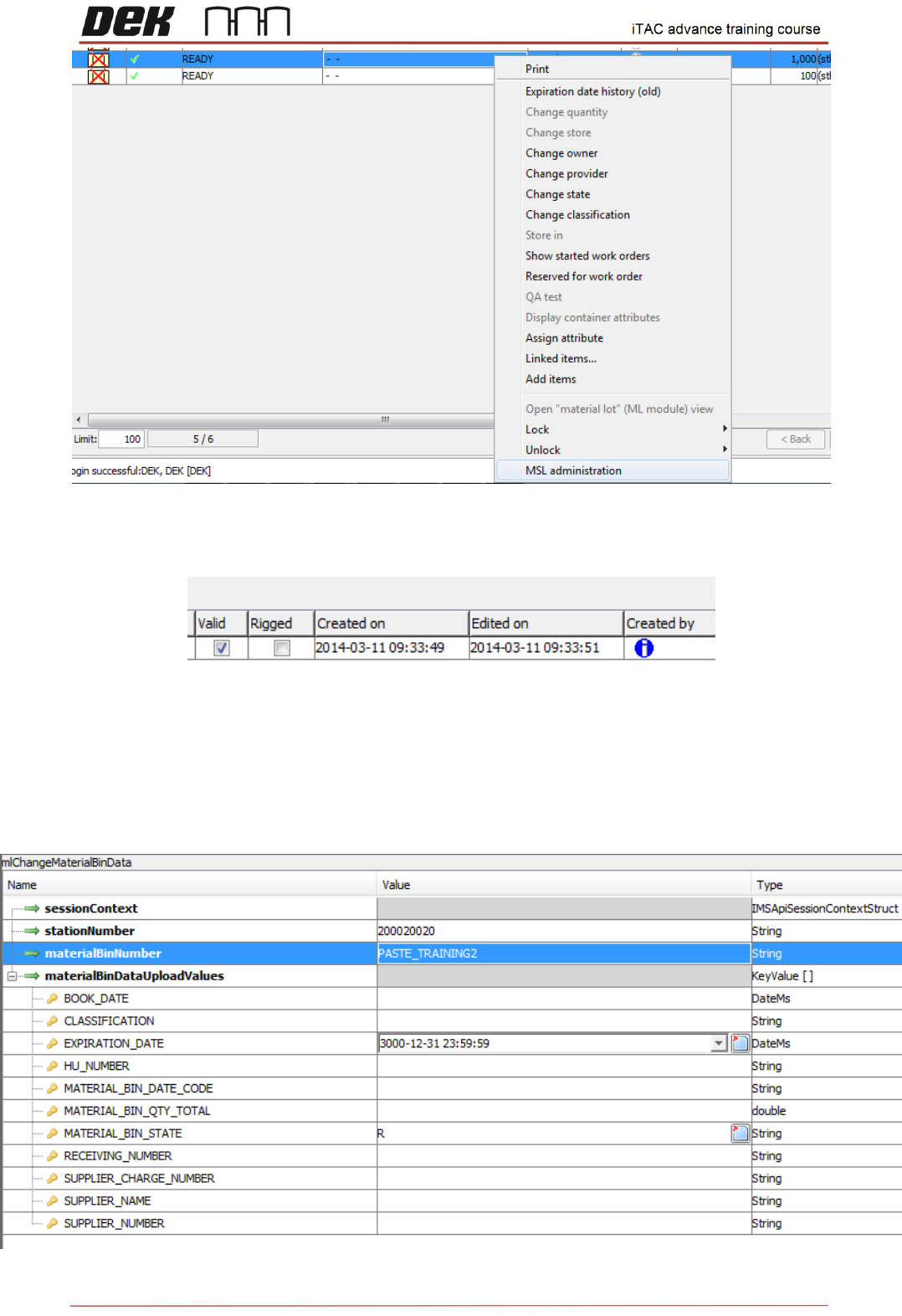
❑ Select appropriate container, right click then select MSL administration.
60
Issue 2, Mar 18
In MSL administration tab can be checked whether paste is rigged or not
Due to limited access we have to use the API functions to add/maintain container.
New paste container can be added by using “mlCreateNewMaterialBin” function.
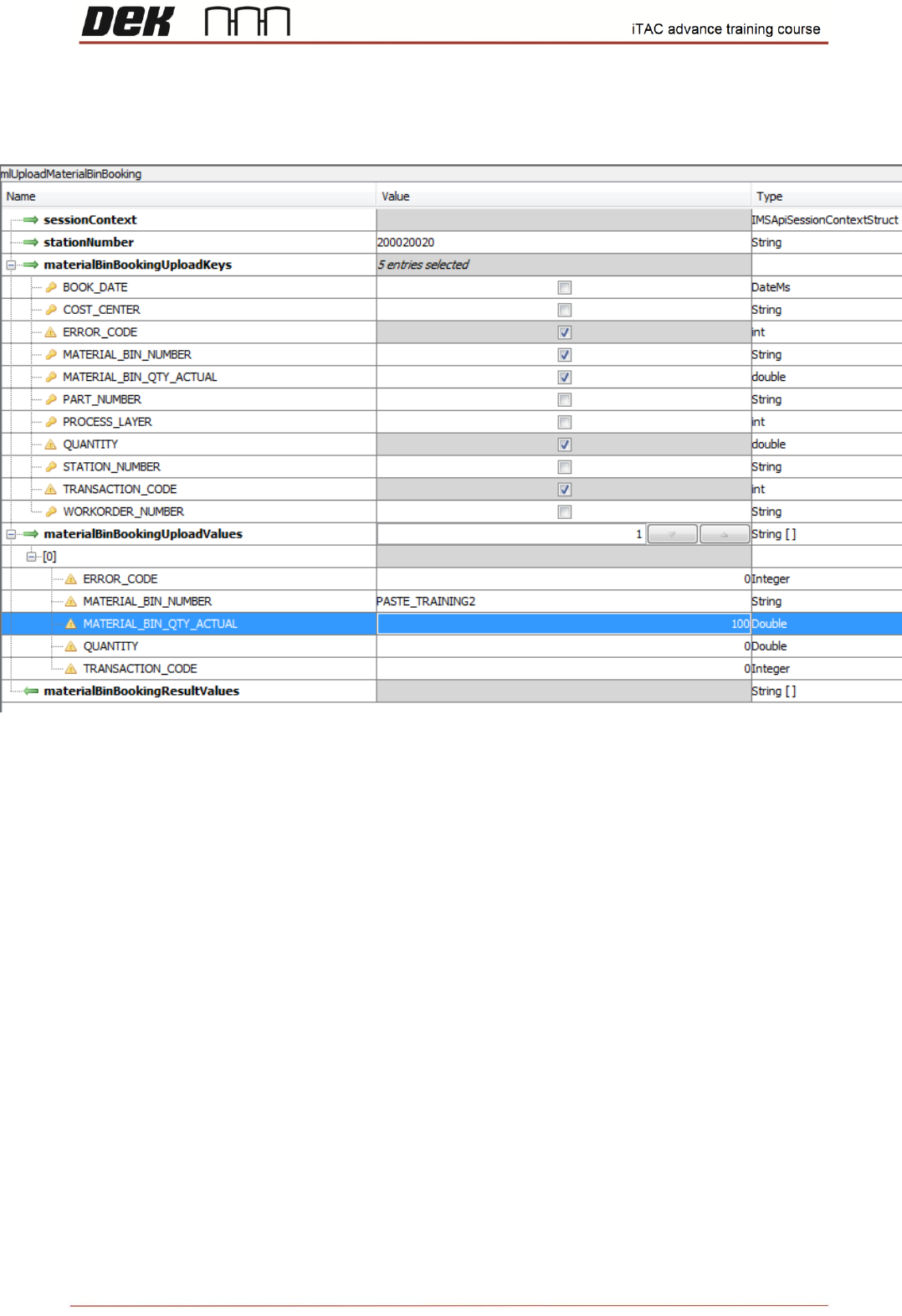
Quantity for existing paste container can be maintained by using “mlUploadMaterialBinBooking” API
function.
Use the function “mlChangeMaterialBinData” to maintain expiration date and paste container state.
61
Issue 2, Mar 18
Objective HO 17: Use “mlUploadMaterialBinBooking” API function and modify the quantity.
NOTES: