iTAC Advance Issue 2, Mar 2018.pdf - 第35页
35 Issue 2 , Mar 18 ❑ The Recipe Header Structure is created. P roduct without recipe is m arked in green colour. Right click on product and select add item in order to add new recipe. ❑ In “ Add MDA item ” window click …
34
Issue 2, Mar 18
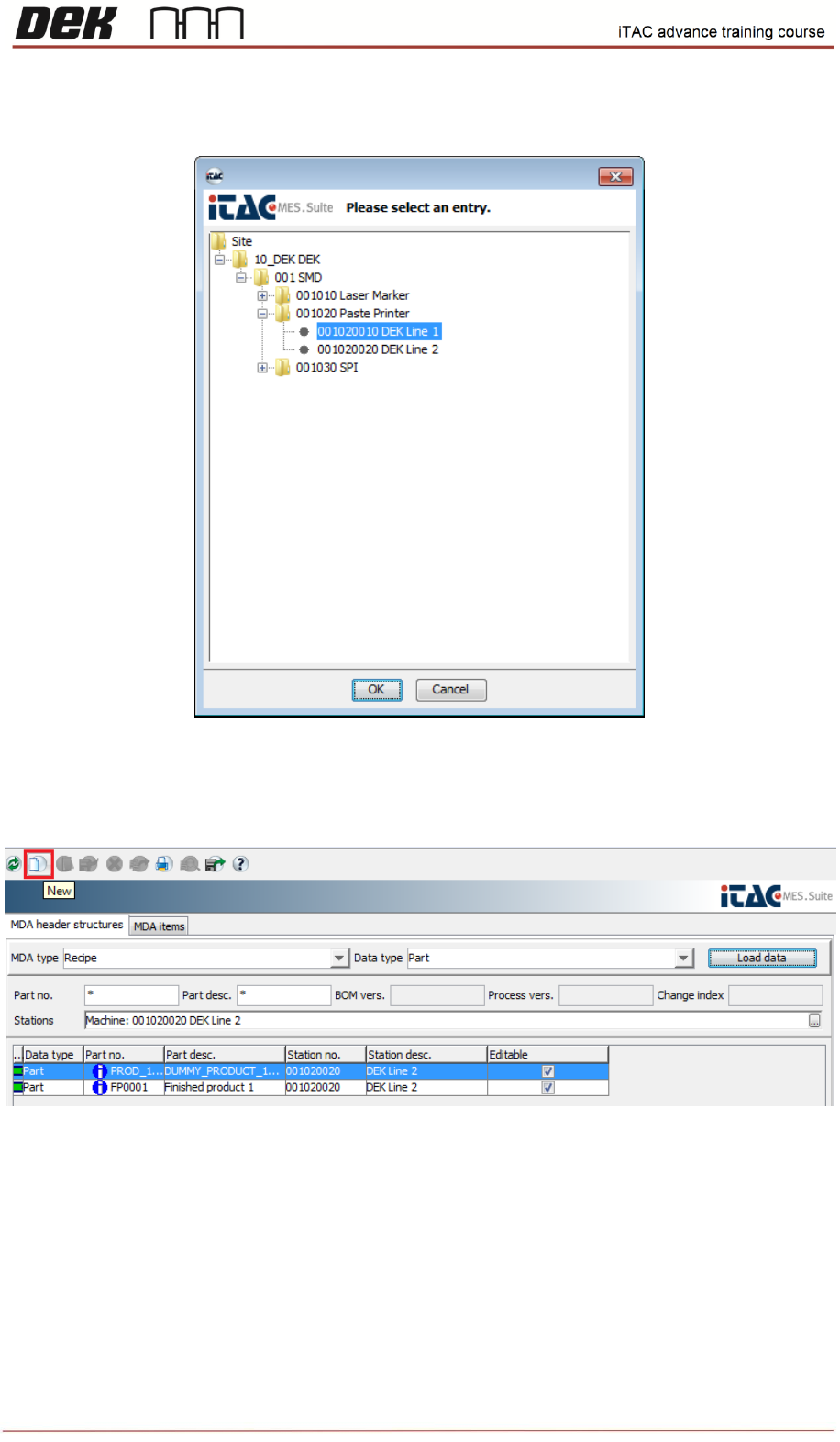
❑ Confirm by OK, and then click on load data to display relevant recipes for selected machine
group / station.
❑ Click on new in toolbar
❑ Select required product and confirm by OK.
35
Issue 2, Mar 18
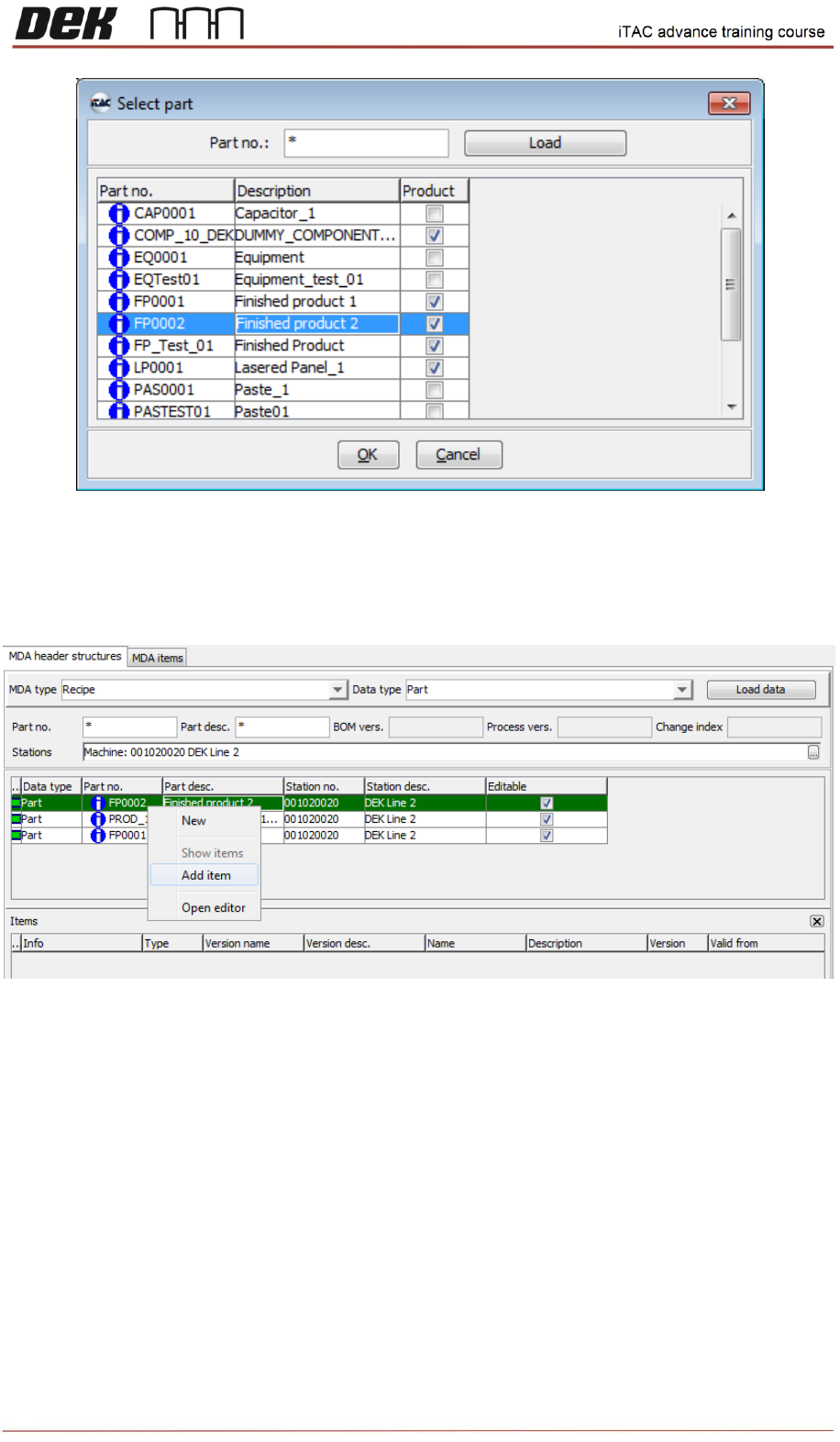
❑ The Recipe Header Structure is created. Product without recipe is marked in green colour.
Right click on product and select add item in order to add new recipe.
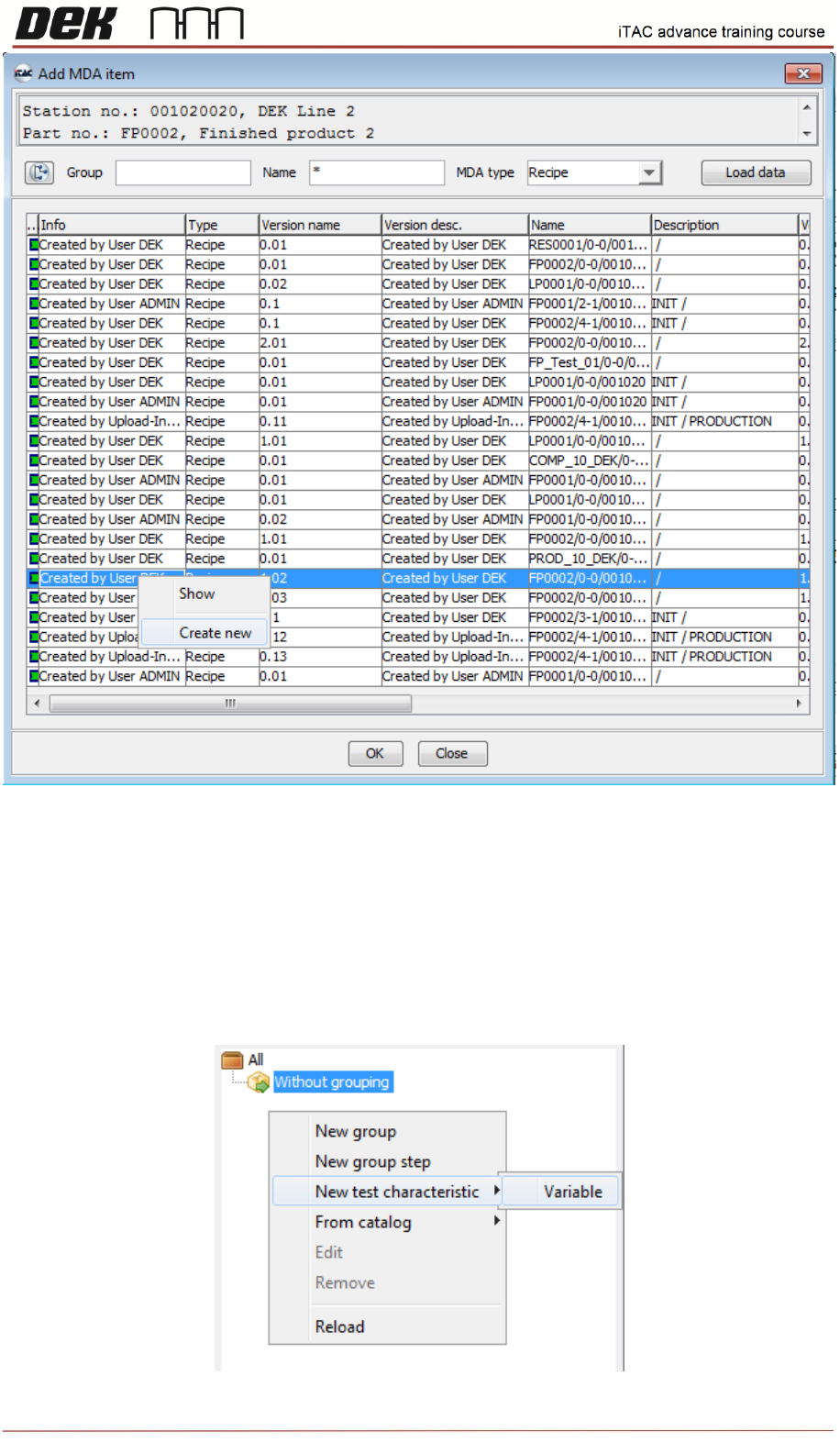
❑ In “Add MDA item” window click on “load data”. All recipes for site are displayed. When you
select recipe and right click then you can either show selected recipe or create new recipe.
36
Issue 2, Mar 18
❑ Now can be either selected existing recipe (for later editing) and confirmed by OK or created a
new recipe.
❑ Click on Create new.
❑ Right click on left tab and select new test characteristic\Variable
Three parameters have to be created in total for Top Side, Bottom Side and MES Key (MES Key
determines whether machine is running with MES or not)