iTAC Advance Issue 2, Mar 2018.pdf - 第53页
53 Issue 2 , Mar 18 Function – Upload state ❑ Select “trUpload state” Function used for updating status of PCBs (single panel or multiple panel) SerialNumberState parameter: Process state of the serial number [0; 1; 2]: …
52
Issue 2, Mar 18
Example of API:
Go to API module. The API functions are separated according to specific modules.
Objective HO 15: Assign serial numbers to activated WO on the line and upload state
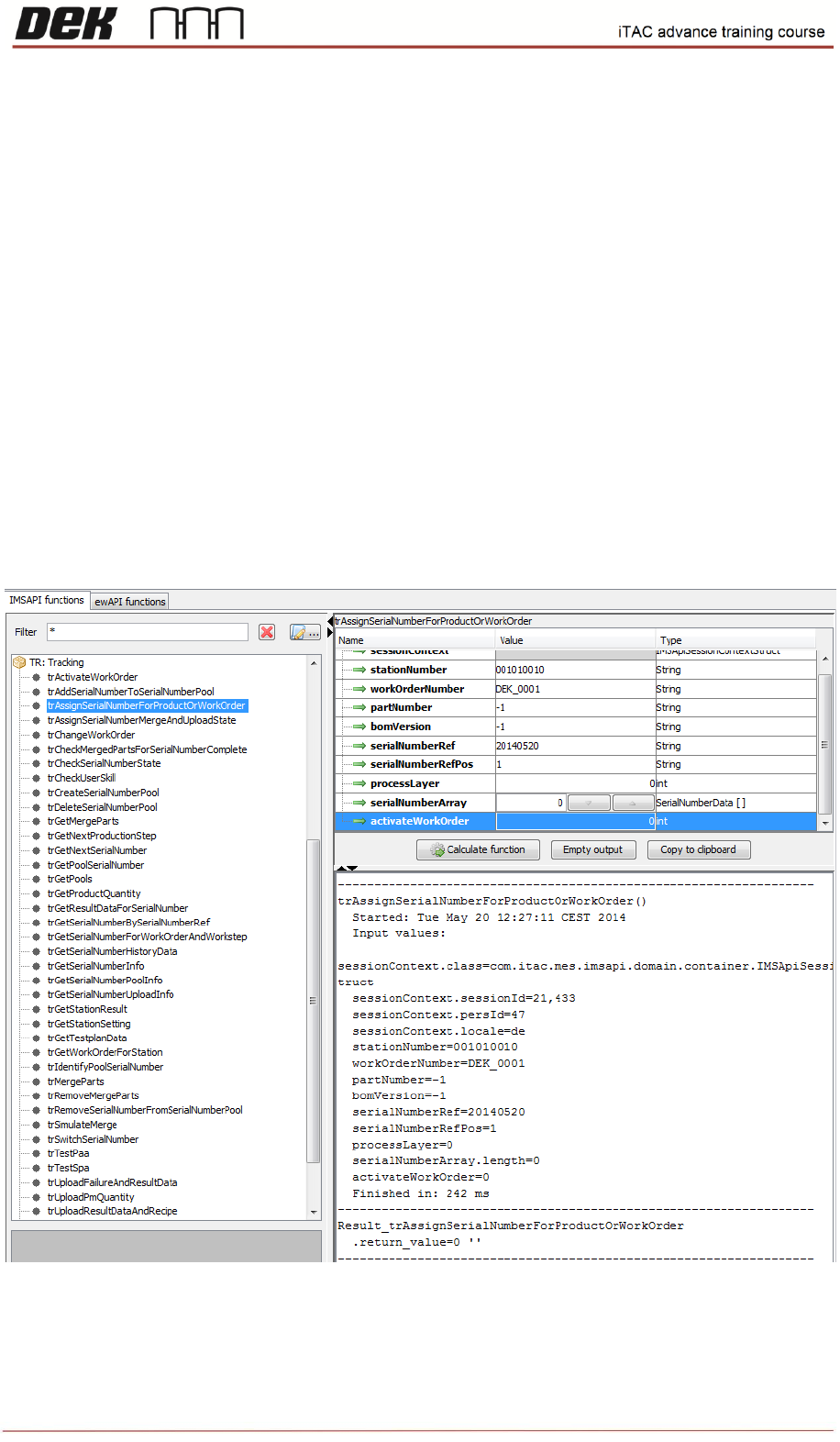
Function - assign serial number for product or work order
Useful function for iTAC barcode verification testing (iTAC – option 4 – process interlocking) - iTAC
server checks that the barcode scanned by the remote barcode reader is assigned to current WO.
In this case DEK printer should not be first on the line (Work Order). The single PCB with assigned
serial number can pass machine with limited number of times.
❑ Go to API module
❑ Select “trAssignSerialNumberForProductOrWorkOrder”
Note: If the returned value equals to 0 then is accepted without errors. Any other value means
error or warning.
53
Issue 2, Mar 18
Function – Upload state
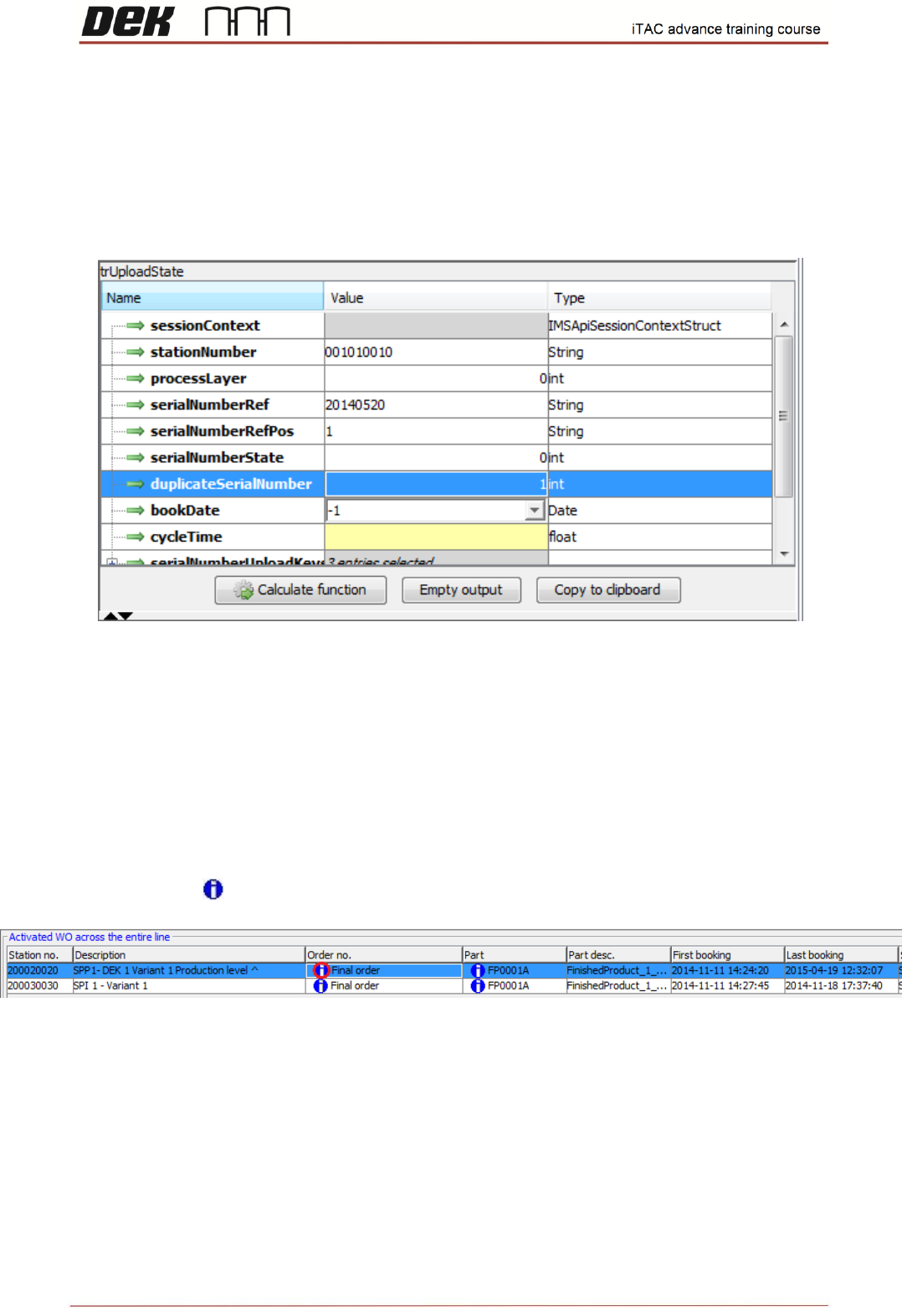
❑ Select “trUpload state”
Function used for updating status of PCBs (single panel or multiple panel)
SerialNumberState parameter: Process state of the serial number [0; 1; 2]:
0 = pass
1 = fail
2 = scrap
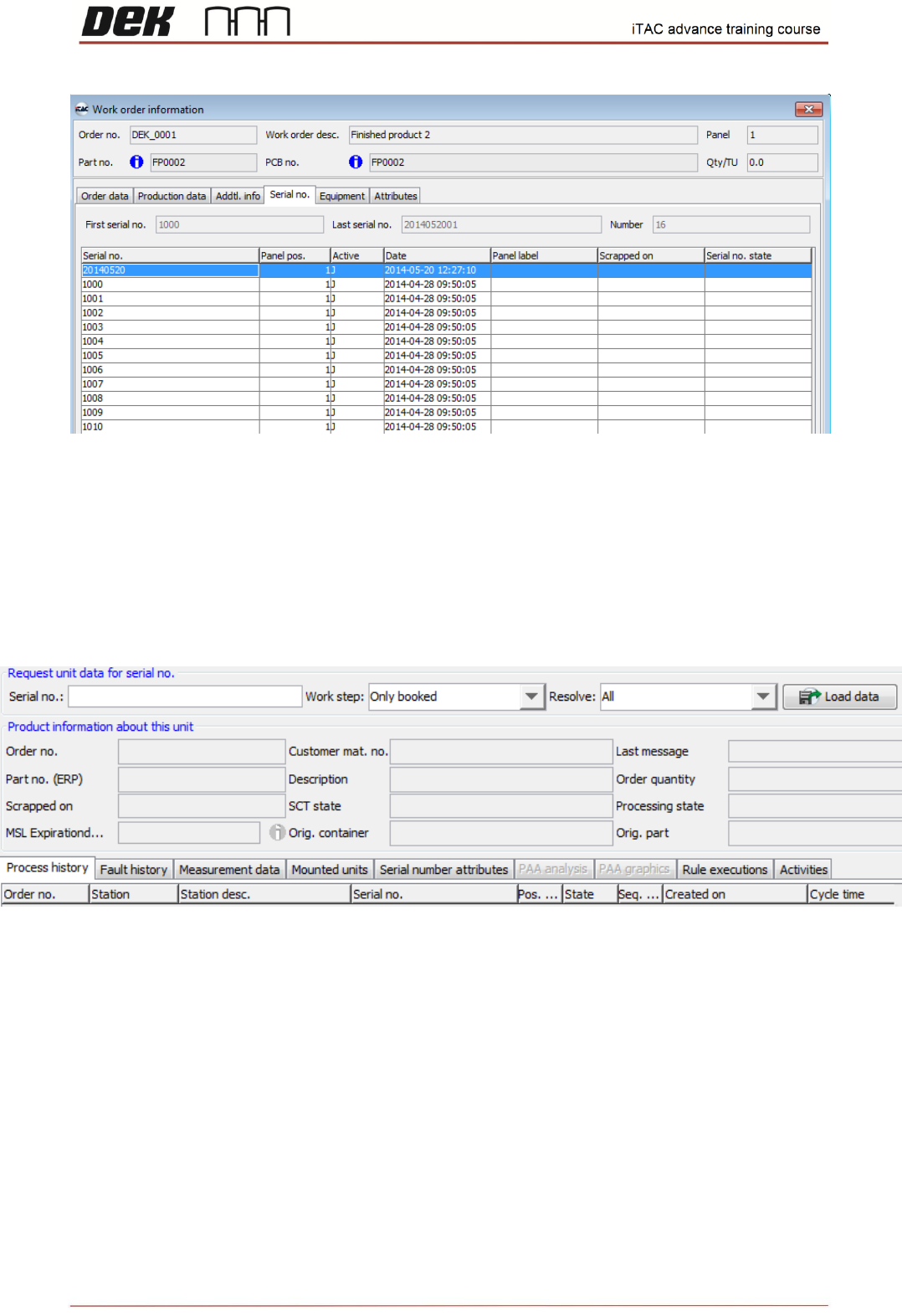
The assigned serial number can be checked in WO.
❑ Go to TR\MIS – Work orders\Order
❑ Double click on icon to display further information about the work order
❑ Select the Serial no. tab on the Work order information form
❑ All serial numbers for that work order are displayed in list
54
Issue 2, Mar 18
More details for the particular serial number can be found in unit history. Unit history shows state of
each work step done, associated serial numbers and measurement data (traceability).
❑ Go to TR\Unit Information\Unit history
❑ Type the serial number into serial number field and click on load data