iTAC Advance Issue 2, Mar 2018.pdf - 第67页
67 Issue 2 , Mar 18 trVerifyMerge trAssignSerialNumberMergeAndUploadState trUploadResultDataAndRecipe
66
Issue 2, Mar 18
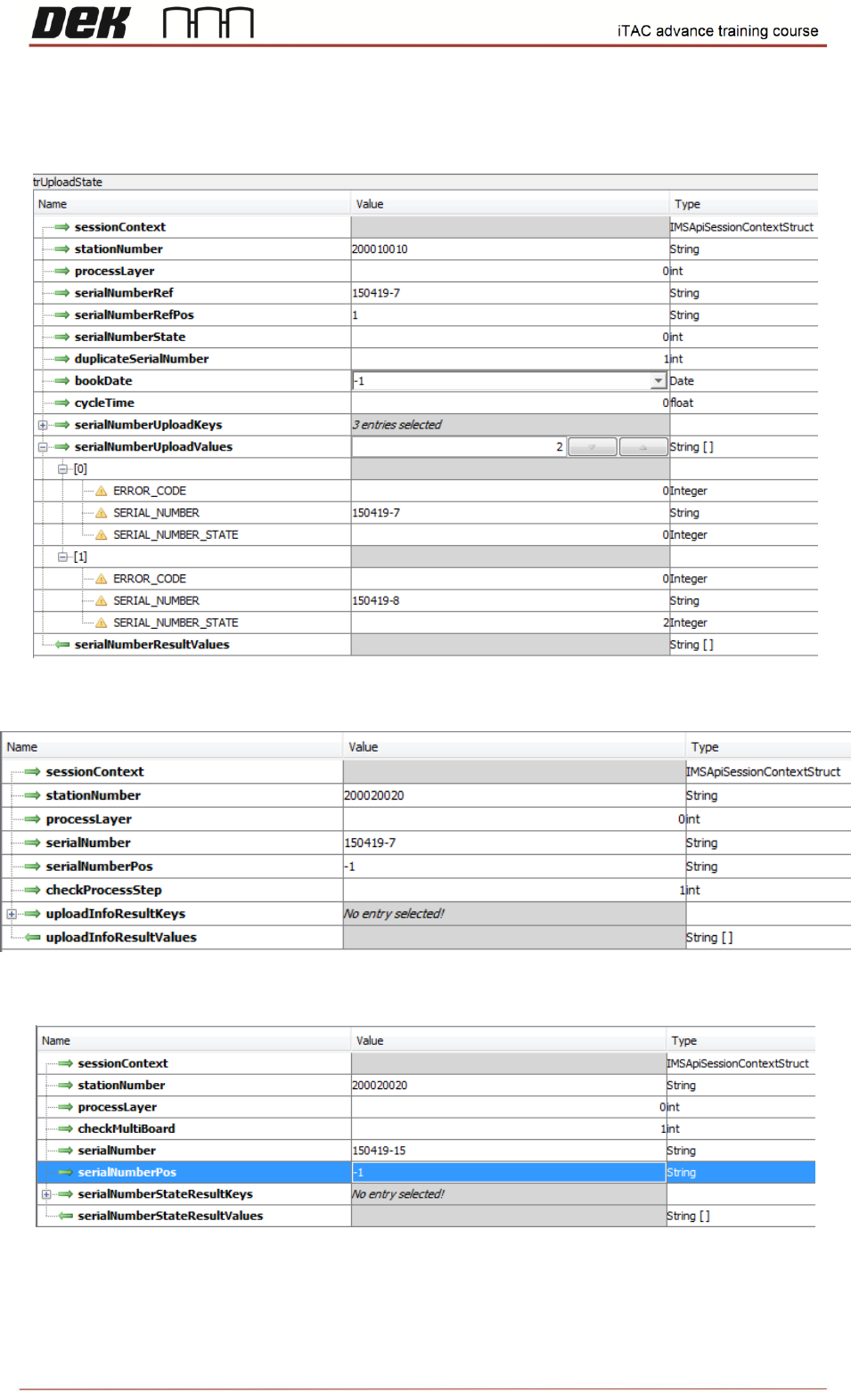
trUploadState
trGetSerialNumberUploadInfo
trCheckSerialNumberState
67
Issue 2, Mar 18
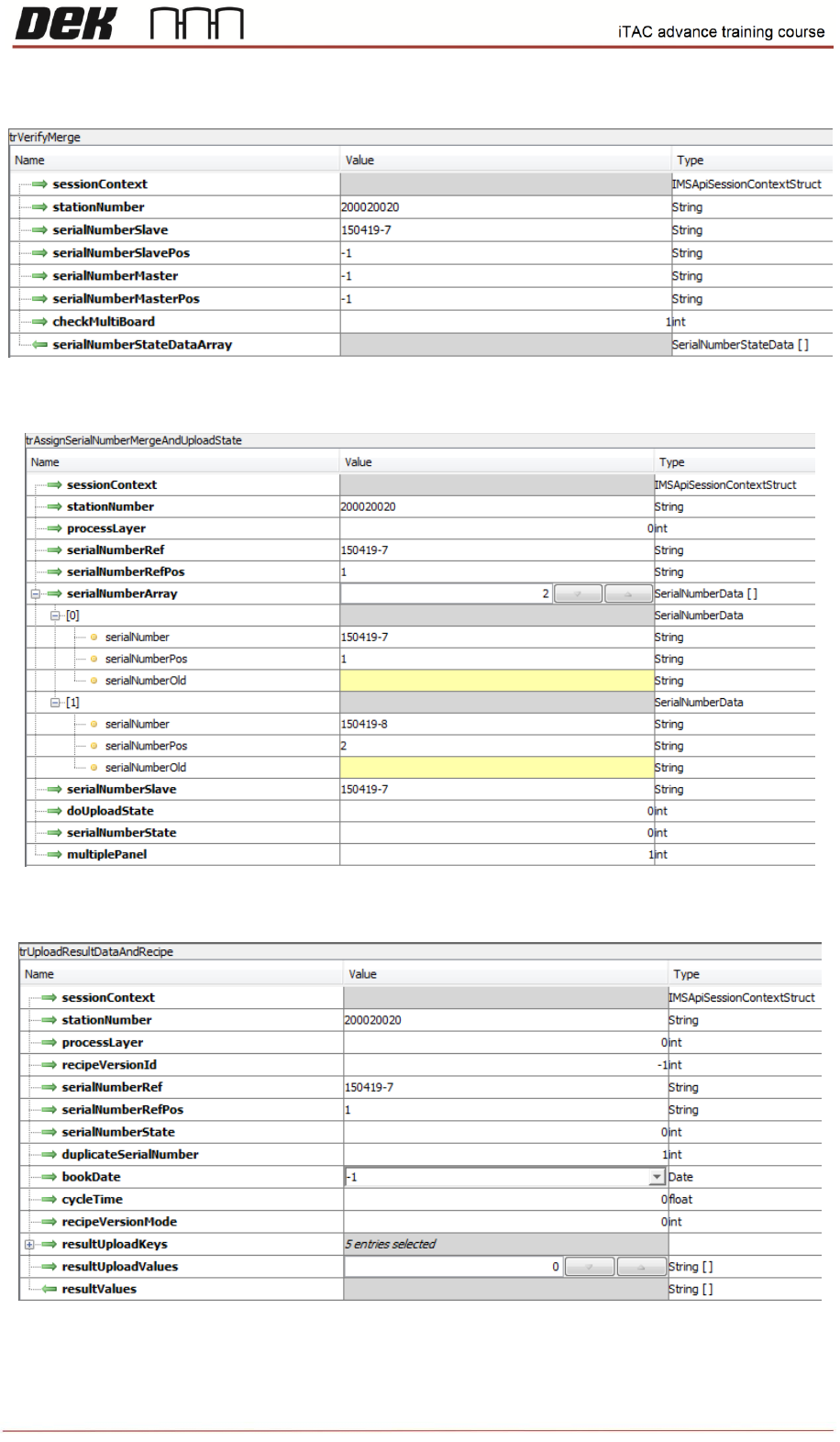
trVerifyMerge
trAssignSerialNumberMergeAndUploadState
trUploadResultDataAndRecipe

68
Issue 2, Mar 18
Sales support - technical details to be known before PO
We need to make sure that iTAC option will work for customer who wants to buy the iTAC option,
therefore is recommended to clarify all technical details:
The software is RTX, ensure that customer not using RTX software already. It is based on SP15 –
should be checked that it will work for customer.
Is machine capable to run SP15 software? If DEK software on machine is older than 09 SP15, few
checks must be completed prior software upgrade such as:
• The software is not compatible with the Dunkermotoren BGE9010
• Nextmove ES card part number must be 193409
• For machines using Hawkeye (Deposit Verification) please check that encoder connector is
fitted into the M36 in slot x6
All details can be found in TB466.
It should be agreed with customer which operating system will be used.
If customer requires upgrade from WinXP to WES7 first must be checked whether machine is fitted
with compatible PC:
• If the PC is fitted with Q35 or H81 only Microsoft licence required
Software upgrade to WES7 for Q35 pc - MPU 602360*1
Software upgrade to WES7 for H81 pc – MPU 602377*1
• If Printer is fitted with other PC it must be replaced – MPU 602376*1 to be ordered
All details regarding 09SP15 compatibility and WES7 upgrade including associated checks and
upgrades can be found in TB431.
Customer to define which options wants to use – Refer to Workbook to see all available/supported
options.
Option
Description
Available
Comments
Option 1
Workorder Handling
A, B, D
Option 2.1
Check Get Process Data
Y
Option 2.2
Load Program
TBA
Pending planning
Option 3.1
Create Setup Internal
Y
Option 3.2
Create Setup External
N
Not Applicable
Option 3.3
Check Setup
Y
Option 3.4
Equipment Setup
Y
Option 4
Process Interlocking
Y
Option 5
Assign Serial Number
Y
Option 5.1
Merge Serial Number
Y
Option 6.1
Upload Only process data
N
No request for this
Option 6.2
Upload process data and status
Y
Option 6.3
Upload failure data and status
TBA
Pending planning
Option 7
Status Condition
TBA
Pending planning