iTAC Advance Issue 2, Mar 2018.pdf - 第37页
37 Issue 2 , Mar 18 ❑ In Create recipe parameter window fill in following fields: Descripton : Identificator of recipe parameter. Defau lt setting is PP_B (Bottom side), PP_T (Top side), MES (MES Key). Description may di…
36
Issue 2, Mar 18
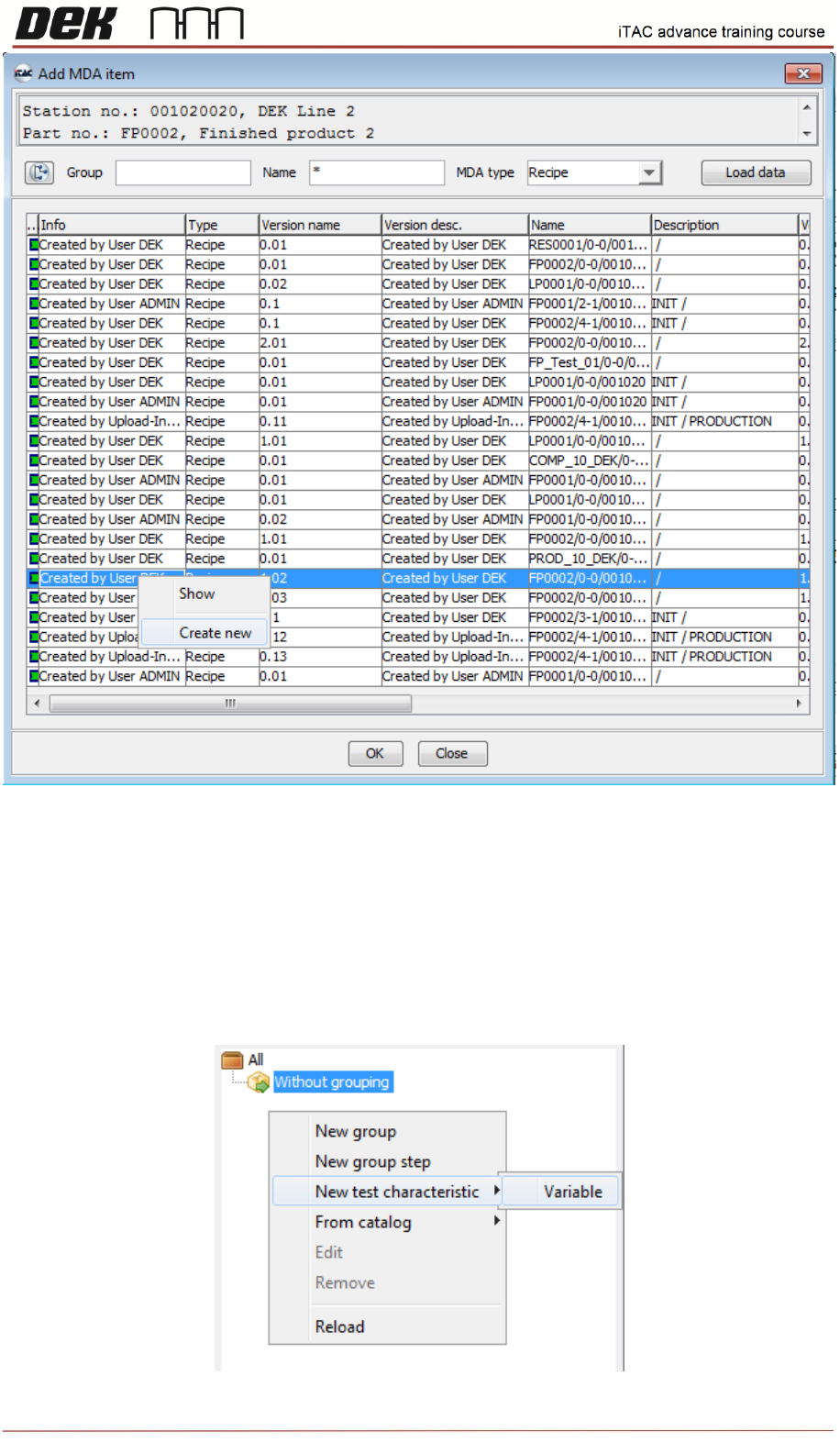
❑ Now can be either selected existing recipe (for later editing) and confirmed by OK or created a
new recipe.
❑ Click on Create new.
❑ Right click on left tab and select new test characteristic\Variable
Three parameters have to be created in total for Top Side, Bottom Side and MES Key (MES Key
determines whether machine is running with MES or not)
37
Issue 2, Mar 18
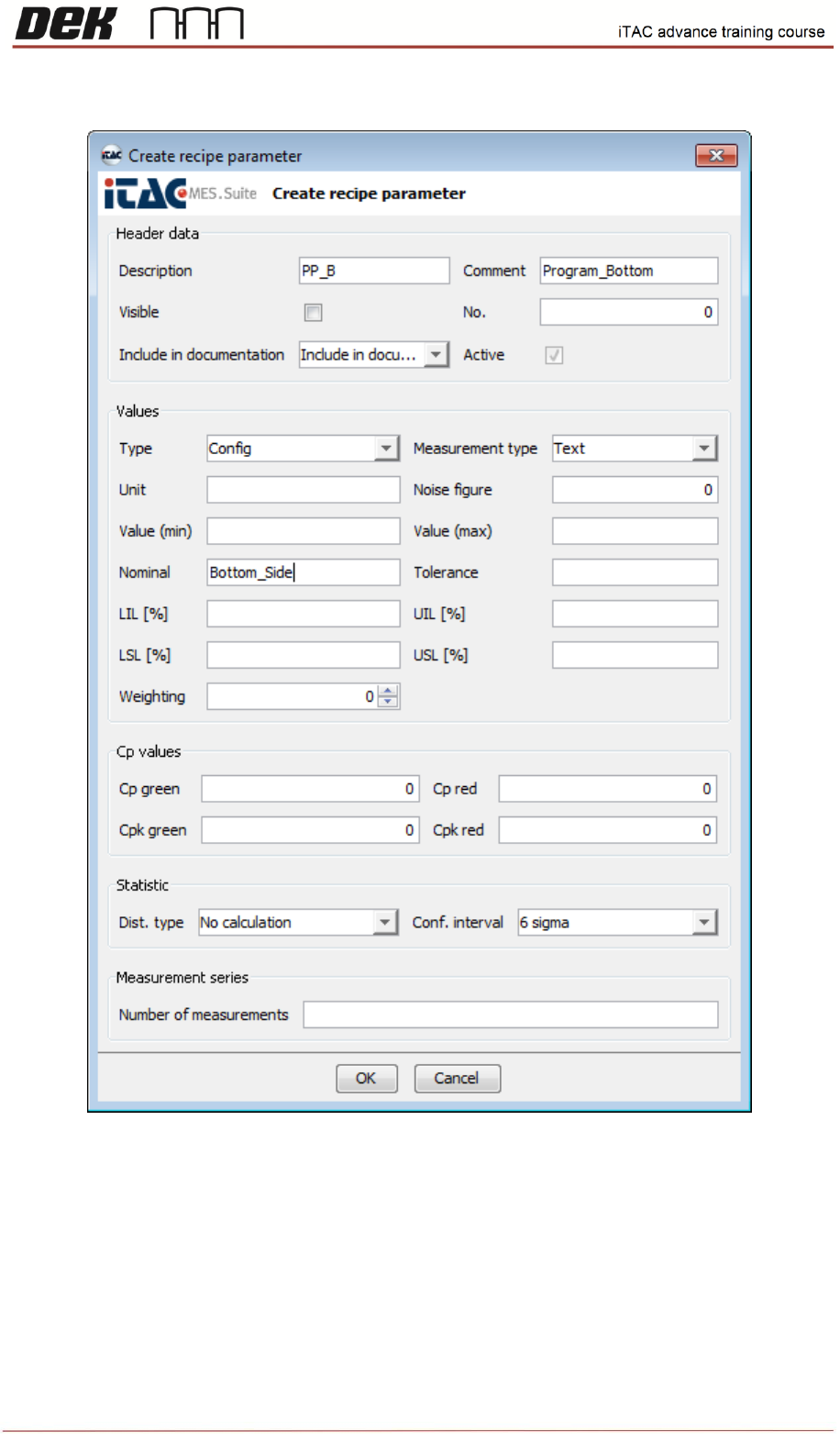
❑ In Create recipe parameter window fill in following fields:
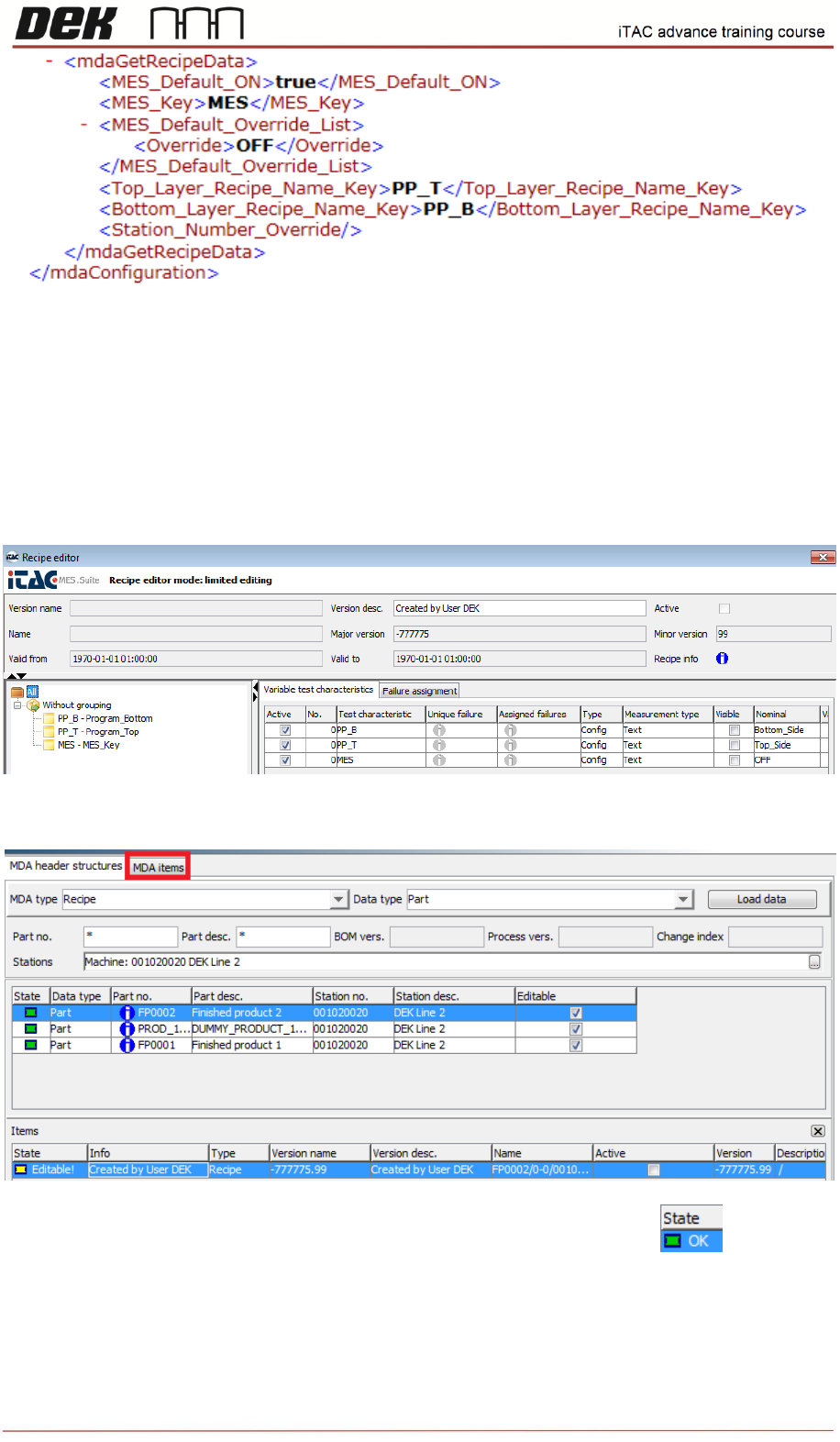
Descripton: Identificator of recipe parameter. Default setting is PP_B (Bottom side), PP_T (Top
side), MES (MES Key). Description may differ customer to customer. If the setting is different then
same parameters have to be corrected in “iTACmdaConfiguration” file in E:\Config\PluginData\iTAC7
folder.
See example:
38
Issue 2, Mar 18
Comment: Written description of parameter ( e.g. Program_Top/Bot, MES Switch)
Type: Could be used any type, usually is used Config
Measurement type: Text
Nominal: Name of the program on the printer or MES Key parameter (default = ON for enabling OFF
for disabling). Mes Key may differ and can be changed in “iTACmdaConfiguration” int the same way
as shown above.
Once all 3 parameters are created confirm by OK.
Created recipe will appear in “items” window. Click on MDA items tab.
Select recipe, right click and select release. The state will change to green.