iTAC Advance Issue 2, Mar 2018.pdf - 第27页
27 Issue 2 , Mar 18 ❑ Select required product and confirm by OK. ❑ In “create work order” window fill in/select fo llow ing minimal info rmation in yellow fields which are mandatory. Cust. Order. No. (Define Name) Order …
26
Issue 2, Mar 18
Work order creation
Work order defines production order according to current demand. Work order consists
required quantity, Product part number + BOM version and exact work plan version.
Work order is to be activated on the line in order to start production.
Objective HO 6: Create new Work Order
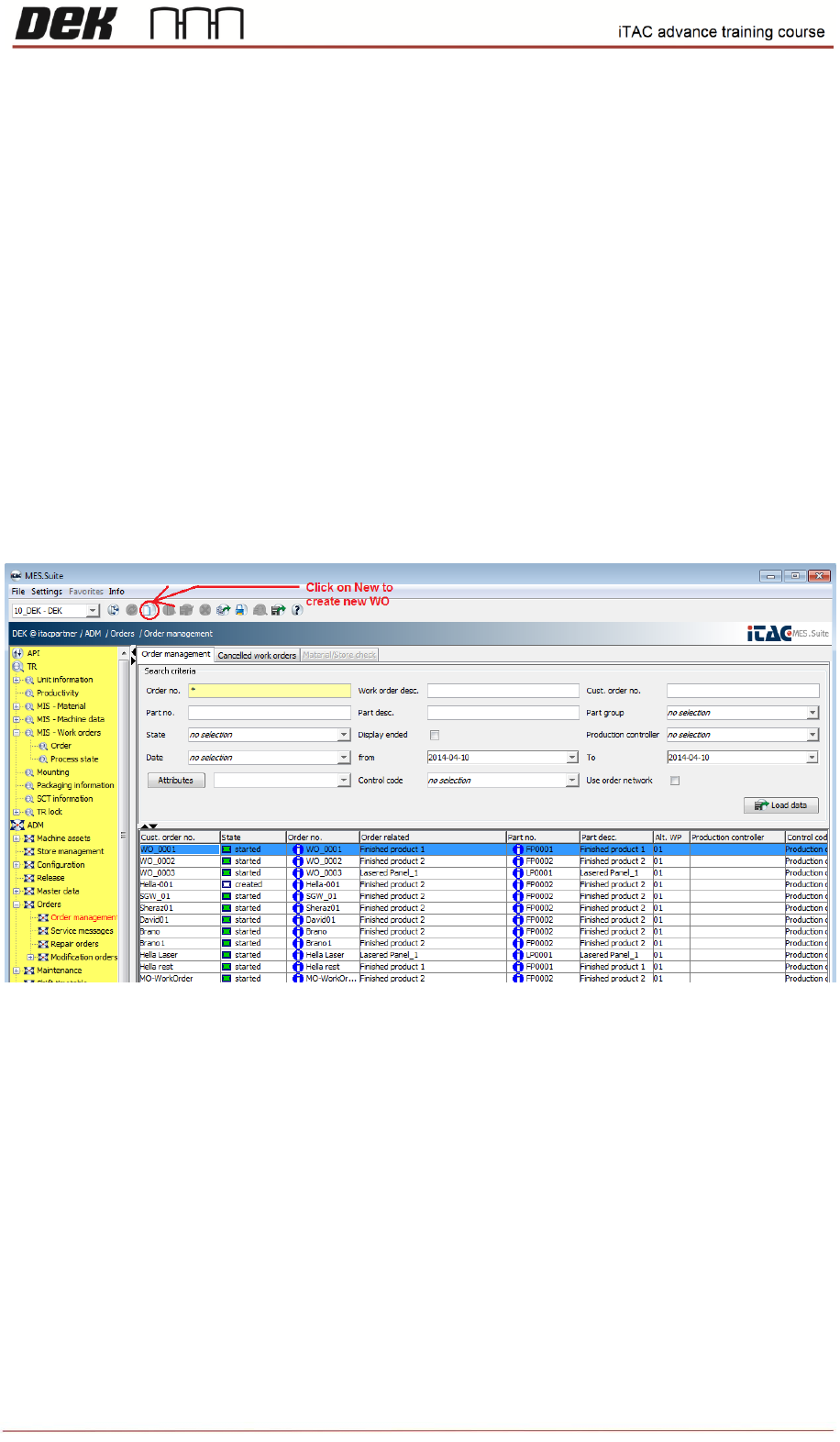
❑ Go to ADM\Orders\Order Management
Note: To list all available products type asterisk ("*"), then click on load data.
❑ Click on new in toolbar to create new work order.
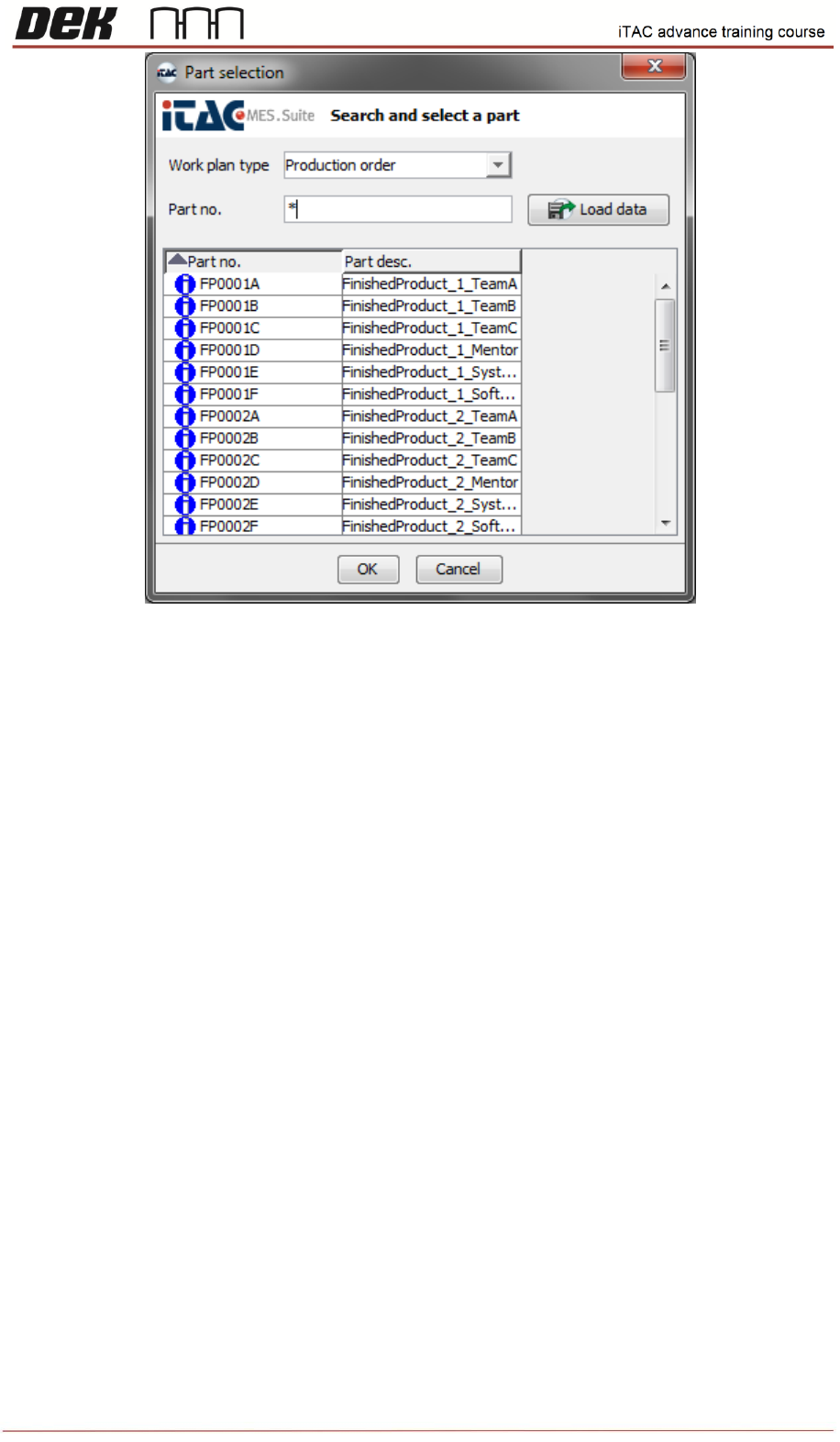
❑ Select Production order in Work plan type field. In part selection window type/select desired
BOM or type asterisk to list all.
27
Issue 2, Mar 18
❑ Select required product and confirm by OK.
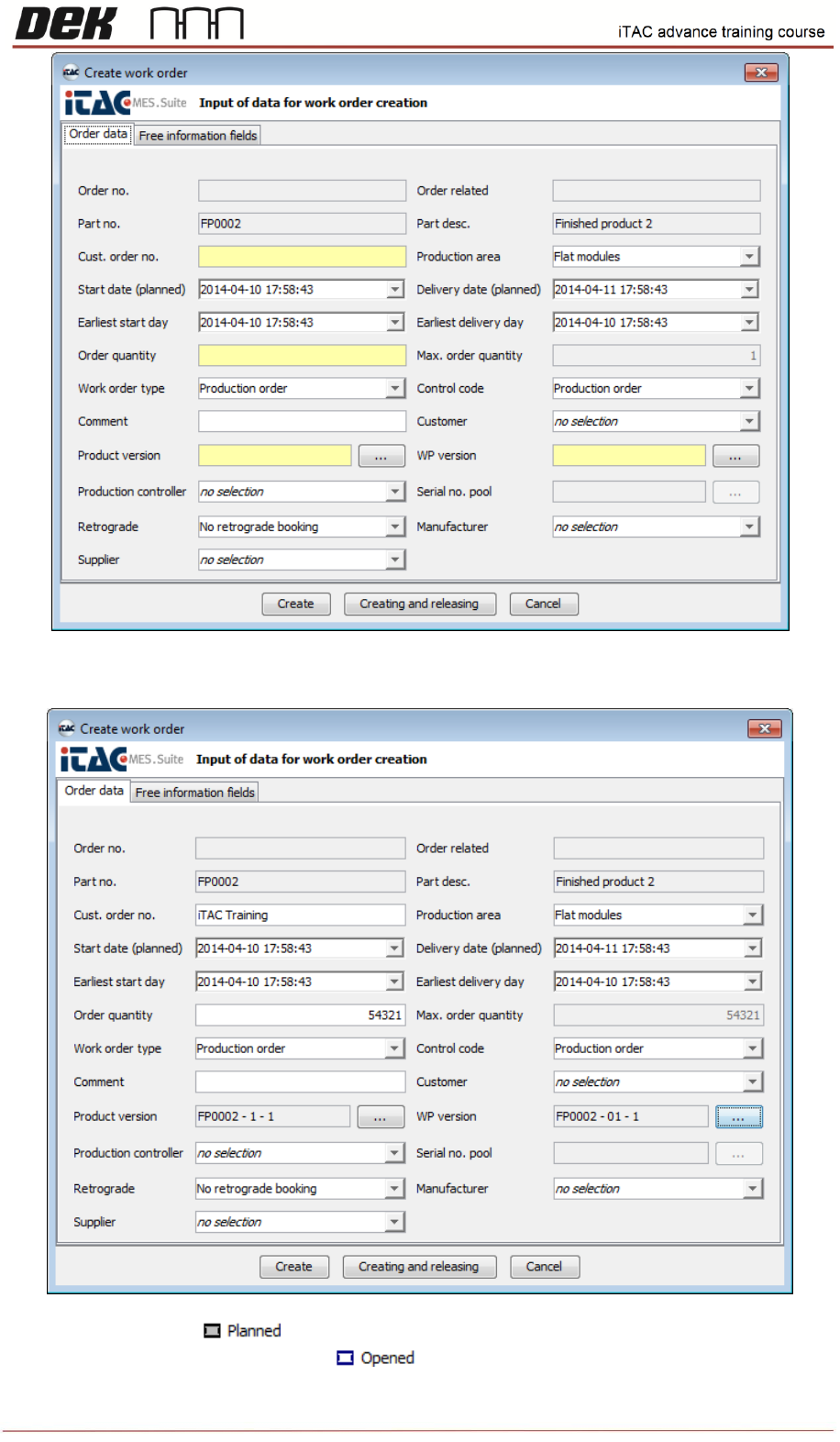
❑ In “create work order” window fill in/select following minimal information in yellow fields which
are mandatory.
Cust. Order. No. (Define Name)
Order Quantity: Number of planned products
Product Version: Select required product and its BOM version
WP Version: Select required work plan ans its version.
Other fields are optional.
28
Issue 2, Mar 18
❑ Confirm either by Create (to be released later) or Creating and releasing button.
If WO is created the state is
If WO is created and released the state is