iTAC Advance Issue 2, Mar 2018.pdf - 第49页
49 Issue 2 , Mar 18 NOTES:
48
Issue 2, Mar 18
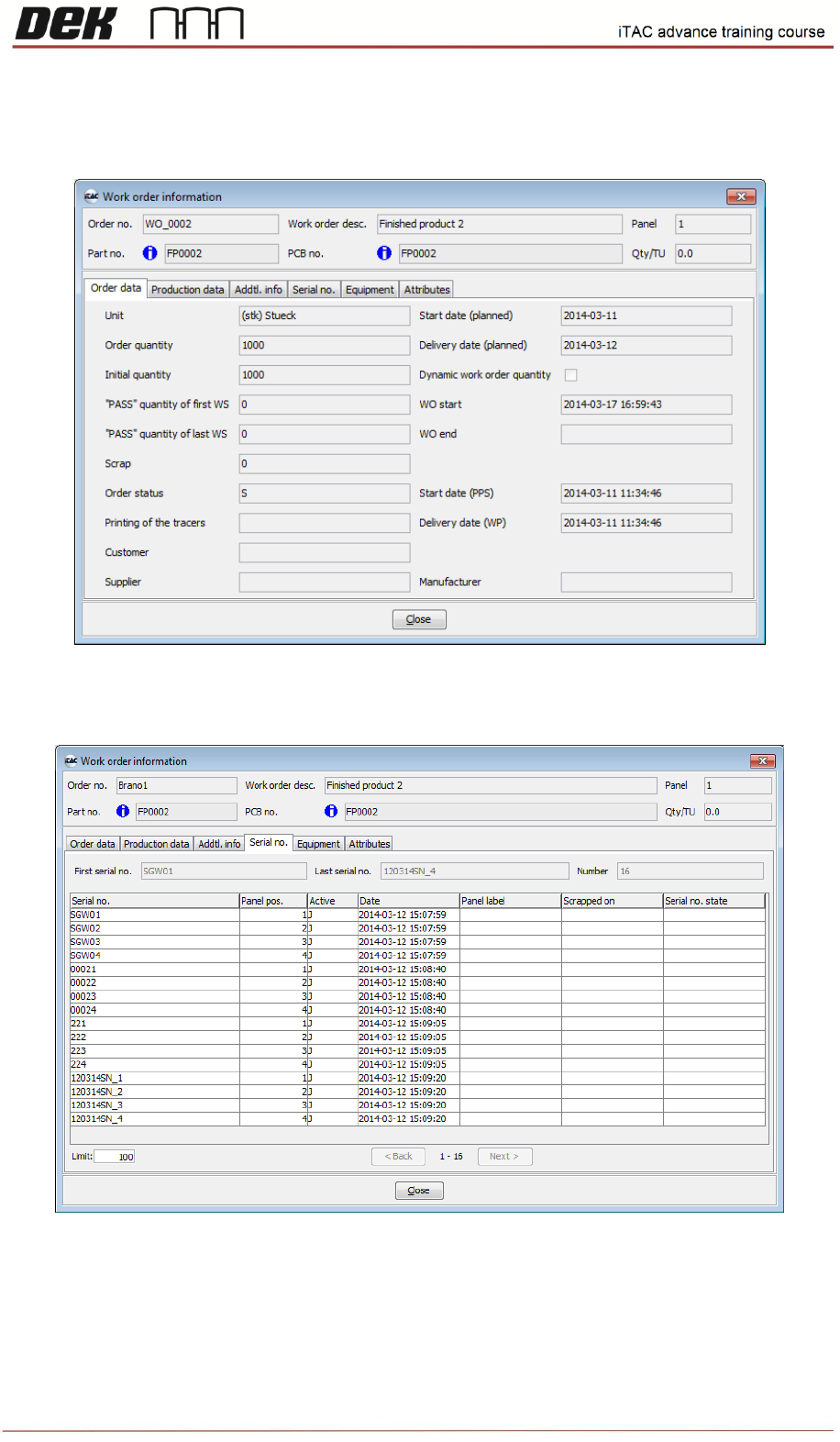
Production data tab display used BOM & WP.
Serial No. tab display the PCB serial numbers assigned to the work order
Equipment tab display the currently rigged equipment for the work order.
Note: Rigged equipment is marked blue unrigged equipment is marked black.

49
Issue 2, Mar 18
NOTES:
50
Issue 2, Mar 18
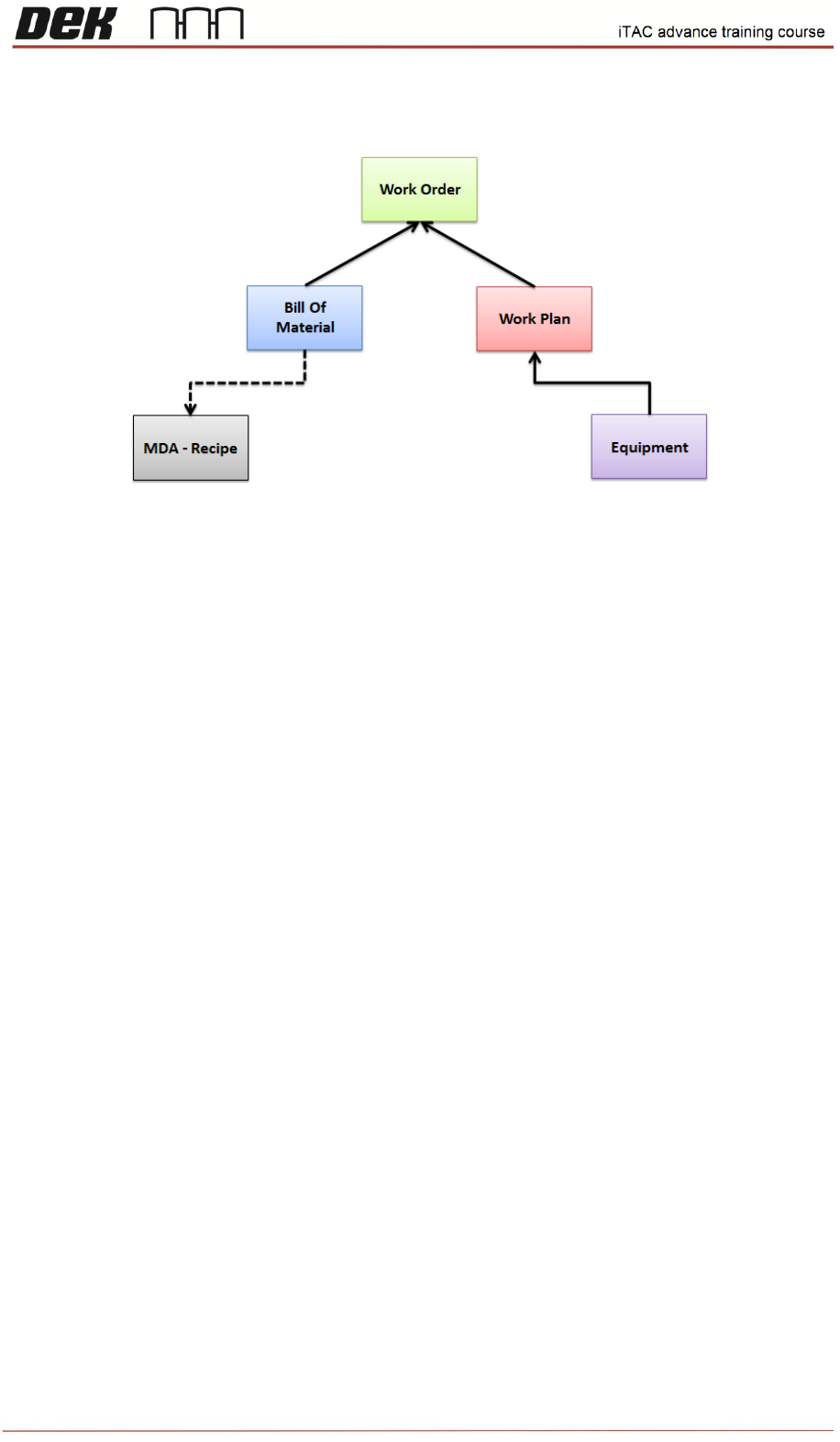
Simplified hierarchy among modules necessary for production
MDA – Recipe. The recipe contains product names for Top/Bottom side + MES Key switch which is
assigned to specific BOM.
Bill of Material – This module contains list of all products. Each product consist list of material - all
parts. Each product can have more BOM versions.
Equipment – All existing equipment such as stencil/squeegees are stored in ADM\Master
Data\Equipment
Work Plan – Contains all work steps necessary for manufacturing of specific product. Existing
equipment can be assigned into required work step (e.g. paste printer) of selected Work plan version
Work Order – Defines production order according to current demand. Work order consists required
quantity, Product part number + BOM version and exact work plan version.
Work order is to be activated on the line in order to start production.
NOTES:
Objective HO 10: Create new version of BOM
Objective HO 11: Create new equipment
Objective HO 12: Create new version of WP and assign new equipment
Objective HO 13: Create new WO
Objective HO 14: Create new version of recipe