iTAC Advance Issue 2, Mar 2018.pdf - 第48页
48 Issue 2 , Mar 18 Production data tab display used BOM & W P. Serial No. tab display the PCB serial numbers assigned to the work order Equipment tab display the currently rigged equipment for the work order. Note: …
47
Issue 2, Mar 18
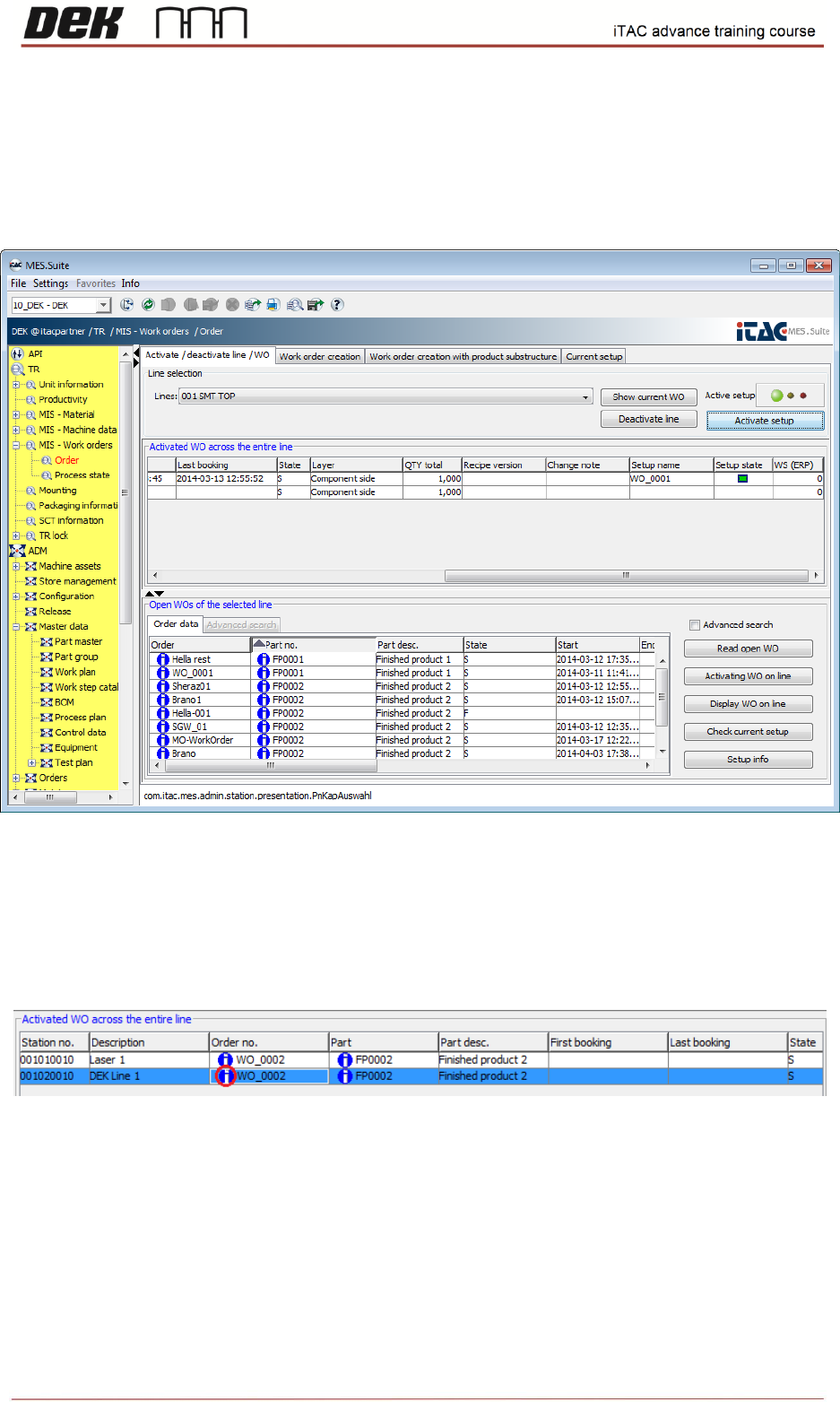
Note: The paste material has to be verified (rigged on iTAC) in order to completely activate
setup – green state. If WO is to be activated manually on machine, it has to be done prior
material verification.
Snap shot below demonstrate activated setup while paste material is rigged on iTAC.
There is an alternative way to activate setup on the machine. It can be done through API function
“TRActivateworkorder”. Refer to the IMSApi-Description iTAC manual or latest
imsAPI_Screen_Printer manual.
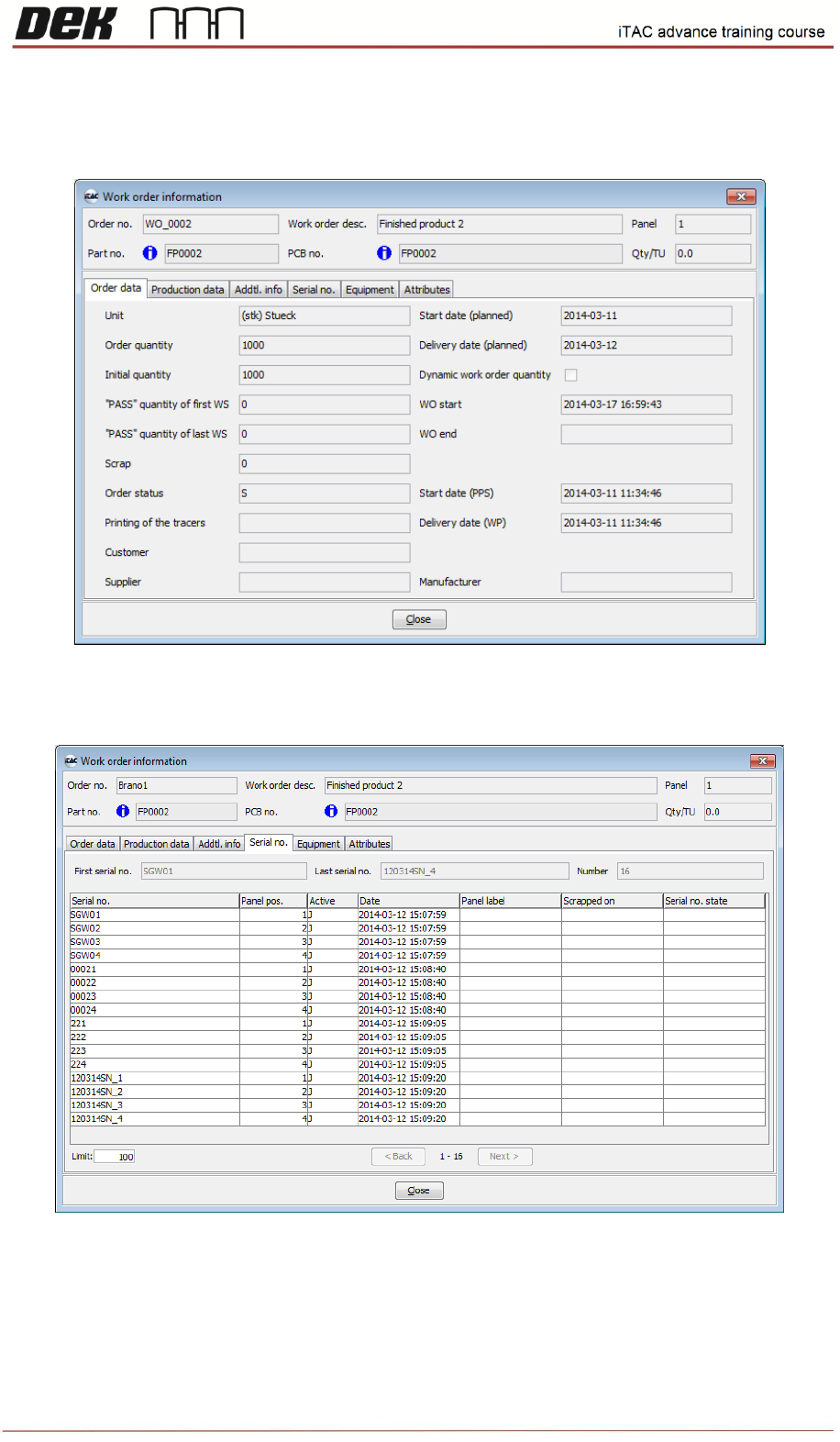
Double click on info icon on activated WO to find useful details, e.g. equipment state.
Following data is displayed:
48
Issue 2, Mar 18
Production data tab display used BOM & WP.
Serial No. tab display the PCB serial numbers assigned to the work order
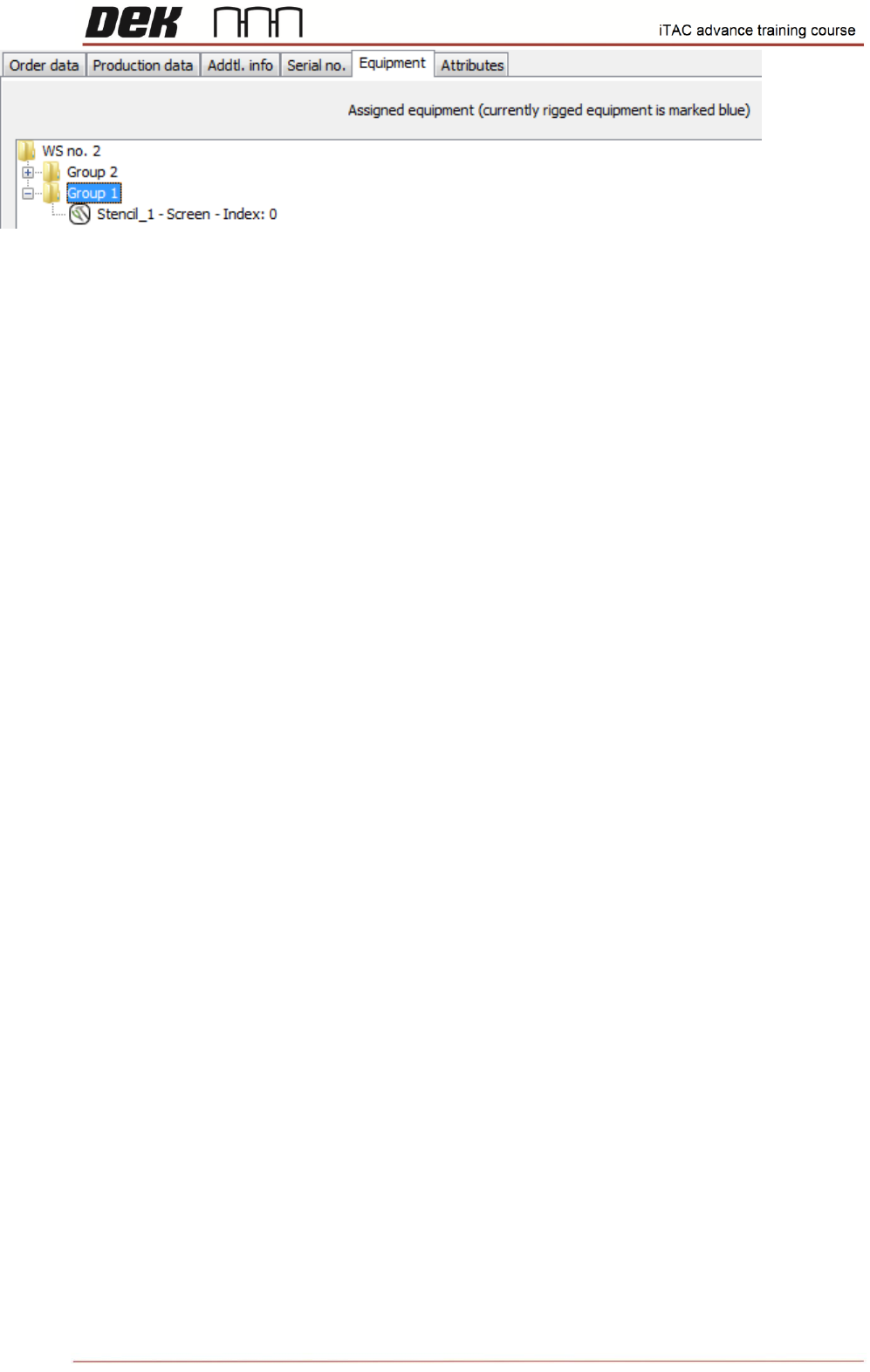
Equipment tab display the currently rigged equipment for the work order.
Note: Rigged equipment is marked blue unrigged equipment is marked black.
49
Issue 2, Mar 18
NOTES: