SIPLACE Line Computer UNIX.pdf - 第151页
User Manual Line Computer UNIX 4 Data Management Software Version 502.xx 10/2000 Issue 4.5 File Display User Interface 149 I t I I 4.5.2.2 SER VICES menu - Search /Replace This bu tton serves to ope n the window for the …
4 Data Management User Manual Line Computer UNIX
4.5 File Display User Interface Software Version 502.xx 10/2000 Issue
148
I
t I I
4.5.2.1 FILE menu
- Opening
This option can be used to select a new file whose contents are to be displayed in the display area.
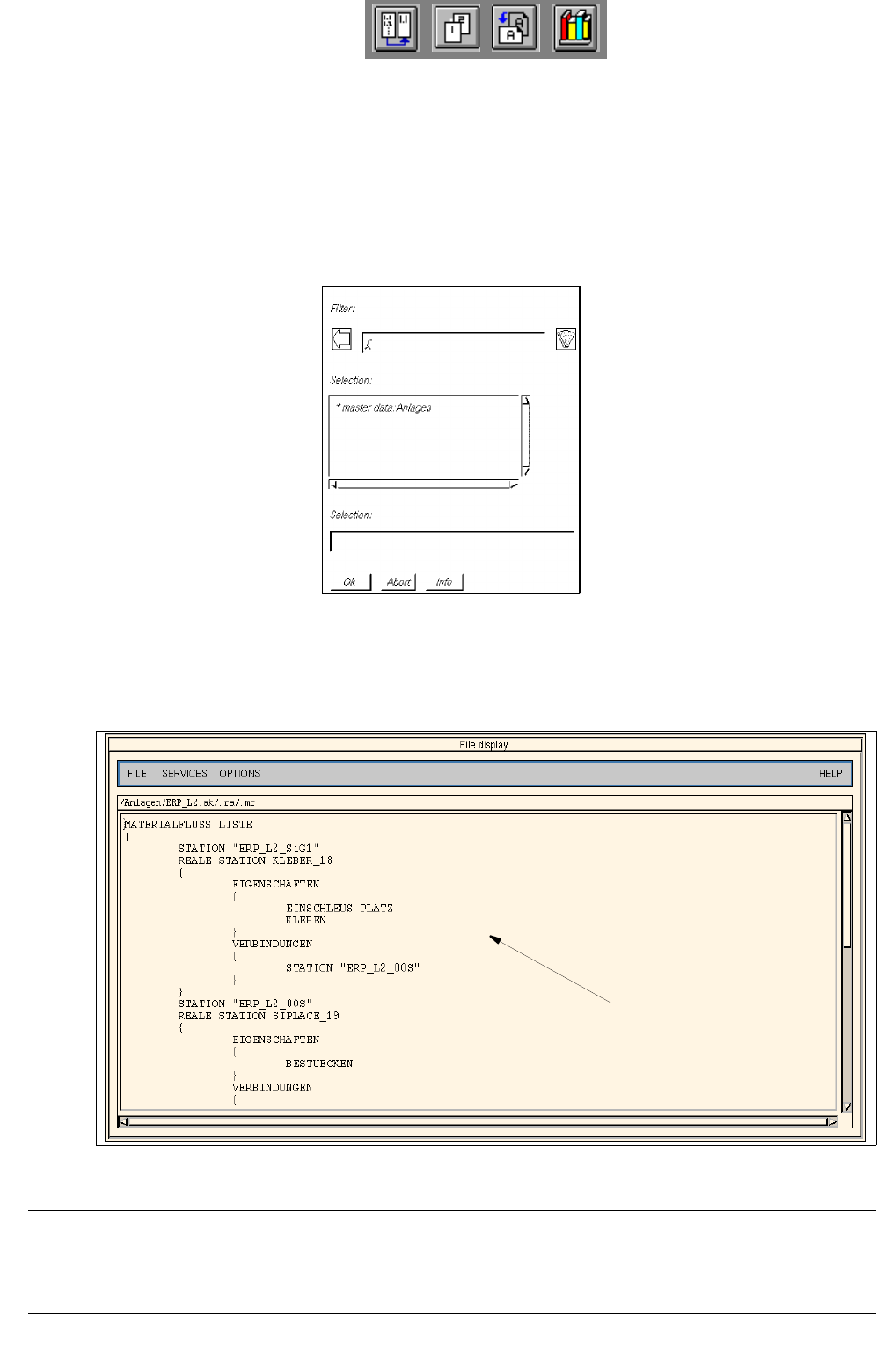
● Select FILE --> Open...
Depending on the data type selected under Options (see
page 4 - 152) an FSB containing the
applicable filter is opened. The following example is valid for the setting "Line configuration lists".
● Successively select the entries master data: Anlagen, ERP_L2.ak, .ra and .mf displayed in the FSB,
by double-clicking (or else by clicking once and confirming the selection with OK in each case).
The FSB is closed and the line configuration list of the line is displayed in the main window of the
File Display.
Fig. 4.5.2 Main Window "File Display - Line Configuration List"
NOTE
Whenever a file is "opened", a new window opens so that the contents of several different files may be com-
pared with one another.
line configuration list
User Manual Line Computer UNIX 4 Data Management
Software Version 502.xx 10/2000 Issue 4.5 File Display User Interface
149
I
t I I
4.5.2.2 SERVICES menu
- Search/Replace
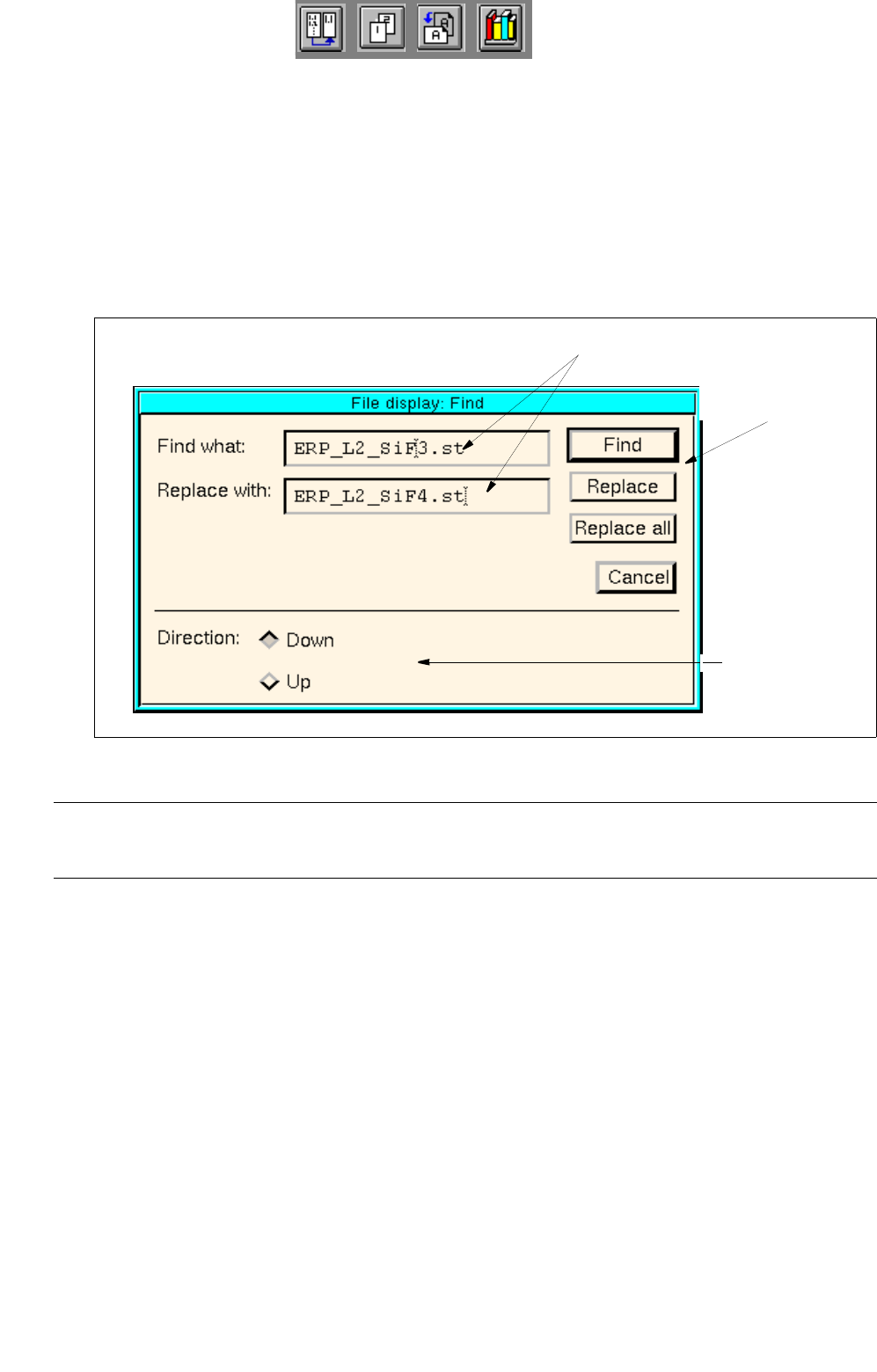
This button serves to open the window for the entry of search or replacement texts. In the editing fields
of this window any character strings desired can be entered which will subsequently be searched for
or replaced, respectively.
● Select SERVICES --> Search/Replace.
The search window for the entry of a search or replacement text is opened.
Fig. 4.5.3 Search Window "File Display"
NOTE
If the currently displayed file is write-protected, the buttons Replace and Replace all are inactive.
Setting area
The conditions for the find/replace procedure are defined in the setting area with the help of the respective
buttons.
Setting possibilities for the search/replace area:
- Down Find/replace action to be started from the cursor
position in the currently displayed file in downward
direction
- Up Find/replace action to be started from the cursor
position in the currently displayed file in upward
direction
editing fields
command
area
setting area
4 Data Management User Manual Line Computer UNIX
4.5 File Display User Interface Software Version 502.xx 10/2000 Issue
150
I
t I I
Procedures to be followed for the searching and replacing of character strings
● In the setting area, activate the button with the desired search direction by clicking on it (see Fig.
4.5.3
).
● Enter the character string to be searched for in the "Find what:" editing field.
● Enter new character string in the "Replace with:" editing field if the character string entered in the
"Find what:" editing field is to be replaced.
● Click on the Search button in the command area.
The first occurrence of the character strings searched for appears darkened in the search area.
Clicking on the button again, causes the subsequent occurrence of the character string within the
given search area to be highlighted.
● Click on the Replace button in the command area.
The highlighted character string is replaced with the character string entered in the "Replace
with:" editing field and subsequently the next character string found in the search area is automa-
tically highlighted.
Or else:
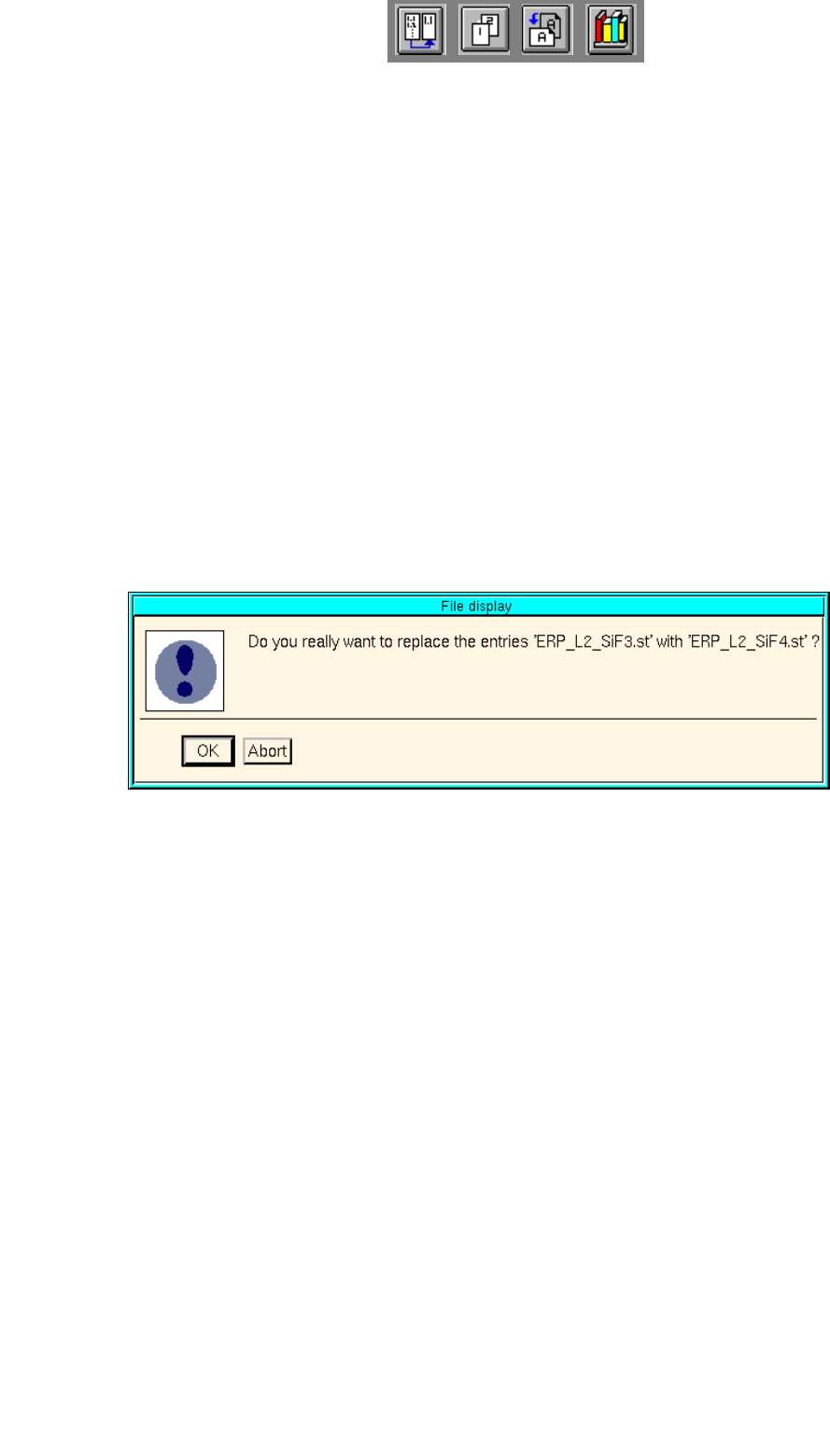
● Click on the Replace all button in the command area.
The dialog box below is displayed.
● Click on OK.
All identical character strings occurring in the search area are replaced with the character string
entered in the "Replace with:" editing field. Subsequently, an information box is displayed infor-
ming you that the end of the file has been reached.
● If necessary, activate the button for the opposite search direction to carry out additional replace-
ments.
● When the searching/replacing operation is completed, click on Abort to terminate the search
window. The search window is closed.