SIPLACE Line Computer UNIX.pdf - 第519页
User Manual Line Computer UNIX 17 Practical Tips on Using the LC UNIX Software Vers ion 502.xx 10/2000 Issue 17.2 From the Placement Program to the Assembly 517 I t I I 17.2.3 Flowchart Component Description PCB 1 PCB 3 …
17 Practical Tips on Using the LC UNIX User Manual Line Computer UNIX
17.2 From the Placement Program to the Assembly Software Version 502.xx 10/2000 Issue
516
I
t I I
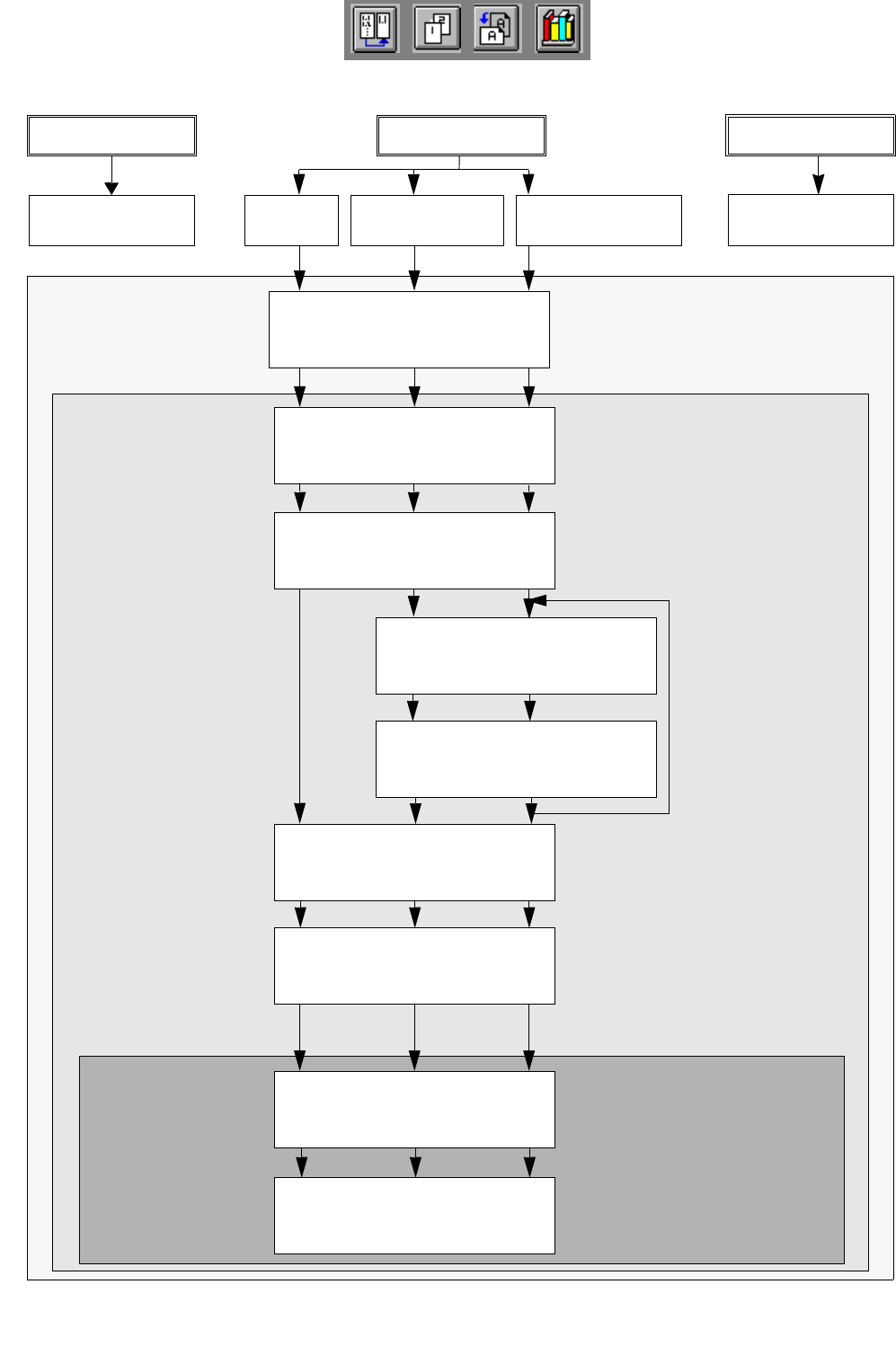
17.2.2 Flowchart Package Form Description
Open
Package Form Editor
S.17-534 17-536 17-540
PDC
GF 1501
FDC regular
GF 1502
FDC irregular
GF 1503
Define package form type
S.17-534 17-536 17-540
Enter package form
dimensions
S.17-534 17-536 17-540
Create pin group
S.17-536 17-540
Define pin model
S.17-538 17-540
Enter handling data
S.17-534 17-538 17-542
Save package form data
S.17-534 17-538 17-544
Allocate package form
to a feeder
S.17-534 17-538 17-544
Save allocation
S.17-536 17-538 17-544
repeat for each pin
group, here: 2x
Package Form
Feeder Editor
Desktop
Editor
No Package form
PCB 1 PCB 2 PCB 3
description
No Package form
description
User Manual Line Computer UNIX 17 Practical Tips on Using the LC UNIX
Software Version 502.xx 10/2000 Issue 17.2 From the Placement Program to the Assembly
517
I
t I I
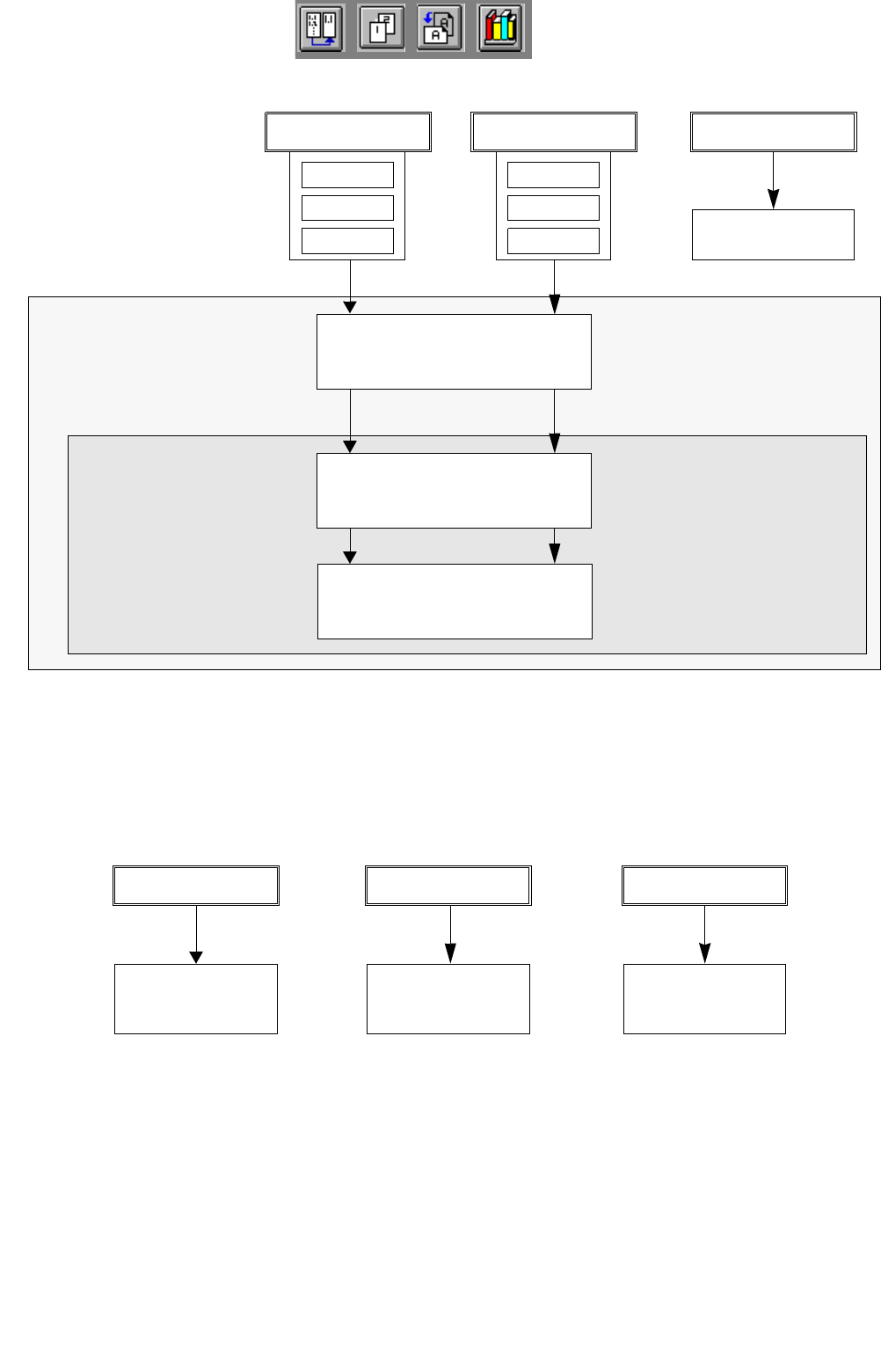
17.2.3 Flowchart Component Description
PCB 1 PCB 3
PCB 2
Open Component Editor
for a component
S.17-526 17-
Save
component data
S.17-526 17-
Enter
component data
S.17-526 17-
Desktop
Component Editor
17.2.4 Flowchart Adhesive Pattern Description
Comp4
Comp5
Comp6
Comp1
Comp2
Comp3
PCB 1 PCB 3
No component
PCB 2
No adhesive
pattern description
section 17.2.1.3
No adhesive
pattern description
section 17.2.2.3
No adhesive
pattern description
section 17.2.3.3
description
17 Practical Tips on Using the LC UNIX User Manual Line Computer UNIX
17.2 From the Placement Program to the Assembly Software Version 502.xx 10/2000 Issue
518
I
t I I
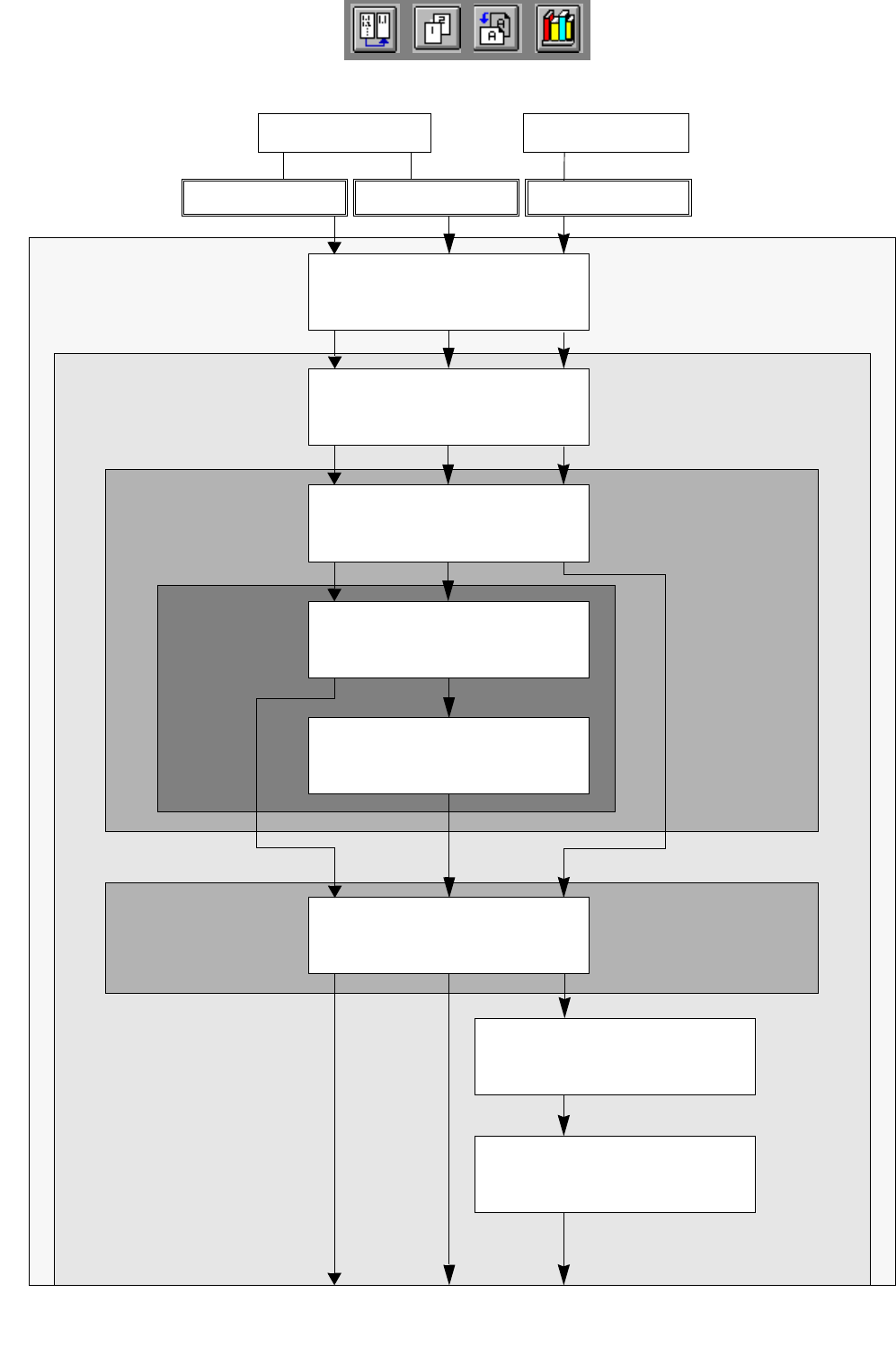
Open
PCB Editor
S.17-526 17-546 17-
Indicate position of PCB
in the machine
S.17-526 17-546 17-
Enter
PCB dimensions
S.17-528 17-548 17-
Define fiducials
S.17-528 17-548
Define ink spot
S.17-550
Create cluster on PCB
S.17-556
Enter offset values
for the cluster
S.17-556
17.2.5 Flowchart PCB Description
Enter
placement positions
S.17-530 17-550 17-
Desktop
PCB Editor
Cluster Editor
Fiducial
Placement Position
Single Cluster Multiple Clusters
Editor
Editor
PCB 3PCB 1 PCB 2