SIPLACE Line Computer UNIX.pdf - 第339页
User Manual Line Computer UNIX 11 Production Tools / Optimization Software Vers ion 502.xx 10/2000 Issue 11.4 Optimization Dialog 337 I t I I - No. of iter ation steps This p arameter al lows you to define how many O pti…
11 Production Tools / Optimization User Manual Line Computer UNIX
11.4 Optimization Dialog Software Version 502.xx 10/2000 Issue
336
I
t I I
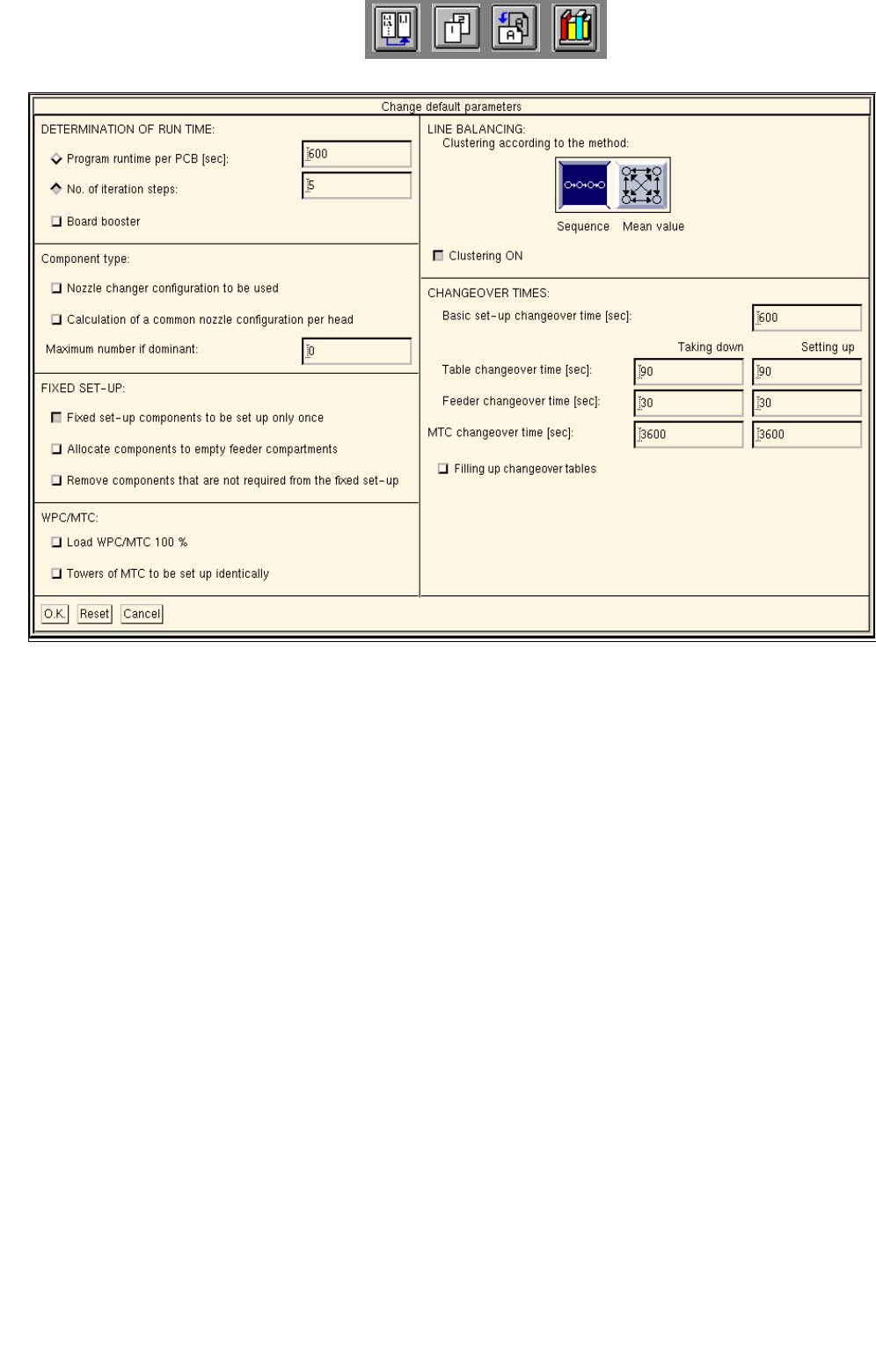
Fig. 11.4.2 Changing Standard Parameters
Meaning of the Parameters
- DETERMINATION OF RUN TIME:
Optimization run time increases exponentially with the number of jobs. The quality of the setup can be set
via the run time: long run time -> good setup, short run time -> poor setup. The run time of Optimization
can be limited. Once the preset run time is exceeded, or the preset number of iteration steps completed,
Optimization is aborted. The best solution hitherto found continues to be used.
Optimization can produce reproducible (parameter: no. of iteration steps) and non-reproducible results
(parameter: Program run time per PCB).
- Program run time per PCB [sec]
This parameter allows you to define how long Optimization is to run for a given job. By multiplication
with the number of jobs contained in a lot file it is possible to determine the total run time of Optimiza-
tion for that lot file. A more optimized setup is computed requiring, however, more computing time. The
optimization results are not reproducible.

User Manual Line Computer UNIX 11 Production Tools / Optimization
Software Version 502.xx 10/2000 Issue 11.4 Optimization Dialog
337
I
t I I
- No. of iteration steps
This parameter allows you to define how many Optimization runs (iteration steps) are to be performed
until a setup is established. Thereafter, Optimization is aborted and the best setup selected. The opti-
mization results are reproducible, however the time required for optimization cannot be precisely pre-
determined.
- Board Booster
This button allows the option "Board Booster" to be toggled on or off separately for both parameters.
- COMPONENT TYPE
The following parameters can be set for the component supply units. They will affect - with one exception -
the entire setup optimization.
- Using the nozzle changer configuration
This parameter permits you to specify that the current configuration of the respective nozzle changer
is to be used and not to be changed by Set-Up Optimization.
- Calculation of a common nozzle configuration per head
This parameter enables you to specify that Setup Optimization is to compute for all PCBs a nozzle
configuration per head and to save it to the setup file.
- Maximum number if dominant
This parameter allows you to define the maximum number of times a dominant component type may
be set up. If only a minimum of setups is to be created, the number of feeders in the case of domi-
nance should be limited to 1. With the setting of 0, Set-Up Optimization can decide on its own how
often the component type at issue is to be set up.
Components with a dominant ’placement content’ and a dominant vibration time are set up by setup
optimization multiple times in order to prevent unbalanced lines. This has an effect on the setup and
thus the setup changeover times. If a component is not to be set up any number of times, the number
of feeders per component type may be restricted.
- FIXED SET-UP
- Fixed set-up components to be set up only once
This parameter is only relevant where a fixed setup is defined. It is possible to define whether or not a
component already contained in the fixed setup is allowed to be set up by Optimization at another or
several other locations that may be more advantageous.
- Allocate components to empty feeder compartments
Activation of this parameter causes empty compartments or feeders to be removed from the fixed
setup so that they are available for reallocation by the setup optimization. New feeders will only be set
up if required.
11 Production Tools / Optimization User Manual Line Computer UNIX
11.4 Optimization Dialog Software Version 502.xx 10/2000 Issue
338
I
t I I
- Remove components that are not required from fixed set-up
This parameter is used to define that components that are not contained in the PCB types to be opti-
mized will be removed from the fixed setup and made available for reallocation by the setup optimiza-
tion. New components can only be added to the fixed setup if the button "Allocate components to empty
feeder compartments" is activated in addition (see above).
Dynamic changeover procedures are supported. If a setup family was formed by, let’s say, five pro-
ducts, such setup family can be used as a fixed setup for a new setup optimization run if two products
were removed and two new products were added. No changeover procedures need therefore be per-
formed for the three remaining products, and hence no tests have to be performed. This results in
considerable time savings. The two new products will be optimally integrated into the ’stripped down’
fixed setup thus allowing for a continuous dynamic setup optimization process.
- WPC/MTC
- Load WPC/MTC 100%
In a setup, not all levels of the Wafflepack Changer need necessarily to be occupied by
components.
This parameter permits you to specify that Optimization is to assign components to all empty trays as
well, i.e. in accordance with their usage frequency rate across all PCBs of a lot file.
- Towers of MTC to be set up identically
This parameter allows you to specify that Optimization is to set up the two towers of the matrix-tray
changer identically.
- SETUP CLUSTERING
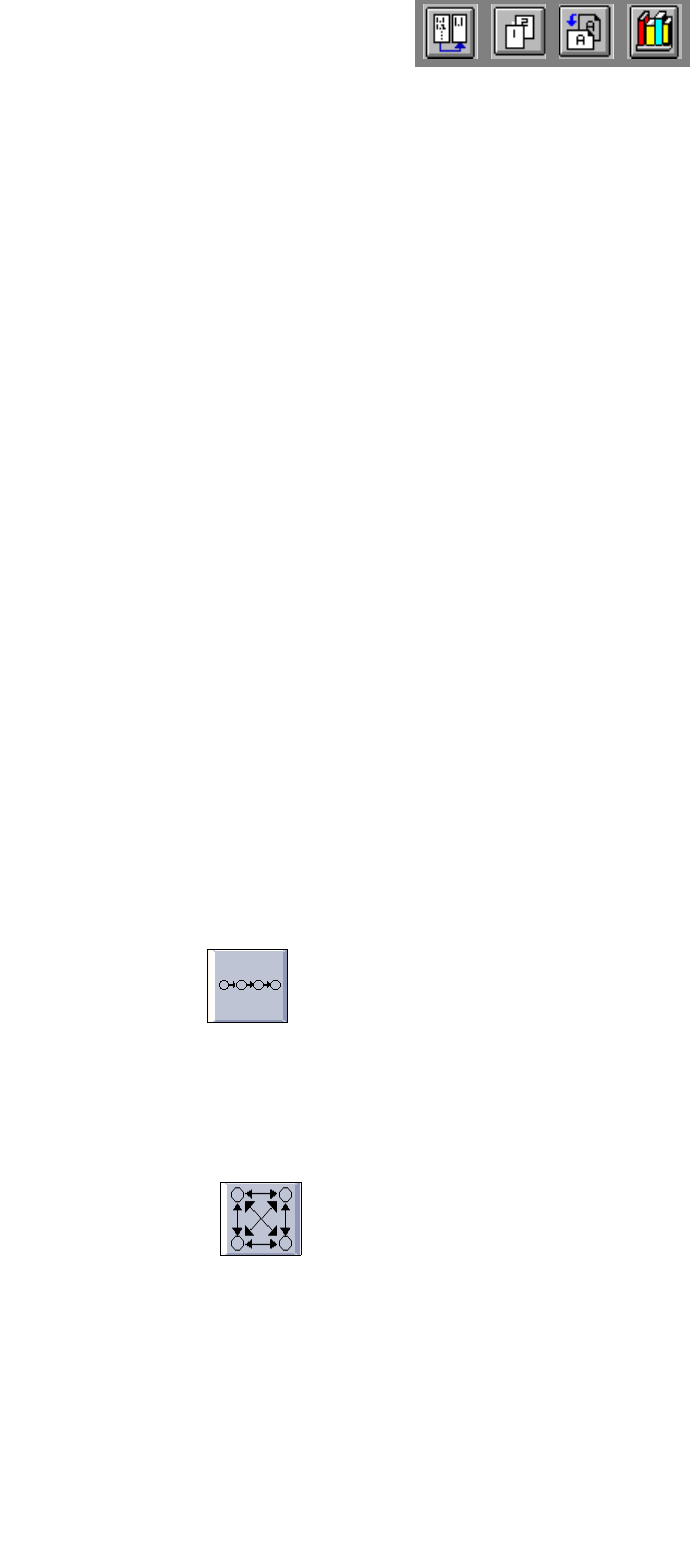
- Clustering According to the Sequence or Mean Value Method: Setup clustering can be carried out
by any one of two different methods which can be selected by activating the appropriate icon.
Sequence:
Starting situation: A number of jobs exist that are to be produced only once and in any sequence desi-
red.
Optimization: Optimization forms setup clusters and suggests a production sequence. If this
sequence is observed, the jobs can be produced keeping set-up changeover time to a minimum.
Mean value:
Starting situation: A number of jobs exist that are to be produced over and over again at varying and
unforeseeable instances.
Optimization: Optimization forms setup clusters resulting in minimum changeover times for any setup
changeover procedure desired.