SIPLACE Line Computer UNIX.pdf - 第185页
User Manual Line Computer UNIX 6 Product / Package Form Software Vers ion 502.xx 10/2000 Issue 6.1 Pack age Form Editor 183 I t I I Fig. 6.1.4 Main Window "Package Fo rm Editor (Displaying Han dling Data - Irregular…
6 Product / Package Form User Manual Line Computer UNIX
6.1 Package Form Editor Software Version 502.xx 10/2000 Issue
182
I
t I I
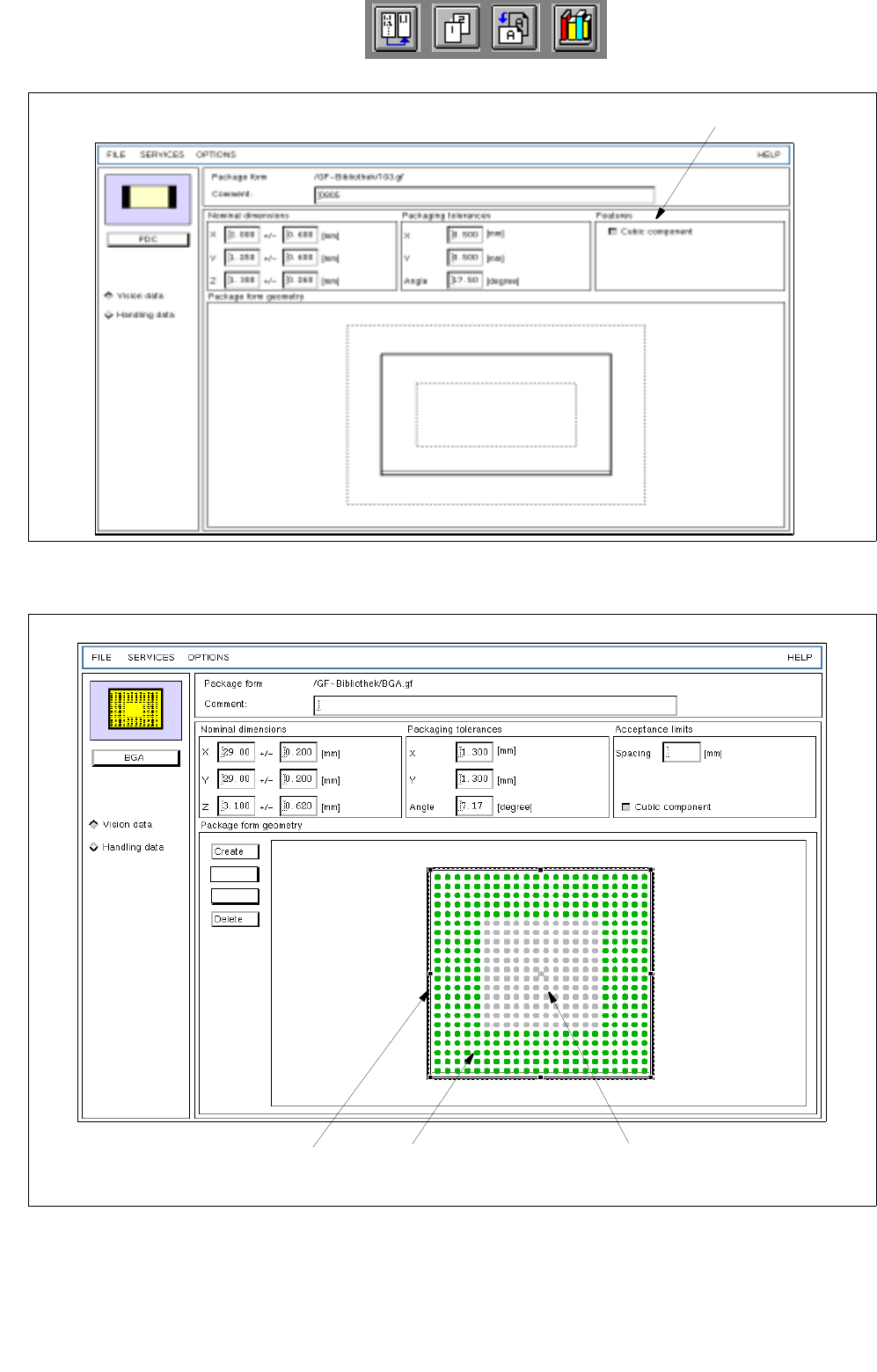
Fig. 6.1.2 Main Window "Package Form Editor (Displaying Vision Data - PDC)"
Fig. 6.1.3 Main window "Package Form Editor (Displaying Vision Data - BGA)"
selection field
(write-protected)
grid group ball
balls identified as
not available
Group
Pin/BGA
User Manual Line Computer UNIX 6 Product / Package Form
Software Version 502.xx 10/2000 Issue 6.1 Package Form Editor
183
I
t I I
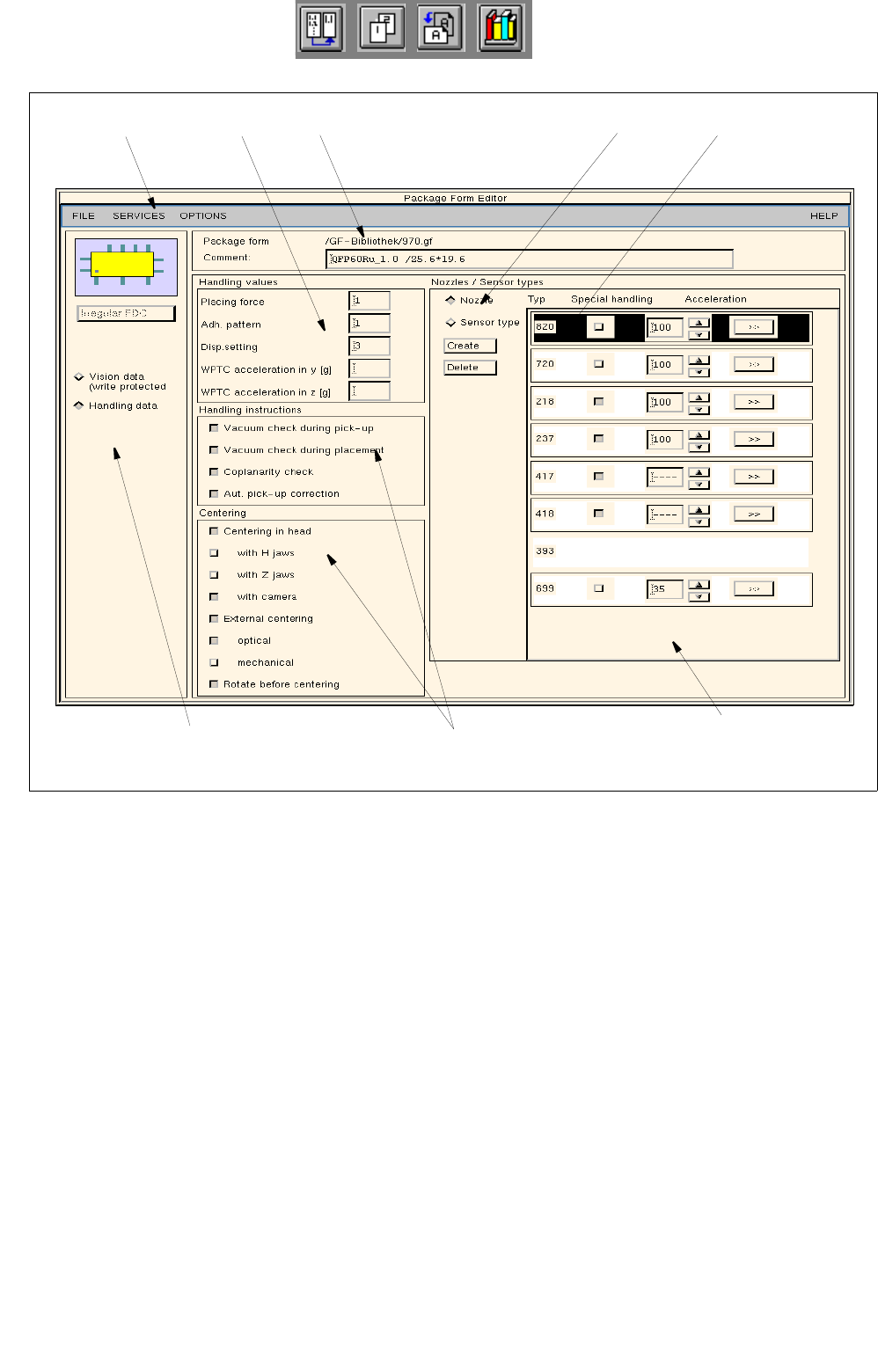
Fig. 6.1.4 Main Window "Package Form Editor (Displaying Handling Data - Irregular FDC)"
selection fields
menu bar command area
area for general settings
selected nozzle title bar
editing area
view area
(nozzles)
6 Product / Package Form User Manual Line Computer UNIX
6.1 Package Form Editor Software Version 502.xx 10/2000 Issue
184
I
t I I
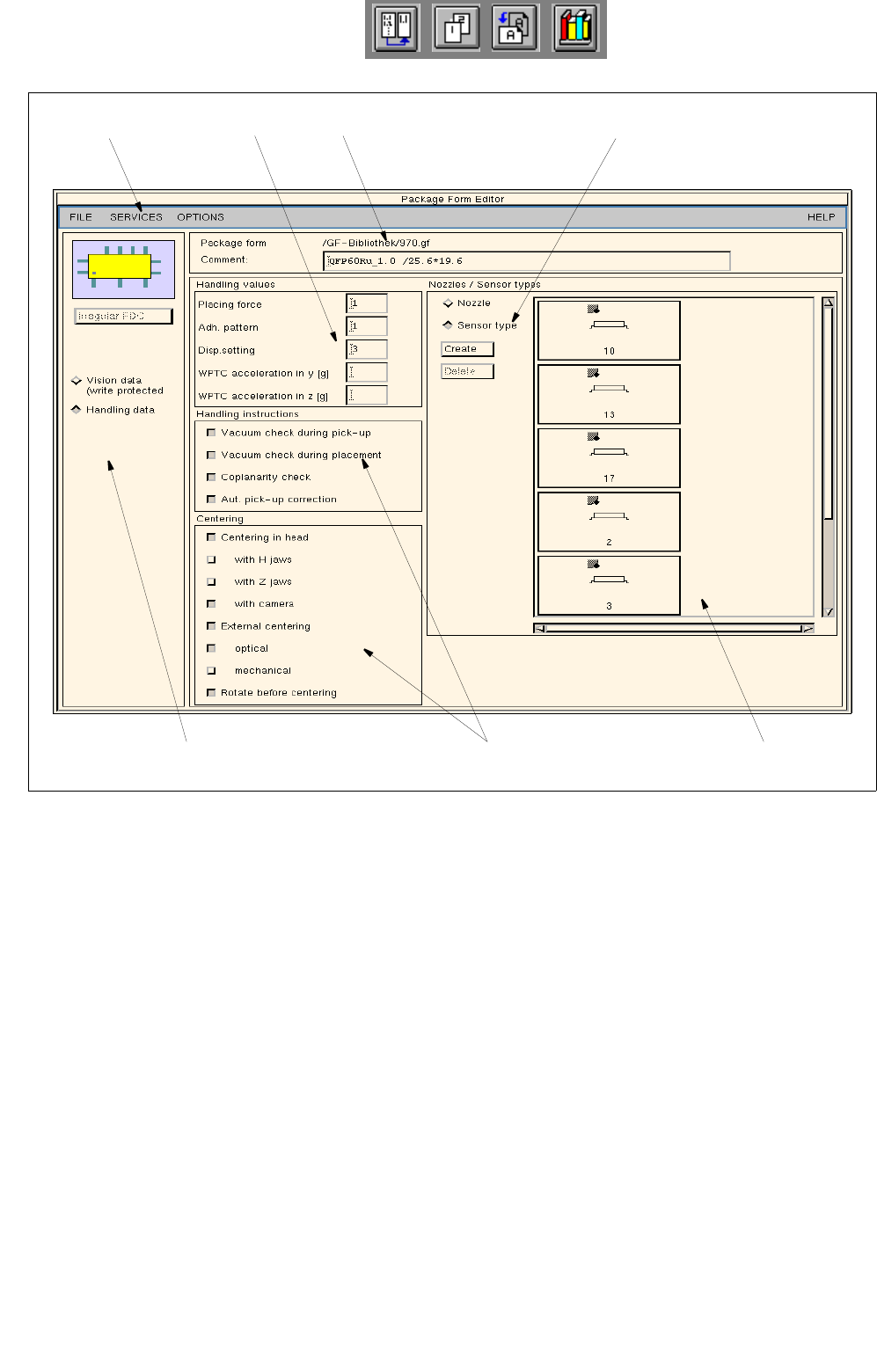
Fig. 6.1.5 Main Window "Package Form Editor (Displaying Handling Data - Irregular FDC)"
The areas of the main window and their functions are explained in the following.
The main window of the Package Form Editor (displaying "Vision data" or "Handling data") is subdivided as
follows:
- Title bar
- Menu bar
- Area for general settings
- Selection fields
- Command area
- Editing area
- View area
selection fields
menu bar title barediting area
view area
command area
(sensor types)
area for general settings