SIPLACE Line Computer UNIX.pdf - 第525页
User Manual Line Computer UNIX 17 Practical Tips on Using the LC UNIX Software Vers ion 502.xx 10/2000 Issue 17.2 From the Placement Program to the Assembly 523 I t I I 17.2.7 Flowchart Jo b Control Ope n J ob Cont rol S…
17 Practical Tips on Using the LC UNIX User Manual Line Computer UNIX
17.2 From the Placement Program to the Assembly Software Version 502.xx 10/2000 Issue
522
I
t I I
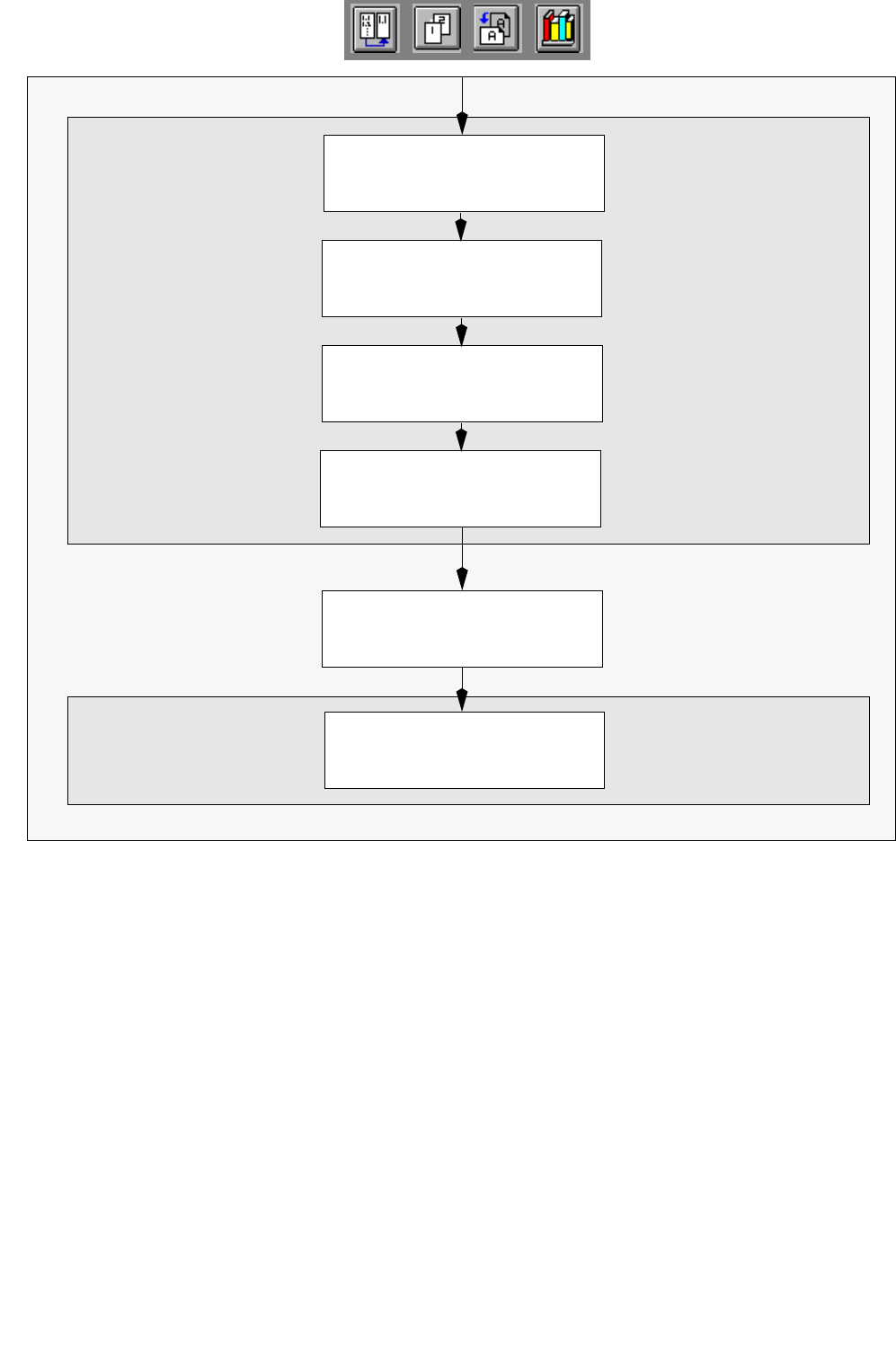
Allocate component
to tray
S.17-572
Save set-up
S.17-572
Allocate tray to
Waffle-Pack Changer
S.17-570
Set-Up Editor/
Define tray
S.17-570
Open Line Control
S.17-572
Adjust conveyor width
S.17-572
Line Control
WPC Editor
User Manual Line Computer UNIX 17 Practical Tips on Using the LC UNIX
Software Version 502.xx 10/2000 Issue 17.2 From the Placement Program to the Assembly
523
I
t I I
17.2.7 Flowchart Job Control
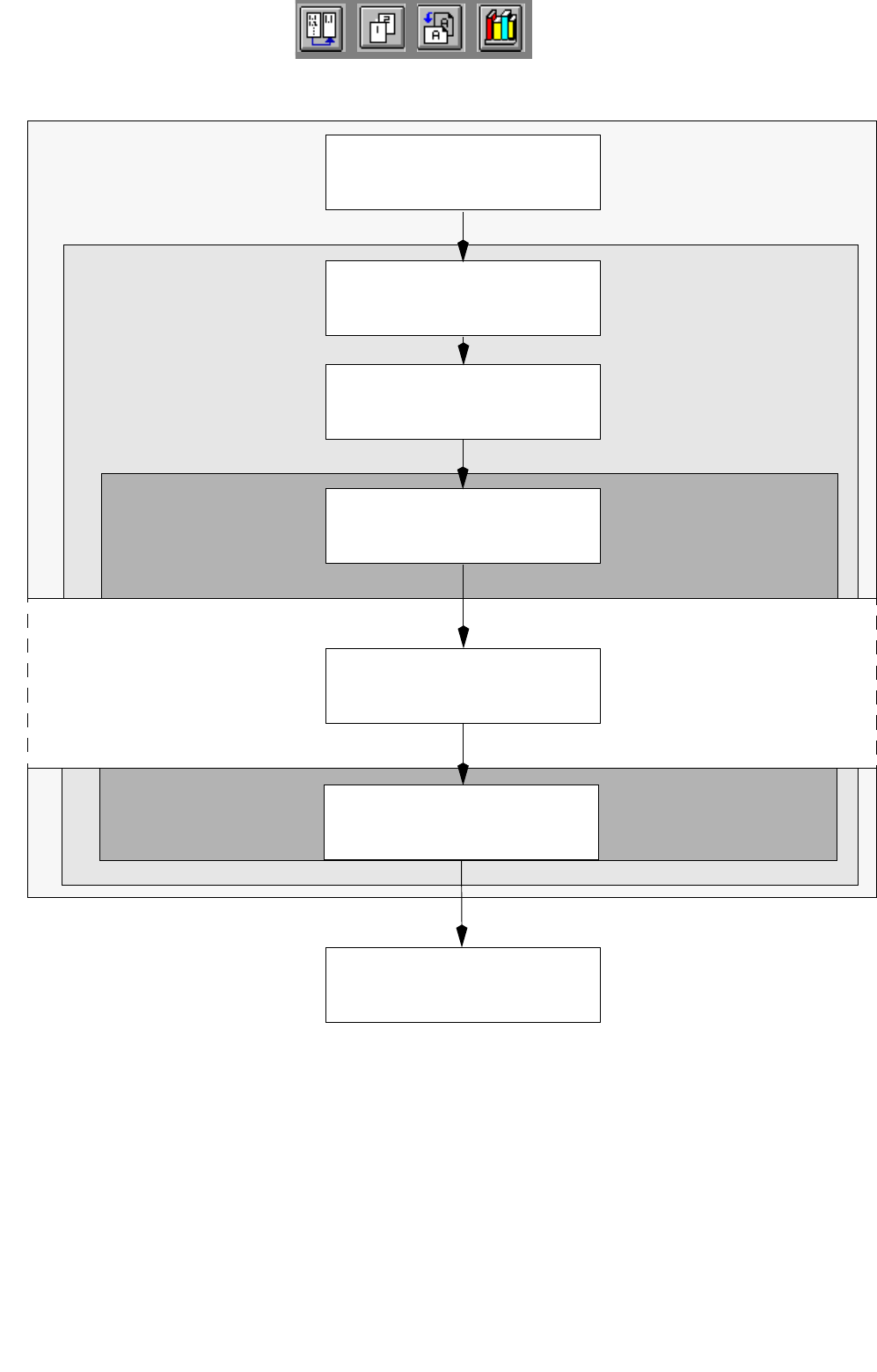
Open Job Control
S.17-574
Inserting jobs in the
job list
S.17-574
Job Control
Desktop
Schedule job
S.17-574
Display and print
set-up changeover instructions
S.17-574
Change the set-up of stations
S.17-574
Set-Up Modification
Confirm set-up changeover
S.17-574
Set-Up Modification
The assembly of the scheduled
jobs is started
S.17-574
Work to do at the stations
Generator
Generator
17 Practical Tips on Using the LC UNIX User Manual Line Computer UNIX
17.3 Description of Components and PCBs Software Version 502.xx 10/2000 Issue
524
I
t I I
17.3 Description of Components and PCBs
17.3.1 PCB 1: single circuit
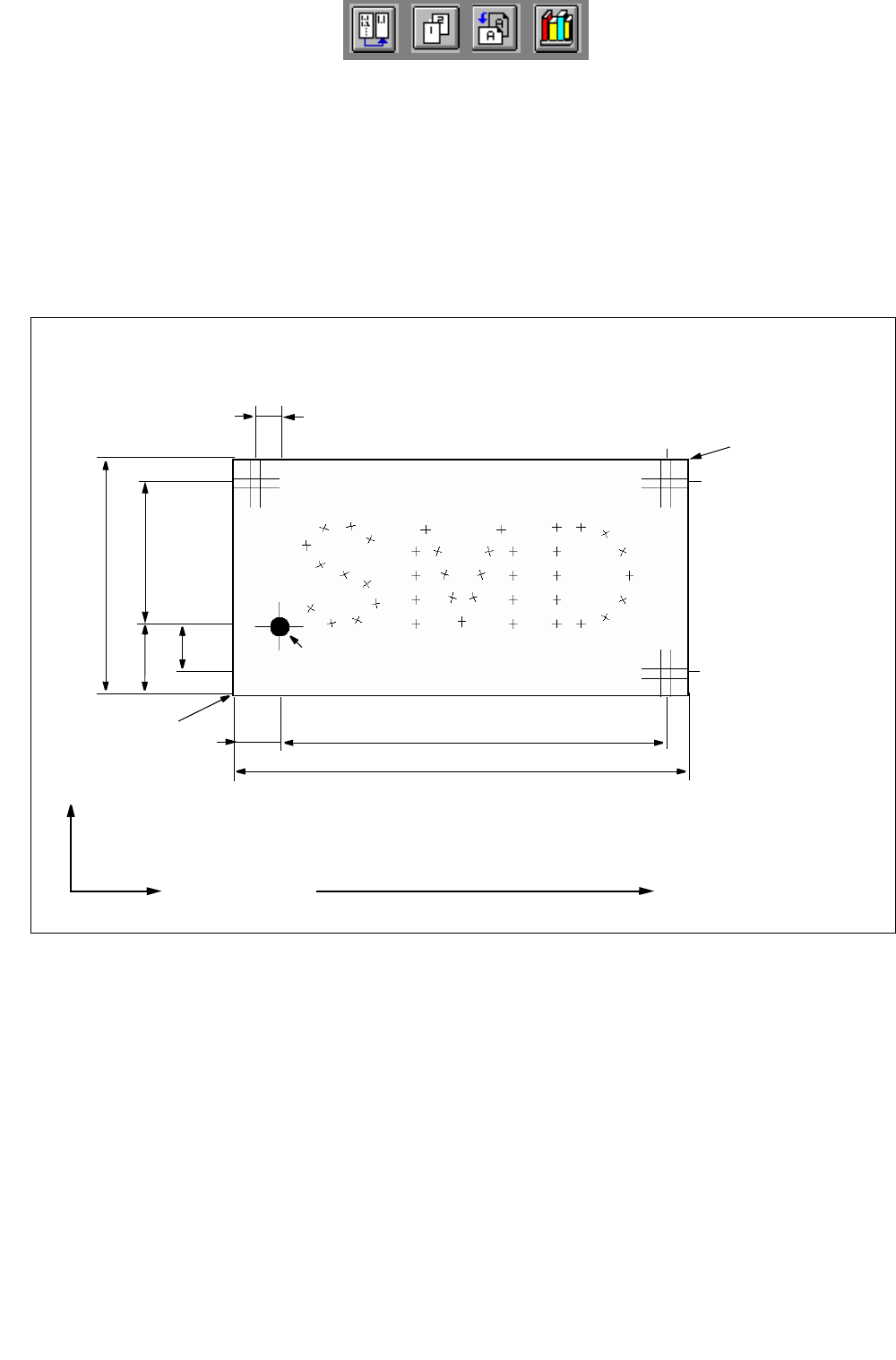
PCB 1 is a single circuit with three different components. The package forms have been taken from the stan-
dard package form library. For PCB position recognition, three fiducials are available. Fiducial 48.pm is used
which must exist in the Master data/MVS-Bibliothek (if it is not available it must be taught, see Station Computer
User´s Manual).
96
50
10
15
81
30
Direction of travel
X
Y
10
5
Corner 2
PCB coordinate
system 0°
PCB height = 1.5 mm
Fig. 17.3.1 Dimensions of PCB 1
Corner 1
PM 1 PM 3
PM 2
PCB zero point