SIPLACE Line Computer UNIX.pdf - 第58页
2 General Information on Using the Progr am User Manual Line Compu ter UNIX 2.3 Directories / Fi les Software Version 5 02.xx 10 /2000 Issue 56 I t I I 2.3.1 Direc tory Name / File Name Each di rectory and each fil e mus…
User Manual Line Computer UNIX 2 General Information on Using the Program
Software Version 502.xx 10/2000 Issue 2.3 Directories / Files
55
I
t I I
2.3 Directories / Files
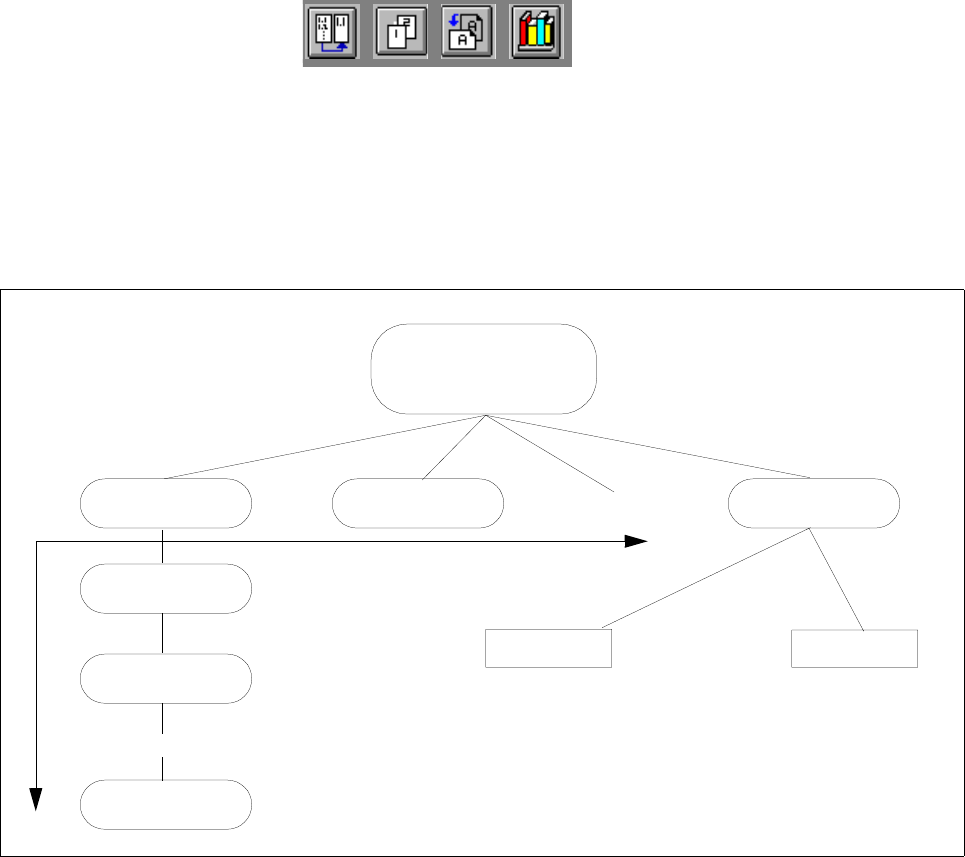
Related files are grouped and stored in directories. These directories can also contain other directories, so-
called subdirectories, which, in turn, contain files and other subdirectories.
Fig. 2.3.1 Directory Structure
Each file is identified by its path which specifies its exact position within the directory structure in the following
form:
Example: /DirA/DirA1/DirA2/File.xx
The individual directories and files are separated by a stroke "/".
Directory A
Directory An
Directory A2
Directory A1
File x
File a
Directory x
Directory B
... as many as you like
... as many as you like
... as many as you like
Main Directory

2 General Information on Using the Program User Manual Line Computer UNIX
2.3 Directories / Files Software Version 502.xx 10/2000 Issue
56
I
t I I
2.3.1 Directory Name / File Name
Each directory and each file must be allocated a name.
Each directory must be assigned a unique name.
Within a directory or subdirectory the names assigned to the individual files must be unique.
Directory names and filenames are allowed to comprise a maximum of 20 characters; in the case of filenames
these include the characters of the extension (e.g. 17 characters for the name + 3 characters for the extension).
The following characters are not permitted when assigning names:
- Question marks (?)
- Asterisks (*)
- Strokes (/ \)
- Blanks ( )
- Brackets ([ ])
- Quotation marks ("" ’)
- Umlaut vowels (ä Ä, ö Ö, ü Ü)
User Manual Line Computer UNIX 2 General Information on Using the Program
Software Version 502.xx 10/2000 Issue 2.4 File Selector Box FSB
57
I
t I I
2.4 File Selector Box FSB
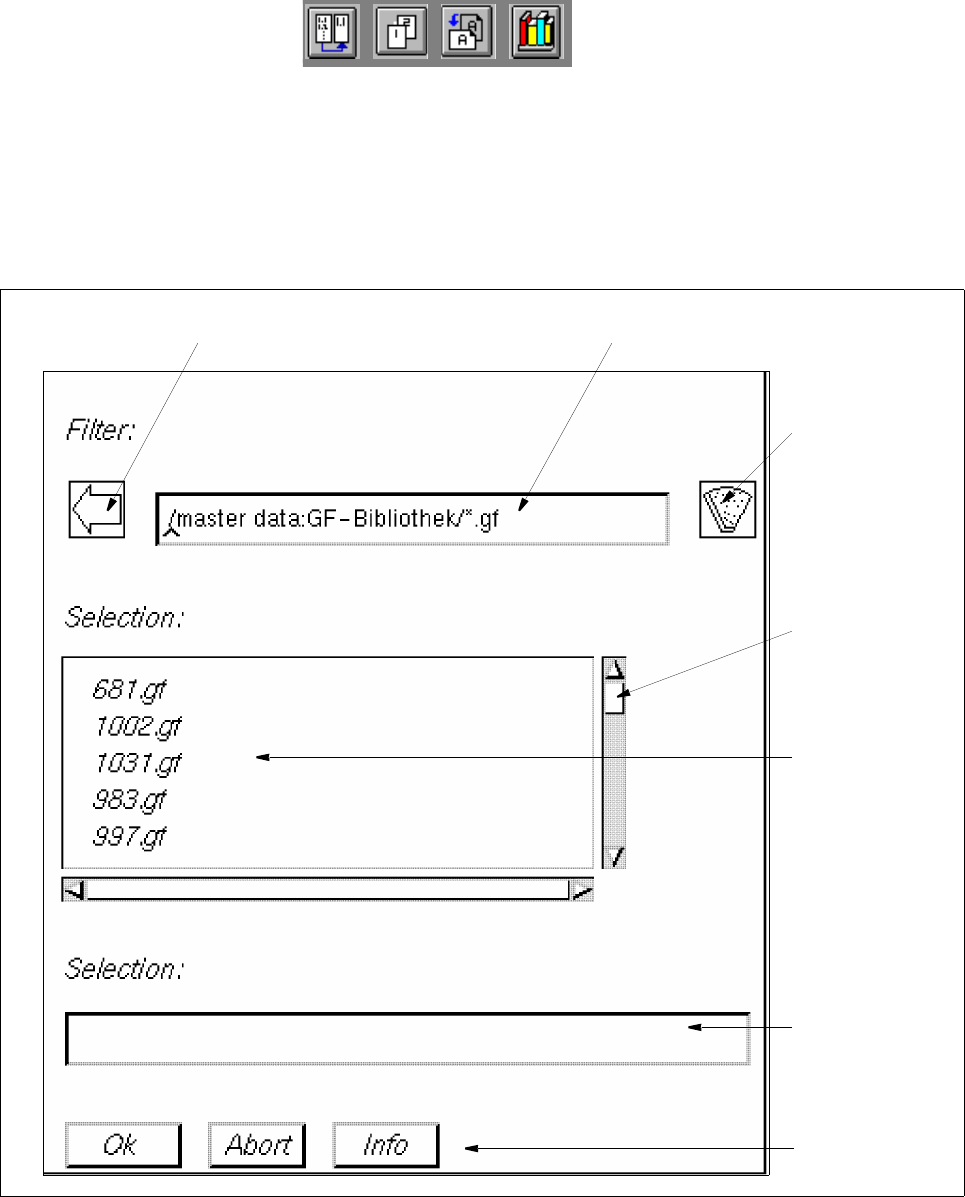
The File Selector Box FSB is opened as a dialog box (see Fig. 2.4.1) on the screen.
It enables the user to select a directory or a file within the directory structure (see Fig. 2.3.1) using the mouse.
Fig. 2.4.1 Example "FSB Package Forms"
filter button
filter fieldarrow button
selection list
scroll bar
selection field
title bar
button