SIPLACE Line Computer UNIX.pdf - 第363页
User Manual Line Computer UNIX 12 Production Tools / Station and Li ne Conf iguration Software Vers ion 502.xx 10/2000 Issue 12.1 Configuration Editor 361 I t I I 12.1.2.5 SER VICES Menu - Invoking th e Set-up (Fe e der …
12 Production Tools / Station and Line Configuration User Manual Line Computer UNIX
12.1 Configuration Editor Software Version 502.xx 10/2000 Issue
360
I
t I I
- Quitting the Configuration (Structure) Editor
● Select menu option FILE --> Quit.
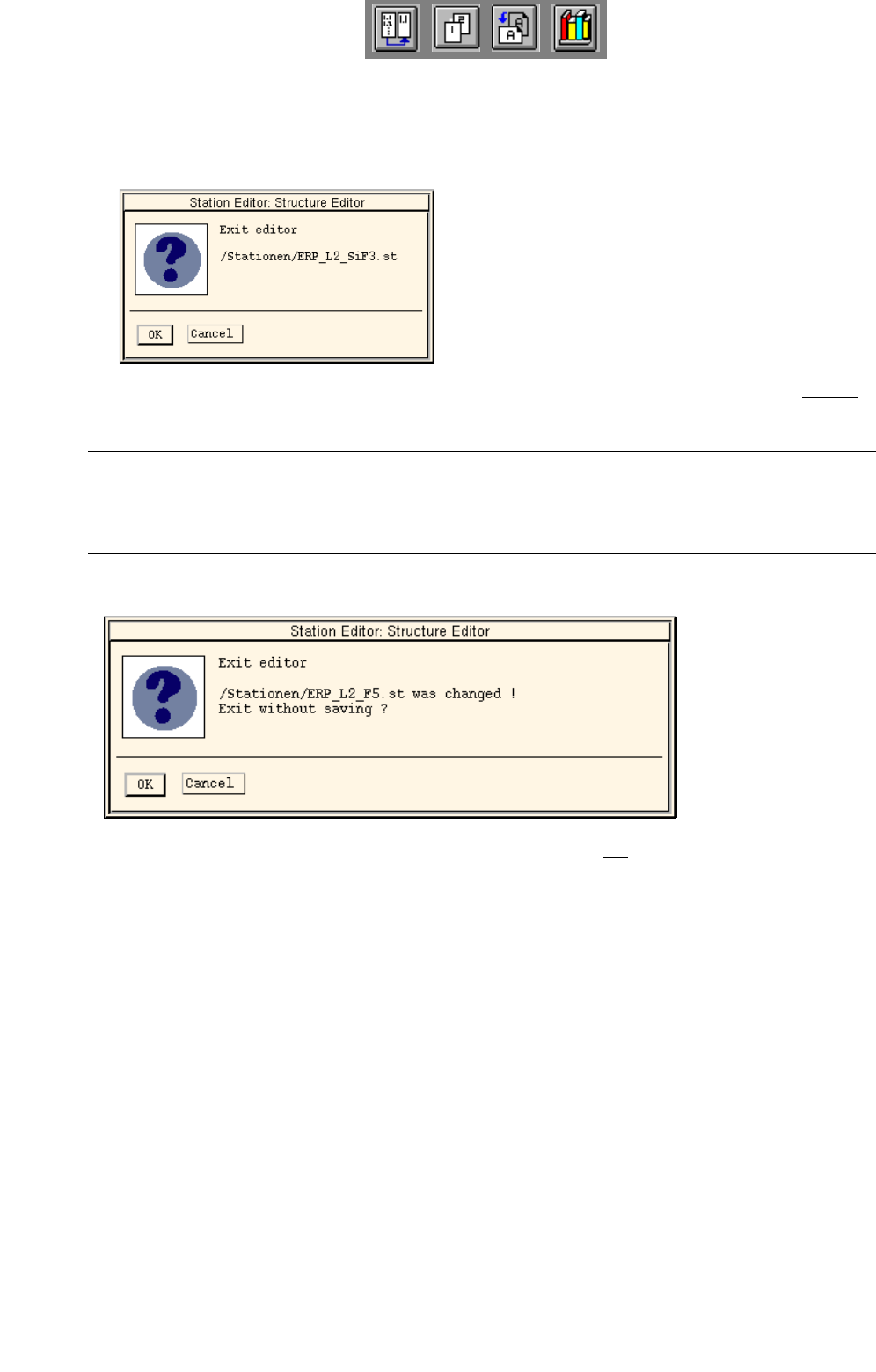
A dialog box containing the following note is displayed:
● Confirm your exiting from the editor by choosing OK. The Configuration Editor is exited without
the data being saved.
NOTE
If the editor contains unsaved changes, the dialog box also contains a message informing you of this
(see example below).
● Confirm your exiting from the editor by choosing OK if you do not want to save the changes.
● Click on Cancel to perform a save before the editor session ends.

User Manual Line Computer UNIX 12 Production Tools / Station and Line Configuration
Software Version 502.xx 10/2000 Issue 12.1 Configuration Editor
361
I
t I I
12.1.2.5 SERVICES Menu
- Invoking the Set-up (Feeder Part) Editor for the feeder part of the "station"
● Select feeder part in the display area (see Fig. 12.1.1) with a mouse click.
● Select SERVICES --> Feeder Part Editor.
The window of the Feeder Part Editor is opened (see Fig. 13.1.2).
- Invoking the Machine Options Editor
● Select machine option in the display area (see Fig. 12.1.1) with a mouse-click.
● Select SERVICES --> Machine Opt. Editor.
The window of the Machine Options Editor for the selected machine option is opened (see, for
example,
Fig. 12.1.3 ).
NOTE
The menu item "Machine Opt. Editor" can only be selected if a machine option was previously
selected for which a machine option editor is available.
Machine option editors are available for the machine options Station, Station Extension, Head and
Nozzle Changer.
12.1.2.6 OPTIONS Menu
-
Define the feeder part as a Changeover table
This option is required exclusively for setup clustering (see chapt. 11).
● Select desired feeder part in the view area (see Fig. 12.1.1) by clicking on it.
● Select the OPTIONS --> ° Component changeover table menu option.
The marking (°) preceding the option now changes (
¤).
° means that the option is deactivated. (The feeder part is considered a fixed setup).
¤ means that the option is active. (The feeder part is treated as a changeover table for setup
clustering purposes).
NOTE
The "°Component changeover table" option can only be selected if the selected feeder part can actually be
defined as changeover table. If this option is activated (¤), the respective feeder area will be displayed in
pink in the graphical display of the station.
12 Production Tools / Station and Line Configuration User Manual Line Computer UNIX
12.1 Configuration Editor Software Version 502.xx 10/2000 Issue
362
I
t I I
12.1.3 Machine Options Editor
For each of the machine options "Station and Station Extension", "Head", "Adapter Changer" and "Nozzle
Changer" a separate Machine Options Editor can be opened. All component-specific data are entered in these
editors.
12.1.3.1 Window Layout of the Machine Options Editor
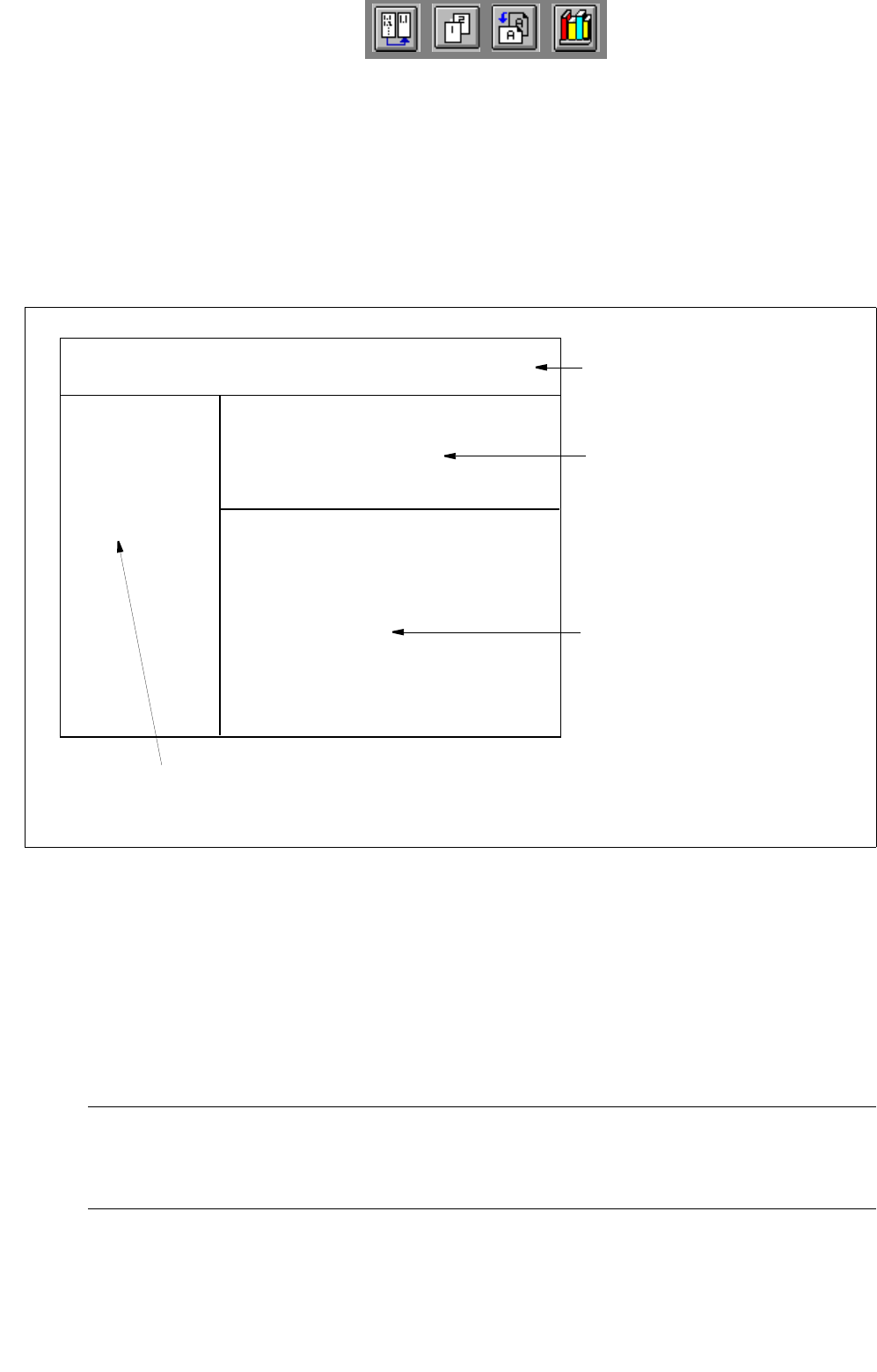
Fig. 12.1.2 Window Layout "Machine Options Editor"
The window of the Machine Options Editor is structured as follows:
- Menu bar
The menu bar contains the "FILE", "EDIT" and "HELP" menus.
A description of the "EDIT" menu is contained in section 12.1.3.2
NOTE
Since the functions and operation of the "OPTIONS" and "HELP" menus are similar to those in other
application programs of the line computer, they are described comprehensively in chapt. 2.
FILE EDIT HELP
menu bar
identification field
setting area
by Machine Options Editor for
"Station, StationExtension" and
"Head"
command area
(only by Machine Options Editor "Nozzle Changer")
or
selection fields
by Machine Options Editor for
machine option "Nozzle Changer"
Station:
Mach. Opt.:
Location: