SIPLACE Line Computer UNIX.pdf - 第286页
9 Production Tools / Feeders User Manual Line Compu ter UNIX 9.1 Feeder Edit or Software Version 5 02.xx 10 /2000 Issue 284 I t I I Calling up t he list o f package form s not alloc ated to any feeders yet: ● Select the …
User Manual Line Computer UNIX 9 Production Tools / Feeders
Software Version 502.xx 10/2000 Issue 9.1 Feeder Editor
283
I
t I I
9.1.3.1 SERVICES Menu
The SERVICES menu contains the menu options described in the following:
- Lists
This menu option contains functions by means of which the current allocations of package forms or
components to a selected feeder or waffle pack tray can be displayed in the form of listings. More-
over, the possibility exists to call up a list containing all defined package forms that have not been allo-
cated to a given feeder yet.
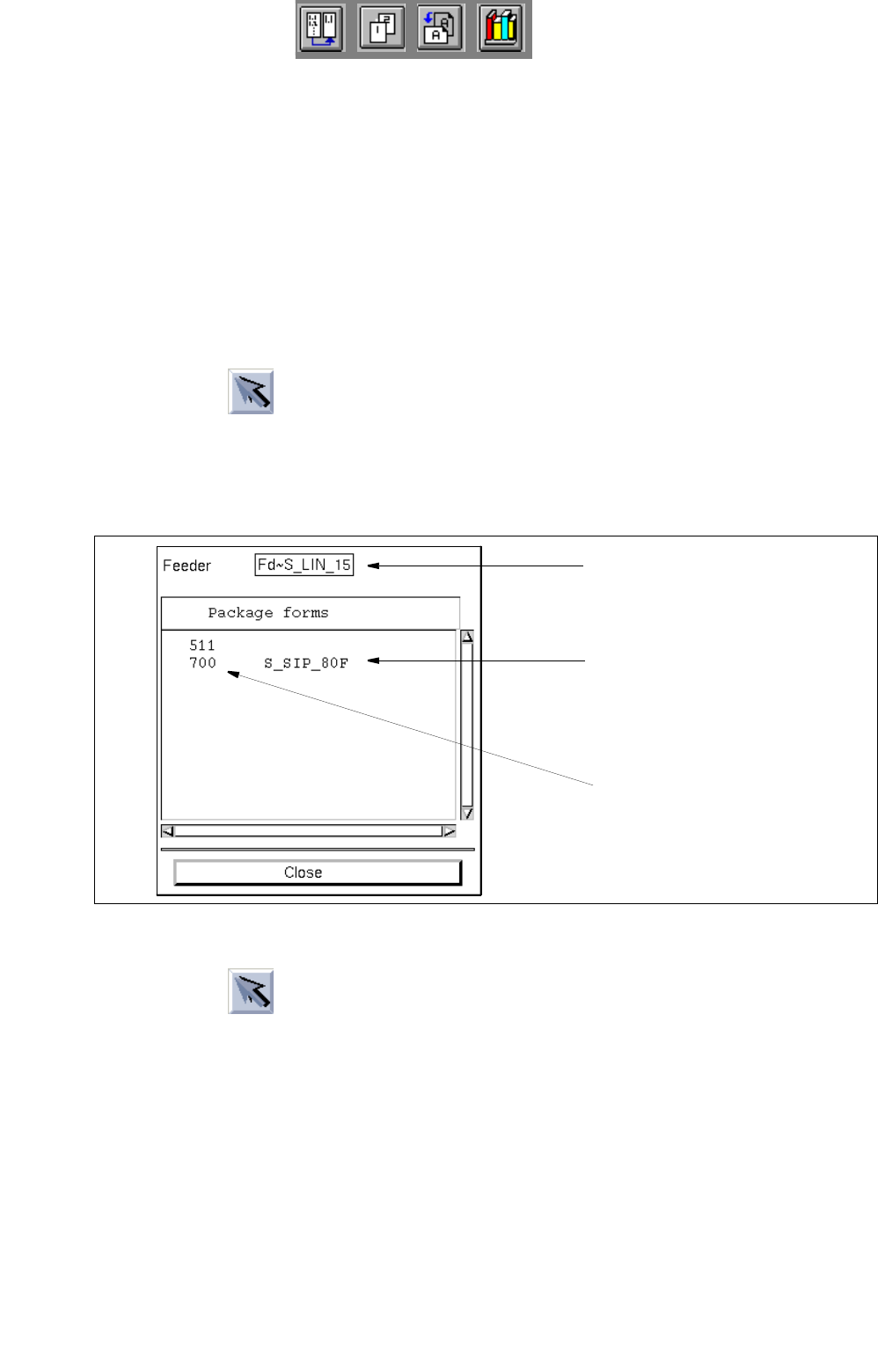
Calling up the list of allocated package forms:
● Click on icon in the command area (see section 9.1.3.4).
● Select a feeder or a waffle pack tray from the selection field "Placeable feeders".
● Select the menu option SERVICES --> Lists --> GFs on feeders.
The list with the package form allocations for the selected feeder is opened.
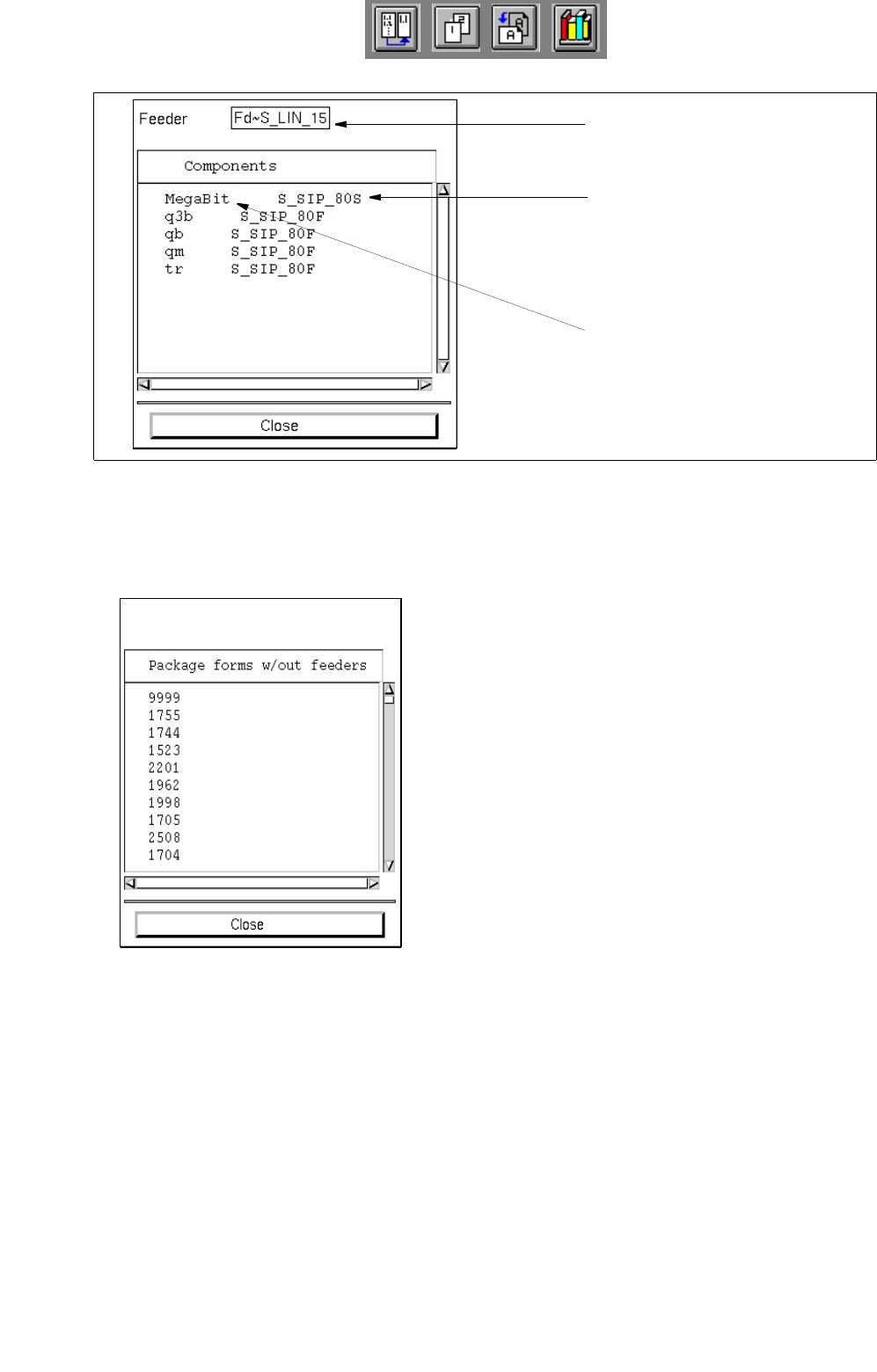
Calling up the list of the allocated components:
● Click on icon in the command area.
● Select a feeder or waffle pack tray from the selection field "Placeable feeders".
● Select the menu option SERVICES --> Lists --> Comps. on feeders.
The list with the component allocations for the selected feeder is opened.
selected feeder
machine type (location)
allocated package form
9 Production Tools / Feeders User Manual Line Computer UNIX
9.1 Feeder Editor Software Version 502.xx 10/2000 Issue
284
I
t I I
Calling up the list of package forms not allocated to any feeders yet:
● Select the menu option SERVICES --> Lists --> GFs w/out allocat.
All package forms are displayed that have not been allocated to any feeders yet.
selected feeder
machine type (location)
allocated component
User Manual Line Computer UNIX 9 Production Tools / Feeders
Software Version 502.xx 10/2000 Issue 9.1 Feeder Editor
285
I
t I I
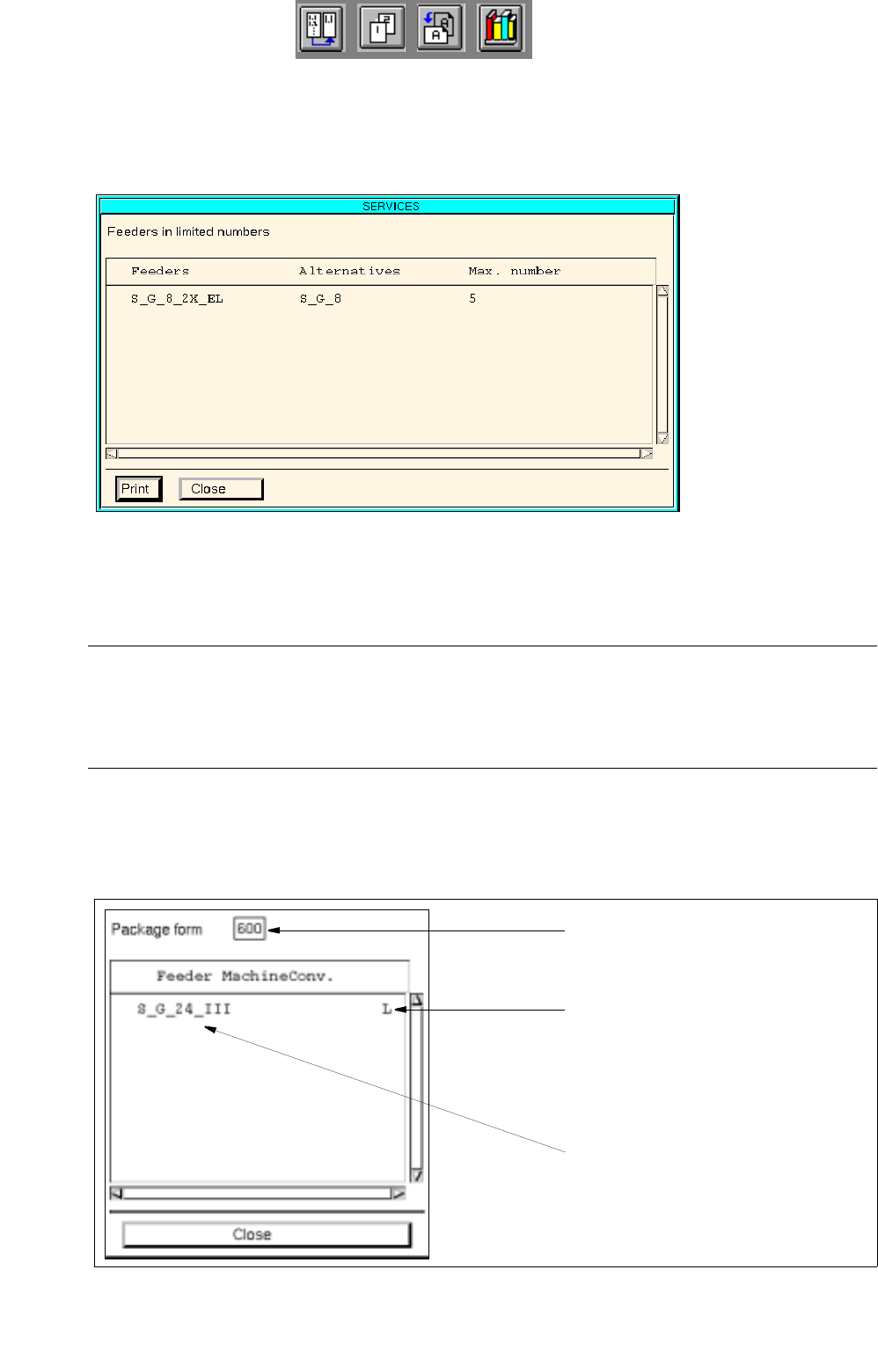
Calling up the list of feeders whose quantity was limited:
● Select menu item SERVICES --> Lists --> Feeders in limited numbers.
All feeders with limited quantities are listed. If alternative feeders were specified (see
section
9.1.3.4
), these will be displayed next to the relevant feeders..
- Allocations to GF
This function enables a list of the feeders or waffle pack trays to be displayed that were allocated to
the current package form.
NOTE
The display of the list is useful if the user has selected a component (see section 9.1.3.2) and wishes
to inform himself of the allocations that have already been defined with respect to the package form of
this component.
Calling up the list:
● Select the menu option SERVICES --> Allocat. to GF.
The list containing the allocations for the current package form is opened.
● Click on the Close button to close the window containing the respective list.
number of the
conveyor side and machine type
allocated feeder
current package form