SIPLACE Line Computer UNIX.pdf - 第355页
User Manual Line Computer UNIX 12 Production Tools / Station and Li ne Conf iguration Software Vers ion 502.xx 10/2000 Issue 12.1 Configuration Editor 353 I t I I 12 Production T ools / Station and Line Configuration 12.…
User Manual Line Computer UNIX 12 Production Tools / Station and Line Configuration
Software Version 502.xx 10/2000 Issue 12.1 Configuration Editor
353
I
t I I
12 Production Tools /
Station and Line Configuration
12.1 Configuration Editor
The actual configuration of a station is described in the Configuration Editor.
NOTE
Only privileged users are permitted to generate or change a configuration using the Configuration Editor.
The station configuration may be carried out in the Structure Editor (see section 12.1.2.3).
- Options such as nozzle changer, component camera, PCB camera or coplanarity module may be set
up in the Configuration Editor.
- Only one real configuration can be generated for a given station.
- The station configuration forms the basis for the generation of the set-up by means of the Set-Up
Editor (see chapt. 13).
- Those options defined for the station configuration are preset for the set-up.
12 Production Tools / Station and Line Configuration User Manual Line Computer UNIX
12.1 Configuration Editor Software Version 502.xx 10/2000 Issue
354
I
t I I
12.1.1 Starting the Configuration Editor
To be able to change or generate a station configuration, the steps described below have to be performed first.
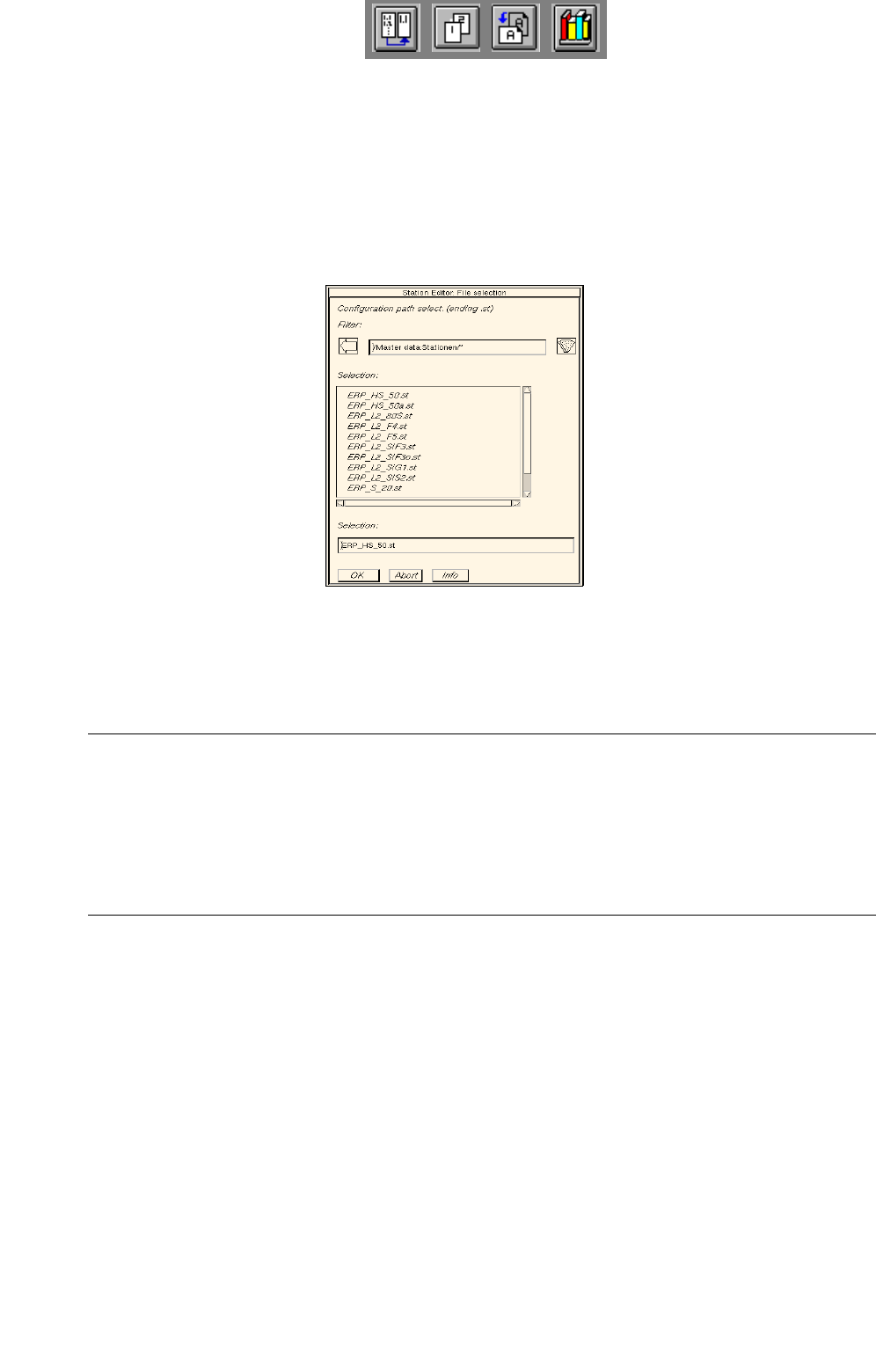
● Click on SERVICES -> Station Configuration on the desktop menu bar.
The FSB containing the directory "master data:Stationen" is opened.
The list of the configured stations is displayed in the FSB.
Changing existing configurations:
● Select station "xx.st" and confirm with OK (or select station directly by double-clicking).
The main window of the Configuration Editor, the Structure Editor is opened (see
Fig. 12.1.1).
NOTE
Problems may be encountered if an existing configuration is changed on the basis of which a set-up
has already been generated (consistency of set-up and configuration data). If, for example, an nozzle
changer, which was defined in the station’s set-up data for the assembly of a particular PCB, is remo-
ved from the configuration of the station, it is no longer possible to select the job for the assembly of
this PCB (see chapt. 14).