KE-2030使用说明书.pdf - 第162页
4 – 63 ③ Component packag e W hen the cursor moves to this item , a pop-up menu f or com ponent packag es appears as shown below . W hen y our entr y is validated, the packag e window associated with the pack age type yo…
4 – 62
4.7.2 How to enter data
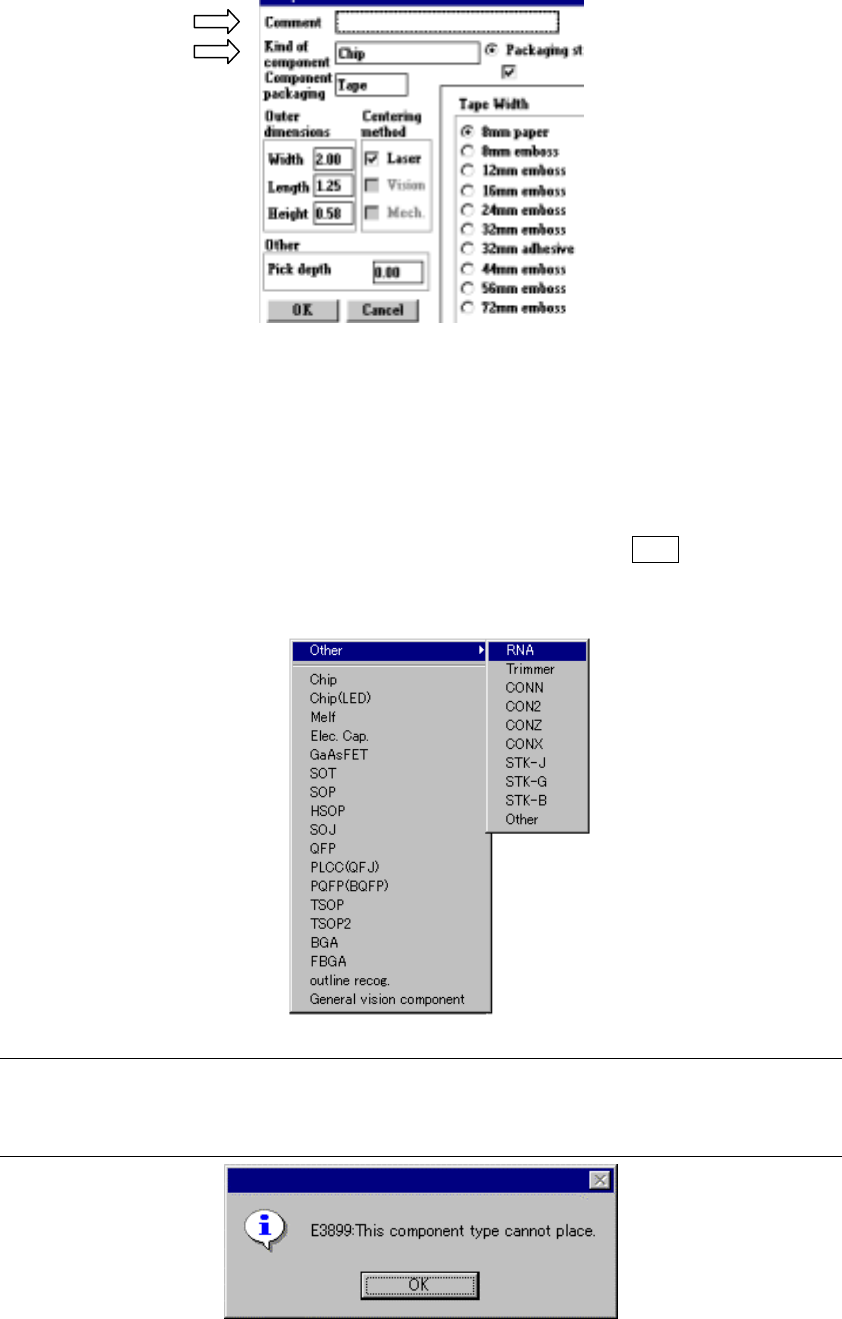
① Comment
Enter a comment in the Edit field. You can enter up to 30 characters consisting of
alphabets, numbers and/or symbols as a comment from a keyboard.
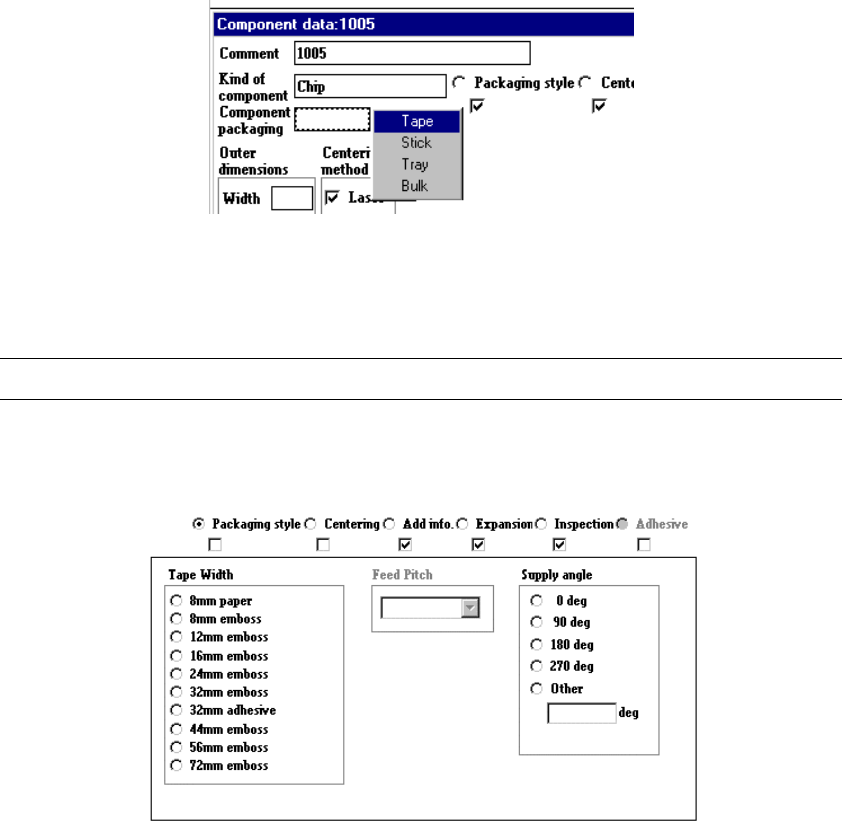
② Kind of component
When you press the right button of a track ball or press the F2 key, the pop-up
menu appears as shown below. Select the desired item.
Note: When you are to select the component type which is displayed in gray, the
following error message appears on the screen. Since this component type is
not available, select another one.
4 – 63
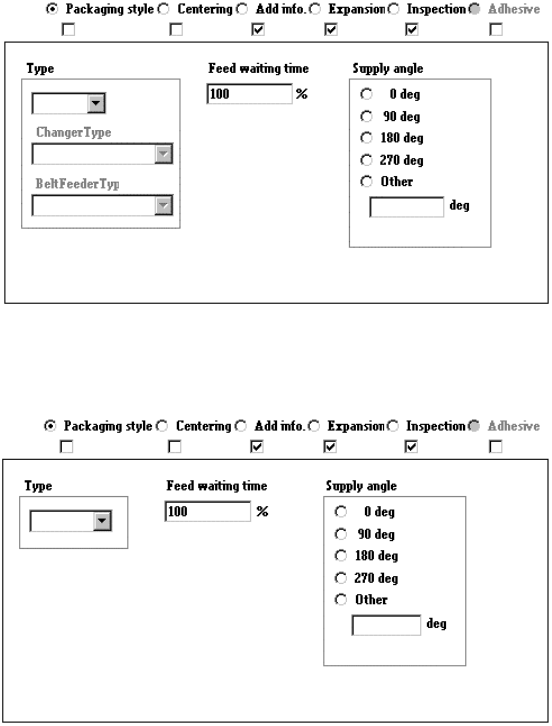
③ Component package
When the cursor moves to this item, a pop-up menu for component packages
appears as shown below.
When your entry is validated, the package window associated with the package
type you entered opens on the screen.
Note: Although you can select “Tray”, it cannot be optimized.
1) Tack control section to be displayed when “Tape” is selected as the component
package
When you select the tape width, feed pitches you can specify for the selected
tape width appear on the screen.
4 – 64
2) Tack control section to be displayed when “Stick” is selected as the component
package
3) When you select “Bulk” as the component package
When you change the “Component packaging” setting, the “Sply” (Supply) menu
item of Pick data is set to “Auto”.
④ Outer dimensions (Width, Length)
Enter the component width and length, using the formula bar.
Input range: 0.01 mm to 150.00 mm
⑤ Outer dimensions (Height)
Enter the component height using the formula bar.
Input range: 0 to 25.00 mm
⑥ Other
Pick depth
Enter the distance from the side picked up with a nozzle to the top of the
projection of a component with using the formula bar.
Input range: 0 to 25.00 mm
The default value is “0”. Entry to this item may be required for a
component whose surface is not flat such as a connector.
Normally the default value can be applied to this item.