KE-2030使用说明书.pdf - 第532页
7 − 38 7.3 Mechanical Setup If you have to drive a mechanical device w hile setting the menu it ems on the Machine Setup menu, display the pop- up menu f or mechanical devices. Press t he right but ton of t he track ball…
7 − 37
(3) Actions taken after you click the <DONE> button
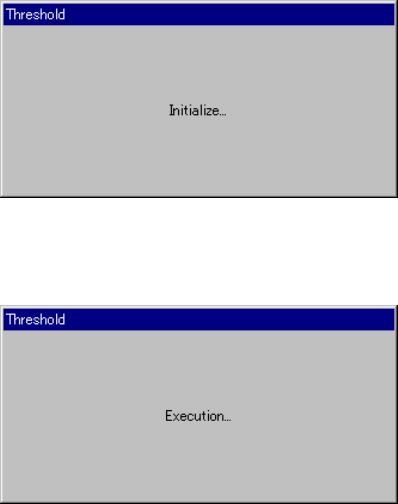
− When you click the <DONE> button, the "Threshold - Initialize" dialog box
appears on the screen, then the system initializes the bad mark sensor.
Next, the "Threshold - Execution" dialog box appears on the screen which
indicates the system automatically performs the teaching operation.
Figure 7.2.2.12.2 "Threshold - Initialize" dialog box
Figure 7.2.2.12.3 "Threshold - Execution" dialog box
7.2.3 Disp (Display)
This command allows you to select whether to display the tool bar/status bar on the
screen or not.
7 − 38
7.3 Mechanical Setup
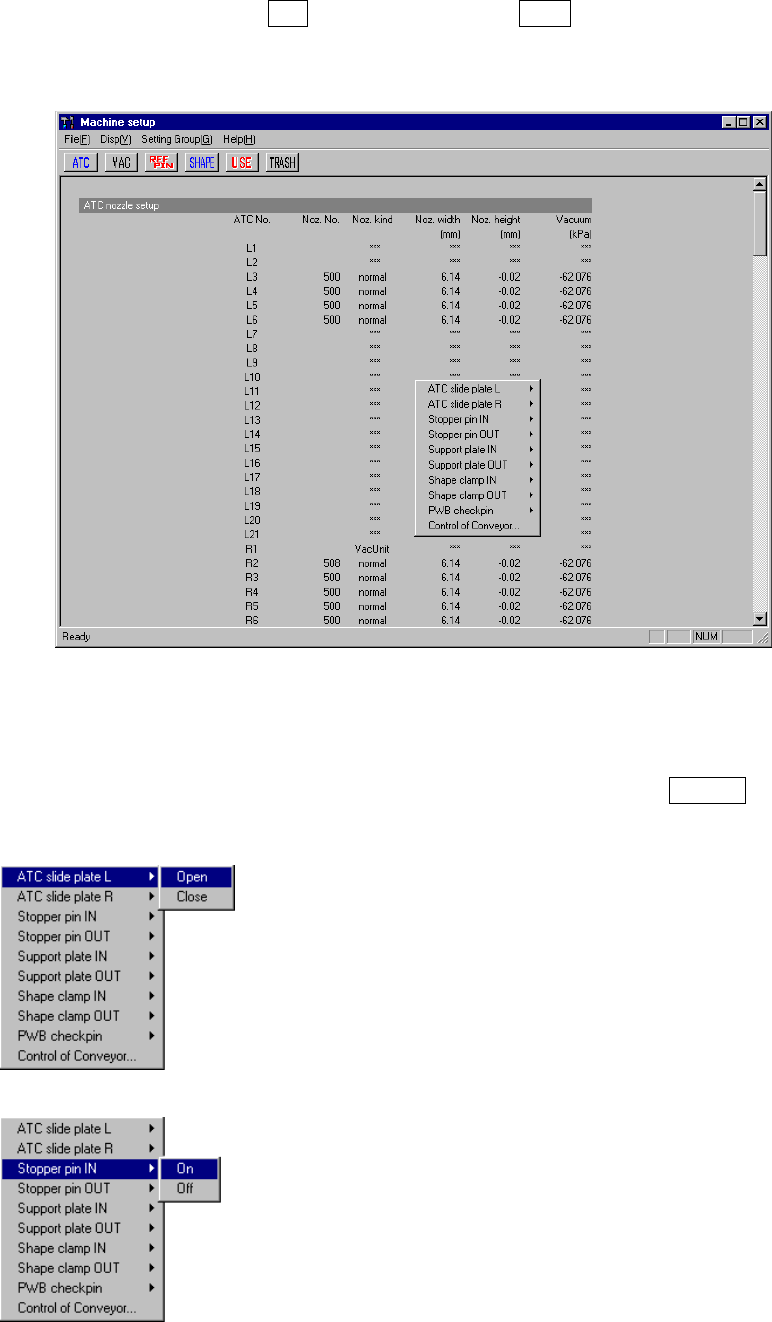
If you have to drive a mechanical device while setting the menu items on the Machine
Setup menu, display the pop-up menu for mechanical devices. Press the right button
of the trackball, or press the F10 key while holding the Shift key. A pop-up menu
shown in Figure 7.3.1 starts up.
Figure 7.3.1 Machine setup pop-up menu
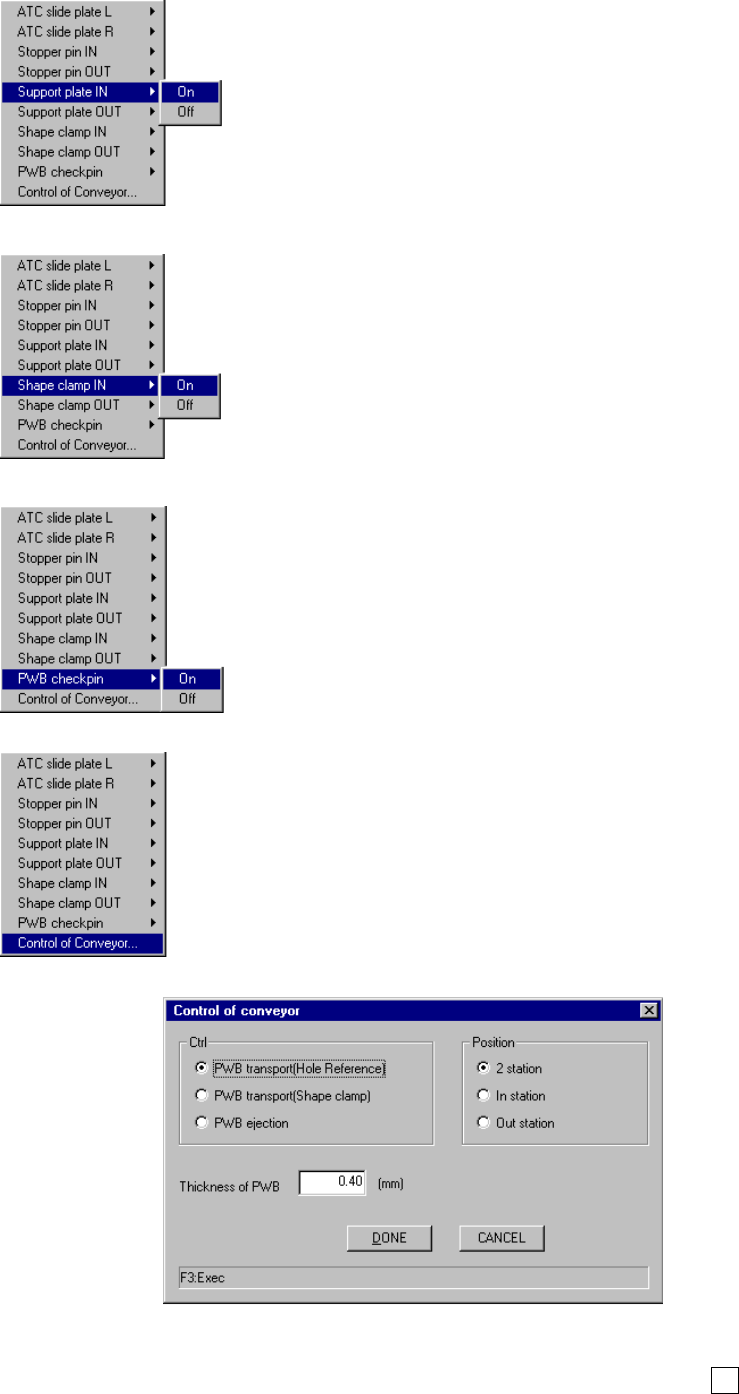
When you select each menu item on the pop-up menu above, the corresponding
extended menu appears as shown below. Select a desired item on this extended
menu with a trackball, or select it with the cursor keys, then press the ENTER key to
drive the corresponding mechanical device.
◇
◇◇
◇ATC slide plate
The same extended menu appears on the screen when
you select either of the menu items: "ATC slide plate 1"
and "ATC slide plate 2".
◇
◇◇
◇Stopper pin
The same extended menu appears on the screen when
you select either of the menu items: " 1" and "Stopper
pin 2".
7 − 39
◇
◇◇
◇Support plate
The same extended menu appears on the screen when
you select either of the menu items "Support plate 1" and
"Support plate 2".
◇
◇◇
◇Shape clamp
The same extended menu appears on the screen when
you select either of the menu items "Shape clamp 1" and
"Shape clamp 2".
◇
◇◇
◇PWB check pin
◇
◇◇
◇Control of Conveyor
When you select the menu item "Control of Conveyor", no
extended menu appears on the screen and the dialog box
appears instead as shown in the figure below.
● If you select the menu item [Control of Conveyor], specify the desired control item with
the corresponding radio button, then click the <Done> button or press the F3 key.