KE-2030使用说明书.pdf - 第422页
6 − 76 (1) Error (warni ng) message displ ay W hen an error (warning) occurs as a result of pr oduction progr am check, the descriptions about t he error ( warning) will be displayed as a list. (Up to 100 cases are displ…
6 − 75
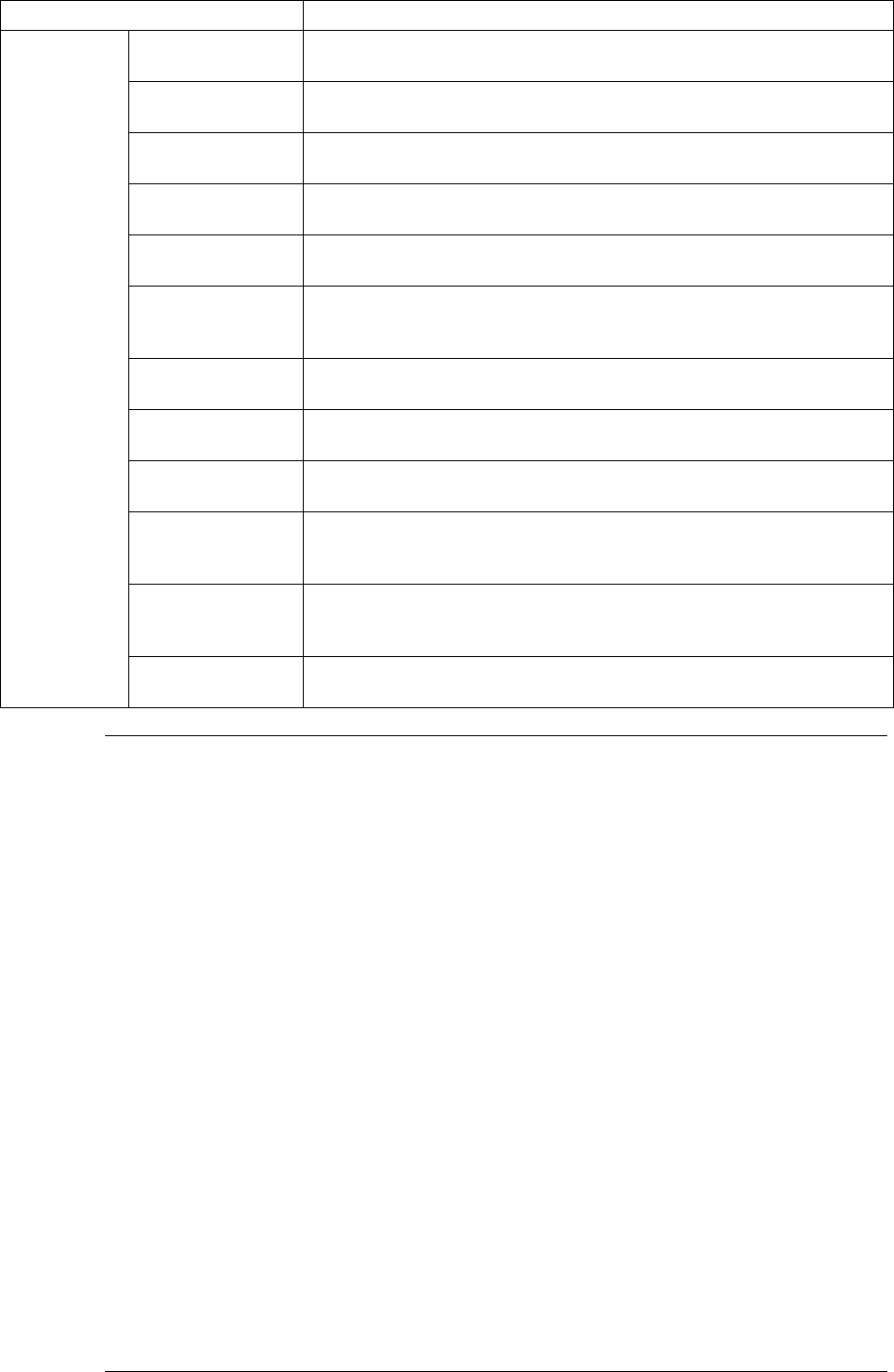
Check items Check contents
Shape reference Check to see if you select “Shape reference” as PWB data although the
shape reference function is set “unused”.
IC conveyor belt Checks to see if you select “IC conveyor belt” for component
abandonment although the IC conveyor belt is set “unused”.
Coplanarity Checks to see if you are to perform the coplanarity check although the
Coplanarity option is set “unused”.
Tombstone
detection
Checks to see if there is any component which is set to be
Tombstone-checked although “Tombstone detection” is not selected.
Template matching Checks to see if there is any mark which uses the user-defined template
although the template matching function is not selected.
Different type of
component
detection
Checks to see if there is any component whose dimension is to be
checked although the Dimension check function is not selected.
Standard VCS Checks to see if there is any component which is set to be recognized
with the standard VCS although the standard VCS is set “unused”.
Option VCS Checks to see if there is any component which is set to be recognized
with the optional VCS although the optional VCS is set “unused”.
Multi-view
recognition
Checks to see if there is any component whose multi-view is set to be
recognized although the Multi-view recognition function is not selected.
BGA all ball
recognition (for
standard VCS)
Checks to see if there is any BGA component whose balls are all to be
recognized (including the user-defined pattern) although the “All balls” is
not selected as the recognition type(for the standard VCS).
BGA all ball
recognition (for
option VCS)
Checks to see if there is any BGA component whose balls are all to be
recognized (including the user-defined pattern) although the “All balls” is
not selected as the recognition type(for the optional VCS).
Production
program
Supply device Check to see if there is any component for which all supply units are set
as “unused”.
Notes: 1. The machine checks the feeder bank only if a feeder bank is checked
on the "Device enable" menu invoked from the Machine Setup menu.
2. For coordinate check, a fault can be regarded as "Warning" and
production can be forcibly started. In this case, however, an operation
error of shaft driver may occur during production.
3. "Warning" of coordinate range check is to be referred by input order
placement of optimized production program.
The same check is performed for editing of production program and for
optimization. So, this item is to be ignored when production is
performed with the data not optimized or when optimization production
is performed.
4. If the actual pick coordinates largely differ from the automatically
calculated pick coordinates, a non-standard feeder may be installed or
correct pickup may be impossible because the incorrect mounting hole
was specified in Pick data. To prevent such a mistake from occurring,
the difference between the actual pick-up coordinates and the pick-up
coordinates automatically calculated is checked. However, when a
non-standard feeder (stick feeder in particular) is used, warning can be
ignored and production can be started although the warning is
displayed on the screen.
5. The corresponding message appears on the screen if an error occurs
during hardware check.
6 − 76
(1) Error (warning) message display
When an error (warning) occurs as a result of production program check, the
descriptions about the error (warning) will be displayed as a list. (Up to 100 cases
are displayed.)
When "a production program incompletion (PWB data, placement, etc.) error is
detected" or when "the number of detected errors (warnings) exceeds 100" is
displayed, the error check will be stopped immediately and detected error
(warning) messages will be displayed.
(2) Processing after message display
When an error is detected, the current production cannot be started.
Even when only a warning is detected, the current production cannot be started if
the number of detected ones exceeds 100. If the number is less than 100, the
production can be started by pressing the Start key once again.
Error messages are displayed in the following format:
Data name, data number, error (warning) symbol [model name], error message
(Example)
Comp., 006, E, [2030], The specified nozzle (No. 506) is not set.
As the error (warning) symbol, three symbols are used: #1, E and W.
Errors: #1 or E
Warning: W
(3) Messages and their meanings
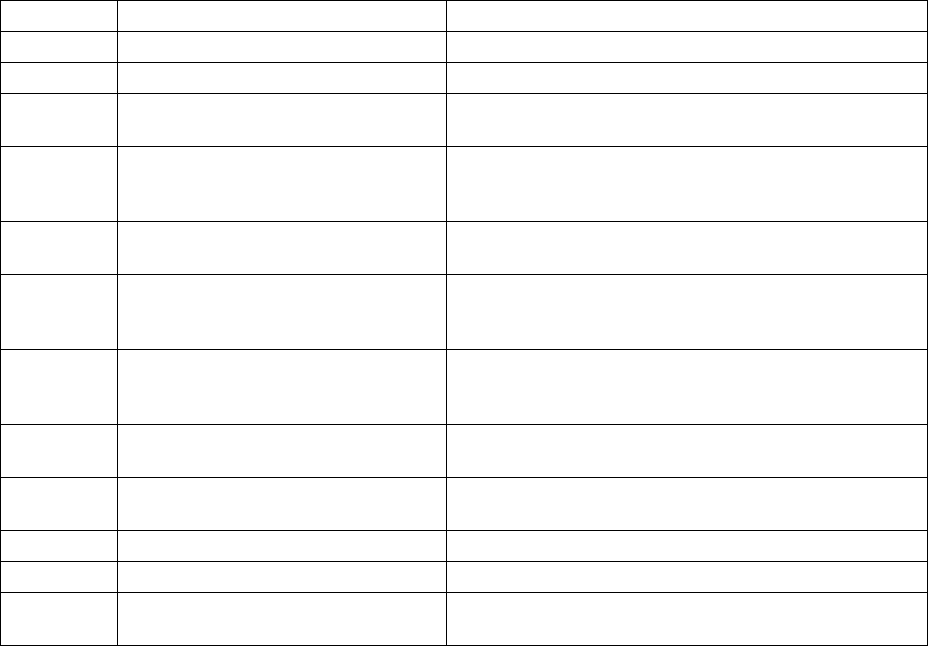
The following table shows the messages appearing upon detection of errors
(warnings) and their contents.
Message Meaning
Error Device/All heads unused. All heads are set to “unused” at machine setup.
↓
PWB/Incompleteness. PWB data is not complete.
↓
PWB/BOC mark recognition teaching
non-completion.
BOC mark recognition teaching is not completed.
↓
PWB/ For BOC marks (two out of 3 points or one out of 2
points), the user-defined template is used. (Template
matching is set to “unused” at machine setup.)
↓
PWB/Mark cannot be recognized.
(Ckt. rotate isn’t 90
。
.)
A BOC mark cannot be recognized unless the circuit
arrangement is in units of 90
°
is used.
↓
PWB/PWB reference plane of the
opposite.
The production program edited in an environment in
which the reference side is set to the opposite side is
used.
↓
PWB/PBW transporting direction of
the opposite.
The production program edited in an environment in
which the transport direction is set to the opposite
direction is used.
↓
PWB/Shape reference is selected.
(Shape reference unit not connected.)
Shape reference is selected as PWB data. (Shape
reference is set to “unused” at machine setup.)
↓
PWB/BOC mark align on the straight
line.
3-point BOC marks are arranged on a straight line.
↓
PWB/BOC mark is same position. The BOC mark coordinates are overlapped.
↓
Place/No.*1 Incompleteness. Placement data is not complete.
↓
Place/No.*1 IC mark coordinates
uninput.
IC mark coordinates are not entered.
6 − 77