KE-2030使用说明书.pdf - 第390页
6 − 44 Figure 6.3.1.1 Retry List (Unplaced list) screen (2) Feeder inform ation W hen you select the [T ool] command f rom the menu bar , the [Error log] command on the displayed menu, then t he [Supplier inf ormat ion] …
6 − 43
Error contents
No. Display (Cause of the error)
1 No components
2 Different component type
3 LA retry over
4 Retry over
5 Off line
6 Supply
7 Operation error
8 Laser recognition error
9 Chip rise
10 Transfer mistake
11 Feeder bank invalid
12 Stacker invalid
6.3.1 Retry List display after the end of board production
(1) Unplaced list
To call the retry list after board production ends, select the [Tool] command from
the menu bar, the [Error log] command on the displayed menu, then the
[Unplaced list] command.
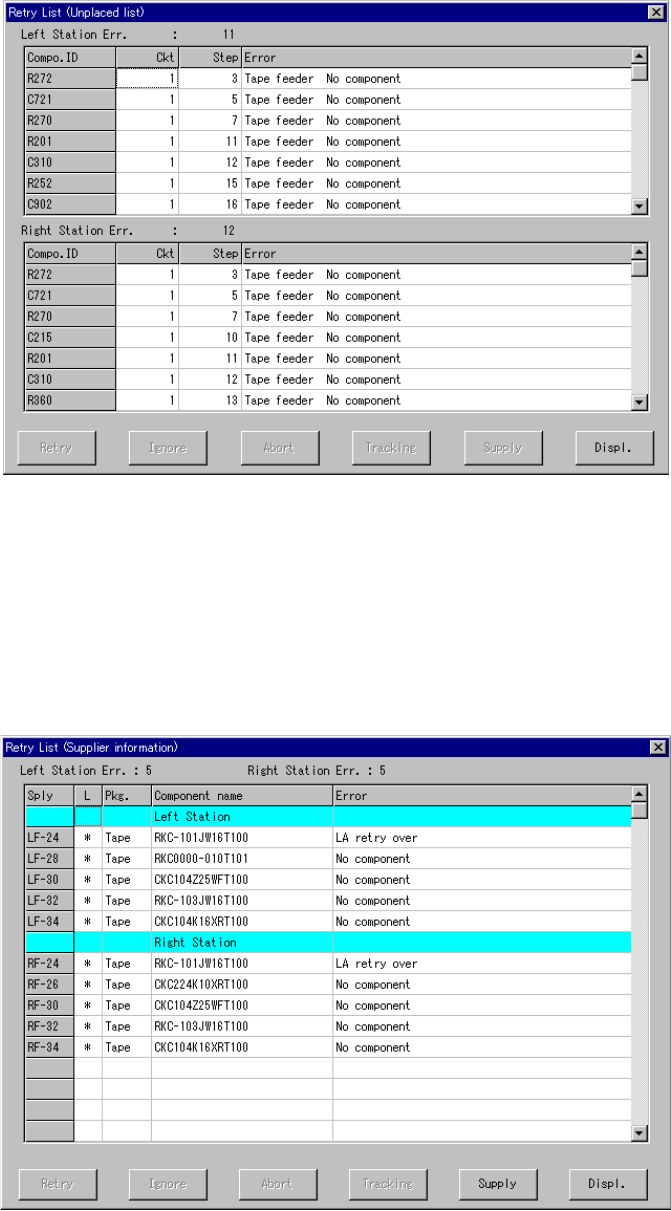
The screen shown below (Unplaced list) in Figure 6.3.1.1 appears on the screen.
In this list, up to 100 retry errors per each station can be displayed in the order in
which the errors occurred. However, the Retry List (Supplier information) screen
in Figure 6.3.1.2 appears if there is any feeder which failed to pick up a
component although all components were placed on boards. If all components
are picked and placed, no error appears on the screen.
6 − 44
Figure 6.3.1.1 Retry List (Unplaced list) screen
(2) Feeder information
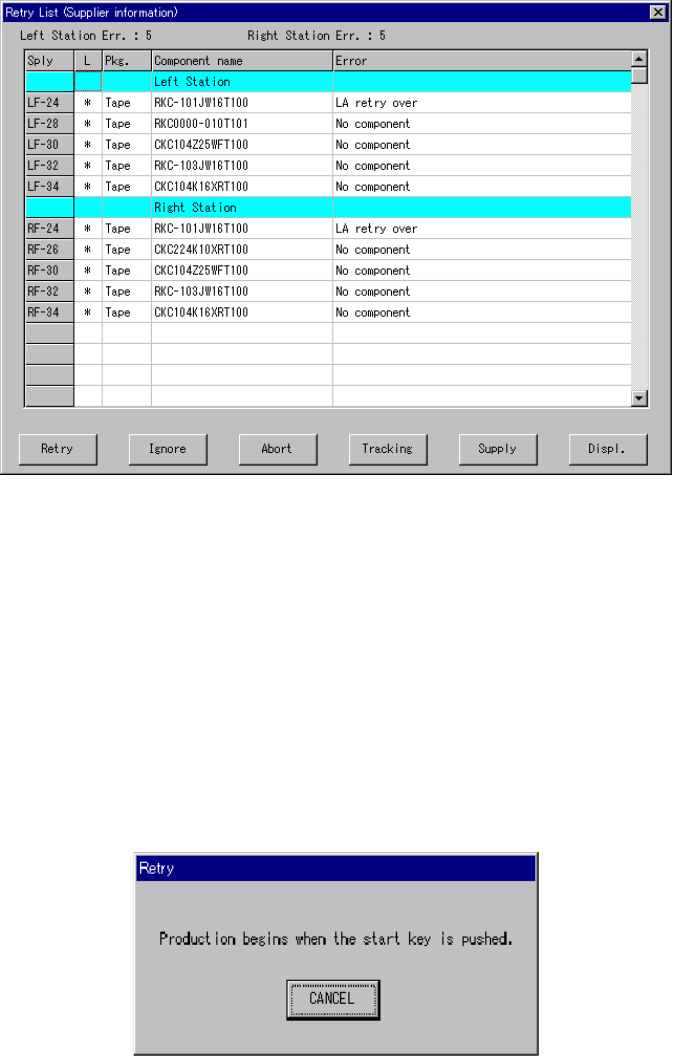
When you select the [Tool] command from the menu bar, the [Error log] command
on the displayed menu, then the [Supplier information] command after production,
the screen shown below in Figure 6.3.1.2 appears.
In this list, up to 100 errors can be displayed.
Figure 6.3.1.2 Retry List (Supplier information) screen
6 − 45
6.3.2 Retry list display during board production
In the execution of production, the error list whose contents vary depending on the
error actually occurred appears on the screen as shown in Figure 6.3.2.1.
Figure 6.3.2.1 Retry List display dialog box (Supplier information)
The error log displayed in the execution of production is used to determine whether or
not the production should be continued.
Therefore, with six buttons displayed on the screen, control the production condition
after an error occurs. The function activated with your button selection is described
below.
1) Retry
When you select the "Retry" button, the following dialog box appears on the
screen as shown in Figure 6.3.2.2.
Figure 6.3.2.2 Dialog box displayed when you select the <Retry> button
When you press the <START> switch on this dialog box, the system resumes the
placement operation from the component where the error occurred to continue
production. The system automatically supplies with components the feeder where
components run out.
When you press the <Cancel> button, the screen returns to the Retry list display.