KE-2030使用说明书.pdf - 第614页
9 − 21 W hen y ou select the [ Tool] com mand on the m enu bar, then t he [Reset] com mand on the Tool m enu while the "Operation I nfo rmation of each head" window is being displayed on the screen, the f ollow…
9 − 20
9.4.6 Resetting the operation information data
9.4.6.1 Resetting each screen of the operation information
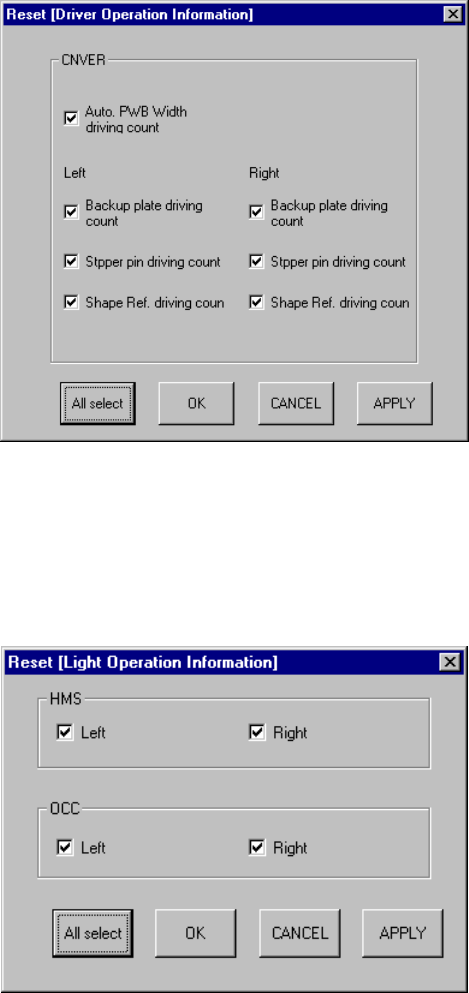
When you select the [Tool] command on the menu bar, then the [Reset] command on
the Tool menu while the "Driver Operation Information" window is being displayed on
the screen, the following dialog box appears on the screen.
Figure 9.4.6.1.1 "Reset [Driver Operation Information] dialog box
When you select the [Tool] command on the menu bar, then the [Reset] command on
the Tool menu while the "Light Operation Information" window is being displayed on
the screen, the following dialog box appears on the screen.
Figure 9.4.6.1.2 "Reset [Light Operation Information] dialog box
9 − 21
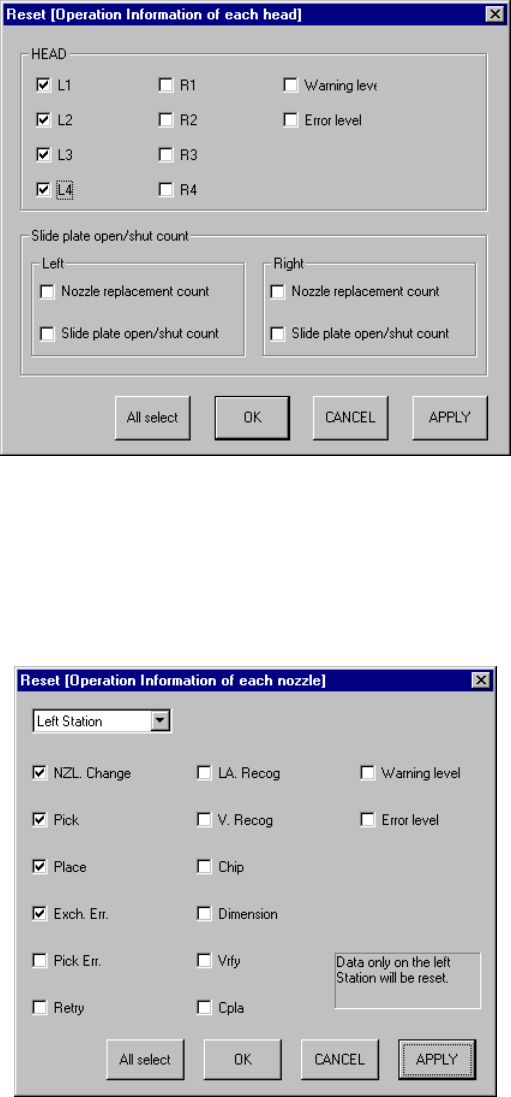
When you select the [Tool] command on the menu bar, then the [Reset] command on
the Tool menu while the "Operation Information of each head" window is being
displayed on the screen, the following dialog box appears on the screen.
Figure 9.4.6.1.3 "Reset [Operation Information of each head] dialog box
When you select the [Tool] command on the menu bar, then the [Reset] command on
the Tool menu while the "Operation Information of each nozzle" window is being
displayed on the screen, the following dialog box appears on the screen.
Figure 9.4.6.1.4 "Reset [Operation Information of each nozzle] dialog box
On each dialog box above, a check box is displayed next to the data items
respectively. Select the check box of the item to be reset, then click the <OK> button
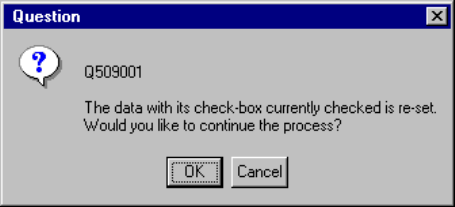
or <APPLY> button. The following dialog box appears on the screen.
9 − 22
Figure 9.4.6.1.5 Driver operation information resetting confirmation dialog box
When you click the <OK> button on the dialog box above, data of the item whose
check box is checked on the Reset dialog box is reset. When you click the
<CANCEL> button, the system does not reset any data: if you selected the <OK>
button on the Reset dialog box, this Reset dialog box closes, while if you selected the
<APPLY> button, the Reset dialog box remains displayed.
When you click the <All select> button, all data items are selected. When you click
the <CANCEL> button, the system closes the dialog box without resetting data.