KE-2030使用说明书.pdf - 第441页
6 − 95 ■ ■ ■ ■ W hen the system perf orms the cont inuous production and star ts product ion after re-clamp cu rrent PW B. Infor mation on the PWB tr ansport path obtained w hen produc tion was interrup te d Whether ther…
6 − 94
(2) If a board is located on the PWB transport path when you select “Load a new PWB”,
and the system ejects it
◇
If you have interrupted production (regardless of whether the system is to use a
continuous production file)
①
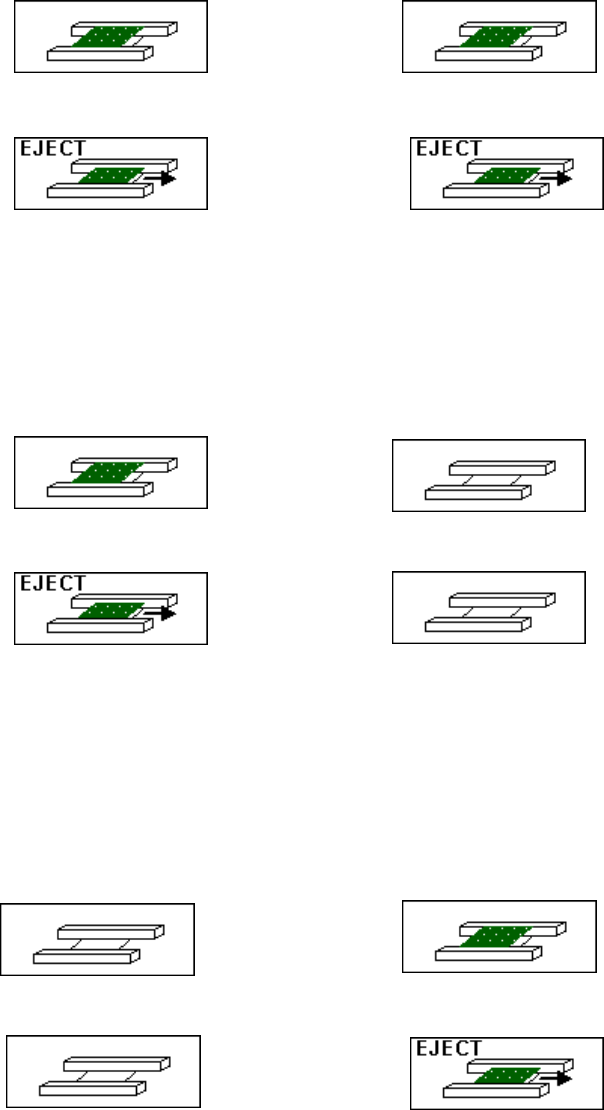
If both of the stations have just finished producing PWBs in Simultaneous
Production mode and boards are located on both of the stations
IN station (a PWB has been produced) OUT station (a PWB has been produced)
↓
IN station ( a board can be ejected.) OUT station ( a board can be ejected.)
• The system moves boards located on both of the stations to the next
processes respectively.
②
Immediately after only the IN station is used to produce a PWB (after only the IN
station is used for production or the IN station is used for production in Sequential
and Mix mode)
IN station (a PWB has been produced) OUT station (no board)
↓
IN station ( a board can be ejected.) OUT station (no board)
• The system moves a board on the IN station to the next process.
③
Immediately after only the OUT station is used to produce a PWB (after only the
OUT station is used for production or the OUT station is used for production in
Sequential and Mix mode, or after a board loading time-out error occurs in
Simultaneous Production mode and so only the OUT station is used for
production)
IN station (no board) OUT station (a PWB has been produced)
↓
IN station (no board) OUT station ( a board can be ejected.)
• The system moves a board on the OUT station to the next process.
6 − 95
■
■■
■
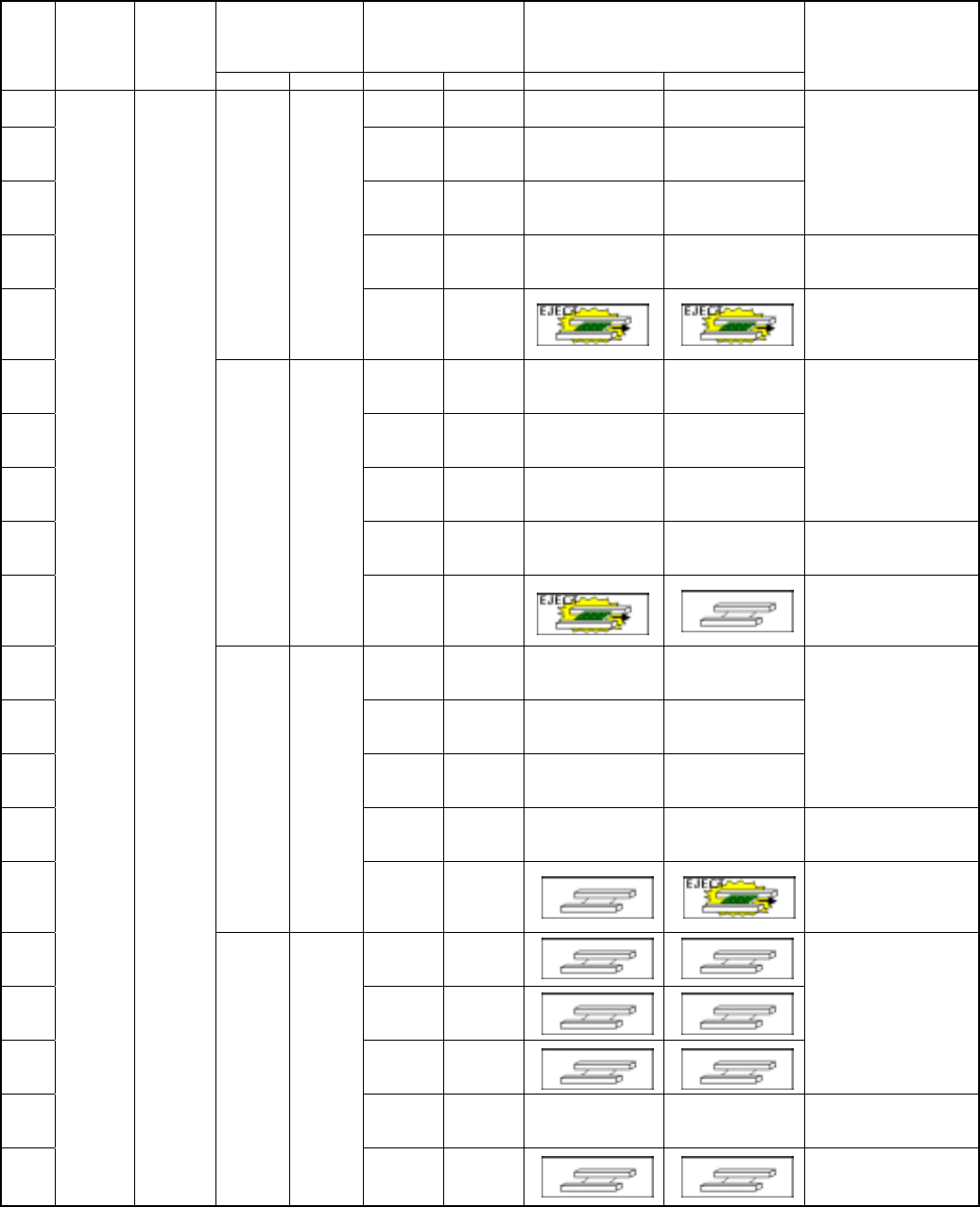
When the system performs the continuous production and starts production after
re-clamp current PWB.
Information on the
PWB transport path
obtained when
production was
interrupted
Whether there is a board
on the PWB transport
path
Image of the PWB transport condition
Step
No.
Whether to
resume
production
Production
operation
Left Right Left Right Left Right
Operation after you press
the <START> key
①
Yes
Yes
②
Yes
None
③
None
Yes
Not selectable
④
None
None
⑤
Yes Yes
No
information
No
information
After ejecting a board, the
system loads a board before
starting production, then
resumes the suspended
production (see Note).
⑥
Yes
Yes
⑦
Yes
None
⑧
None
Yes
Not selectable
⑨
None
None
⑩
Yes None
No
information
No
information
After ejecting a board, the
system loads a board before
starting production, then
resumes the suspended
production (see Note).
⑪
Yes
Yes
⑫
Yes
None
⑬
None
Yes
Not selectable
⑭
None
None
⑮
None Yes
No
information
No
information
After ejecting a board, the
system loads a board before
starting production, then
resumes the suspended
production (see Note).
⑯
Yes
Yes
⑰
Yes
None
⑱
None
Yes
After loading a board before
start of production, the system
resumes the suspended
production.
⑲
None
None
⑳
Yes
Production
after a
board is
loaded
(when you
select
“Load a
new PWB”)
None None
No
information
No
information
After loading a board before
start of production, the system
resumes the suspended
production.
6 − 96
■
■■
■
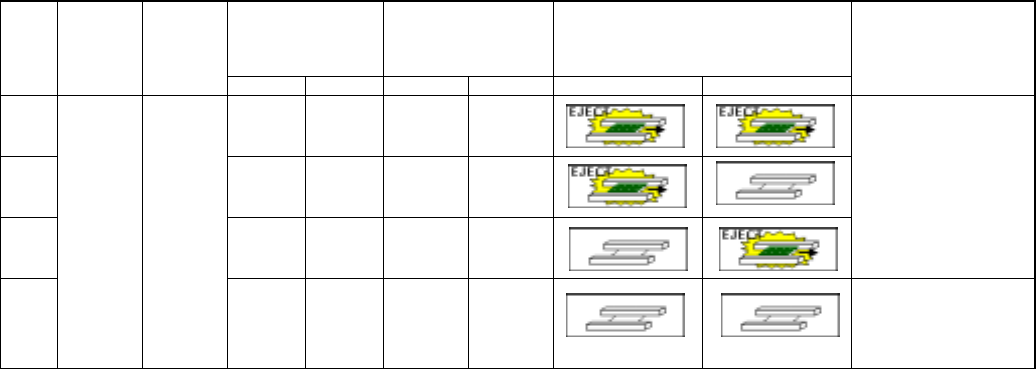
When the system starts production after loading a board without performing the
continuous production (new production or suspended production)
Information on the
PWB transport path
obtained when
production was
interrupted
Whether there is a board
on the PWB transport
path
Image of the PWB transport condition
Step
No.
Whether to
resume
production
Production
operation
Left Right Left Right Left Right
Operation after you press
the <START> key
①
Yes
Yes
②
Yes
None
③
None
Yes
After ejecting a board, the
system loads a new board
before starting production, and
then starts a new production
or performs the continuous
production (be careful to start
production).
④
No
Production
after a
board is
loaded
(when you
select
“Load a
new PWB”)
None
None
After loading a new board
before starting production, the
system starts new production
or resumes the suspended
production.