KE-2030使用说明书.pdf - 第242页
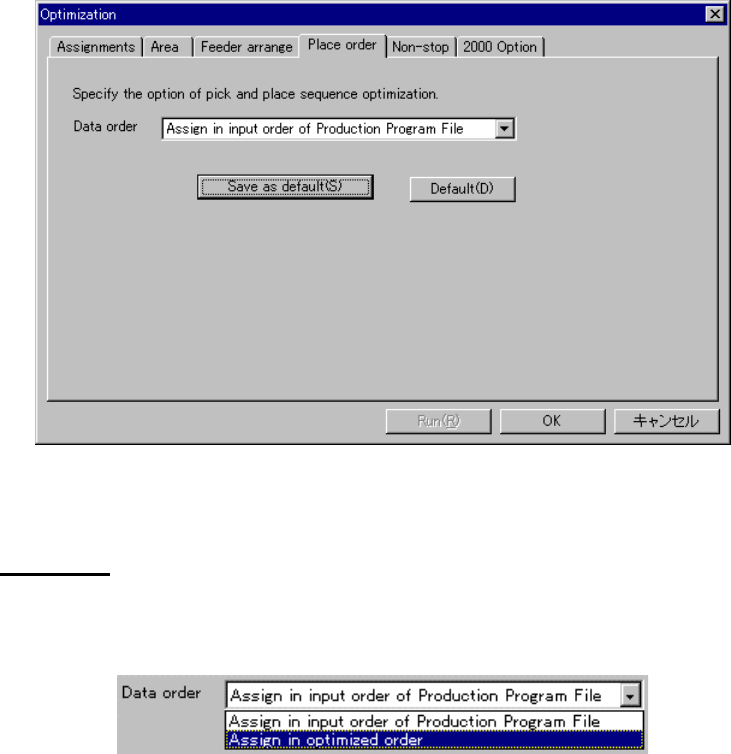
4 – 143 (5) Place Or der Option W hen y ou use the “Place or der” option, you can specify the optim ization option f or deciding the pick -up/placem ent order of component s. Figure 4.10.1. 1 1 Place order option Data or…
4 – 142
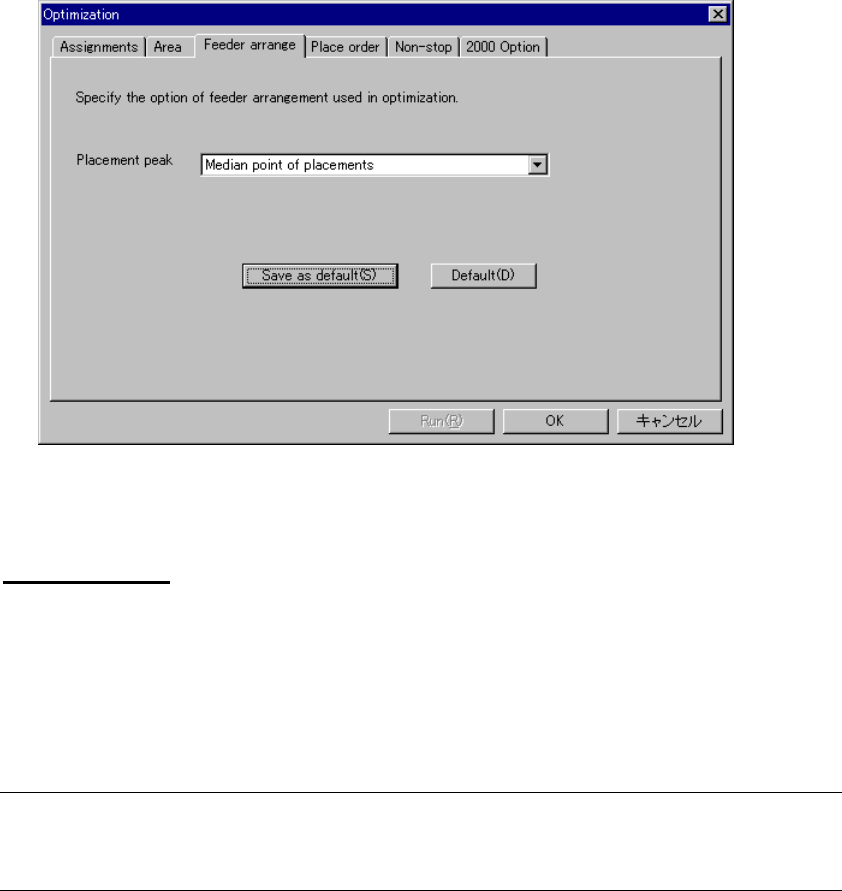
(4) Feeder Arrange Option
When you use the “Feeder arrange” option, you can specify the optimization
option for assigning feeders.
Click on the “Feeder arrange” option tab to display the following dialog box:
Figure 4.10.1.10 Feeder Arrange Option
Placement peak
Specify the starting point for assigning feeders. The choices are:
• Medium point of placement: Arranges feeder in the median (center) of placement
points
• Average point of placement: Arranges feeder in the average point of placement
points
Note: When you check the check box “Arrange feeders according to the placement
peak point is fixed on center of the PWB” on the “2000” option dialog box, this
item is disabled for a KE-2000 series of station.
4 – 143
(5) Place Order Option
When you use the “Place order” option, you can specify the optimization option for
deciding the pick-up/placement order of components.
Figure 4.10.1.11 Place order option
Data order
Specify the placement data order in the station format that is divided and created by
the Optimization utility.
Figure 4.10.1.12 Data
• Assign in input order of Production Program File
This is the order that the Optimization utility assigned the placement data at
division.
• Assign in optimized order
The optimization order becomes the input order of Placement data.
4 – 144
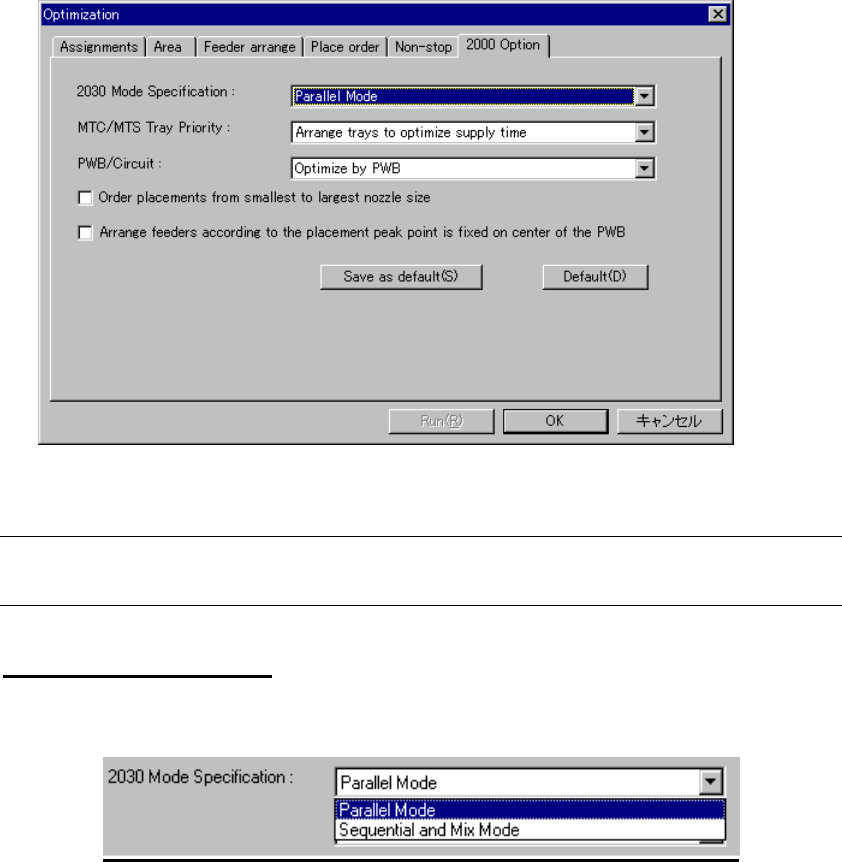
(6) 2000 Option
Specify KE-2000 series specific optimization option. Click the “2000 Option” tab to
display the following dialog box:
Figure 4.10.1.13 2000 Option
Note: The "2000 Option" is an option common to the KE-2000 series of products.
Therefore, this option is invalid for this model, but it provides selectable options
2030 Mode Specifications
Specify 2030 placement mode.
Figure 4.10.1.14 2030 Mode Specification
• Parallel Mode: simultaneously places components on two
boards (default setting)
• Sequential and Mix Mode The machine places component in Simultaneous
Placement mode, and then in Sequential
Placement mode (by using the left and right
heads to place components separately).