KE-2030使用说明书.pdf - 第280页
4 – 181 6) Short- cut k eys I n the “Measurement” dialog box, the f ollowing short- cut ke ys are provided. Key board key Operation panel key HOD key Operation F10 ENTER M easures the current component. F4 Knocks a feede…
4 – 180
4 – 181
6) Short-cut keys
In the “Measurement” dialog box, the following short-cut keys are provided.
Keyboard
key
Operation
panel key
HOD key Operation
F10 ENTER Measures the current component.
F4 Knocks a feeder.
F5 PREVIOUS Moves to the previous alternate component.
F6 NEXT Moves to the next alternate component.
ESC CANCEL Returns to the previous screen.
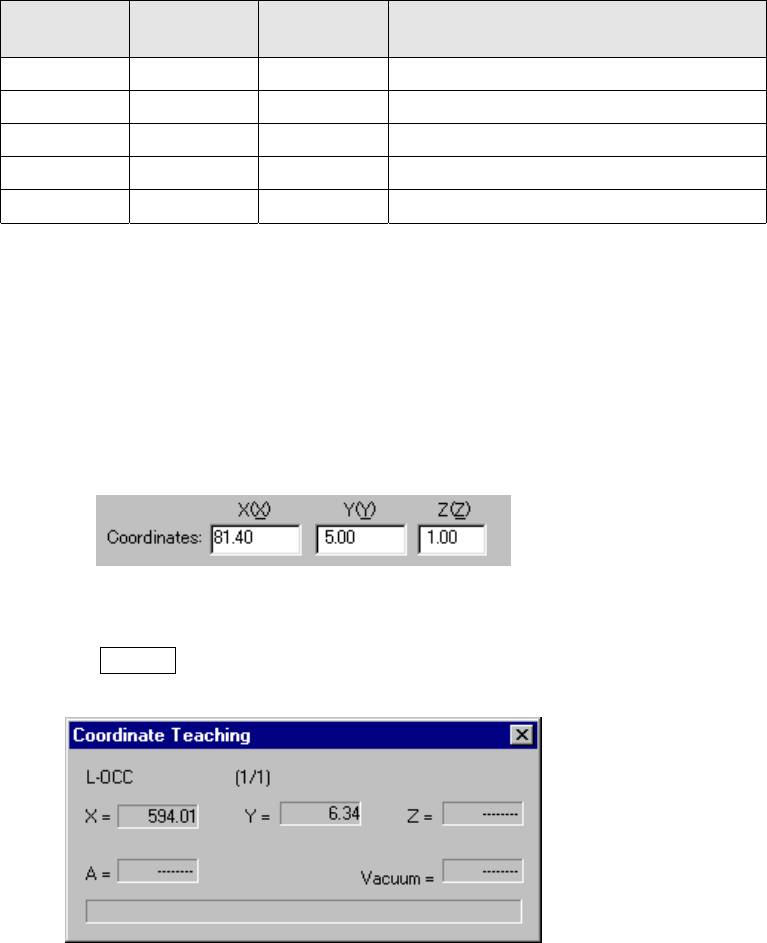
7) Changing the component pick-up coordinates
If the pick-up position of a component to be measured is different from the
current one, use the HOD to teach the coordinates of a component placed.
You can manually enter the coordinates to change the current ones also.
Step 1) Move the cursor to the X or Y coordinate.
Step 2) Press the HOD device button to teach the coordinates, then the
ENTER button to validate them.
Figure 4.12.2.4.2.2 “Coordinates Teaching” dialog box
4 – 182
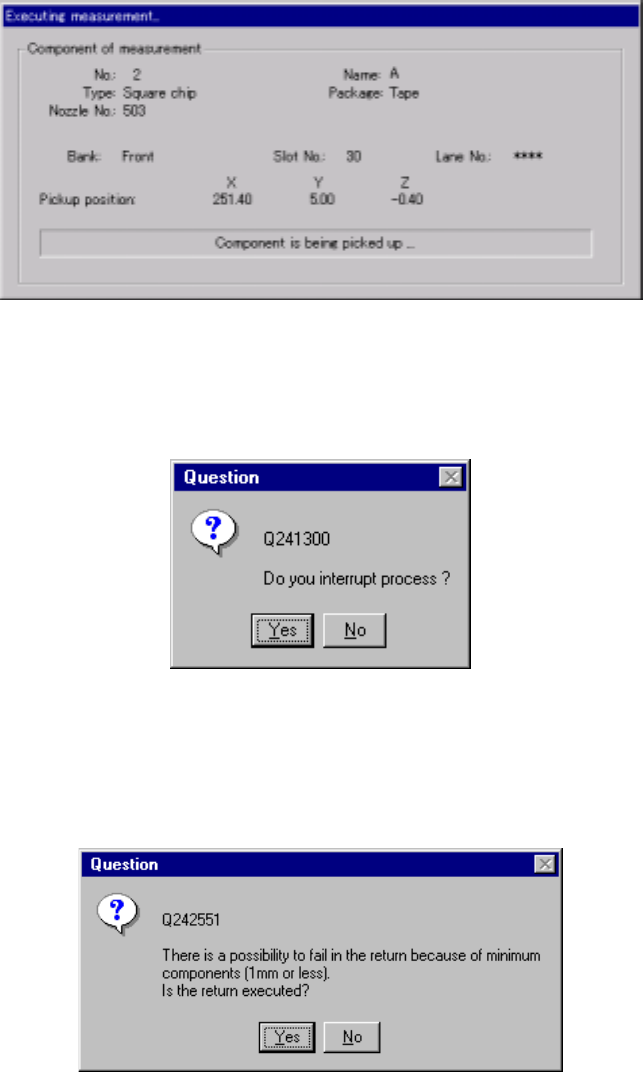
(2) “Executing measurement” dialog box
While the system is measuring the current component, the following dialog box
appears on the screen. On this dialog box, the descriptions of a component
which is being measured and its pick-up position are displayed. The process
being performed is displayed also.
Figure 4.12.2.4.2.3 “Executing measurement” dialog box
To forcibly abort measurement, press the <Stop> button. The following dialog
box appears on the screen. Select whether to abort measurement or not.
Figure 4.12.2.4.2.4 “Question to interrupt process” dialog box
Depending on the packaging style of a component, the dialog box ,which asks
you whether to return a component to its original position or discard it after
measurement, may appear on the screen if the size of a component is 1 mm or
less.
Figure 4.12.2.4.2.5 “Question to return” dialog box