CP-7[732-742]-series Mechanical Reference(2.9E).pdf - 第127页
2. Open the cover on the bottom surface of the light source box. 3. Collapse the lever and remove the halogen lamp. 4. Disconnect the connector. 5. Install the new halogen lamp. 6. Replace the light source box into the m…
3.5 Replacing the Halogen Lamp for the
Frontlight
Point
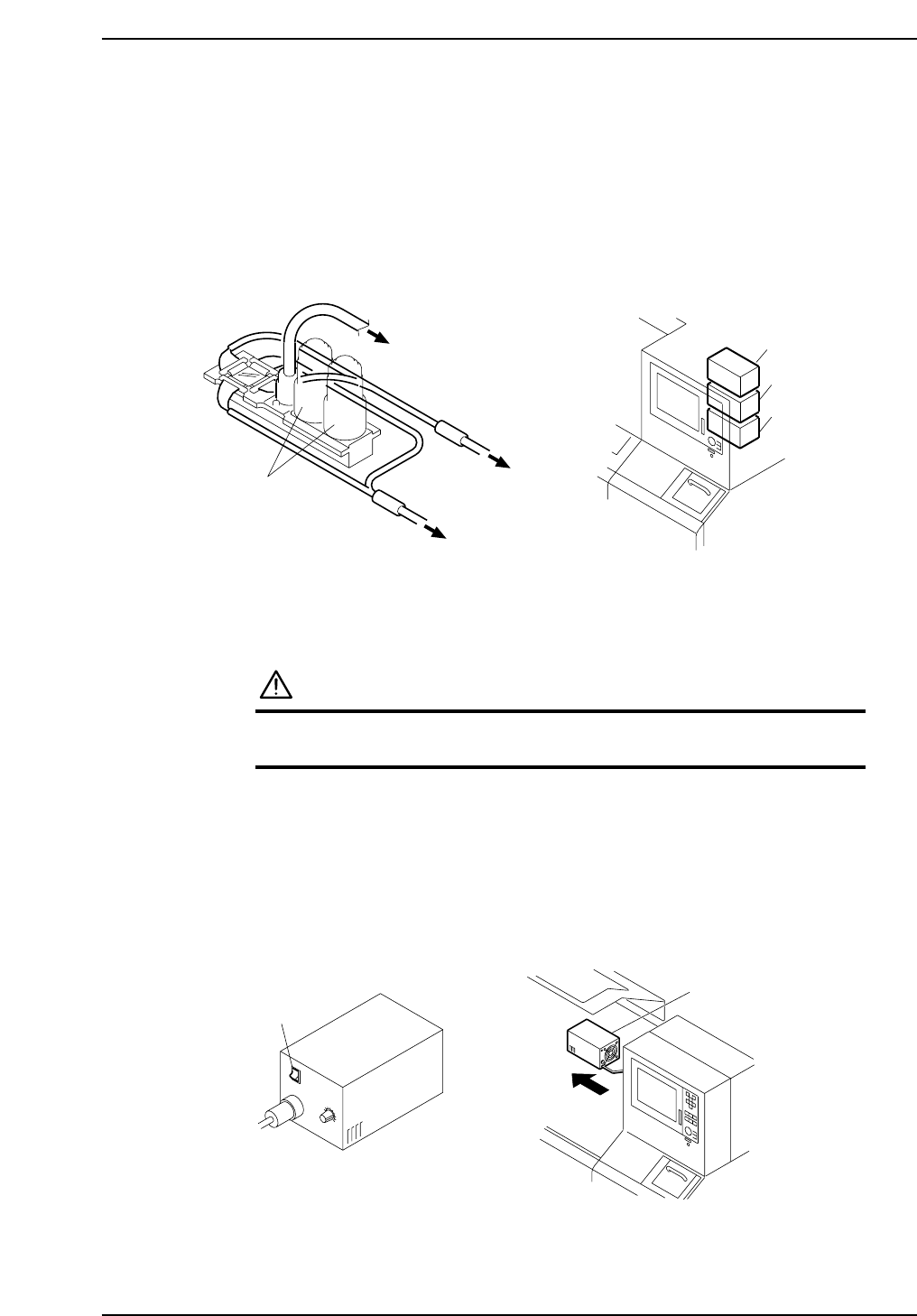
If the vision processing camera’s frontlight fails to work, inspect the halogen lamps
inside the light source box. There are three light source boxes at the back of the operation
box.
Procedure
WARNING
Be sure to turn the main power off before performing this
procedure.
1. Turn the light source box’s switch off and remove the box from the machine.
Caution:
1. After switching the light source box off, be sure to wait for the box to cool before
changing the halogen lamp.
2. Do not touch the filter for the cooling fan at the rear end of the light source box.
C7SM3031E
Light source box
Switch
I
O
C7SM3030E
Light source box 1
To light source box 1
To light source box 2
Vision processing
camera
To light source box 3
Light source box 2
Light source box 3
Part 3 Chapter 3 Replacing Consumable Parts
Edition 2.7 3-3-7 CP-7 series Mechanical Reference
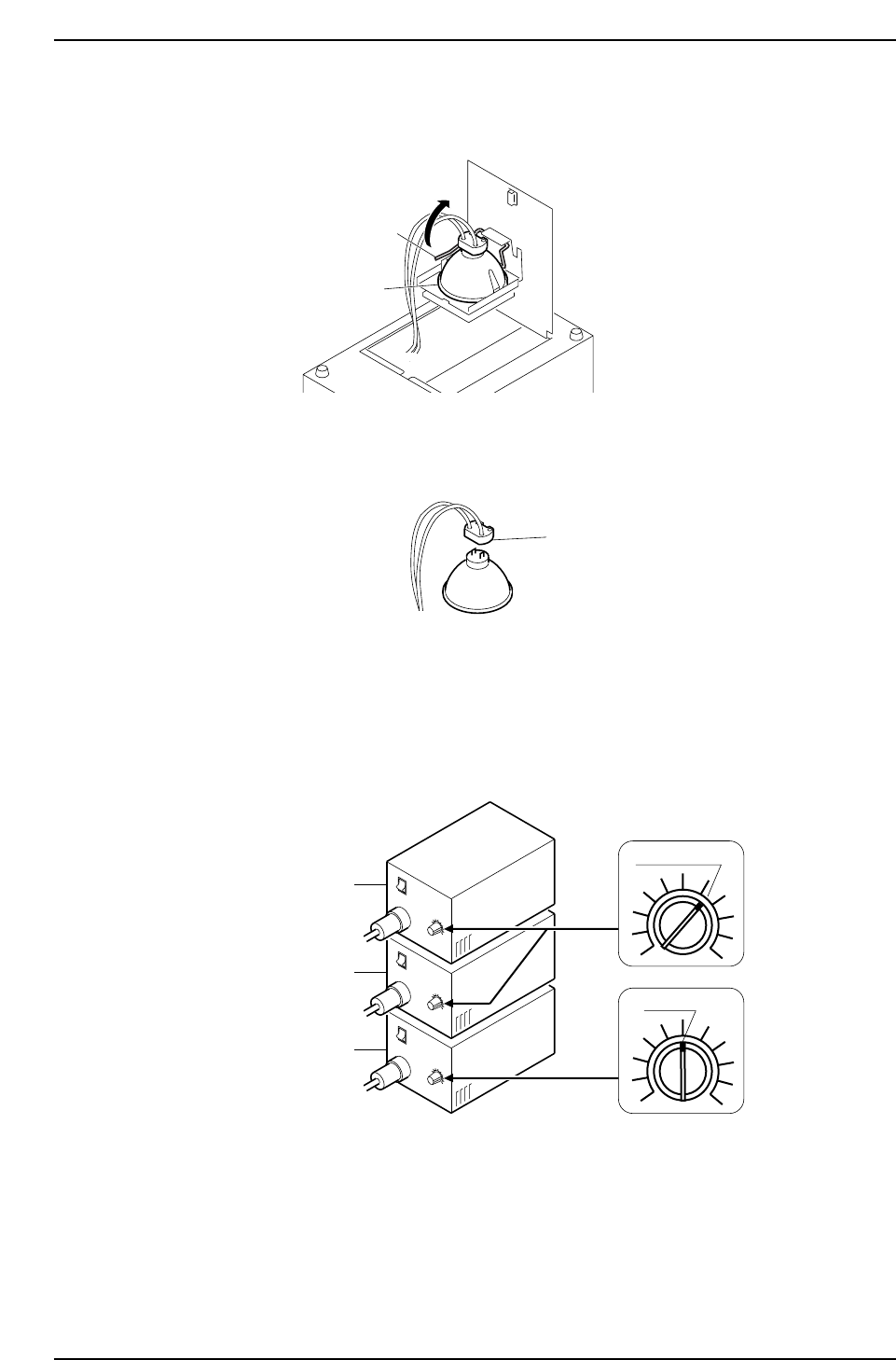
2. Open the cover on the bottom surface of the light source box.
3. Collapse the lever and remove the halogen lamp.
4. Disconnect the connector.
5. Install the new halogen lamp.
6. Replace the light source box into the machine. Turn the light source box’s switch
ON.
7. Adjust the frontlight’s intensity. Set the light source box’s volume dial as shown
below.
C7SM3034E
Light source box 1
Light source box 2
Light source box 3
I
O
I
O
I
O
6.5 Scale
5 Scale
C7SM3033E
Connector
C7SM3032E
Lever
Halogen lamp
Part 3 Chapter 3 Replacing Consumable Parts
Edition 2.7 3-3-8 CP-7 series Mechanical Reference
3.6 Replacing the Vacuum Pump Filter Element
Point
Air which is sucked into the pump must be clean. The filter element should therefore be
replaced when it becomes excessively soiled.
Procedure
WARNING
• Be sure to switch off the 200V power supply before
beginning this procedure.
• Do not touch the vacuum pump immediately after
operation as it may be extremely not. Allow the
pump to cool before performing this procedure.
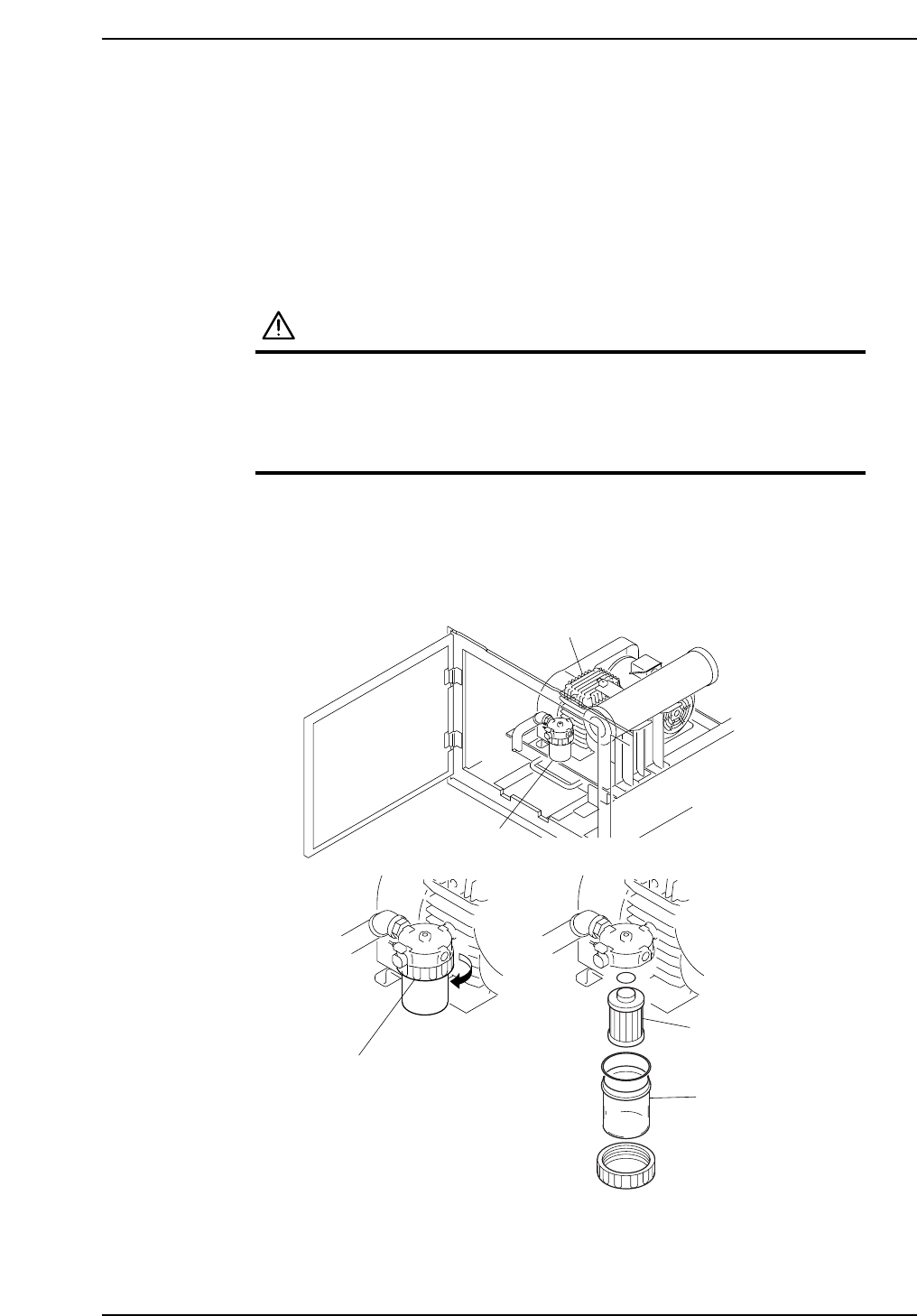
Loosen the filter case holder, then extract the filter case by pulling it downward. After
extracting the filter case, replace the filter element.
Vacuum pump
Air filter
Flter case holder
Filter case
Filter element
C7SM3054E
Part 3 Chapter 3 Replacing Consumable Parts
Edition 2.7 3-3-9 CP-7 series Mechanical Reference