CP-7[732-742]-series Mechanical Reference(2.9E).pdf - 第83页
1.7 Cleaning the Machine Interior (W eekly) Point Chip parts and other foreign objects will accumulate in the machine during the course of operation. Such objects should be removed from the machine periodically to keep t…
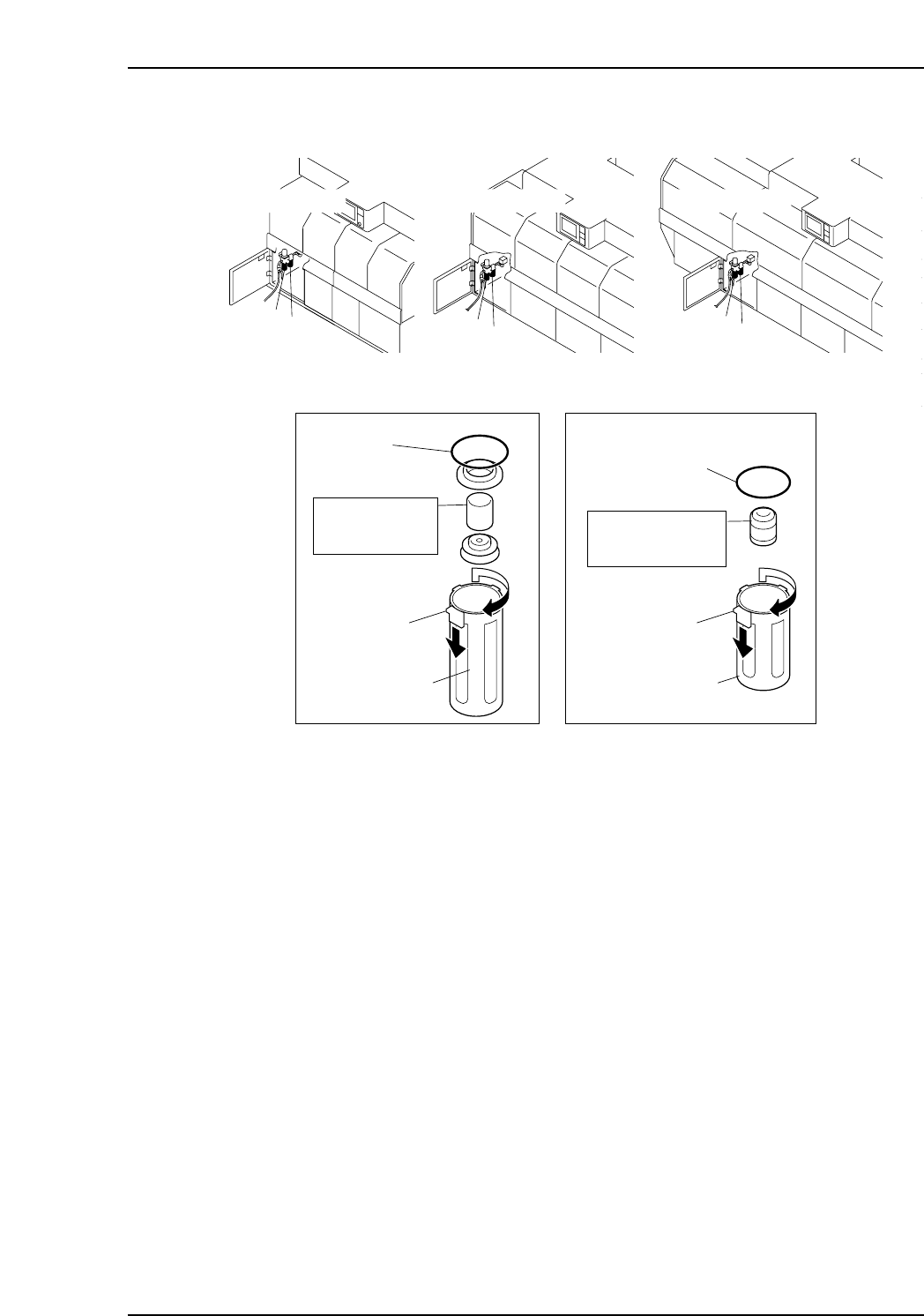
Next remove the filter case and clean the filter element.
1. Disconnect the drain hose from the regulator if there is any.
2. Remove the filter case.
While pressing the lock down, turn to remove the filter case.
3. Remove the drainage collected in the filter case and wash the case with neutral
detergent.
4. Remove and clean the element.
Note: The element should be replaced every 2 years.
Assemble the filter regulator after cleaning, attach the air-hose, and open the valve lever
fully.
O-ring
O-ring
Lock knob Lock knob
Filter case
Filter case
C7SM3002b
A
AB
B
A
B
A
B
Filter regulator
AW3000-02-BD
Mist separator
AFM3000-02-D
Model : 111585
Manufacturer : SMC
Filter element
Model : 630617
Manufacturer : SMC
Element assemby
<CP-732E>
<CP-742ME>
<CP-742E>
Part 3 Chapter 1 Cleaning
Edition 2.9 3-1-7 CP-7 series Mechanical Reference

1.7 Cleaning the Machine Interior (Weekly)
Point
Chip parts and other foreign objects will accumulate in the machine during the course of
operation. Such objects should be removed from the machine periodically to keep the
machine in good working order.
Procedure
WARNING
Be sure to turn the main power off before performing this
procedure.
1. Use a vacuum cleaner to remove the foreign objects from the machine interior.
2. Use a dry cloth to wipe grease off of all areas not specified as lubrication points.
Caution: Do not use an air gun within the machine as dust or other small fragments may be
blown into other areas of the machine.
Part 3 Chapter 1 Cleaning
Edition 2.9 3-1-8 CP-7 series Mechanical Reference
1.8 Cleaning the Part Height Check Sensor Lens
(Weekly)
Point
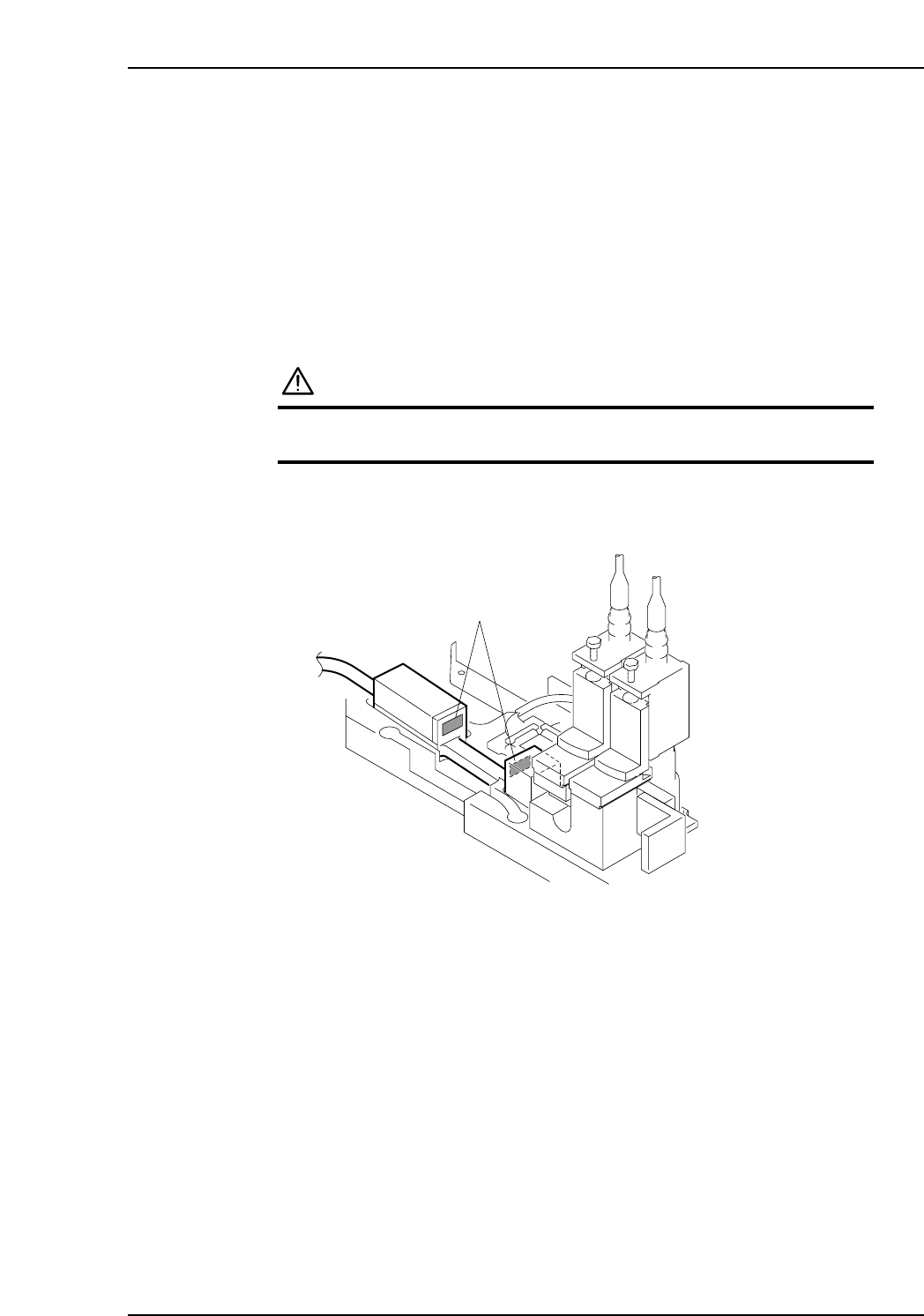
The lenses should be cleaned periodically to ensure accuracy during part height and
nozzle length measurement.
Procedure
WARNING
Be sure to turn the main power off before performing this
procedure.
Use a soft brush (such as those used to clean camera lenses) to clean the sensor lens. If
the lens is badly soiled, use a commercially available lens cleaner.
C7SM3021
Sensor lens
Part 3 Chapter 1 Cleaning
Edition 2.9 3-1-9 CP-7 series Mechanical Reference