CP-7[732-742]-series Mechanical Reference(2.9E).pdf - 第241页
4. Connecting the Data T ransmission Cable Point The machine is connected to the host computer by means of an Ethernet twisted-pair communication cable (class 5) which permits program transmissions and production log com…

Notes:
Part 6 Chapter 3 Electrical Power Supply & Transformer Wiring
Edition 2.6 6-3-4 CP-7 series Mechanical Reference
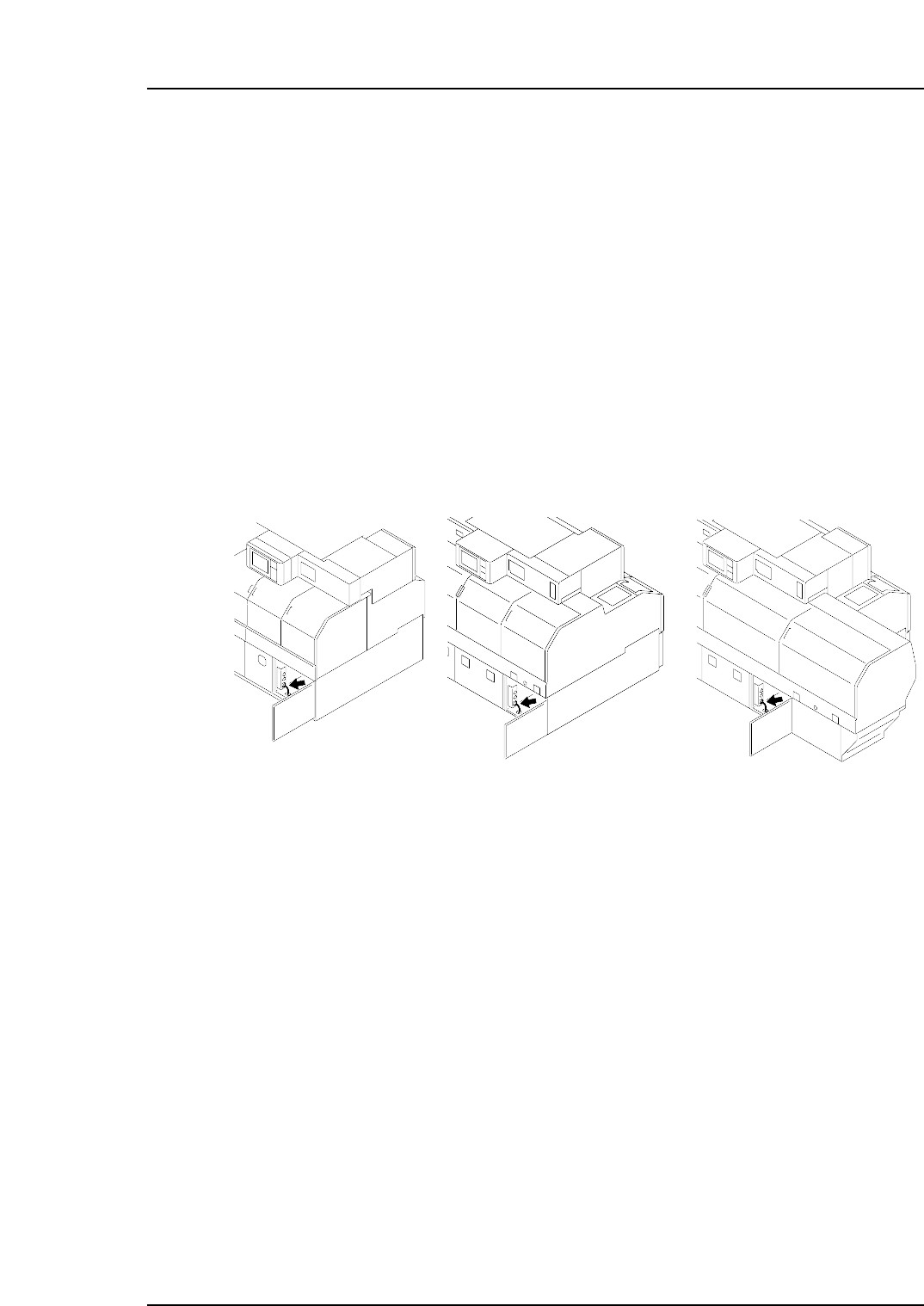
4. Connecting the Data Transmission Cable
Point
The machine is connected to the host computer by means of an Ethernet twisted-pair
communication cable (class 5) which permits program transmissions and production log
compilation.
Procedure
1. Register the CP-7-series machines in the line descriptor file at the host.
Note: Refer to the host computer manual for details regarding the registration procedure.
2. Connect one end of the transmission cable to the Ethernet connector at the host,
and connect the other end to the connector on the machine.
<CP-742E>
C7SM5006a
<CP-732E> <CP-742ME>
Part 6 Chapter 4 Connecting the Data Transmission Cable
Edition 2.3 6-4-1 CP-7-series Mechanical Reference

Notes:
Part 6 Chapter 4 Connecting the Data Transmission Cable
Edition 2.3 6-4-2 CP-7-series Mechanical Reference