CP-7[732-742]-series Mechanical Reference(2.9E).pdf - 第79页
1.4 Cleaning the Nozzle Interior (W eekly) Point Because the part is held by vacuum through the nozzle, minute dust or glue particles, etc., can build up inside the nozzle tube, causing clogging. Such clogging can reduce…
1.3 Emptying the Reject Parts Box
(Every 8 Hours)
Point
Parts which have been rejected during vision processing are discarded to a reject parts
box. After every 8 hours of operation, this box should be removed from the machine and
emptied.
Procedure
WARNING
Be sure to turn the main power off before performing this
procedure.
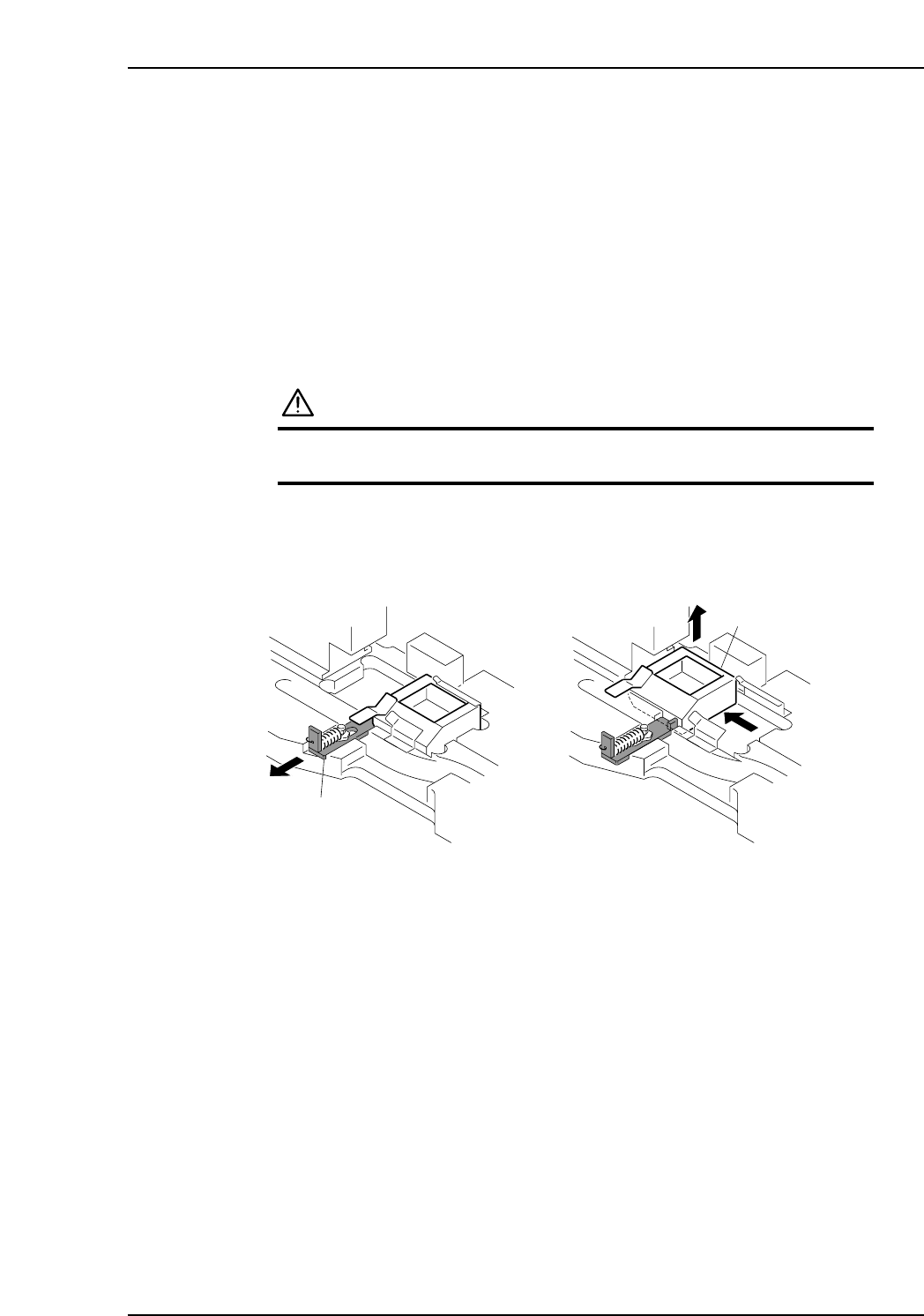
Pull the lever forward then slide the reject parts box sideways and throw away the
rejected parts collected.
When returning the reject parts box to its position, make sure that the cushion sheet
exists at the bottom of the box.
C7SM3007
Lever
Reject parts box
Part 3 Chapter 1 Cleaning
Edition 2.9 3-1-3 CP-7 series Mechanical Reference
1.4 Cleaning the Nozzle Interior (Weekly)
Point
Because the part is held by vacuum through the nozzle, minute dust or glue particles,
etc., can build up inside the nozzle tube, causing clogging. Such clogging can reduce the
nozzle suction and cause problems when picking up parts. The nozzle tube should be
cleaned out weekly, or when clogging occurs.
Procedure
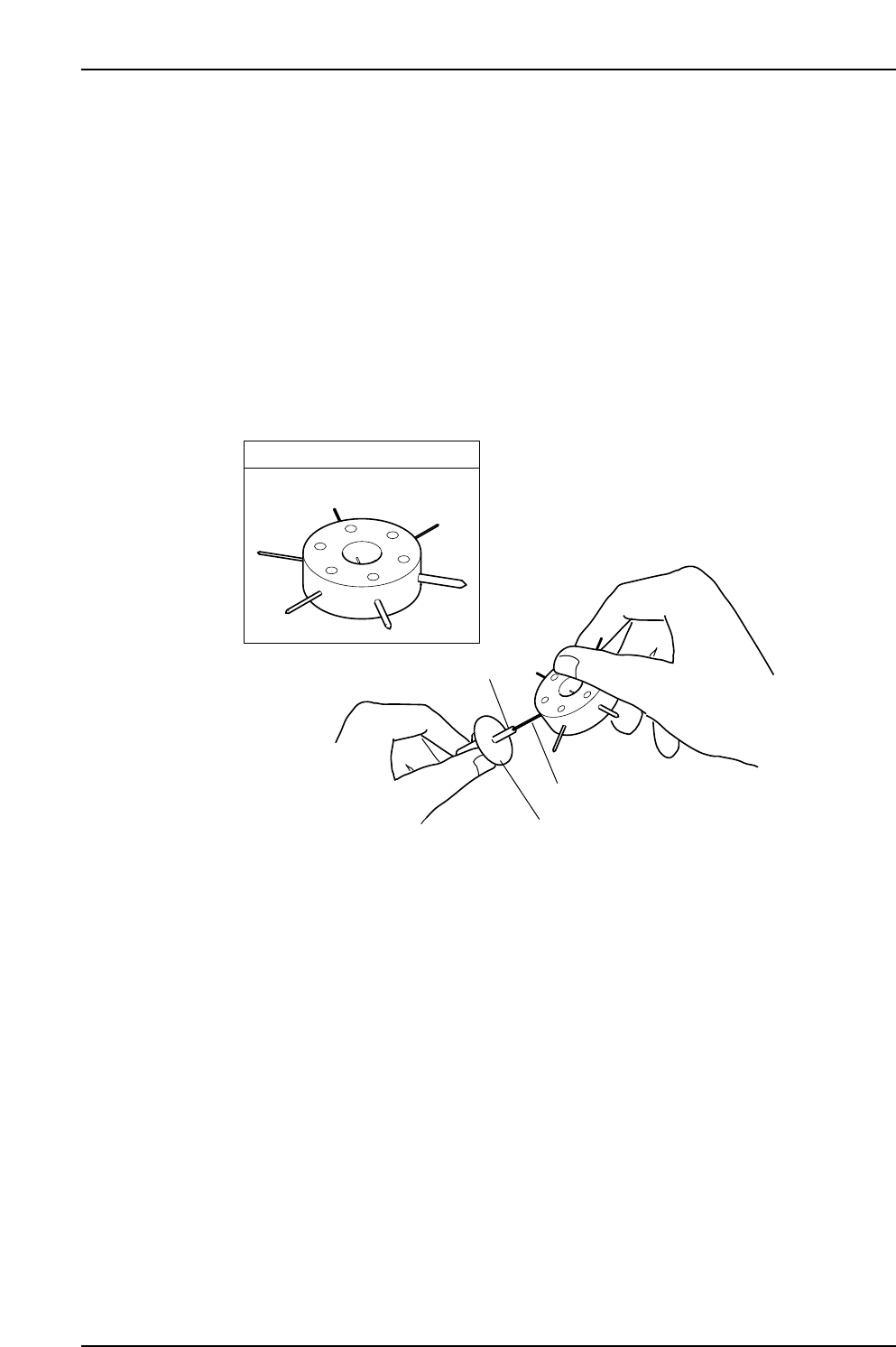
Use an appropriately sized drill bit to remove foreign matter from inside the nozzle tube.
When cleaning is complete, check the drill bit to ensure that dirt from the nozzle has not
adhered to the tip.
Note: Jig AWPJ8100 cannot be used for ø0.4 nozzles.
Caution:
1. Take care to avoid bending the nozzle.
2. Take care to avoid dirtying the surface of the fluorescent sticker.
C7SM3005a
Nozzle
Drill bit
Fluorescent nozzle sticker
JIG No. AWPJ8100
Part 3 Chapter 1 Cleaning
Edition 2.9 3-1-4 CP-7 series Mechanical Reference
1.5 Cleaning the Camera Glass (Weekly)
Point
The camera glass should be cleaned once a week to ensure that a clear image is being
acquired. This also contributes to stable vision processing and part pick-up operations.
Procedure
WARNING
Be sure to turn the main power off before performing this
procedure.
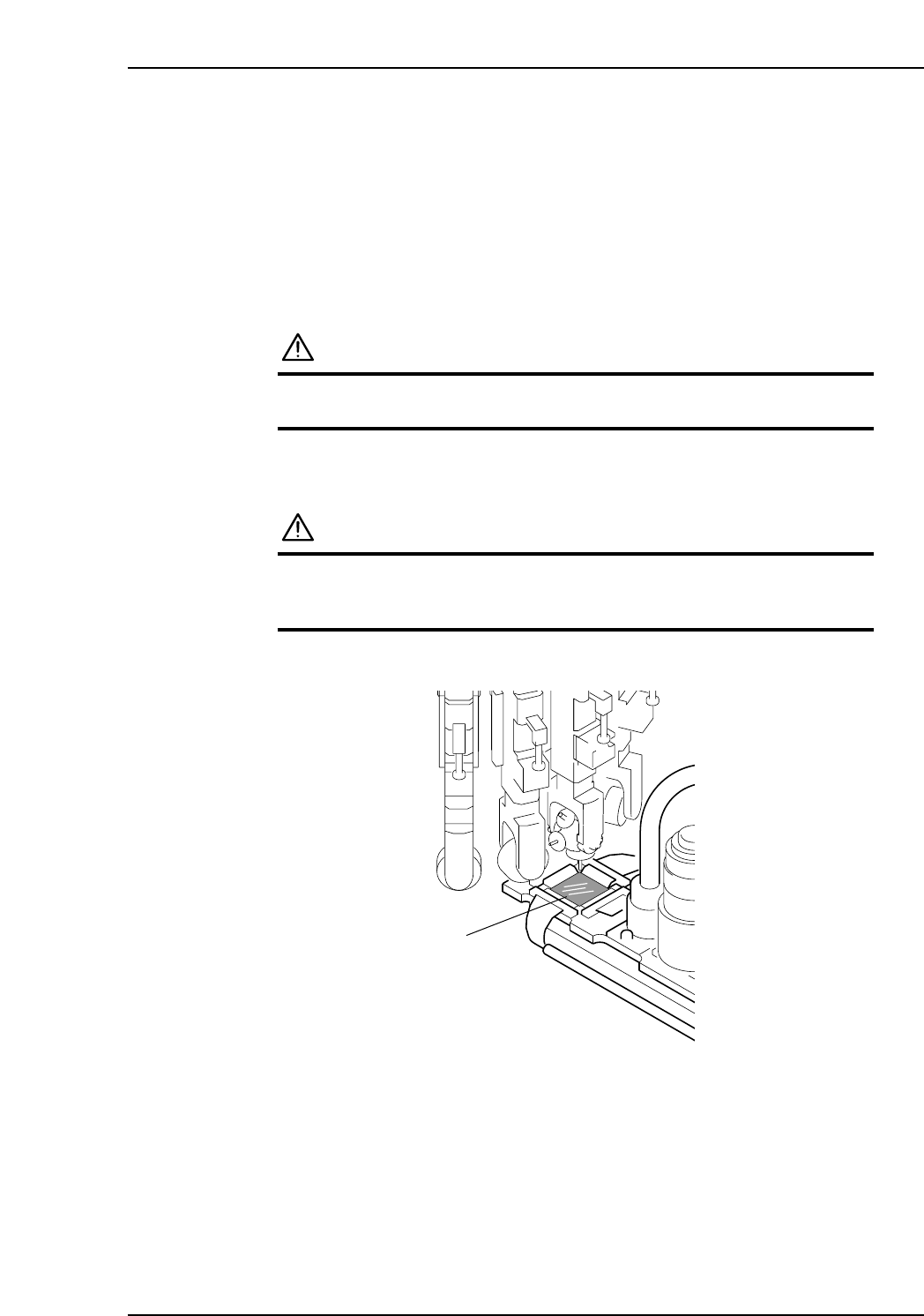
Use a soft brush (such as those used to clean camera lenses) to clean the camera glass. If
the glass is badly soiled, use a commercially available glass cleaner.
CAUTION
Take care to not bend any nozzles.
Do not place excessive pressure on the camera cover
glass, which is thin and breaks easily.
C7SM3010a
Camera glass
Part 3 Chapter 1 Cleaning
Edition 2.9 3-1-5 CP-7 series Mechanical Reference