00196351-04_UM_ACT_de_en.pdf - 第100页
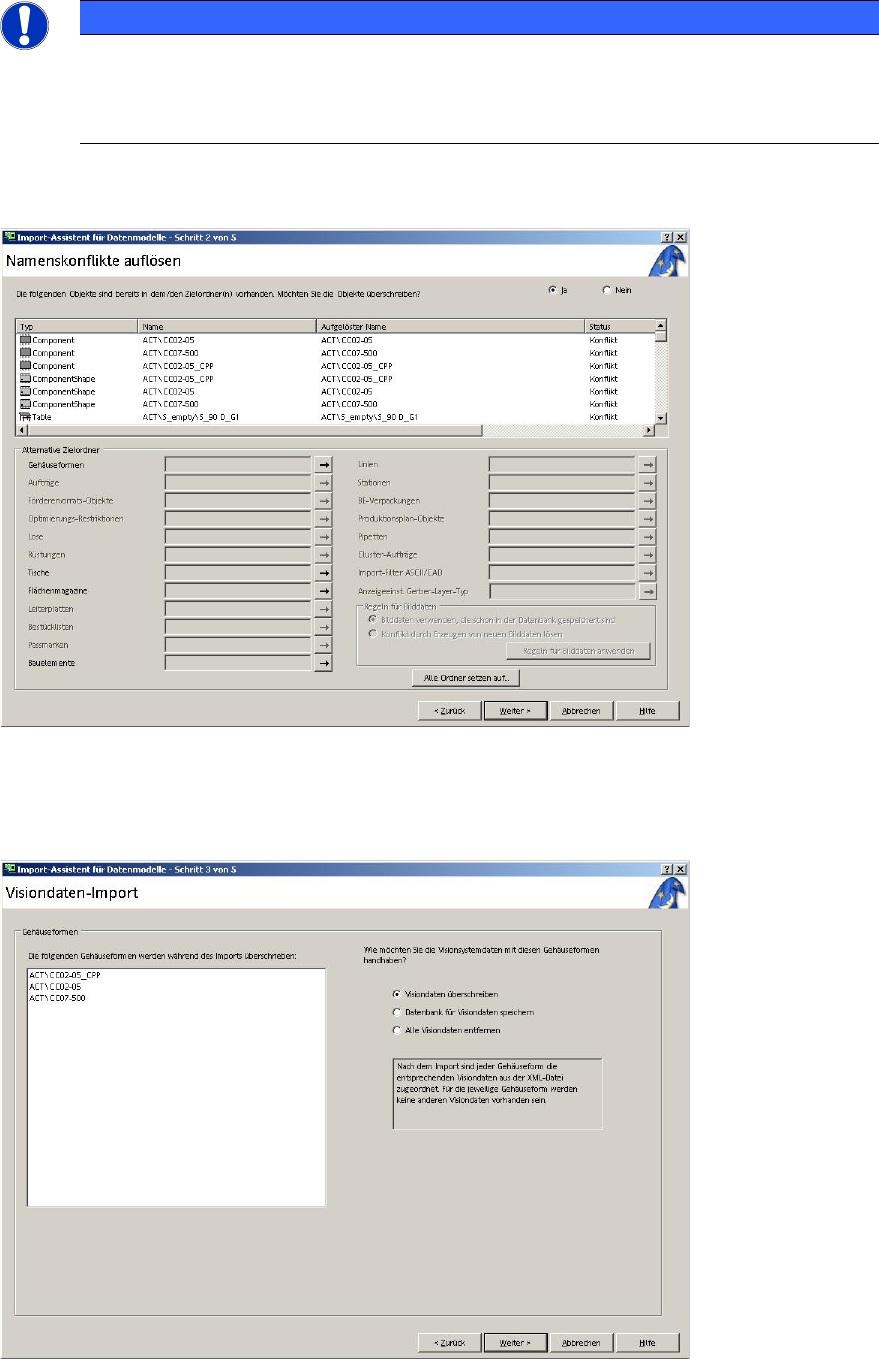
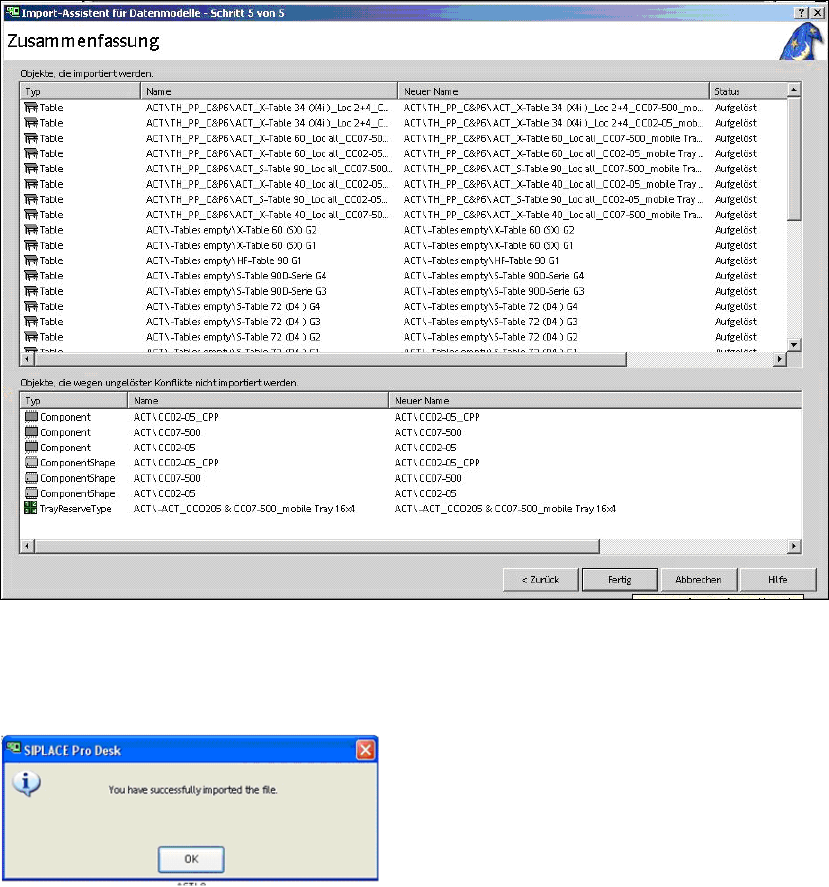
ACT - Accurac y Check T ool / User Manual 07/2014 Edit ion 26 ► Activate the Visiondat en üb erschreiben (O verwrite Vision data) op tion. ► Click Weit er (Next). The f ollowing scr een is d ispla yed: Figure 3- 24 : Imp…
ACT - Accuracy Check Tool / User Manual 07/2014 Edition
25
NOTICE
Import of data
► Please do not change the destination folder.
► Do not select the Reduzierte Verzeichnisse (reduced folders) check box.
► Click Weiter (Next).
Figure 3-22: Import of XML files for tables on SIPLACE Pro computer
► Click Weiter (Next) again.
The following screen is displayed:
Figure 3-23: Vision data import
ACT - Accuracy Check Tool / User Manual 07/2014 Edition
26
► Activate the Visiondaten überschreiben (Overwrite Vision data) option.
► Click Weiter (Next).
The following screen is displayed:
Figure 3-24: Import of XML files for tables in SIPLACE Pro
► Click Fertig (Finish).
The following screen is displayed:
Figure 3-25: Finished import of XML files for tables in SIPLACE Pro
► Click OK.
ACT - Accuracy Check Tool / User Manual 07/2014 Edition
27
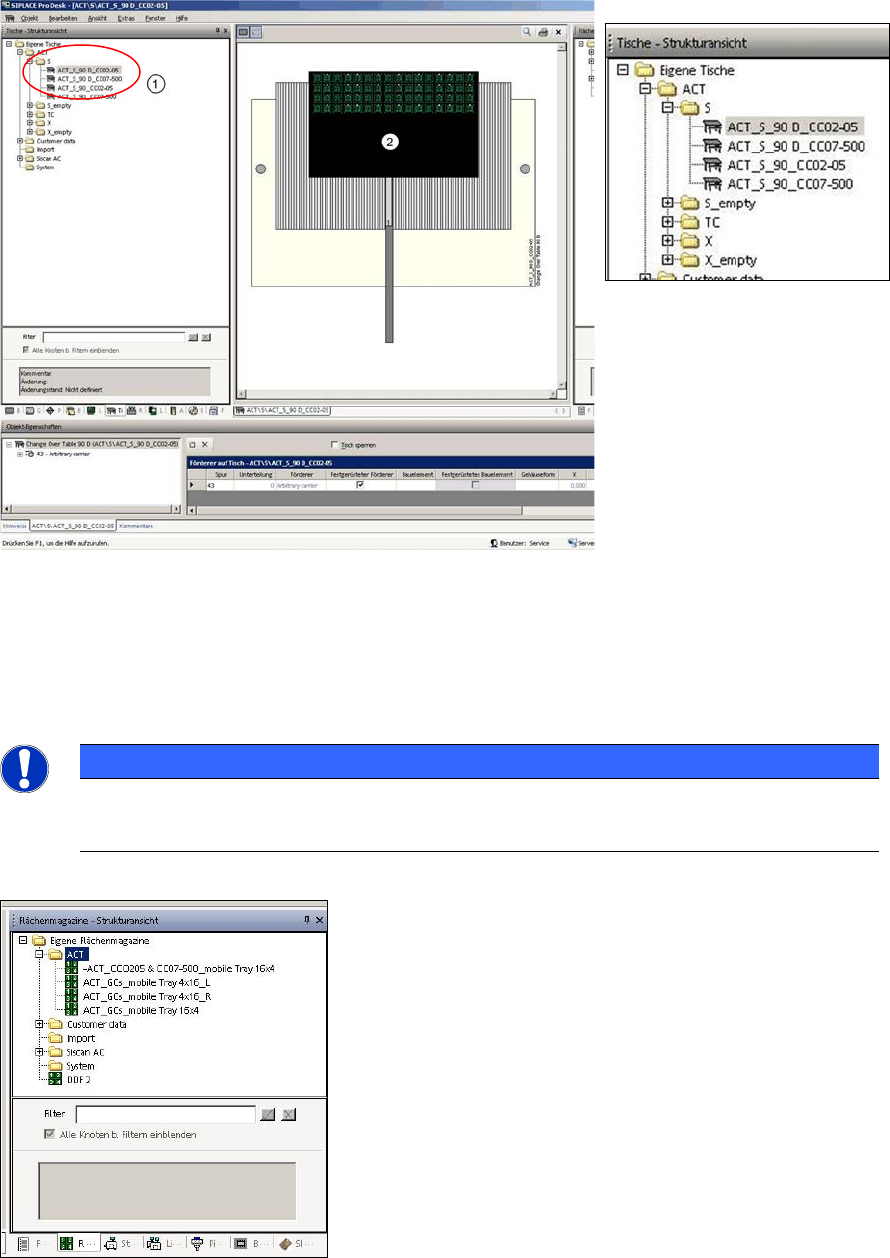
Figure 3-26 displays the tables in the ACT folder:
You can also see a waffle pack tray with 16x4 component rows (example CC02-05 glass
components).
Figure 3-26: Tables in ACT folder, view of waffle pack tray with example of 16x4 rows CC02-05 glass components
Key:
(1) ACT tables
(2) ACT waffle pack tray with 16x4 components
NOTICE
Glass components on waffle pack trays
Tray suggestions for an ACT with MTCs and WPCs can be found in the Trays tab.
The next figure displays the structure view of the waffle pack trays (right-hand side of diagram):
Figure 3-27: Waffle pack tray structure in SIPLACE Pro