00196351-04_UM_ACT_de_en.pdf - 第146页
ACT - Accurac y Check T ool / User Manual 07/2014 Edit ion 72 The f ollowing scr een is d ispla yed: Figure 5-3 : Default screen, password entry ► Enter "Ser v ice" as pas swor d. ► Click OK . Figure 5-4 : Doub…
ACT - Accuracy Check Tool / User Manual 07/2014 Edition
71
5 Appendix
5.1 Installing the ACT on Stations with Station Software 605.xx
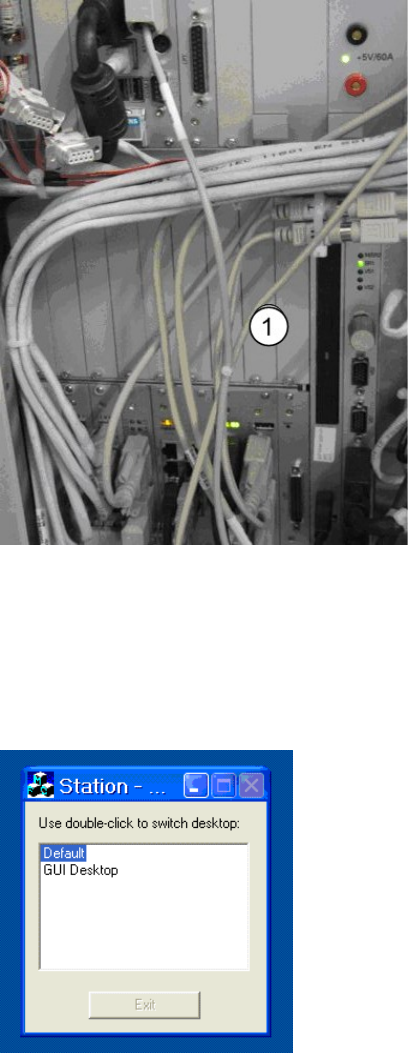
► Place the CD provided with the package in the machine drive.
Figure 5-1: CD drive on the station
Key:
(1) Station CD drive.
► Switch to the operating system (Default).
Figure 5-2: Default view on the station
ACT - Accuracy Check Tool / User Manual 07/2014 Edition
72
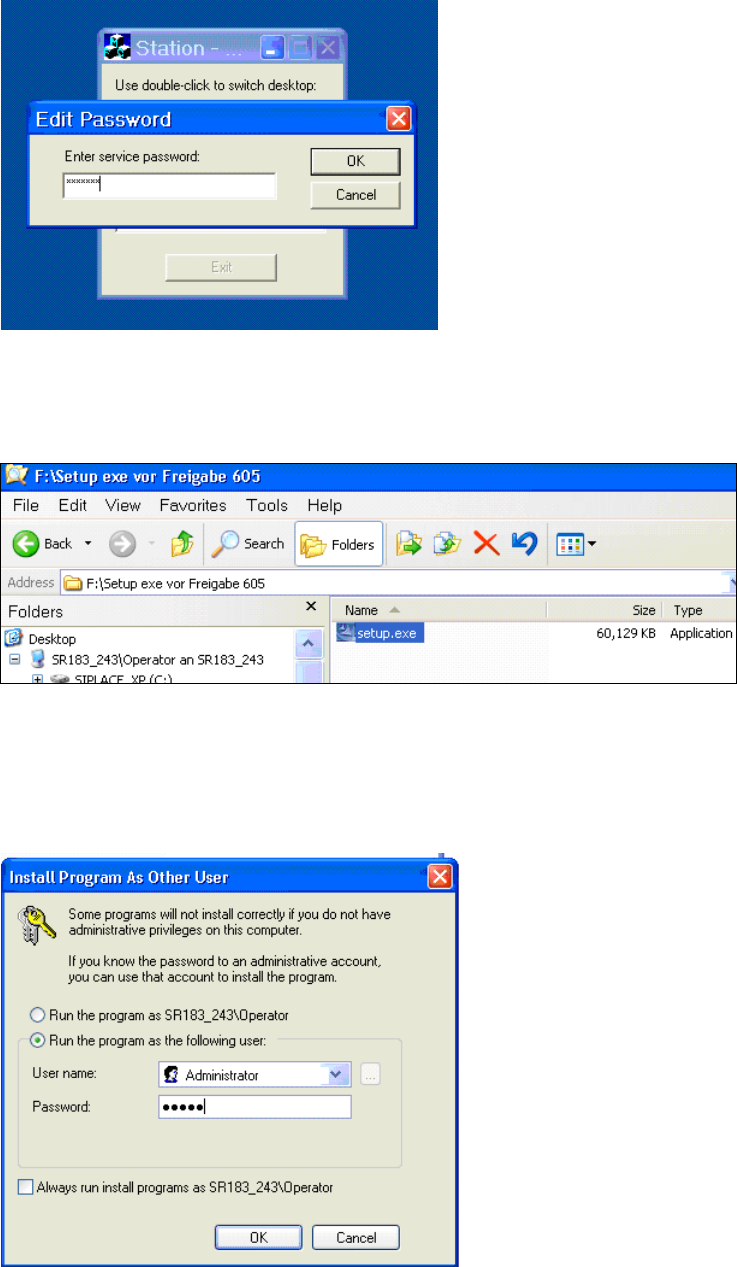
The following screen is displayed:
Figure 5-3: Default screen, password entry
► Enter "Service" as password.
► Click OK.
Figure 5-4: Double-clicking the setup.exe file on the CD
► Double click the setup.exe file on the CD.
A password is requested before installation of the ACT (Figure 5-5).
Figure 5-5: Entering the password after double-clicking setup.exe (before installing the ACT program)
► Enter the administrator password.
ACT - Accuracy Check Tool / User Manual 07/2014 Edition
73
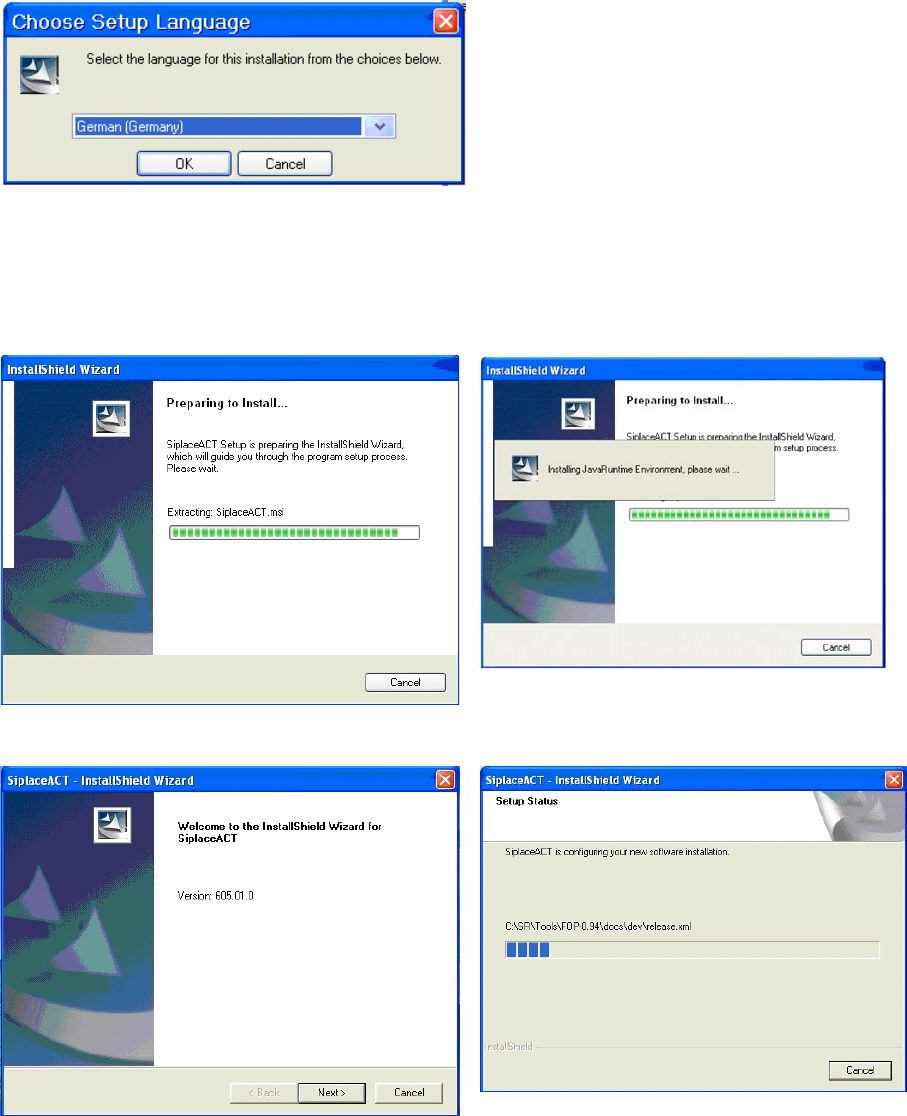
Figure 5-6: Installation program with prompt to enter language
► Enter the required language (German or English).
The installation is prepared.
Figure 5-7: Vorbereitung zur Installation des ACT
Figure 5-8: Installation: Clicking Next
► Click Next.