00196351-04_UM_ACT_de_en.pdf - 第90页
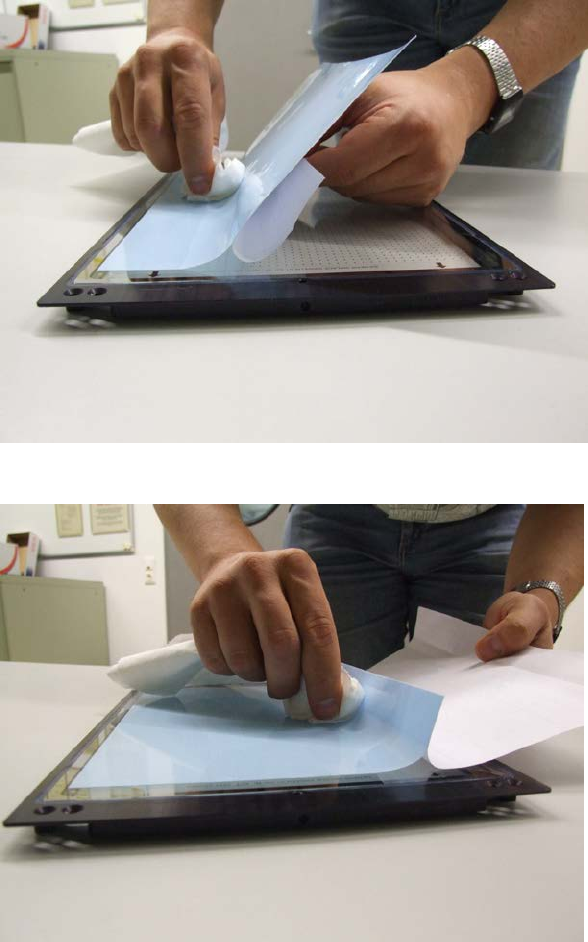
ACT - Accurac y Check T ool / User Manual 07/2014 Edit ion 16 ► Pull off the upper blue f oil. The adhesi ve f oil should c over th e meas uring plat e up to th e silver edge (1) ( Fig ure 3-8 ). ► Make s ure that the gl…
ACT - Accuracy Check Tool / User Manual 07/2014 Edition
16
► Pull off the upper blue foil.
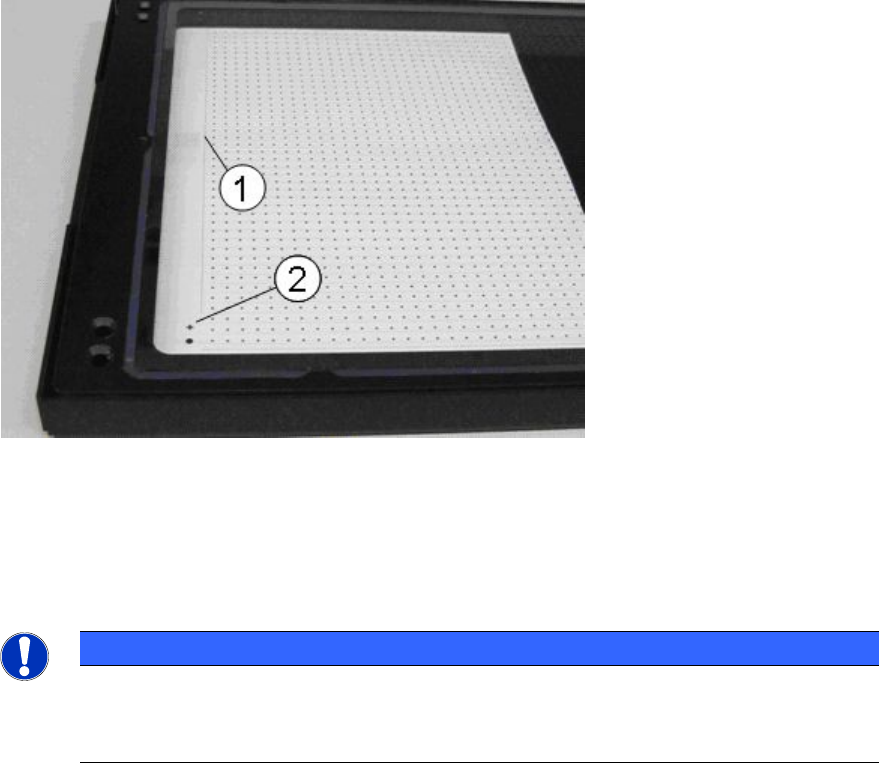
The adhesive foil should cover the measuring plate up to the silver edge (1) (Figure 3-8).
► Make sure that the global fiducials (2) are kept free of the foil.
Figure 3-8: ACT measuring plate with silver edge and cross fiducial
Key:
(1) Silver edge
(2) Cross fiducial
NOTICE
Foil can be used several times
After measurement, the components can be carefully scraped off from the foil.
Thus, several placements/measurements (up to 20) can be performed with one foil.
ACT - Accuracy Check Tool / User Manual 07/2014 Edition
17
3.2 Software Preparations
The ACT case contains a CD on which the software packages described in the following are
available. However, these may be out-of-date.
Therefore, please obtain the latest versions from the Software License Portal or the SIPLACE
Hotline respectively.
3.2.1 Station Software
For SIPLACE placement machines with station software as of the 70x.x version no special
preparations have to be made.
For SIPLACE placement machines with station software 60x.x (X-series (old) and D-series) an
additional software installation is required for using the ACT.
Please see section 5.1.
3.2.2 SIPLACE Pro Software
For SIPLACE Pro, prefabricated table and board data files are available for the respective versions.
These so-called *.sipro files can be imported into the SIPLACE Pro database over the Data Model
Import.
The corresponding component shapes and components are also contained in these files.
HINWEIS
Update of SIPLACE Pro ACT data
► Recommendation: Delete old ACT data before importing the newest SIPLACE Pro
data to avoid having a confusing amount of data.
► Delete all recipes, jobs and setups for ACT manually.
Now you can delete tables, boards, placement lists, fiducials, components and
component shapes one after the other from the ACT folders.
► If it is impossible to the delete these objects for reasons of time:
Rename all ACT folders of the single views (fiducials, placement lists, boards, tables
,
trays) to ACT_Old.
The ACT structure is automatically provided again when the new data is imported.
HINWEIS
Import of data
► DON'T select the Reduzierte Verzeichnisse (reduced folders) option.
► Always overwrite all objects (even image data/blobs; if necessary, resolve conflicts
by creating new image data).