00196351-04_UM_ACT_de_en.pdf - 第132页
ACT - Accurac y Check T ool / User Manual 07/2014 Edit ion 58 Figure 4- 37 : Measurement report (log) in PDF format
ACT - Accuracy Check Tool / User Manual 07/2014 Edition
57
4.2.4.3 Saving the Report under the 605.xx Station Software
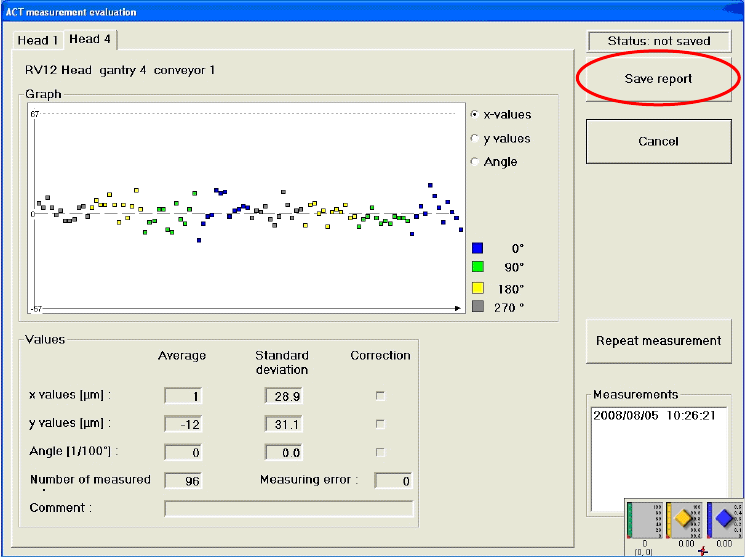
► Click the Save report button.
Figure 4-36: Saving a measurement report (log)
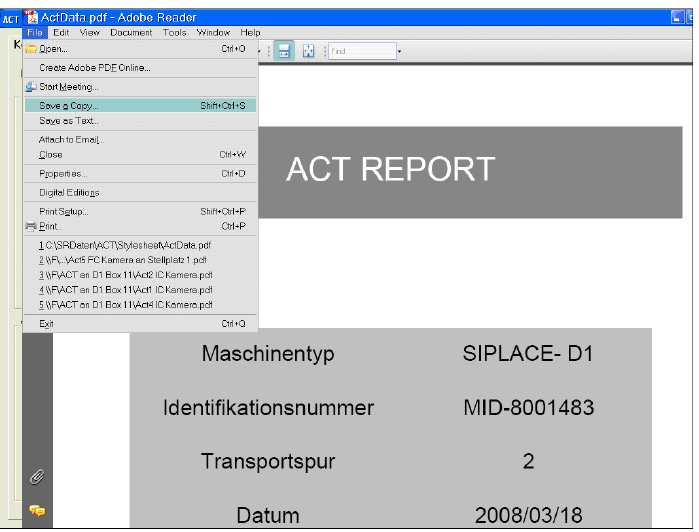
The report of the ACT measurement results can be saved as a PDF file in the following dialog box.
The Machine type, Identification number, Conveyor track and Date are taken from the
measurement to identify the machine.
File name
The name of the file in which the measurements are saved is given the extension .pdf. The file
name is generated automatically as follows: ActData.pdf
You can also specify the file name yourself, by simply overwriting the prompted name and saving it
in a folder of your choice (or on an external storage medium such as a USB stick).
ACT - Accuracy Check Tool / User Manual 07/2014 Edition
58
Figure 4-37: Measurement report (log) in PDF format
ACT - Accuracy Check Tool / User Manual 07/2014 Edition
59
4.2.5 Working with the ACT under Station Software 703.xx and Higher
NOTICE
It is not necessar
y to install any additional software on the station computer on machines
running Version 703.xx and higher of the station software.
Requirements:
● You have already sent a placement/measurement program to the station as described in
section 4.1.
● You have set up the station as described in section 4.2.1.
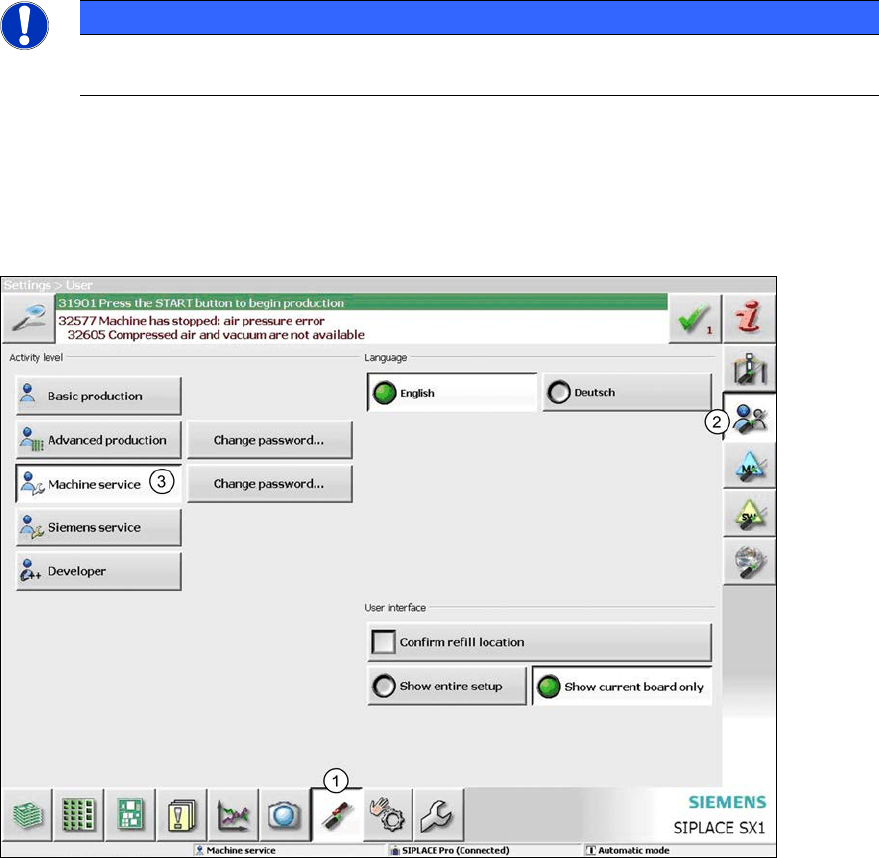
Figure 4-38: Switching the user level
► Switch to the Settings view (1).
► Switch to User settings (2).
► Switch to the Machine service user level (3).
► To do so, enter the Service password.