00196351-04_UM_ACT_de_en.pdf - 第133页
ACT - Accurac y Check T ool / User Manual 07/2014 Edit ion 59 4.2.5 Working wi th the A CT under Station Software 703.x x and Higher NOTICE It is not necess ar y to insta ll an y additional s oftwar e on the s tation c o…
ACT - Accuracy Check Tool / User Manual 07/2014 Edition
58
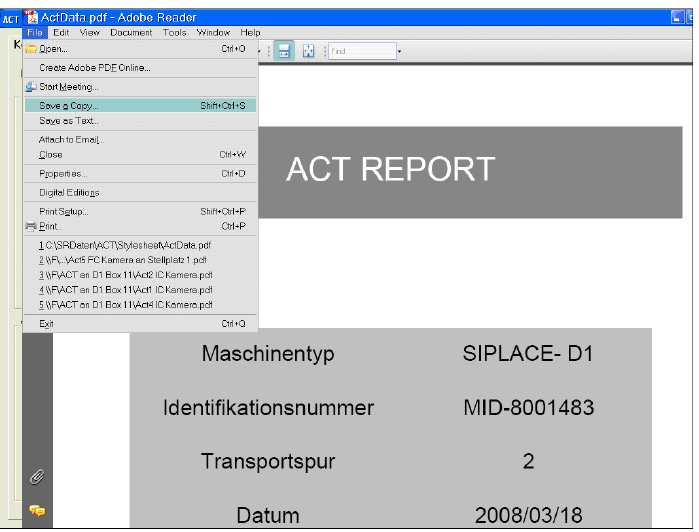
Figure 4-37: Measurement report (log) in PDF format
ACT - Accuracy Check Tool / User Manual 07/2014 Edition
59
4.2.5 Working with the ACT under Station Software 703.xx and Higher
NOTICE
It is not necessar
y to install any additional software on the station computer on machines
running Version 703.xx and higher of the station software.
Requirements:
● You have already sent a placement/measurement program to the station as described in
section 4.1.
● You have set up the station as described in section 4.2.1.
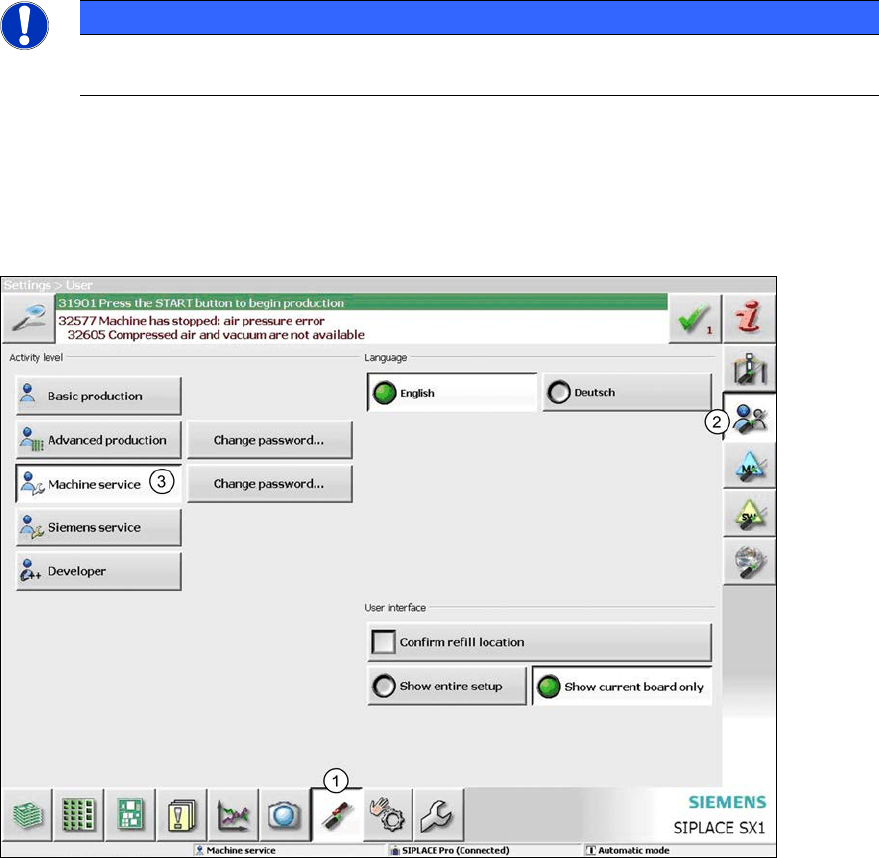
Figure 4-38: Switching the user level
► Switch to the Settings view (1).
► Switch to User settings (2).
► Switch to the Machine service user level (3).
► To do so, enter the Service password.
ACT - Accuracy Check Tool / User Manual 07/2014 Edition
60
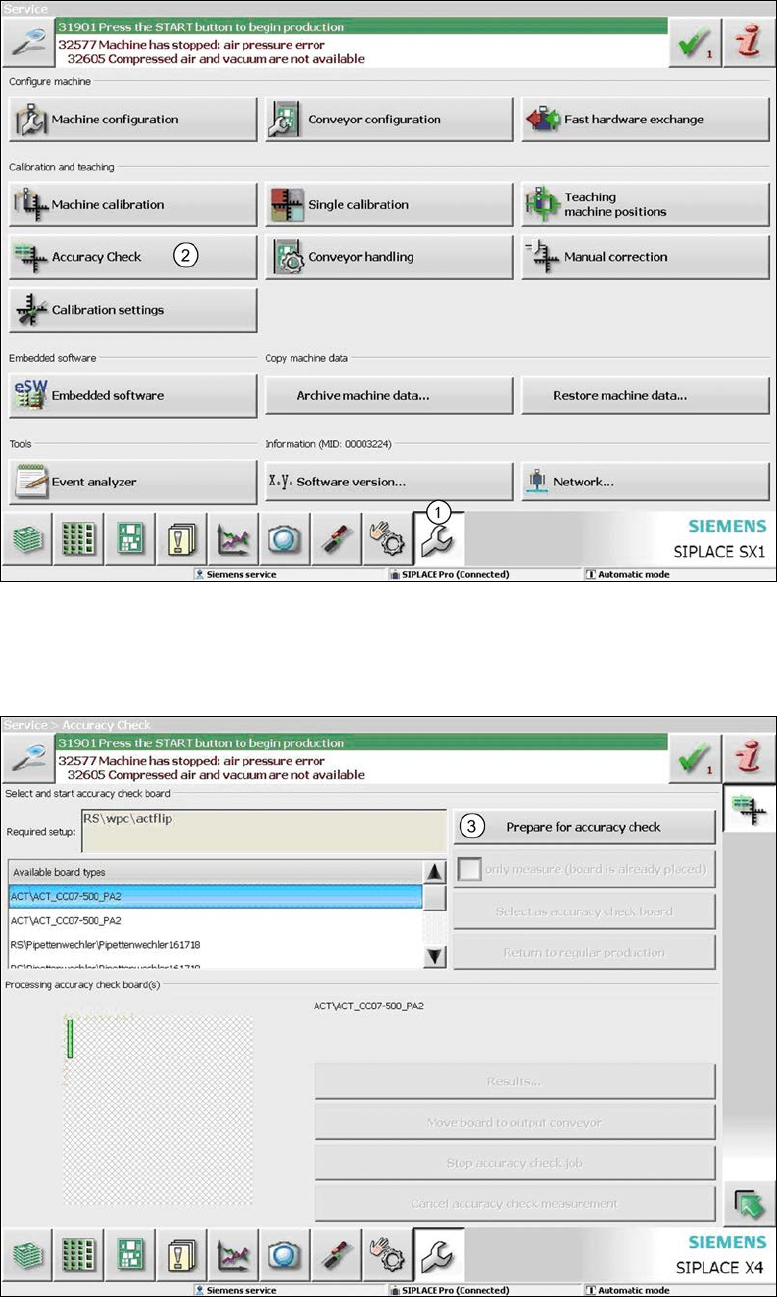
Figure 4-39: Service Tools view
► Change to the Service view. (1).
► Click the Accuracy Check button (2).
Figure 4-40: Preparing for the accuracy check
► Now click the Prepare for accuracy check button (3).
The machine automatically switches to standalone mode.