00196351-04_UM_ACT_de_en.pdf - 第122页
ACT - Accurac y Check T ool / User Manual 07/2014 Edit ion 48 Figure 4- 24 : Dialog box: Access level (example SIPLACE D4) ► Enable th e Service acc ess leve l and conf irm your entry wi th OK . If a pass word has been d…
ACT - Accuracy Check Tool / User Manual 07/2014 Edition
47
4.2.4 Working with the ACT Function under Station Software 605.xx
NOTICE
On SIPLACE X and D machines running station software 605.xx (platform 2+), it is
necessary to install additional software on the station computer to be able to use the
ACT.
The installation is described in the Appendix of the document (Chapter 5).
► Switch on the machine.
The station computer will boot. The user interface basic view for the SC program will soon appear.
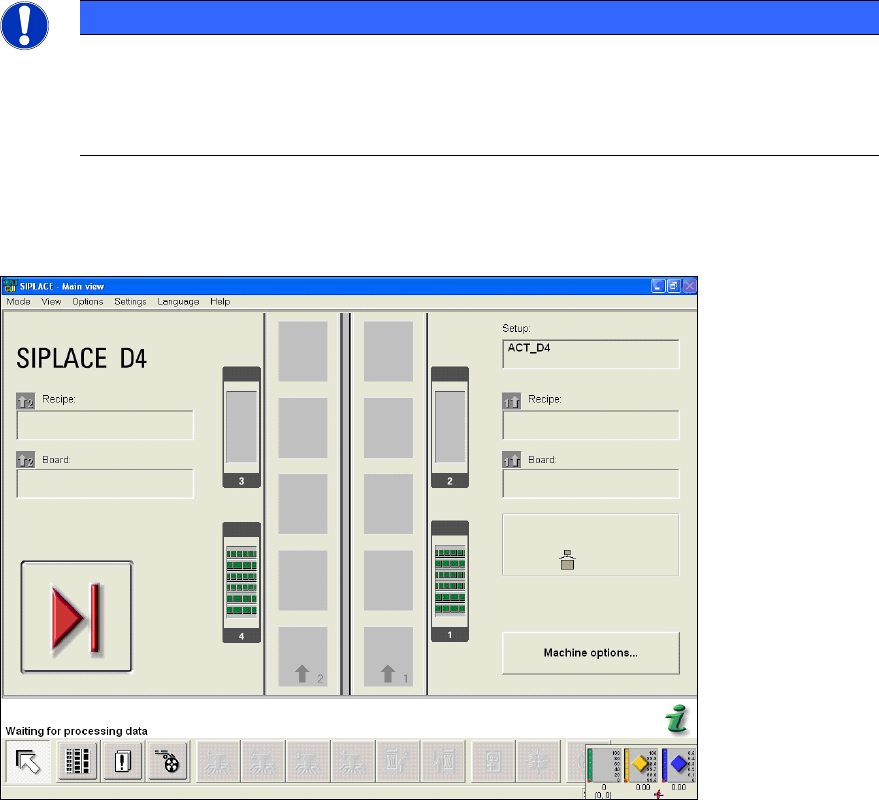
Figure 4-23: Basic view of user interface GUI at the station
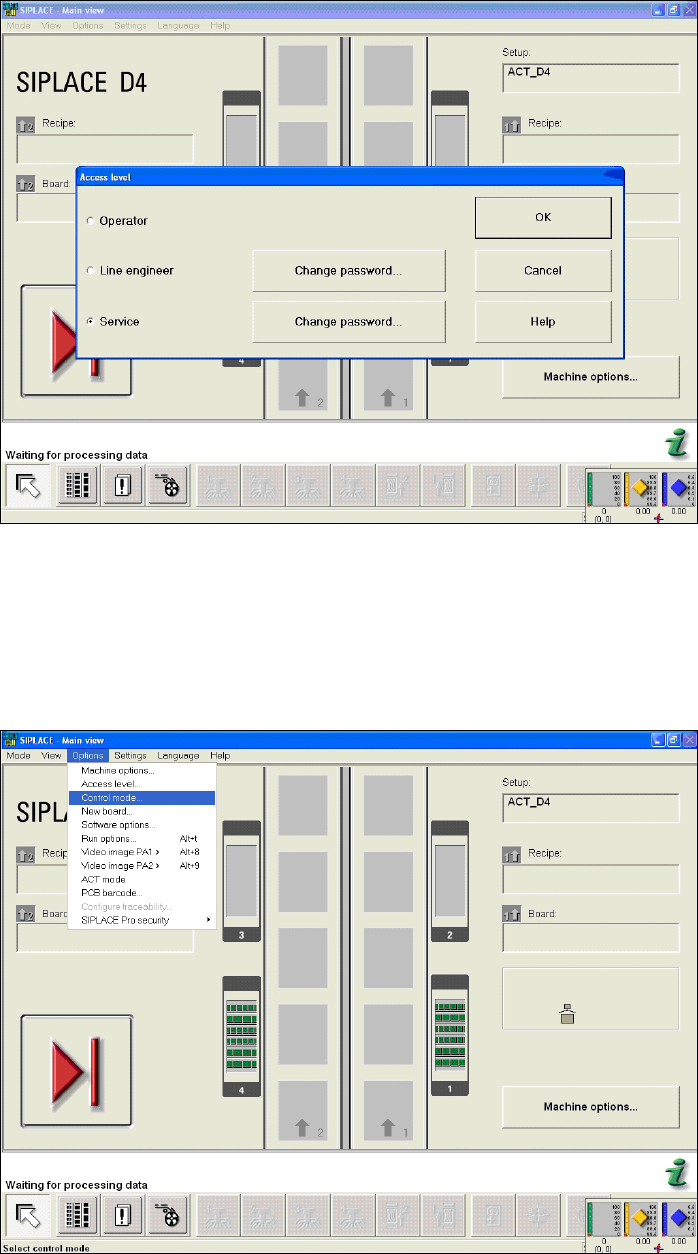
► From the Options menu, choose Access level... (Figure 4-24).
The Access level dialog box opens.
ACT - Accuracy Check Tool / User Manual 07/2014 Edition
48
Figure 4-24: Dialog box: Access level (example SIPLACE D4)
► Enable the Service access level and confirm your entry with OK.
If a password has been defined, a dialog box will open for you to enter this password.
► Enter the password and confirm with OK.
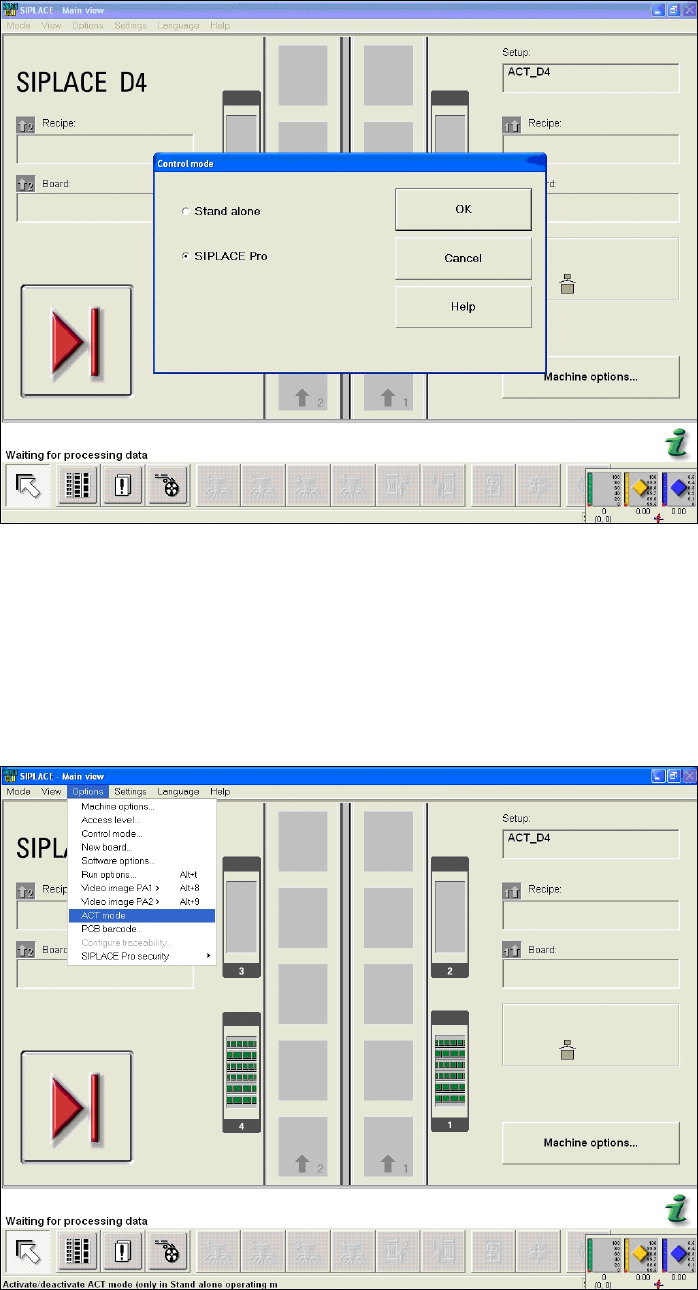
► Select the menu items Options → Control mode....
Figure 4-25: Basic view of user interface for SC program (example SIPLACE D4)
This opens the Control mode dialog box.
► Select SIPLACE Pro and confirm the setting with OK.
ACT - Accuracy Check Tool / User Manual 07/2014 Edition
49
Figure 4-26: Dialog box operating mode switchover to SIPLACE Pro at the station (example SIPLACE D4)
► Press the START button on the machine.
The reference run is carried out.
► Send the recipe / job to the station with the relevant setup and the ACT placement program.
► From the Options menu, select ACT mode.
The ACT dialog box opens and the machine will automatically switch to Stand Alone mode.
Figure 4-27: Basic view of user interface for SC program (example SIPLACE D4)
After setting ACT mode, an icon will be displayed for ACT.