00196351-04_UM_ACT_de_en.pdf - 第148页
ACT - Accurac y Check T ool / User Manual 07/2014 Edit ion 74 Figure 5-9 : Completing the A CT inst allation ► Click Finish to c om plete the ins tallat ion of the ACT. ► Reboot th e mac hine. The st ation com puter GUI …
ACT - Accuracy Check Tool / User Manual 07/2014 Edition
73
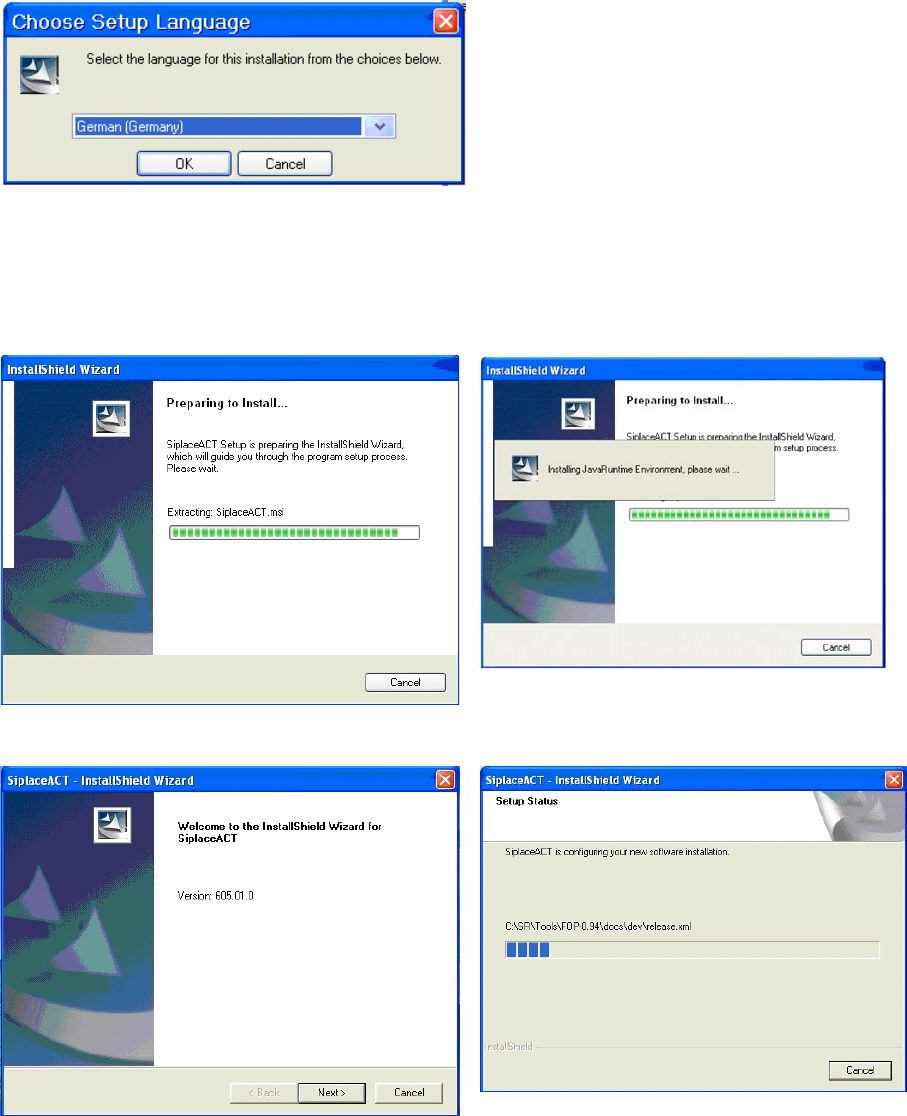
Figure 5-6: Installation program with prompt to enter language
► Enter the required language (German or English).
The installation is prepared.
Figure 5-7: Vorbereitung zur Installation des ACT
Figure 5-8: Installation: Clicking Next
► Click Next.
ACT - Accuracy Check Tool / User Manual 07/2014 Edition
74
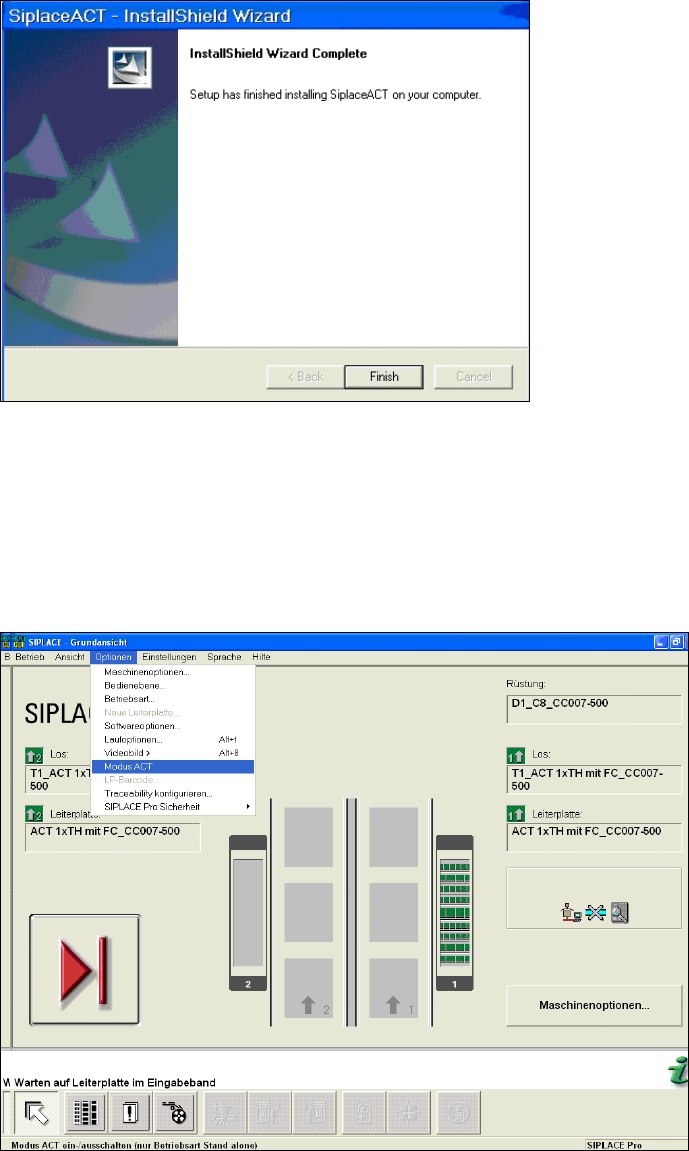
Figure 5-9: Completing the ACT installation
► Click Finish to complete the installation of the ACT.
► Reboot the machine.
The station computer GUI displays the ACT mode grayed out (inactive) under Options
(Figure 5-10).
Figure 5-10: GUI with Options / ACT mode
ACT - Accuracy Check Tool / User Manual 07/2014 Edition
75
6 Abbreviations
ACT Accuracy Check Tool
C&P Collect and Place
CP Ceram pad
MTC Matrix Tray Changer
P&P Pick and Place
PCB Printed Circuit Board
TH Twin Head
WPC Waffle Pack Changer