00196351-04_UM_ACT_de_en.pdf - 第131页
ACT - Accurac y Check T ool / User Manual 07/2014 Edit ion 57 4.2.4.3 S aving the Repor t under the 605.xx Stati on Software ► Click the S ave repo rt butt on. Figure 4- 36 : Saving a measurement report (log) The repor t…
ACT - Accuracy Check Tool / User Manual 07/2014 Edition
56
4.2.4.2 Correcting the Measured Offset Values with Station Software 605.xx
When the measurement is terminated you can enter the Offset (average) manually in the FK_Off
machine file FK_Off.MA.
It follows an example of entering the offset (average).
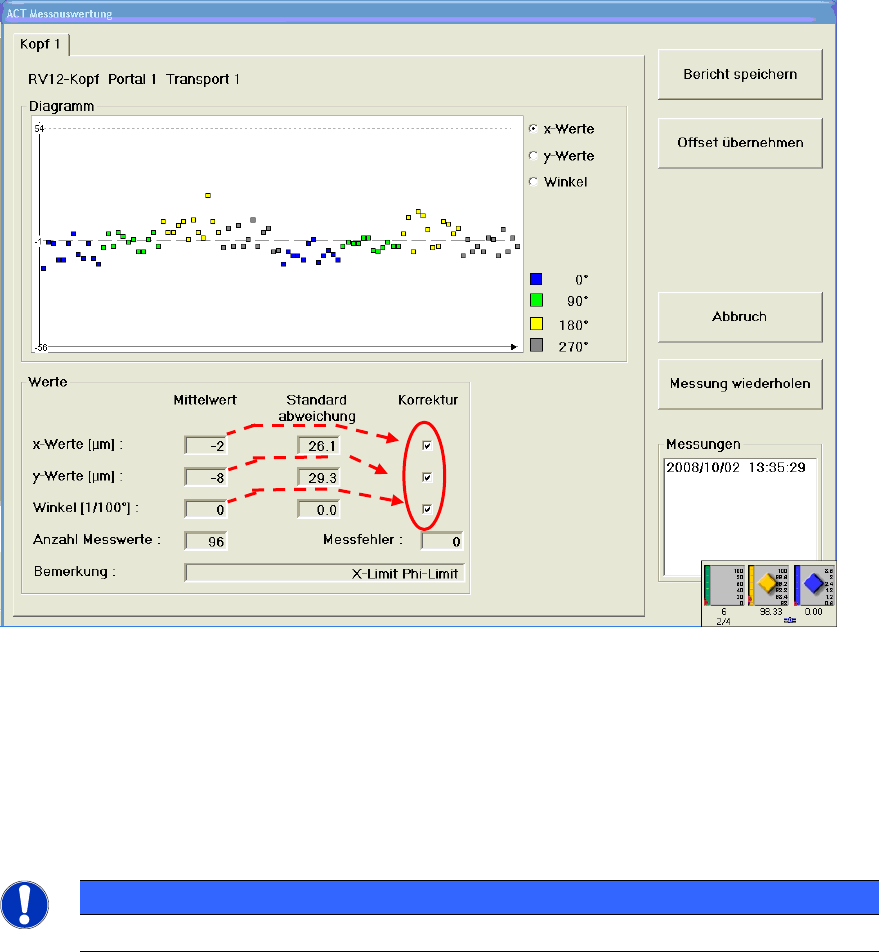
The results of the ACT measurement are displayed on the GUI. Among others, the offset (average)
in X, Y and Phi is filled.
Figure 4-35: Example offset (average) of a TH, thereof Segment 1displayed
► Activate the check boxes for the axes for which you will correct the average.
► Click on the Offset übernehmen (Accept offset) button.
► Then finish the ACT function and shut down the machine.
After having rebooted the machine, you can restart the ACT function and repeat placement
measurements.
NOTICE
The new offset values are not regarded until the computer has been rebooted!
ACT - Accuracy Check Tool / User Manual 07/2014 Edition
57
4.2.4.3 Saving the Report under the 605.xx Station Software
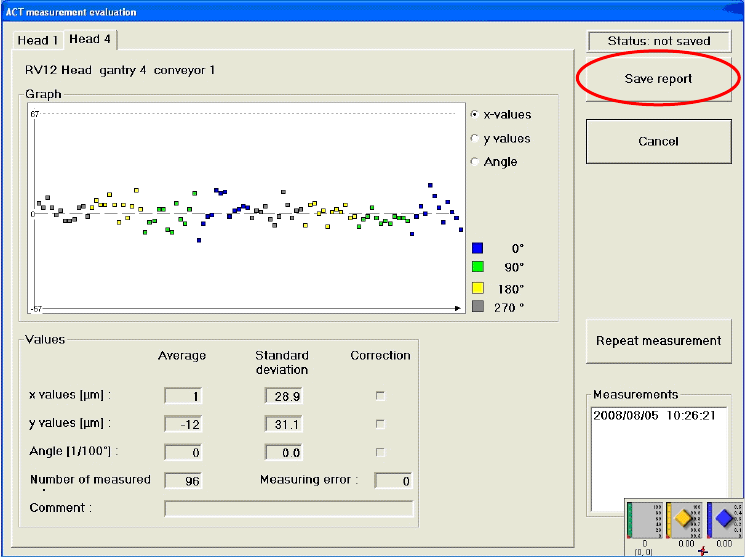
► Click the Save report button.
Figure 4-36: Saving a measurement report (log)
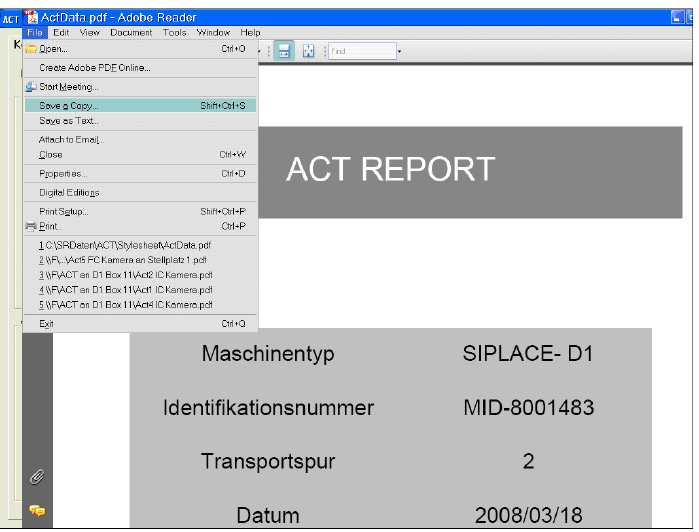
The report of the ACT measurement results can be saved as a PDF file in the following dialog box.
The Machine type, Identification number, Conveyor track and Date are taken from the
measurement to identify the machine.
File name
The name of the file in which the measurements are saved is given the extension .pdf. The file
name is generated automatically as follows: ActData.pdf
You can also specify the file name yourself, by simply overwriting the prompted name and saving it
in a folder of your choice (or on an external storage medium such as a USB stick).
ACT - Accuracy Check Tool / User Manual 07/2014 Edition
58
Figure 4-37: Measurement report (log) in PDF format